
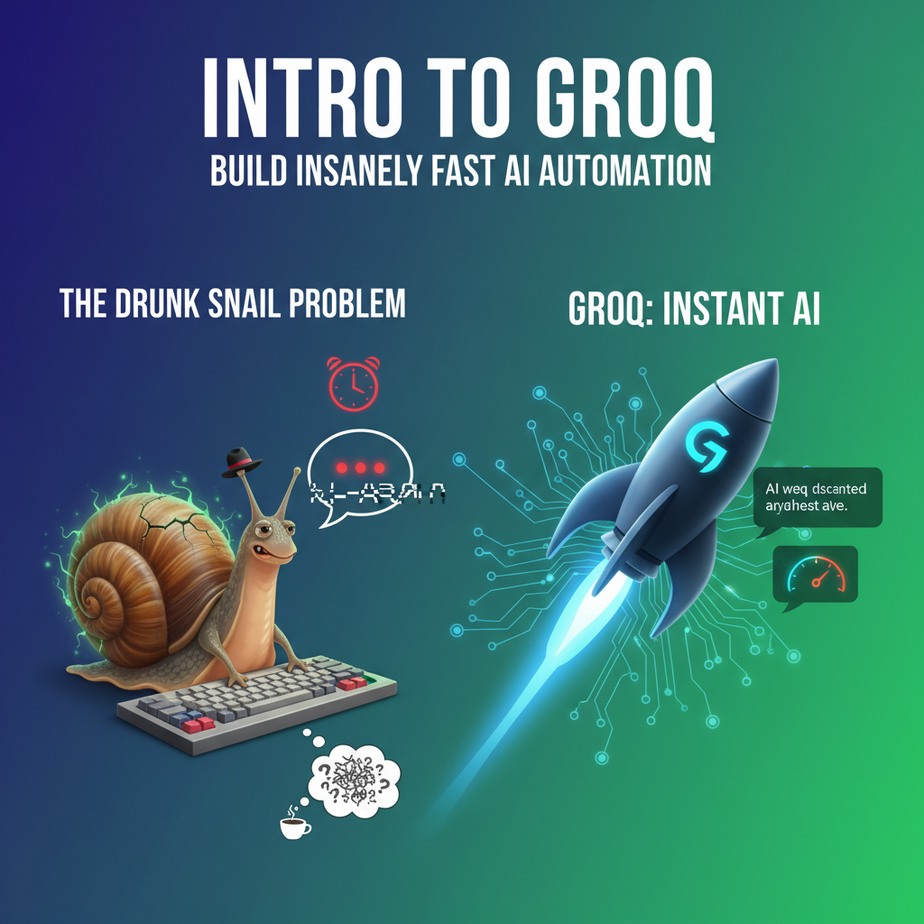
The Drunk Snail Problem
Ever used a chatbot that felt like it was typing with its elbows? You ask a simple question. You wait. The little three-dot bubble pulsates, mocking you. A word appears. Another… two… seconds… later. It’s like watching a sloth solve a Rubik’s Cube. By the time it finishes its sentence, you’ve forgotten your question, aged twelve years, and lost a customer.
This is the dirty little secret of most AI applications: they’re slow. Not just “a little laggy” slow, but “actively painful to use” slow. That latency, the time between your question and its answer, is a user experience graveyard. It’s the difference between an AI assistant that feels like a genius and one that feels like a dial-up modem.
A few weeks ago, I was testing a prototype for an AI sales agent. It was supposed to analyze customer emails and suggest responses in real-time. The first time we used it on a live email, the sales rep stared at a loading spinner for seven seconds. Seven. In the sales world, that’s long enough for a lead to get married, have kids, and sign a contract with your competitor. The prototype was useless.
We’re here today to fix that. Permanently. We’re going to swap out our AI’s engine for a jet thruster. Welcome to Groq.
Why This Matters
Speed isn’t just a vanity metric; it’s a business requirement. In automation, latency kills.
For Business Owners: A fast AI is a trustworthy AI. When a customer support bot answers instantly, it feels capable. When your internal summary tool spits out results before you can blink, your team actually uses it. Speed directly impacts conversion rates, customer satisfaction, and employee adoption. It makes your company look smart.
For Freelancers & Developers: This is your new secret weapon. While everyone else is delivering laggy chatbots, you’ll be delivering experiences that feel like magic. This is how you justify a higher price tag. This is how you build things that people don’t just use, but love.
This workflow replaces the “awkward pause” in your automations. It replaces the slow, clunky intern who takes forever to look something up. It replaces the user frustration that comes from waiting for a computer to think. We’re building automations that operate at the speed of conversation, not the speed of a drowsy bureaucrat.
What This Tool / Workflow Actually Is
Let’s be crystal clear. Groq (that’s Groq with a ‘q’, not Grok with a ‘k’ like Elon’s thing) is not a new AI model. It doesn’t compete with GPT-4 or Llama 3.
Groq is an inference engine.
Think of it like this: an AI model (like Llama 3) is a hyper-complex blueprint for a brain. To make that brain *think*, you need an engine to run it. For years, the best engines have been GPUs (Graphics Processing Units). They’re powerful, but they weren’t originally designed for language. It’s like using a monster truck engine to power a Swiss watch—it works, but it’s not exactly elegant.
Groq designed a new type of chip from the ground up called an LPU, or Language Processing Unit. Its only job is to run language models at absolutely psychotic speeds. They took the same brain (Llama 3) and put it in a jet. The brain is the same, but the speed is otherworldly.
What it does: It runs popular open-source LLMs (like Llama 3, Mixtral, Gemma) faster than anyone else. We’re talking hundreds of tokens per second. It feels instantaneous.
What it does NOT do: It doesn’t train models. You can’t fine-tune on it. It’s not a model itself. It’s a specialized execution layer. You bring the model, they bring the speed.
Prerequisites
I know the word “chip” and “engine” might scare some of you. Don’t panic. You don’t need to know anything about hardware. This is shockingly easy.
- A Groq API Key. Go to GroqCloud. Sign up. It’s free to get started and they give you a generous amount of credits. Go to the API Keys section, create a new key, and copy it somewhere safe. This is just a password your code will use.
- Python. If you don’t have Python on your computer, it’s time. It’s the language of AI automation. Don’t be scared. A 10-minute tutorial on YouTube will get you set up.
- A text editor. Anything. Notepad, VS Code, Sublime Text. A place to write and save your script.
That’s it. No credit card, no server, no PhD in computer science. If you can copy and paste, you can do this.
Step-by-Step Tutorial
Let’s build our first ridiculously fast AI script. We’ll keep it simple to see the core mechanics.
Step 1: Set Up Your Project
Open your terminal or command prompt. Create a new folder for our project and move into it.
mkdir groq_test
cd groq_test
Now, we need to install the Groq Python library. It’s one simple command.
pip install groqDone. You’ve just installed the gateway to insane speed.
Step 2: Create Your Python File
Create a file named quick_test.py in your folder. Open it in your text editor.
Step 3: Write the Code
We are going to write a script that asks a simple question. The magic isn’t in the question, but the response time. Copy and paste this code into your file.
import os
from groq import Groq

# IMPORTANT: Don't hardcode your API key like this in a real project!
# Use environment variables for security.
# For this test, you can paste it here, but be careful.
client = Groq(
    api_key="YOUR_GROQ_API_KEY",
)

chat_completion = client.chat.completions.create(
    messages=[
        {
            "role": "user",
            "content": "Explain the importance of low latency in AI systems to a non-technical business owner in one paragraph.",
        }
    ],
    model="llama3-8b-8192",
    temperature=0.7,
    max_tokens=256,
)

print(chat_completion.choices[0].message.content)
Step 4: Understand and Run the Code
Before you run it, let’s break this down. It’s simpler than it looks.
import os, from groq import Groq: This just loads the libraries we need.client = Groq(...): This is where you authenticate. ReplaceYOUR_GROQ_API_KEYwith the key you copied earlier. This line tells Groq who you are.messages=[...]: This is your prompt. Therole: "user"part tells the AI that you are the one asking. Thecontentis your actual question.model="llama3-8b-8192": This is crucial. We’re telling Groq to use the Llama 3 8B model. This is our “brain.”print(...): This part just digs into the response from the API and prints out the clean text answer.
Now, go back to your terminal and run the script.
python quick_test.pyBlink. It’s already done. The answer is on your screen. That’s the feeling we’re chasing. Try changing the prompt to something else and run it again. Feel the speed. That’s not a bug; that’s the product.
Complete Automation Example
Okay, asking one-off questions is fun, but let’s build something useful. Let’s create that Real-Time Meeting Summarizer I mentioned.
Imagine you just got off a 30-minute sales call. You need the key points *now*. Here’s the workflow: paste the raw transcript, and get a structured summary instantly.
Create a new file called summarizer.py.
import os
from groq import Groq

client = Groq(
    api_key="YOUR_GROQ_API_KEY",
)

# --- Paste your messy transcript here ---
transcript = """
Sales Rep: So, thanks for hopping on the call, Lisa. To recap, you're looking to improve your team's workflow, right?
Lisa (Client): Exactly. We're drowning in spreadsheets. It takes hours to generate our weekly reports and I'm worried things are falling through the cracks. It's chaos.
Sales Rep: I hear you. Many of our clients felt that way. Our platform automates that entire reporting process. It integrates directly with your existing data sources.
Lisa (Client): And the pricing? We're a startup, so budget is a major concern for us. We can't afford a massive enterprise solution.
Sales Rep: Of course. Our pricing is tiered, and the Pro plan, which seems like a good fit, is very startup-friendly. It would solve the reporting issue and the workflow chaos you mentioned.
Lisa (Client): That sounds promising. Can you send me a follow-up email with the details and a link to a demo?
Sales Rep: Absolutely. I'll get that over to you this afternoon. What's the best next step for your team?
Lisa (Client): I'll need to review this with my co-founder, Mark. Let's schedule a follow-up for next week.
"""

# --- This is our powerful instruction to the AI ---
prompt_template = f"""
Analyze the following sales call transcript. Your task is to extract the key information in a structured format. Do NOT be conversational. Provide the output as a simple summary.

TRANSCRIPT:
{transcript}

SUMMARY:
- **Client Name:** [Extract from text]
- **Pain Points:** [List 2-3 main problems the client is facing]
- **Key Buying Signal:** [What did the client say that indicates strong interest?]
- **Next Steps:** [What are the exact action items?]
"""

print("🤖 Generating summary... this will be fast.")

chat_completion = client.chat.completions.create(
    messages=[
        {
            "role": "user",
            "content": prompt_template,
        }
    ],
    model="llama3-70b-8192", # Using a more powerful model for analysis
)

summary = chat_completion.choices[0].message.content
print("\
--- SUMMARY ---")
print(summary)
Replace the API key, then run it: python summarizer.py.
Almost before you lift your finger from the Enter key, you’ll get a perfectly structured summary, identifying Lisa’s pain points, budget concerns, and the clear next step. Notice I used a more powerful model here (`llama3-70b-8192`) for a more complex task, and it was *still* incredibly fast. This is a tool your sales team would actually use.
Real Business Use Cases
You can apply this exact pattern—fast text generation—to hundreds of problems. This isn’t a one-trick pony.
- E-commerce – Real-Time Support Agent: A customer asks, “Does this jacket run small?” Your system instantly reads your product database and generates a helpful, conversational answer. No more waiting, which means no more abandoned carts.
- HR / Recruiting – Resume Screener: A recruiter pastes a candidate’s resume into a tool. It instantly extracts their years of experience, key skills, and flags whether they match the job description. This turns a 10-minute task into a 1-second one.
- Legal Tech – Contract Clause Explainer: A junior lawyer pastes a confusing paragraph from a contract. The AI instantly rewrites it in plain English, highlighting potential risks. Speed here means faster due diligence.
- Marketing – Ad Copy Generator: A marketer needs 5 different headlines for a new ad campaign. They type in the product description and *bam*, 5 creative options appear. The speed encourages experimentation and A/B testing.
- Healthcare – Doctor’s Note Summarizer: A doctor finishes a patient visit and dictates a few messy sentences. The system instantly structures them into a formal SOAP note for the patient’s file, saving critical administrative time.
Common Mistakes & Gotchas
- Using it for the Wrong Job: Groq is for low-latency, real-time tasks. If you need to process 10,000 documents overnight, another service might be cheaper. Use Groq where a human is waiting for the answer.
- Forgetting the Model is Still the Brain: The speed is from the LPU, but the quality of the answer comes from the LLM (e.g., Llama 3). If the model isn’t smart enough for your task, a fast bad answer is still a bad answer. Always pick the right model for the job’s complexity.
- Hardcoding API Keys: I said it in the code, and I’ll say it again. Pasting your key directly into the script is fine for a quick test. For any real application, learn to use environment variables. It’s a simple security practice that will save you from future headaches.
- Ignoring Token Limits: Every model has a context window (e.g., 8192 tokens for the models we used). That’s the amount of text it can ‘remember’ at once. If you try to stuff a 500-page book into our summarizer, it will fail. Be mindful of your input size.
How This Fits Into a Bigger Automation System
A fast brain is the core of any advanced automation. This Groq workflow is a powerful component you can plug into much larger systems.
- Voice Agents: This is the big one. You cannot have a natural-sounding phone agent if there’s a 3-second delay between when the user stops talking and the AI starts. Groq’s low latency is non-negotiable for building conversational voicebots that don’t make you want to scream “HUMAN!”
- CRM Automation: The output from our meeting summarizer doesn’t have to just print to the screen. You can pipe that structured text directly into your CRM (like Salesforce or HubSpot) via another API call, automatically updating the lead’s record.
- Multi-Agent Systems: Imagine an AI team. One agent (a fast router powered by Groq) reads an incoming email and decides if it’s a sales, support, or billing question. It then passes it to a specialized agent. The speed of that first routing step is critical to the whole system’s efficiency.
- RAG (Retrieval-Augmented Generation): In a RAG system, you first search a database for relevant documents and then feed them to an LLM to generate an answer. That final generation step needs to be fast for the user. Groq is perfect for being the fast, final synthesizer in a RAG pipeline.
What to Learn Next
Okay, you’ve built a script with a lightning-fast brain. But a brain in a jar is a novelty. A brain connected to the world is an agent. It’s time to give our creation a voice and ears.
In the next lesson in this course, we’re going to take our Groq engine and plug it into a real-time voice system. We will build a complete voice assistant that you can talk to, using your computer’s microphone, and it will talk back. The speed we unlocked today is what will make the conversation feel natural instead of robotic.
You’ve learned the theory. Next, we build the robot.
“,
“seo_tags”: “groq, ai automation, python, low latency ai, large language models, llama 3, api tutorial, business automation, real-time ai”,
“suggested_category”: “AI Automation Courses