
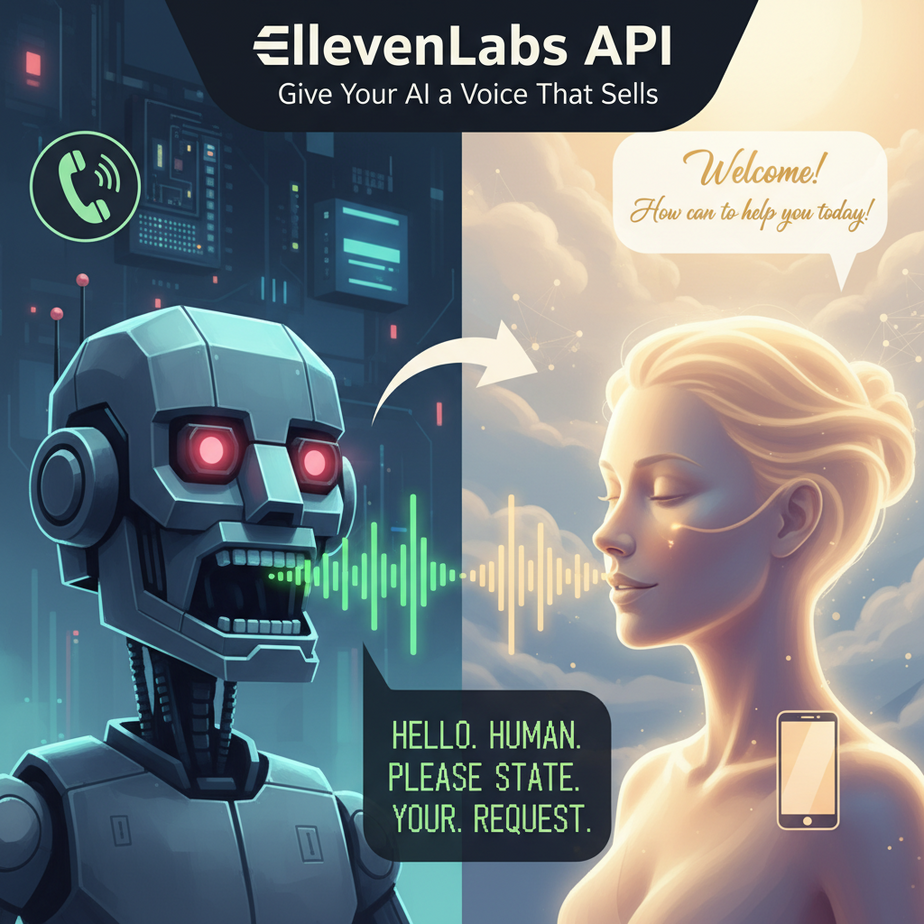
That Horrifying Robot Voice on the Phone
You know the one. You call your bank, and a voice straight out of a 1980s sci-fi movie says, “HELLO. HUMAN. PLEASE. STATE. YOUR. REQUEST.” You immediately feel a surge of rage. You don’t trust this voice. You don’t want to talk to it. You start mashing the ‘0’ key, praying for a real person.
That soulless, robotic voice is the sound of a business telling you, “We don’t really care about you, so we’re making you talk to our toaster.” It screams cheap, lazy, and untrustworthy. For decades, this was the best we could do for automated voice.
Today, we’re going to take that robot to the scrap heap. We’re going to build an AI that sounds so human, your customers will actually enjoy talking to it. We’re going to give our automations a voice that builds trust, not rage.
Why This Matters
Giving your AI a high-quality voice isn’t just a cosmetic upgrade. It’s a fundamental shift in how you can automate your business.
When an AI sounds human, you can replace or augment workflows that were previously off-limits:
- Personalized Sales Outreach: Imagine sending a thousand potential clients a custom “voicemail” that addresses them by name and references their company. Impossible for a human, trivial for an AI.
- Scalable Content Creation: Turn every blog post you write into a podcast episode, instantly. Create audiobooks from your e-books without spending a month in a recording studio.
- Better Customer Experience: Your automated support system can sound empathetic and professional, not like a cheap toy.
This workflow replaces the need to hire voice actors for small projects, the time-suck of recording things yourself, and the brand damage caused by terrible, robotic text-to-speech (TTS) systems. You’re upgrading from a clunky, monotone intern to a professional voice artist on-demand.
What This Tool / Workflow Actually Is
We’re using ElevenLabs. It’s a platform for generative voice AI.
Let’s break that down. It’s not just a text-to-speech engine that reads words aloud. It’s a system that *generates* speech with realistic intonation, emotion, and pacing. It understands the context of a sentence and delivers it in a way that sounds natural and convincing.
What it does:
It takes text you provide and, via a simple API call, returns a high-quality audio file (like an MP3) of that text being spoken by one of its many pre-made, professional voices. It can also (with more advanced plans) clone your own voice, but we’ll stick to the pre-made ones for today.
What it does NOT do:
It doesn’t understand speech (that’s speech-to-text). It’s not a conversational AI or a chatbot brain (like GPT or Groq). It has one job: to be the world’s best digital voice box. It’s the mouth of your AI system.
Prerequisites
This is even easier than our last lesson. You are more than ready for this.
- An ElevenLabs Account: Head to elevenlabs.io and sign up. The free tier gives you 10,000 characters per month, which is more than enough to learn everything in this tutorial.
- Your API Key: Once you’re signed in, click your profile icon in the top-right, then “Profile + API Key”. Your key is right there.
- Python installed: Same as last time. If you got through the Groq lesson, you’re already set.
That’s it. No credit card, no complex software. Just you, a web browser, and your terminal.
Step-by-Step Tutorial
Let’s make our computer talk. Not like a robot, but like a person.
Step 1: Get Your ElevenLabs API Key
This is your key to the recording studio. Keep it safe.
- Log in to your ElevenLabs account.
- Click your profile picture in the top-right corner.
- Select “Profile + API Key” from the dropdown.
- You’ll see your API Key in a field. Copy it and keep it handy.
Like any API key, don’t share it or post it publicly.
Step 2: Set Up Your Python Environment
Open your terminal (Terminal on Mac, Command Prompt on Windows). We need to install the official ElevenLabs Python library. It makes the whole process ridiculously easy.
Type this command and press Enter:
pip install elevenlabsThis downloads and installs the helper code that lets us talk to ElevenLabs without writing a bunch of boring boilerplate.
Step 3: Write the Python Script
Create a new file called voice_agent.py and open it in a text editor.
Copy and paste this code into the file:
from elevenlabs.client import ElevenLabs
from elevenlabs import save

# Initialize the client with your API key
# IMPORTANT: In a real app, use environment variables for your key.
client = ElevenLabs(
  api_key="YOUR_ELEVENLABS_API_KEY_HERE",
)

# The text you want to convert to speech
text_to_speak = "Hello, Professor Ajay. Your AI automation academy is brilliant."

# Generate the audio
audio = client.generate(
  text=text_to_speak,
  voice="Rachel", # You can change this to other pre-made voices
  model="eleven_multilingual_v2"
)

# Save the generated audio to a file
save(audio, "hello_professor.mp3")

print("Audio file saved as hello_professor.mp3!")
Before you run it, replace "YOUR_ELEVENLABS_API_KEY_HERE" with the key you copied in Step 1. Keep the quotes!
Why this works: We’re importing the library, creating a `client` with our secret key, defining the text we want to hear, and then calling the `generate` function. We tell it what text to use, which pre-made voice to use (“Rachel” is a great default), and which model. The `save` function then takes the audio data and writes it to an MP3 file.
Step 4: Run the Script and Listen
Back in your terminal, in the same directory as your file, run the script:
python voice_agent.pyYou’ll see the message “Audio file saved as hello_professor.mp3!”. Now, find that file on your computer and play it. Hear that? It sounds like a person. No robotic stutter, just smooth, clear speech. You’ve done it.
Complete Automation Example
Let’s build a genuinely useful business tool: a **Personalized Daily Podcast Generator for Sales Teams**.
The Problem: A sales manager wants to send a 60-second audio briefing to each of her 15 reps every morning. Each briefing should be personalized, mentioning the rep’s name, their top priority lead for the day, and a motivational quote. Recording 15 of these manually every single day would be a soul-crushing nightmare.
The Automation: We’ll write a script that takes a list of sales reps and their daily priorities, then loops through them to generate a unique, personalized MP3 file for each one.
Replace the code in `voice_agent.py` with this:
from elevenlabs.client import ElevenLabs
from elevenlabs import save

client = ElevenLabs(api_key="YOUR_ELEVENLABS_API_KEY_HERE")

sales_reps = [
    {"name": "Alice", "lead": "TechCorp"},
    {"name": "Bob", "lead": "Innovate Inc."},
    {"name": "Charlie", "lead": "Data Solutions"}
]

motivational_quote = "The secret of getting ahead is getting started. Go get 'em."

for rep in sales_reps:
    # 1. Create the personalized text for each rep
    personalized_text = f"Good morning, {rep['name']}. Your top priority lead today is {rep['lead']}. Remember, {motivational_quote}"

    # 2. Generate the audio using their name for the filename
    audio = client.generate(
        text=personalized_text,
        voice="Rachel",
        model="eleven_multilingual_v2"
    )

    # 3. Save the unique file
    filename = f"{rep['name']}_briefing.mp3"
    save(audio, filename)
    print(f"Saved briefing for {rep['name']} as {filename}")
Put your API key in, run the script, and check your folder. You’ll find `Alice_briefing.mp3`, `Bob_briefing.mp3`, and `Charlie_briefing.mp3`. Each one is a personalized, human-sounding audio clip. This entire process, which would take a manager 30 minutes of recording and file management, now takes about 5 seconds.
Real Business Use Cases
This core loop—template text + data -> personalized audio—is a superpower.
- Real Estate: Automatically generate audio property descriptions for virtual tours or for visually impaired clients.
- HR & Onboarding: Create personalized welcome messages for new hires from the “CEO” to be sent on their first day.
- Newsletters: Offer an audio version of your email newsletter by simply feeding the text content into this script. Instant value-add for your subscribers.
- Language Learning Apps: Generate thousands of audio examples of words and phrases in dozens of languages using their multilingual model, without hiring native speakers for every single one.
- Healthcare: Create clear, calm, and easy-to-understand audio instructions for patient medication schedules or post-op care, reducing confusion.
Common Mistakes & Gotchas
- Ignoring Voice Identity: The voice you choose is your brand’s voice. Don’t just pick the default. Go to the ElevenLabs “Voice Lab” on their site, listen to the options, and pick one that matches your company’s vibe (e.g., professional, friendly, energetic).
- Forgetting About Costs: ElevenLabs charges by the character. The free tier is great, but if you’re generating an entire audiobook, watch your usage. Always calculate the character count before running a big job.
- Bad Pacing and Punctuation: The AI is smart, but it’s not a mind reader. If you want a pause, use a comma or a period. If you write a giant run-on sentence, it will read it as one. Good punctuation is key to good audio output.
- Using it for Real-Time Chat (the wrong way): Standard generation has a bit of latency. It’s not suitable for instant back-and-forth conversation. For that, you need to use their streaming API, which is a more advanced topic we’ll cover later.
How This Fits Into a Bigger Automation System
We’ve just built the “mouth” for our AI. It can now express itself in a way that humans find pleasant and trustworthy. Think about how this connects:
- The Brain (LLMs): In our last lesson, we used Groq to generate text instantly. Now, you can pipe that generated text directly into ElevenLabs. `Groq Brain -> Text -> ElevenLabs Mouth -> Audio`. You now have an AI that can think of an answer and speak it, all in a couple of seconds.
- The Ears (Speech-to-Text): The next logical step. Once you can convert a user’s spoken words into text, you can feed that text to the Groq brain, get a text response, and then feed *that* response to the ElevenLabs mouth. This closes the loop for full, voice-based conversation.
- CRM/Email Systems: You could trigger an automation that when a deal is marked “Closed-Won” in your CRM, it generates a congratulatory audio message from the sales director and emails it to the rep.
What to Learn Next
You’ve done incredible work. You’ve taken a silent, text-based script and given it a voice. Our AI now has a fast brain (from the Groq lesson) and a charismatic mouth.
But it’s still deaf. It can talk, but it can’t listen.
In the next lesson of this academy, we will complete the trifecta. We are going to build the ears. We’ll dive into a Speech-to-Text API that can take spoken audio, transcribe it into text in real-time, and hand it over to our AI’s brain. When you combine the ears, the brain, and the mouth, you have a complete conversational agent that you can actually talk to. Don’t miss it.
“,
“seo_tags”: “elevenlabs, elevenlabs api, text-to-speech, ai voice, voice generation, python, tutorial, beginner, business automation”,
“suggested_category”: “AI Automation Courses