
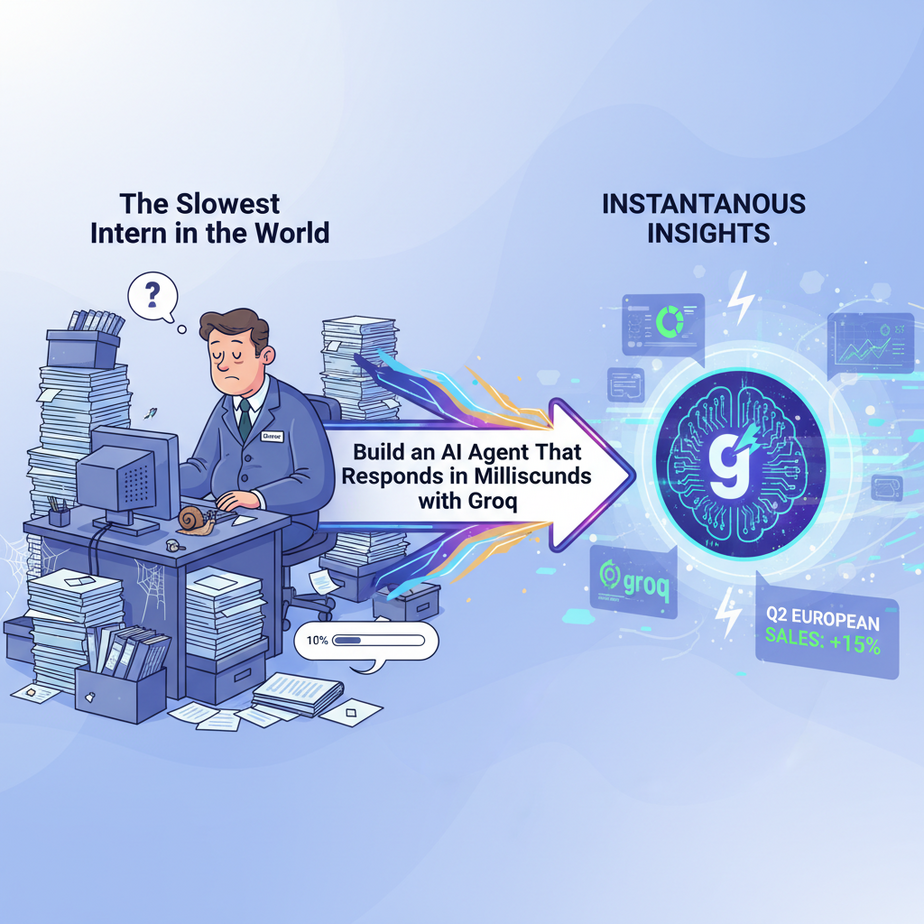
The Slowest Intern in the World
Picture this. You hire an intern. Let’s call him Barry. You ask Barry a simple question: “What were our sales figures for Q2 in the European market?”
Barry stares blankly. He slowly turns, walks to a filing cabinet, and starts pulling out random folders. He makes a cup of coffee. He looks at his phone. Five minutes later, he comes back with a half-eaten donut and says, “What was the question again?”
You wouldn’t tolerate Barry for more than a day. Yet, we’ve all been building AI systems that act exactly like him. You ask your chatbot a question, and it gives you that dreaded “…” typing indicator for ten seconds before spitting out an answer. By then, your customer is gone. Your user is frustrated. The magic is lost.
Today, we fire Barry. We’re replacing him with an AI that thinks so fast, it feels like it’s reading your mind.
Why This Matters
In business, speed isn’t a feature; it’s the entire product. A 5-second delay in a customer support chat is an eternity. A sales bot that takes 8 seconds to answer a pricing question has already lost the lead. For any application that interacts with a live human, latency is the silent killer.
This automation isn’t about making things a little faster. It’s about enabling entirely new kinds of products:
- Replaces: Laggy, frustrating chatbots that feel like talking to a dial-up modem.
- Upgrades: Internal tools that can analyze and categorize data in real-time, not in overnight batches.
- Creates: Voice agents that can hold a normal conversation without awkward, painful pauses.
We’re moving from the “ask and wait” model of AI to a “conversational” model. The difference is measured in milliseconds, but the impact is measured in revenue and customer loyalty.
What This Tool / Workflow Actually Is
We’re going to use an API called Groq (that’s Groq with a Q, not a G). Let’s be crystal clear about what it is and isn’t.
What Groq IS:
Think of it as a specialized engine for running AI models. It’s like taking a normal car engine and replacing it with a Formula 1 engine. The car is still a car (the AI model, like Llama 3), but it now goes at ludicrous speed. Groq runs popular, powerful open-source models on their custom-built hardware (LPUs, or Language Processing Units) to deliver insane performance.
What Groq is NOT:
Groq is not a new AI model. They don’t train their own “GroqBrain.” They are a performance layer. You bring a model like Llama 3 or Mixtral, and they run it for you, hundreds of tokens per second faster than anyone else.
The workflow is simple: instead of sending our request to a slow, general-purpose AI provider, we send it to Groq’s specialized, high-speed endpoint. The code is almost identical, but the user experience is night and day.
Prerequisites
This is where people get nervous. Don’t be. If you can order a pizza online, you can do this. Brutal honesty, here’s what you need:
- A Groq Account: Go to
groq.com. Sign up. It’s free to get started, and they give you a generous amount of credits. - Python 3 installed: Most computers already have it. If not, a quick search for “install python” will get you there in 5 minutes.
- The ability to copy and paste: I’m not kidding. That’s the main technical skill required today.
That’s it. No credit card required to start. No 10-hour course on machine learning theory. Let’s build.
Step-by-Step Tutorial
We’re going to write a tiny Python script that uses Groq to answer a question. It will take you less than 10 minutes.
Step 1: Get Your Groq API Key
Once you’ve signed into your Groq account, look for a menu item on the left called “API Keys.” Click it. Click the “Create API Key” button. Give it a name (like “MyFirstBot”) and copy the key. Treat this key like a password. Don’t share it publicly.
Step 2: Set Up Your Project
Create a folder on your computer. Call it `groq_project`. Open a terminal or command prompt, navigate into that folder, and install the Groq Python library. It’s one simple command:
pip install groqNow, create a file inside that folder named `fast_agent.py`.
Step 3: Write The Basic Code
Open `fast_agent.py` in any text editor (VS Code, Notepad, whatever you have) and paste this code in. Replace `”YOUR_GROQ_API_KEY”` with the key you just copied.
import os
from groq import Groq

# Pro-tip: It's better to set this as an environment variable
# but for this lesson, we'll just paste it in.
client = Groq(
    api_key="YOUR_GROQ_API_KEY",
)

print("What is your question for the fast AI?")
user_question = input()

chat_completion = client.chat.completions.create(
    messages=[
        {
            "role": "system",
            "content": "You are a helpful assistant."
        },
        {
            "role": "user",
            "content": user_question,
        }
    ],
    model="llama3-8b-8192",
)

print(chat_completion.choices[0].message.content)
Step 4: Understand and Run It
Let’s quickly break this down:
import Groq: This brings in the library we need.client = Groq(...): This sets up our connection to Groq using your secret key.input(): This line just waits for you to type a question in the terminal.client.chat.completions.create(...): This is the magic. We’re sending our request.messages: This is the context for the conversation. We give it a `system` prompt (how it should behave) and a `user` prompt (our actual question).model="llama3-8b-8192": This is critical. We’re telling Groq *which* model to use. Llama 3 8B is a fantastic, fast, and capable model.print(...): This prints the AI’s response to the screen.
To run it, go back to your terminal (which should still be in the `groq_project` folder) and type:
python fast_agent.pyIt will ask for your question. Type something like, “Explain quantum computing in the style of a pirate.” Hit enter. The answer will appear almost instantly. Feel that? That’s the feeling of speed.
Complete Automation Example
Okay, a simple Q&A is cool, but let’s build a business tool. Imagine you run a support desk. Emails pour in, and someone has to manually triage them: Is this a sales question? A technical support issue? Or just spam?
Let’s build an AI Triage Bot that does this in milliseconds.
Modify your `fast_agent.py` file with the following code. We’ll give it a sample email and ask it to categorize it into a clean JSON format.
import os
import json
from groq import Groq

client = Groq(
    api_key="YOUR_GROQ_API_KEY",
)

# This is the email we want to classify
customer_email = """
Hello,

I can't seem to log in to my account. My username is test@example.com.
I've tried resetting my password but the link isn't working.

Can you help?

Thanks,
Frustrated User
"""

# A very specific system prompt to get JSON output
system_prompt = """
You are an expert email classification system. Your only job is to analyze an email and return a JSON object with three keys: 'category', 'priority', and 'summary'.

The possible values for 'category' are: 'Sales Inquiry', 'Technical Support', 'Billing Question', or 'Spam'.
The possible values for 'priority' are: 'High', 'Medium', or 'Low'.
'summary' should be a one-sentence summary of the user's request.

Do not add any extra text or explanation. Only return the JSON object.
"""

chat_completion = client.chat.completions.create(
    messages=[
        {
            "role": "system",
            "content": system_prompt
        },
        {
            "role": "user",
            "content": customer_email,
        }
    ],
    model="llama3-8b-8192",
    temperature=0,
    response_format={"type": "json_object"}, # This tells the AI to ONLY output JSON
)

# Parse and print the structured data
response_json = json.loads(chat_completion.choices[0].message.content)

print("--- Email Classified ---")
print(f"Category: {response_json['category']}")
print(f"Priority: {response_json['priority']}")
print(f"Summary: {response_json['summary']}")
print("------------------------")
Run this script again: `python fast_agent.py`. In less than a second, you’ll get a clean, structured output like this:
--- Email Classified ---
Category: Technical Support
Priority: High
Summary: The user is unable to log in and password reset is failing.
------------------------
Think about it. You could hook this up to your email server. Every incoming email gets classified *instantly* and routed to the right person. No more manual sorting. No more delays. This is a real, valuable automation you just built in 10 minutes.
Real Business Use Cases
- E-commerce Store: A customer is on a product page and has a question. A Groq-powered chatbot can answer instantly about shipping, inventory, or product specs, preventing the customer from clicking away.
- Lead Generation Agency: A bot on a client’s website can engage visitors in real-time. It can ask qualifying questions and book a meeting with a sales rep before the visitor gets bored and leaves. The conversation feels natural because there’s no lag.
- SaaS Company: A “smart search” bar within their app. A user types, “how do I add a new user?” and gets a direct answer synthesized from the documentation instantly, instead of a list of 10 blue links.
- Content Marketing Agency: An internal tool for brainstorming. The team needs 20 blog post ideas about “AI in marketing.” The Groq-powered tool generates them in two seconds, not thirty. This drastically speeds up the creative process.
- Financial Trading Firm: An automated system that scans live news feeds and social media for sentiment about a particular stock. The low latency means they can react to breaking news faster than competitors who are waiting for their slower AI to finish analyzing the text.
Common Mistakes & Gotchas
- Thinking Groq is a Model: I’ll say it again. You can’t ask for the “Groq model.” You have to choose a model that Groq hosts, like `llama3-8b-8192` or `mixtral-8x7b-32768`. Always check their documentation for the latest available models.
- Ignoring Rate Limits: It’s fast, but it’s not infinite. The free tier has limits on how many requests you can make per minute/day. If you build a production application, you’ll need to move to a paid plan. Always build your code to handle potential rate limit errors.
- Not Forcing Structured Output: In our email example, we used `response_format={“type”: “json_object”}`. This is a lifesaver. It forces the model to return clean data you can use in your programs. Forgetting this leads to messy, unreliable text that you have to parse manually.
- Using It for the Wrong Tasks: Groq is for speed. If you need to write a 50-page novel or do a week-long data analysis, the millisecond response time doesn’t matter as much. Use it where human-perceptible latency is the enemy.
How This Fits Into a Bigger Automation System
This little script is just a single gear in a much bigger machine. A fast brain is amazing, but it needs a body. Here’s how this plugs into a full system:
- Voice Agents: This is the killer app. The biggest problem with AI voice bots is the cringey pause after you finish speaking. By connecting a voice transcription service (like Deepgram) to a Groq-powered brain, and then to a text-to-speech engine (like ElevenLabs), you can create an agent that responds as fast as a human. The entire loop can happen in under a second.
- Multi-Agent Workflows: Imagine you have a “Researcher” agent and a “Writer” agent. The Researcher finds information, and the Writer turns it into a blog post. If they’re both slow, the whole process grinds to a halt. If they’re both on Groq, they can have a “conversation” and pass data back and forth almost instantly, completing the task in a fraction of the time.
- RAG (Retrieval-Augmented Generation): When you build a system to answer questions from your own documents (RAG), there are two steps: finding the right document (retrieval) and using an AI to generate an answer from it (generation). Retrieval can be slow. You absolutely NEED the generation step to be lightning-fast to provide a good user experience. Groq is perfect for the ‘G’ in RAG.
What to Learn Next
You did it. You broke the speed barrier. You now have a component that can think in real-time. It’s a superpower. But a brain in a jar isn’t very useful.
In the next lesson, we’re going to give it a voice. And ears.
We’ll take the instant response from Groq and connect it to a real-time voice system. You’ll build an agent you can actually talk to on the phone, one that doesn’t make you want to scream “I WANT TO SPEAK TO A HUMAN” after three seconds of awkward silence. We’ll assemble the full pipeline: Speech-to-Text -> Groq Brain -> Text-to-Speech.
You’ve built the engine. Next time, we build the rest of the car.
Stay sharp.
– Professor Ajay
“,
“seo_tags”: “groq, ai agent, real-time ai, low latency ai, python, ai automation, chatbot, business automation, llama 3, inference speed”,
“suggested_category”: “AI Automation Courses