
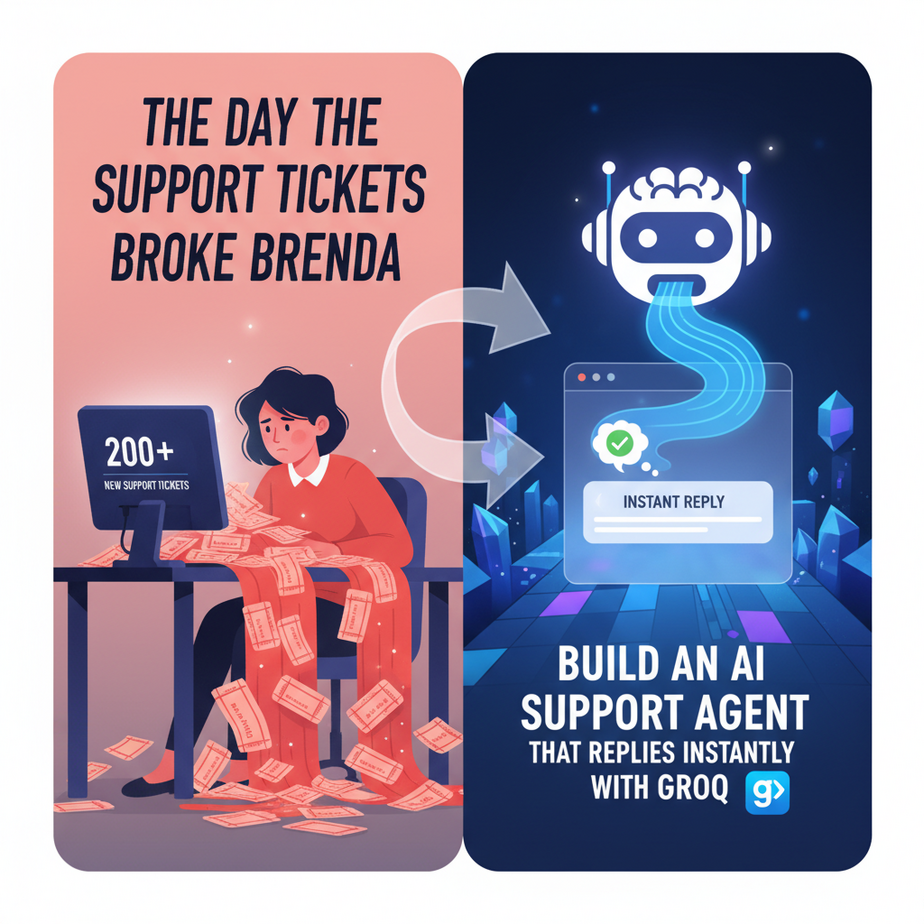
The Day the Support Tickets Broke Brenda
Brenda was a good person. A great support lead, actually. But Brenda was drowning.
Every morning, she’d log in to a fresh hell of 200 new support tickets. 80% of them were the same three questions: “Where’s my order?”, “How do I request a refund?”, and “Did you get my email?” She spent her entire day as a human copy-paste machine, sending out templated replies while the truly complex, high-value customer problems got buried deeper and deeper in the queue.
The business was scaling, but Brenda wasn’t. You can’t just clone your best support agent. Or can you?
That’s what this lesson is about. We’re not going to fire Brenda. We’re going to give her an army of infinitely fast, infinitely patient, caffeine-fueled robot interns to handle the boring stuff. We’re going to build a first-line-of-defense AI agent that can understand, categorize, and respond to basic queries in the blink of an eye. For real.
Why This Matters
In business, speed is a weapon. A customer who gets an answer in 300 milliseconds feels heard. A customer who waits 24 hours for a reply about their shipping status feels ignored, and they churn.
This workflow isn’t just a fun tech demo. It’s a direct assault on three of the biggest enemies of a growing business:
- High Labor Costs: Hiring more people to answer the same questions is a terrible way to scale. It’s linear growth for an exponential problem.
- Slow Response Times: Customers now expect instant answers. If you can’t provide them, your competitor will.
- Employee Burnout: Your best people (like Brenda) are wasting their talent on repetitive tasks, leading to frustration and turnover.
By building this agent, you’re essentially creating a system that instantly triages every incoming query, 24/7, for pennies. It frees up your human experts to solve the problems that actually require a brain, building real customer loyalty.
What This Tool / Workflow Actually Is
We’re combining two key concepts today:
1. An AI Agent: Forget the Hollywood robots. In our world, an agent is just a piece of code that can perform a loop: Sense -> Think -> Act. It takes an input (a customer email), uses an AI model to “think” about what it means, and then takes an action (sends a reply, adds a tag in the CRM, alerts a human).
2. The Groq API: Groq (pronounced “grok”) is the magic ingredient. It’s an inference engine that runs large language models at absolutely ludicrous speeds. While other services might take a few seconds to generate a response, Groq can do it in a fraction of a second. This is the difference between a chatbot that feels laggy and one that feels like a real-time conversation. It’s the Formula 1 car of language model providers.
So, what we’re building is a simple Python script that acts as an “AI Router.” It will take a customer query, send it to a model on Groq to figure out what the customer wants, and then execute a pre-defined action based on that classification. It’s the front desk clerk for your entire support operation.
Prerequisites
I know some of you are allergic to code. Don’t worry. If you can follow a recipe to bake a cake, you can do this. I promise.
- A Groq Account: Go to
groq.comand sign up. They have a generous free tier. You’ll need to create an API key. Treat this key like a password—don’t share it publicly. - Python 3 installed: Most computers have it already. If not, a quick search for “install python on [your operating system]” will get you there in 5 minutes.
- A willingness to copy and paste: That’s it. No machine learning degree required. You’re just the foreman telling the robot what to do.
Step-by-Step Tutorial
Let’s get our hands dirty. Open up a text editor (like VS Code, Sublime Text, or even Notepad) and let’s get this factory built.
Step 1: Get Your Groq API Key
Log in to your Groq account. On the left-hand menu, click on “API Keys” and then “Create API Key”. Give it a name like “SupportAgentKey” and copy it somewhere safe. We’ll need it in a moment.
Step 2: Set Up Your Python Project
Create a new folder on your computer for this project. Open a terminal or command prompt, navigate into that folder, and install the Groq Python library. It’s one simple command:
pip install groqNext, we need to tell our script where to find your secret API key. The best way is to set it as an environment variable. On Mac/Linux, you do it like this in your terminal:
export GROQ_API_KEY='YOUR_API_KEY_HERE'On Windows, it’s:
set GROQ_API_KEY="YOUR_API_KEY_HERE"Replace YOUR_API_KEY_HERE with the key you just copied. Important: You have to do this every time you open a new terminal window, or set it up permanently in your system settings.
Step 3: Test the Connection (Your First AI Call)
Create a file named test_groq.py and paste this code in. This is just to make sure everything is working before we build the real agent.
import os
from groq import Groq

client = Groq(
    api_key=os.environ.get("GROQ_API_KEY"),
)

chat_completion = client.chat.completions.create(
    messages=[
        {
            "role": "user",
            "content": "Explain the importance of low latency in AI systems",
        }
    ],
    model="llama3-8b-8192",
)

print(chat_completion.choices[0].message.content)
Now, run it from your terminal:
python test_groq.pyIf everything is set up correctly, you should see a super-fast, well-written explanation pop up in your terminal. That’s the engine running. Now, let’s build the car.
Complete Automation Example
Here’s our complete Support Router Agent. Create a new file called support_agent.py and paste the following code into it. I’ve added comments to explain every single part.
import os
from groq import Groq

# Initialize the Groq client
# It will automatically look for the GROQ_API_KEY environment variable
client = Groq()

def get_support_category(customer_query):
    """Uses Groq to classify a customer query into a specific category."""

    # This is the "brain" of our agent. The prompt is critical.
    # We're asking the model to act as a classifier and return ONLY one word.
    system_prompt = """
    You are a customer support ticket router. Your job is to read a customer query and classify it into one of the following categories:
    [Order_Status, Refund_Request, Technical_Issue, General_Inquiry].
    Do not respond with anything else, just the single category name.
    """

    # Make the API call to Groq
    chat_completion = client.chat.completions.create(
        messages=[
            {"role": "system", "content": system_prompt},
            {"role": "user", "content": customer_query}
        ],
        model="llama3-8b-8192",
        temperature=0, # We want deterministic results for classification
        max_tokens=20,
    )

    # Extract the category from the response
    category = chat_completion.choices[0].message.content.strip()
    return category


def run_support_agent(customer_query):
    """The main function that runs the agent logic."""

    print(f"\
--- New Query Received ---")
    print(f"Customer asks: '{customer_query}'")

    # Step 1: Sense & Think (Classify the query)
    category = get_support_category(customer_query)
    print(f"AI classified this as: {category}")

    # Step 2: Act (Perform an action based on the category)
    if category == "Order_Status":
        print("Agent Action: Asking for an order number.")
        print("Agent Response: 'I can certainly help with that! Could you please provide your order number?'")
    elif category == "Refund_Request":
        print("Agent Action: Providing refund policy link.")
        print("Agent Response: 'I understand. You can find our full refund policy and instructions here: [link to your refund policy]' ")
    elif category == "Technical_Issue":
        print("Agent Action: Escalating to a human expert.")
        print("Agent Response: 'That sounds like a technical issue that requires a specialist. I've flagged this conversation for a human agent, and they will get back to you within 2 hours.'")
    else: # General_Inquiry or anything else
        print("Agent Action: Escalating to a human expert.")
        print("Agent Response: 'Thanks for your question. I'm connecting you with a member of our team who can best assist you.'")

# --- Let's test it with a few examples ---
run_support_agent("hey where is my stuff??")
run_support_agent("hi i'd like to get my money back for order #12345, the product arrived broken")
run_support_agent("my login button is not working on your website")
run_support_agent("what are your business hours?")
Save the file and run it from your terminal:
python support_agent.pyWatch what happens. For each query, the agent first classifies the intent and then prints the exact action it would take. You just built a fully functional support triage system in about 50 lines of code. The speed is the key—this entire process happens in less than a second.
Real Business Use Cases
This exact “Router Agent” pattern can be adapted for almost any business:
- E-commerce Store: Instantly handle the 80% of queries that are about order status, shipping, and returns, letting staff focus on pre-sales questions and complex issues.
- SaaS Company: Use the agent as a first-level filter. If the query is about “Billing,” route it to the finance team’s queue. If it’s a “Bug Report,” ask for reproduction steps. If it’s a “Feature Request,” add it to a product board.
- Real Estate Agency: A chatbot on the website classifies visitors. Is it a “Buyer,” “Seller,” or “Renter”? Based on the classification, it can ask different qualifying questions before handing off the warm lead to a live agent.
- Local Service Business (Plumber, HVAC, etc.): The agent can classify incoming web form leads. “Emergency Leak” gets an immediate alert sent to the on-call tech. “Quote Request” gets an automated email with a link to the scheduling calendar.
- Digital Course Creator: The agent can manage a community forum or email inbox. “Login Issue” gets an automated password reset link. “Course Content Question” gets routed to a TA. “Request for Certificate” gets an automated reply with instructions.
Common Mistakes & Gotchas
- Bad Prompting: The quality of your classification depends entirely on the quality of your system prompt. If you give it vague categories, it will give you vague answers. Be crisp. Tell it *exactly* what the categories are and what format to respond in.
- Not Handling the ‘Else’: Your agent WILL misclassify something eventually. Always have a default fallback action, which should almost always be “escalate to a human.” Never let a customer get stuck in a robot loop.
- Thinking the Agent is a Genius: This first version of the agent is a router, not a problem-solver. It’s a traffic cop, not a detective. Don’t ask it to solve complex issues. Its job is to figure out *who* should solve the issue.
- Ignoring the Temperature: In the API call, we set
temperature=0. This makes the model’s output more predictable and less “creative.” For a classification task, you want predictable. For a creative writing task, you might increase it.
How This Fits Into a Bigger Automation System
This simple script is a Lego brick. It’s powerful on its own, but it becomes a skyscraper when you connect it to other systems. Imagine:
- Connecting to a CRM: Instead of just printing “Escalating to a human,” the script could make an API call to HubSpot or Salesforce to create a new ticket and assign it to a person.
- Connecting to Email: You could hook this up to an email parser. The script could read every email that comes into
support@yourcompany.com, run the classification, and send the reply automatically using an email API like SendGrid. - Powering a Voice Agent: Because Groq is so fast, this same logic could be used to power a phone system. The customer speaks, their audio is transcribed to text, our agent classifies it, and a text-to-speech engine speaks the response—all in under two seconds.
- Creating a Multi-Agent Workflow: Our router agent is just the first step. If it classifies a query as “Order_Status,” it could hand the task off to a *second*, specialized agent whose only job is to ask for an order number and look it up in your Shopify or database API.
What to Learn Next
Congratulations. You just built the central nervous system for an automated support desk. It’s fast, it’s smart (enough), and it works.
But right now, its knowledge is limited to the categories we gave it. It can’t answer a specific question like, “Is your product compatible with a 2022 MacBook Pro?” It just classifies it as “General_Inquiry” and gives up.
In the next lesson in this course, we’re going to give our agent a brain. We’re going to connect it to your company’s internal knowledge base—all your help docs, product manuals, and past support tickets. We’ll use a technique called Retrieval-Augmented Generation (RAG) to turn our simple router into a true expert that can answer almost any question a customer throws at it.
You’ve built the triage nurse. Next, we build the doctor.
“,
“seo_tags”: “ai agent, groq, customer support automation, python, ai automation, chatbot, real-time ai, large language models, llama3”,
“suggested_category”: “AI Automation Courses