
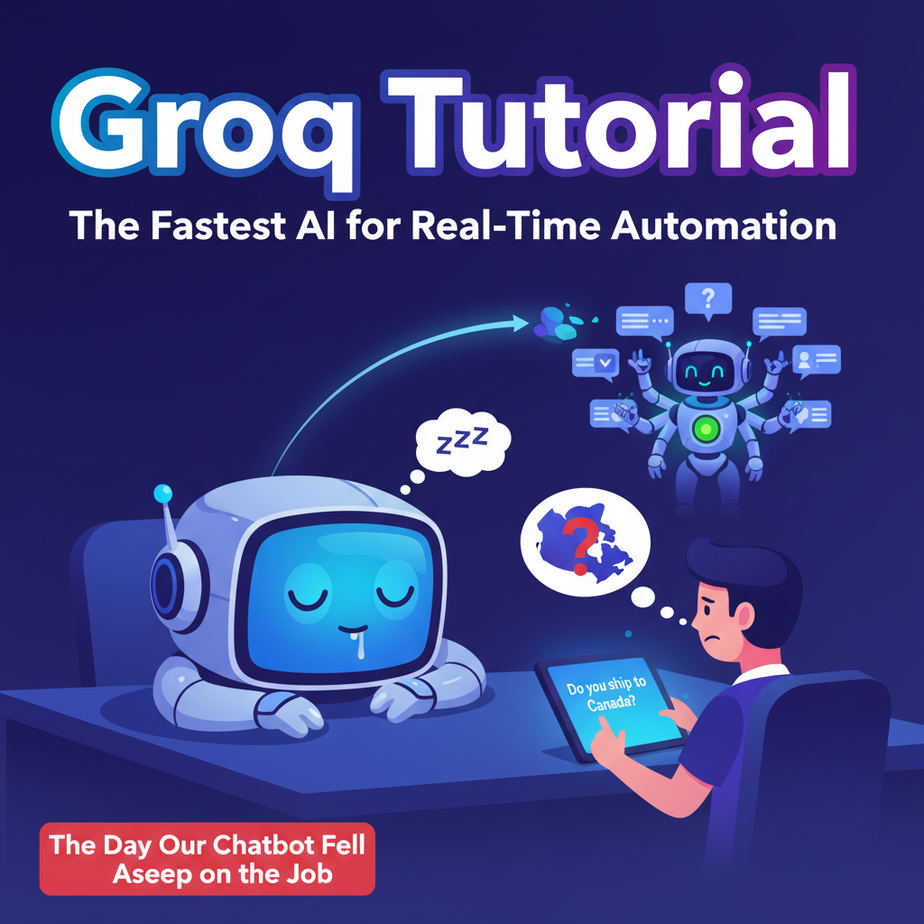
The Day Our Chatbot Fell Asleep on the Job
I once watched a client’s “AI-powered” customer support chatbot in action. A potential customer asked a simple question: “Do you ship to Canada?” The chatbot typed its little ellipses for a full eight seconds… then responded, “I can help with that. What is your query?”
The customer, bless their patient heart, repeated the question. The bot thought for another six seconds and then proudly presented a link to its privacy policy.
The user typed “you are useless” and closed the chat. Sale gone. That wasn’t an AI chatbot; it was a digital tranquilizer dart. The problem wasn’t the AI’s intelligence; it was the unbearable, conversation-killing slowness. It was like having an intern who stops to ponder the meaning of existence before answering the phone.
Why This Matters
In the world of automation, speed isn’t a feature; it’s the entire foundation. A slow AI is a novelty. A fast AI is a utility. The difference between a 5-second response and a 0.2-second response is the difference between an abandoned cart and a completed sale, between a clunky voice assistant and a fluid conversation, between a tool you tolerate and a tool you can’t live without.
Today, we’re replacing that sleepy, philosophical intern with a hyper-caffeinated genius who has already answered your question before you’ve finished asking. We’re talking about a level of speed that unlocks entirely new categories of automation, especially those that interact with real, impatient humans.
This workflow replaces: The awkward pause. The spinning wheel of death. The expensive, slow API calls you use for tasks that should be instant. It replaces any system where a human has to wait for a machine to “think.”
What This Tool / Workflow Actually Is
Let’s be crystal clear. We are talking about Groq (that’s Groq with a ‘q’, not to be confused with Elon’s Grok with a ‘k’).
What it is: Groq is an inference engine. Think of it as a specialized race car built for one purpose: running AI models at blistering speeds. It doesn’t create new models. Instead, it takes powerful, existing open-source models (like Llama 3 and Mixtral) and runs them faster than anyone else. It achieves this with its own custom-built chips called LPUs (Language Processing Units).
What it is NOT: Groq is not a new Large Language Model like GPT-4. It is not a tool for training or fine-tuning models. It is not (currently) the absolute king of complex, multi-layered reasoning. If you need an AI to write a screenplay while simultaneously planning a Mars mission, you might still look elsewhere. But if you need an AI to classify 100 emails, answer a customer’s question, or summarize a document *right now*, Groq is your new best friend.
Think of it this way: OpenAI builds the genius chef (the model). Groq builds the futuristic, high-speed kitchen that lets the chef cook for 1,000 people per minute (the inference hardware).
Prerequisites
This is where I promise you it gets easy. No scary server setup, no PhD in computer science required. If you can order a pizza online, you can do this.
- A Groq API Key: This is free and takes about 60 seconds to get. Go to the GroqCloud Console, sign up, and create a new API key. Copy it somewhere safe. This is your secret password to the fast lane.
- Python installed: Most computers already have it. Open your terminal (on Mac, it’s called Terminal; on Windows, it’s PowerShell or Command Prompt) and type
python --versionorpython3 --version. If you see a version number, you’re golden. If not, a quick search for “install Python” will get you there in 5 minutes. - A simple text editor: Visual Studio Code, Sublime Text, or even Notepad will do. This is just where we’ll write our script.
That’s it. Seriously. Don’t be intimidated by the mention of a terminal. We’re just using it to run one or two simple commands.
Step-by-Step Tutorial
Let’s build our first ridiculously fast AI script. We’ll call it the “Instant Slogan Generator.”
Step 1: Set Up Your Workspace
Create a new folder on your computer. Call it `groq_project`. Inside that folder, create a new file named `main.py`. This is where our magic will happen.
Step 2: Install the Groq Library
Open your terminal. Navigate to your new folder using the cd command. It looks something like this:
cd path/to/your/groq_project
Once you’re inside the folder, run this command to install the official Groq Python library:
pip install groqThis command downloads and installs the necessary tools to talk to Groq’s API from our Python script. One and done.
Step 3: Write the Python Code
Open your `main.py` file and paste in the following code. I’ll explain exactly what each part does below.
import os
from groq import Groq

# IMPORTANT: Don't hardcode your API key!
# Set it as an environment variable for security.
# For this first test, you can paste it here, but we'll fix that.
client = Groq(
    api_key="YOUR_GROQ_API_KEY_HERE",
)

chat_completion = client.chat.completions.create(
    # The messages are the input to the model
    messages=[
        {
            "role": "user",
            "content": "Generate a catchy slogan for a coffee shop that only serves robots.",
        }
    ],

    # This is the model that will generate the response
    model="llama3-8b-8192",
)

# Print the model's response
print(chat_completion.choices[0].message.content)
Step 4: Understand and Run the Code
import osandfrom groq import Groq: This just loads the libraries we need.client = Groq(...): This creates the connection to the Groq API. Crucially, replaceYOUR_GROQ_API_KEY_HEREwith the actual key you copied earlier.client.chat.completions.create(...): This is the action. We’re telling the client to create a new chat completion.messages: This is our prompt! We give it a `role` (‘user’) and `content` (what we want the AI to do).model: Here we specify which model we want to use on Groq’s platform. `llama3-8b-8192` is a great, fast choice.print(...): This line digs into the response from the API and prints out the actual text generated by the model.
Now, go back to your terminal (making sure you’re still in the `groq_project` folder) and run the script:
python main.pyBefore you can even blink, you should see a slogan pop up. Something like: “Caffeinated Circuits, Perfect Pours.” or “01000011 01101111 01100110 01100110 01100101 01100101. It’s binary for ‘delicious.'”
You just ran your first workflow on the world’s fastest AI engine.
Complete Automation Example: The Real-Time Email Classifier
Okay, slogans are fun. But let’s solve a real business problem. Imagine a support inbox getting hundreds of emails an hour. Someone has to manually read and tag them: Urgent, Sales, Spam, etc. Let’s automate that, instantly.
Replace the code in your `main.py` with this:
import os
from groq import Groq

client = Groq(
    api_key=os.environ.get("GROQ_API_KEY"), # More secure!
)

# This is the raw email text we need to classify
incoming_email = """
Subject: URGENT!! Server is down!

Hi team,

None of our customers can log in. The main server seems to be completely unresponsive. This is a critical issue and we are losing money every minute. Please escalate this immediately!

Thanks,
A very stressed-out customer
"""

def classify_email(email_text):
    print("--- Classifying Email ---")
    chat_completion = client.chat.completions.create(
        messages=[
            {
                "role": "system",
                "content": "You are an email classification expert. Your only job is to classify the user's email into one of the following categories: [Urgent Support], [Sales Inquiry], [General Feedback], [Spam]. Respond with ONLY the category name and nothing else."
            },
            {
                "role": "user",
                "content": email_text,
            }
        ],
        model="llama3-8b-8192",
        temperature=0.0, # We want deterministic classification
        max_tokens=20, # We only need a few words
    )

    classification = chat_completion.choices[0].message.content
    print(f"Classification: {classification}")
    return classification

# Run the classifier
classify_email(incoming_email)
What’s new here?
- Better API Key Handling: We’re now using `os.environ.get(“GROQ_API_KEY”)`. To make this work, in your terminal, run this command before you run the script:
On Mac/Linux:export GROQ_API_KEY='your_key_here'
On Windows:set GROQ_API_KEY='your_key_here'
This is the proper way to handle secrets. Your key is no longer hardcoded in your script. - System Prompt: We added a `system` role message. This gives the AI its core instructions and persona. It’s like briefing your intern before giving them a task.
- Function: We wrapped the logic in a function `classify_email` to make it reusable.
- Parameters: We set `temperature=0.0` for less creative, more predictable outputs, which is exactly what you want for classification.
Run `python main.py` again. Instantly, you’ll see:
--- Classifying Email ---Classification: [Urgent Support]
Imagine this script connected to a real inbox. Every incoming email could be tagged and routed to the right person in less than a second. No human bottleneck. That’s real, valuable automation.
Real Business Use Cases
- E-commerce Product Q&A: A potential customer is on your product page and has a question. A Groq-powered chatbot can provide an instant, accurate answer by reading the product description, preventing the user from leaving to search for info.
- Real-Time Voice Agents: For a call center, Groq’s speed can power a voice AI that transcribes what the user says, understands the intent, and generates a response so quickly that there’s no awkward silence. The conversation feels natural.
- Live Content Moderation: A social media platform or forum needs to filter out inappropriate comments instantly. A Groq-powered classifier can analyze every new post in milliseconds and flag it for removal before it’s widely seen.
- Interactive Code Generation: An AI assistant inside a developer’s code editor can provide suggestions and complete entire blocks of code in real-time as they type, dramatically speeding up development cycles.
- Financial News Summarization: A trading firm can feed a stream of live news articles into a Groq-powered summarizer to get instant, one-sentence summaries and sentiment analysis, enabling faster decision-making.
- Dynamic Ad Copy Generation: A marketing platform can generate personalized ad headlines on the fly based on a user’s real-time browsing behavior, increasing the chance of a click-through.
Common Mistakes & Gotchas
- Forgetting Groq is the Engine, Not the Model: The quality of your output is determined by the model you choose (e.g., Llama 3). Groq just runs it fast. If Llama 3 can’t do what you want, Groq can’t magically fix that.
- Hardcoding API Keys: I know I’m repeating myself, but this is the #1 security sin. Use environment variables. Your future self will thank you when you don’t accidentally post your secret key on GitHub.
- Using a Huge Model for a Simple Task: You don’t need a 70-billion parameter model to classify an email. Using `llama3-8b-8192` is cheaper and even faster than `llama3-70b-8192` for simple tasks. Pick the right tool for the job.
- Ignoring `temperature`: For creative tasks like writing slogans, a higher temperature (e.g., 0.8) is great. For deterministic tasks like classification or data extraction, always set it to 0.0 or a very low value.
How This Fits Into a Bigger Automation System
A fast AI brain is incredible, but a brain in a jar is useless. Its true power is unlocked when you connect it to other systems.
- Connecting to a CRM: Our email classifier is great. The next step is to have it automatically update a customer’s record in a CRM like HubSpot or Salesforce with a note about their urgent issue.
- Connecting to Email/SMS: You could trigger an automatic SMS to the on-call engineer when an “Urgent Support” email is detected.
- Powering Voice Agents: You connect a speech-to-text API (like Deepgram) to transcribe audio, feed the text to Groq for a response, and then use a text-to-speech API (like ElevenLabs) to speak the answer. Groq’s speed is the critical component that makes this feel real-time.
- Multi-Agent Workflows: When you have multiple AIs working together (one researching, one writing, one editing), the communication speed between them is key. Groq allows agents to have conversations at machine speed, not human speed.
This single, simple component—the ability to get an intelligent response in a fraction of a second—is the foundational block for nearly every advanced automation you can imagine.
What to Learn Next
Congratulations. You now wield the power of near-instant AI. You’ve built a script that is faster, and frankly more reliable, than any human email-sorter on the planet.
But our classifier just prints the result to the screen. It’s a brain without hands. What if we could give it hands?
In the next lesson in this course, we’re going to do exactly that. We’ll connect this exact script to a real system—like an automated workflow on Zapier or a simple web server—so it can take action in the real world. We will build a complete, end-to-end system that not only classifies an email but also automatically forwards it to the correct department and adds it to a to-do list.
You’ve built the engine. Next, we build the car.
“,
“seo_tags”: “groq tutorial, python, ai automation, api, real-time ai, llama 3, inference engine, business automation, groq api example”,
“suggested_category”: “AI Automation Courses