
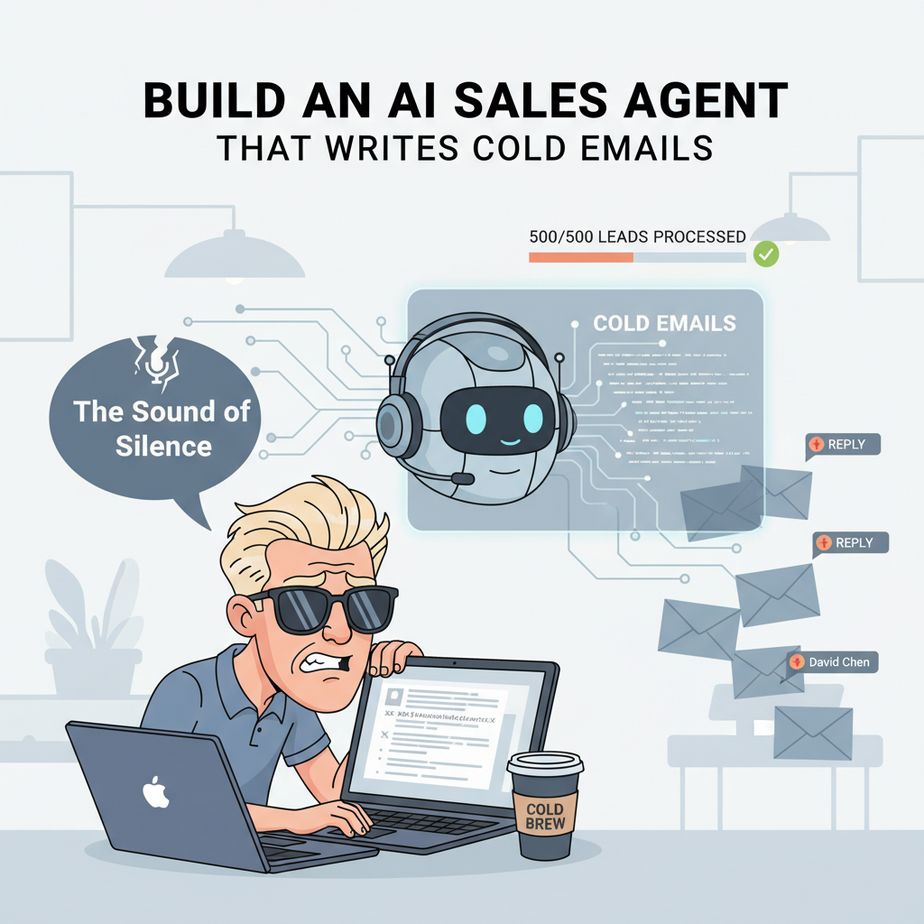
The Sales Bro, The Bad Template, and The Sound of Silence
Let’s talk about Chad. Chad is a Sales Development Representative. Every morning, Chad drinks a cold brew, loads up a list of 500 unsuspecting victims (I mean, “leads”), and blasts them with this masterpiece of a template:
Hi {first_name},
I saw you work at {company_name} and was very impressed. At my company, we offer a synergistic, paradigm-shifting solution that could increase your ROI.
Do you have 15 minutes to chat this week?
Best, Chad
Chad gets a 0.1% reply rate, and most of those replies are requests to be permanently removed from his list. He thinks the problem is his lead list. Or his subject line. Or the time of day he sends the emails. The problem is Chad. More specifically, the problem is that Chad is a human trying to do a robot’s job, but he’s built a really, really bad robot.
Today, we’re going to build a *good* robot. An AI agent that does the work of 100 Chads, but with the personalized touch of a master salesperson. It will research each lead and write a unique, relevant email that actually gets opened.
Why This Matters
Cold outreach is a brutal game. The generic, “spray and pray” approach is dead. Everyone has a spam filter, both in their inbox and in their brain. The only thing that cuts through the noise is personalization.
But personalization is slow. A human can spend 20 minutes researching one lead to write one good email. At that rate, you can’t achieve any meaningful scale. This is the classic business dilemma: scale vs. quality. You can have one, but not both.
This automation breaks that rule. It allows you to operate at the *scale* of a generic email blast but with the *quality* of a handcrafted, personal message. It replaces the low-skilled, high-volume work of a junior salesperson and transforms your outreach from a shotgun blast into a series of laser-guided sniper shots.
What This Tool / Workflow Actually Is
We’re building a simple, yet powerful, Python script that acts as an automated sales agent. Think of it as a pipeline in a factory:
- The Intake Station: It reads a list of leads from a simple CSV file. Each lead has a name, company, and website.
- The Research Department: It feeds the lead’s information to a Large Language Model (GPT-4).
- The Copywriting Department: The LLM, guided by a very specific prompt, analyzes the lead’s company and writes a short, personalized email draft.
- The Mailroom: The script takes the AI-generated draft and sends it using a standard email account.
What it does:
It generates and sends unique email drafts based on a template and real data about your prospect.
What it does NOT do:
This is not a sentient sales god. It doesn’t find leads for you. It doesn’t book meetings on your calendar. It doesn’t negotiate deals. It is a highly specialized engine for one thing: turning a cold lead into a warm conversation by writing a damn good first email.
Prerequisites
A little bit of setup, but I promise, no black magic. You can do this.
- An OpenAI API Key: Your agent needs a brain. Get your key from platform.openai.com. You’ll need to set up billing, but we’re talking a few cents per email. Cheaper than Chad’s cold brew.
- Python 3 installed: The language our agent is written in. Most computers have it.
- A Gmail Account for Sending: We’ll use a regular Gmail account. For security, you’ll need to create an “App Password”. Google has a simple guide on how to do this. It’s a special 16-digit password that lets our script log in securely.
- A CSV file of leads: Create a file named
leads.csvwith a text editor. It must have these exact headers:firstName,company,website.
Step-by-Step Tutorial
Let’s assemble our sales-bot. Create a folder for this project. Inside, create a file called send_emails.py.
Step 1: Create Your Lead File
In your project folder, create the leads.csv file. Add a couple of sample leads. Make sure the headers are exactly right.
firstName,company,website
Ajay,AI Automation Academy,https://ajay.ai
Elon,SpaceX,https://www.spacex.com
Sarah,Sandalwood & Regret,https://www.sandalwoodandregret.com
Step 2: Install Libraries and Set Up Environment
Open your terminal or command prompt and run this command to install the necessary tools:
pip install openai python-dotenvNext, create a file named .env in the same folder. This is where we’ll safely store our secrets. Fill it out with your credentials.
# OpenAI API Key
OPENAI_API_KEY="sk-YOUR-KEY-HERE"

# Gmail Credentials
MY_EMAIL="your_email@gmail.com"
MY_PASSWORD="your_16_digit_app_password"
Step 3: Write the Python Script
Open send_emails.py and let’s add the code block by block.
Part A: Imports and Setup
First, we import the libraries we need and load our secret keys from the .env file.
import csv
import os
import smtplib
import time
from email.mime.text import MIMEText

from dotenv import load_dotenv
from openai import OpenAI

load_dotenv()

# Initialize OpenAI client
client = OpenAI()

# Email credentials
SENDER_EMAIL = os.getenv("MY_EMAIL")
SENDER_PASSWORD = os.getenv("MY_PASSWORD")
Part B: The AI Copywriter Function
This is the core of our agent. This function takes the lead’s info, crafts a killer prompt, and asks the AI to write the email.
def generate_personalized_email(first_name, company, website):
    prompt = f"""
    You are an expert B2B sales development representative. Your goal is to write a short, personalized, and compelling cold email to get a meeting.

    **My Product:** An AI automation service that helps businesses build automated workflows, like this one.
    **Target Person:** {first_name} from {company}.
    **Their Website:** {website}

    **Instructions:**
    1.  Write a subject line that is short, intriguing, and personalized. Do not use generic subjects like "Quick Question".
    2.  Write a 2-3 sentence email body.
    3.  The first sentence must be a hyper-personalized observation about their company, based on their website. For example, if it's a rocket company, mention their latest launch. If it's a candle company, mention a specific product.
    4.  The second sentence should briefly connect your product to their company. Frame it as a way to help them achieve their mission.
    5.  The final sentence must be a clear, low-friction call to action, asking about their interest, not demanding a meeting.
    6.  The tone should be professional, but human and slightly informal. Do NOT use corporate jargon.
    7.  Return the response as a single JSON object with two keys: "subject" and "body". Do not include any other text or explanation.
    """

    try:
        response = client.chat.completions.create(
            model="gpt-4-turbo-preview",
            messages=[
                {"role": "system", "content": "You are a world-class sales copywriter."},
                {"role": "user", "content": prompt}
            ],
            response_format={"type": "json_object"},
            temperature=0.7,
        )
        return response.choices[0].message.content
    except Exception as e:
        print(f"Error generating email for {company}: {e}")
        return None
Part C: The Email Sending Function
This function takes the generated email and sends it using Gmail’s servers.
def send_email(recipient_email, subject, body):
    msg = MIMEText(body)
    msg['Subject'] = subject
    msg['From'] = SENDER_EMAIL
    msg['To'] = recipient_email

    try:
        with smtplib.SMTP_SSL('smtp.gmail.com', 465) as smtp_server:
            smtp_server.login(SENDER_EMAIL, SENDER_PASSWORD)
            smtp_server.sendmail(SENDER_EMAIL, recipient_email, msg.as_string())
        print(f"Email sent successfully to {recipient_email}")
    except Exception as e:
        print(f"Error sending email to {recipient_email}: {e}")
Complete Automation Example
Now let’s tie it all together in a main loop that reads our CSV and processes each lead. For safety, I’ve commented out the line that actually sends the email. You can uncomment it once you’ve tested the output and are confident.
Add this to the bottom of your send_emails.py file.
import json

# --- Main Execution Loop ---
if __name__ == "__main__":
    with open('leads.csv', mode='r') as csv_file:
        csv_reader = csv.DictReader(csv_file)
        for row in csv_reader:
            first_name = row["firstName"]
            company = row["company"]
            website = row["website"]

            # For this example, we'll pretend the lead's email is their first name @ their website domain
            # In a real scenario, you'd have this in your CSV
            recipient_email = f"{first_name.lower()}@{website.split('//')[-1].split('/')[0]}"

            print(f"--- Processing Lead: {company} ---")

            # Step 1: Generate the email content
            email_json_str = generate_personalized_email(first_name, company, website)

            if email_json_str:
                email_data = json.loads(email_json_str)
                subject = email_data['subject']
                body = email_data['body']

                print(f"To: {recipient_email}")
                print(f"Subject: {subject}")
                print(f"Body:\
{body}")

                # Step 2: Send the email (UNCOMMENT TO GO LIVE)
                # send_email(recipient_email, subject, body)

                # Be a good internet citizen and don't spam the API or email servers
                time.sleep(5)
            else:
                print(f"Could not generate email for {company}. Skipping.")

            print("-------------------------------------\
")
Run the script from your terminal: python send_emails.py. Watch as it prints out unique, personalized emails for each of your leads. Terrifyingly effective, isn’t it?
Real Business Use Cases (MINIMUM 5)
- Business Type: B2B SaaS Company
Problem: Reaching out to potential customers with a generic message about “our software”.
Solution: The AI agent scans the prospect’s website, identifies their industry (e.g., logistics), and writes an email mentioning how the software specifically helps logistics companies with a feature like “real-time fleet tracking”. - Business Type: Recruiting Agency
Problem: Sending mass emails to software developers that get ignored.
Solution: The agent is given a link to the developer’s GitHub profile. It writes an email that says, “I saw your open-source project on [Project Name]; your work on [Specific Feature] is impressive,” before making the pitch. - Business Type: Marketing Agency
Problem: Pitching SEO services with a generic “we can get you on page 1” promise.
Solution: The agent is given a list of local businesses. It scans their website and writes an email like, “As a fellow fan of Chicago deep-dish pizza, I noticed your restaurant’s website doesn’t mention your delivery partners. We could help local customers find you more easily.” - Business Type: Non-Profit Organization
Problem: Reaching out to potential corporate sponsors with a form letter.
Solution: The agent researches the corporation’s recent philanthropic activities and writes, “I was inspired by your company’s recent commitment to [Community Project]. Our mission at [Non-Profit] aligns perfectly with those values.” - Business Type: Financial Advisor
Problem: Contacting small business owners about retirement plans.
Solution: The agent finds a recent news article or blog post about the business owner’s company and opens the email with, “Congratulations on the recent launch of your new product line. As your company grows, have you considered…”
Common Mistakes & Gotchas
- The Robot Voice: If your prompt is lazy, the AI will sound like a robot. The magic is in the prompt. Be demanding. Tell it what tone to use, what sentence structure to follow, and what *not* to say.
- Getting Blacklisted: Don’t try to send 5,000 emails in an hour from a fresh Gmail account. You’ll be shut down instantly. For scale, you MUST use a dedicated email sending service like SendGrid, Mailgun, or Amazon SES. They are built for this.
- Legal Stuff (CAN-SPAM): In many countries, commercial emails must include your physical address and a clear way to unsubscribe. Our simple script omits this, but for any real business use, it’s non-negotiable.
- Not Having a Human in the Loop: For your first few campaigns, run the script to *generate* the emails but don’t send them automatically. Read them over. Tweak your prompt. Once you trust the output 99% of the time, then you can let the agent run free.
- Bad Data In, Bad Email Out: If your CSV has bad company names or broken websites, the AI can’t do its job. The quality of your lead list is paramount.
How This Fits Into a Bigger Automation System
This email-sending agent is a single, powerful weapon. But it’s even deadlier as part of an entire automated army.
- CRM Integration: Instead of a CSV, this script can be triggered by a new lead being added to your CRM (like HubSpot). After the email is sent, the script can call the CRM’s API to log the email activity on the contact’s timeline and change their status from “New” to “Contacted”.
- Lead Enrichment: Before the email-generation step, you could add another agent that takes the lead’s website and uses a tool like Clay or Hunter.io to find the correct contact person and their verified email address.
- Automated Follow-ups: This script sends the first email. A larger system would wait 3 days, check the CRM to see if the person replied, and if not, trigger another AI agent to write and send a polite follow-up email.
- Reply Parsing: The ultimate next step is an AI that watches the inbox for replies. It can classify them (“Interested”, “Not Interested”, “Wrong Person”) and automatically create a task in the CRM for a human salesperson to take over the warm conversation.
What to Learn Next
You’ve built an AI agent that can write and send emails. It’s a game-changer. You’ve automated the most painful part of sales development.
But right now, our agent is blind. It sends the email and hopes for the best. It has no idea if the person opened it, clicked a link, or replied with interest.
In the next lesson, we’re going to give our agent eyes and ears. We’ll build an automation that monitors an inbox for replies, uses an AI to understand the *intent* of the reply, and routes it to the right person or system. We’re going to close the loop and build our first truly autonomous business process. This is where it gets really fun.
“,
“seo_tags”: “AI Sales Agent, Cold Email Automation, Python Sales Bot, OpenAI GPT-4, Personalized Email, Lead Generation, Sales Automation”,
“suggested_category”: “AI Automation Courses