
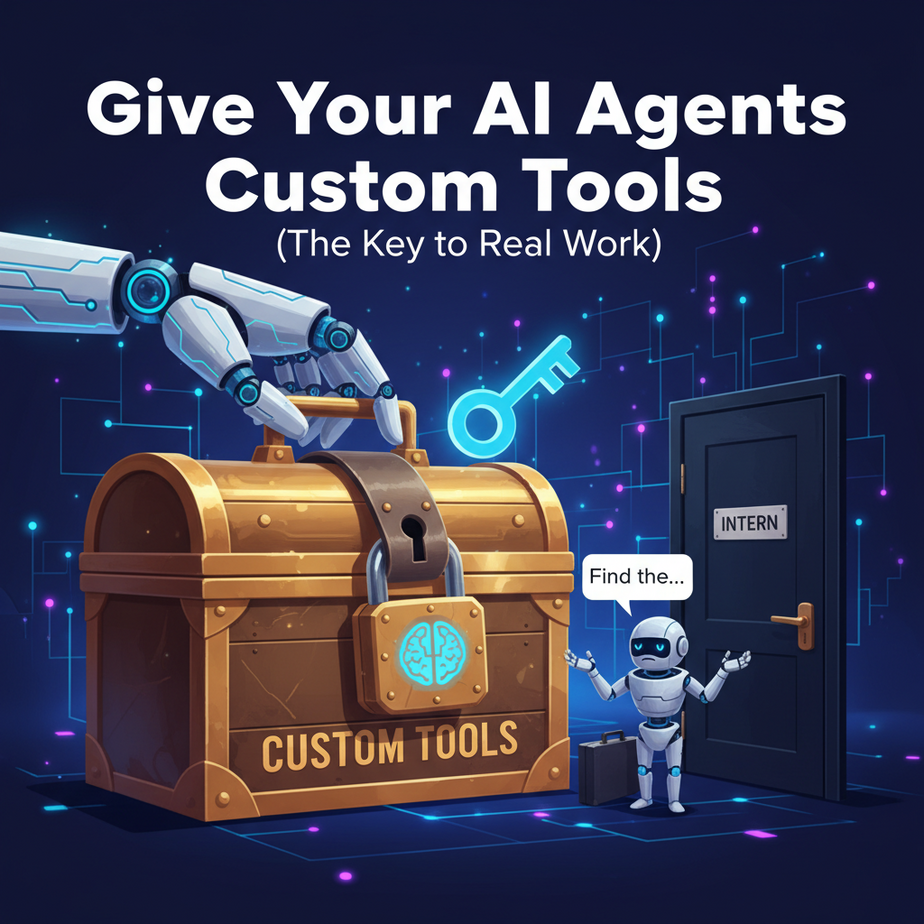
Your New Intern is Locked Out
You followed the last lesson. You hired a brilliant AI agent, a real go-getter. You’re feeling confident, so you give it a simple, real-world task: “Find the shipping status for our VIP client, John Doe, order #C123.”
The agent springs into action. Its internal monologue flashes across your screen: Thought: I need to find the shipping status for order C123. I have a web search tool. I will use it. Action: Search Google for 'shipping status for MyCompany order C123'.
You watch in horror. It’s like seeing a new employee walk over to the CEO and ask for the Wi-Fi password. The agent gets back a useless list of public search results. It has no idea that your order information lives inside your private company database. It’s a brilliant mind trapped outside the building, peering through the window, completely useless.
An agent with only generic tools is a novelty. An agent with custom tools that connect to *your* business is a revolution.
Why This Matters
This is the most important lesson in the entire agent series. Everything else is theory; this is where the money is made. Giving an agent custom tools is how you bridge the gap between a general-purpose AI and a specialist that understands your business.
- It Unlocks Your Data. Your company’s value isn’t on the public internet. It’s in your CRM, your inventory system, your user database. Custom tools are the keys that let your agents access this value.
- It Automates High-Value Tasks. You can’t automate “Process a refund” or “Generate a Q3 sales report” with a web search tool. You need tools that can interact with Stripe, Salesforce, or your internal analytics database.
- It Creates a Secure Gateway. You are in complete control of what the tool does. You don’t give the AI full database access; you give it a single, hardened function that can only retrieve an order status. It’s like giving your intern a keycard that only opens the breakroom, not the server room.
This workflow transforms your AI agent from a “know-it-all” researcher into a “do-it-all” digital employee.
What This Tool / Workflow Actually Is
In the world of AI agents, a “tool” isn’t a piece of hardware. It’s a simple Python function that you, the developer, make available to the agent.
Think of it like this: The LLM is the agent’s brain. The tools are its hands. The brain can think about what it wants to do, but it needs hands to actually interact with the world.
The magic happens with a special Python marker called a decorator (like @tool). This decorator does two things:
- It registers your function in a list of available tools.
- It exposes the function’s name and, most importantly, its description to the agent’s brain.
When the agent is given a task, its LLM brain reads the *descriptions* of all available tools and thinks, “Hmm, to solve this problem, which of these tools is the best fit?” If you write a good description, it will pick the right one. It’s that simple.
What it is NOT: You are not teaching the AI how to code. You are giving it pre-built, single-purpose functions and teaching it how to *choose* the right one for the job.
Prerequisites
This builds directly on our last lesson. You’ve got this.
- You should be comfortable with the concepts of Agents, Tasks, and Crews from our CrewAI lesson.
- You need Python 3 and the necessary libraries:
pip install crewai crewai-tools langchain-openai - An OpenAI API key set up. (Or your local Ollama server running.)
- A very basic understanding of how to write a Python function. If you know what
def my_function():means, you’re overqualified.
Step-by-Step Tutorial
Let’s build a custom tool to solve our intern’s problem. We’ll create a `CustomerSupportAgent` that can look up order statuses from a (fake) internal database.
Step 1: The “Internal Database”
We don’t want to mess with real databases just yet. Let’s simulate our company’s order system with a simple Python dictionary. Create a new file called support_crew.py and add this at the top:
# This is our pretend company database
order_database = {
    "C123": {"customer_name": "John Doe", "status": "Shipped", "items": ["Blue T-shirt"]},
    "C456": {"customer_name": "Jane Smith", "status": "Processing", "items": ["Red Hat", "Black Socks"]},
    "C789": {"customer_name": "Peter Jones", "status": "Delivered", "items": ["Green Sweater"]}
}
Step 2: Create the Custom Tool
Now, let’s write the Python function that will be our tool. The key is the @tool decorator and the docstring (the part in triple quotes). The docstring is not for you; it’s for the AI.
In the same file, add this code:
from crewai_tools import BaseTool

# Let's define our custom tool
class OrderLookupTool(BaseTool):
    name: str = "Order Lookup Tool"
    description: str = "Use this tool to look up the status of an order using its Order ID. It returns the full order details."

    def _run(self, order_id: str) -> str:
        # Check if the order_id exists in our database
        if order_id in order_database:
            return f"Order details found: {order_database[order_id]}"
        else:
            return f"Error: Order with ID '{order_id}' not found."

# Instantiate the tool
order_tool = OrderLookupTool()
Look at that description: "Use this tool to look up the status of an order using its Order ID...". It’s a crystal-clear instruction manual for the AI. We also added error handling, which is crucial.
Step 3: Build the Agent and Give It the Tool
Now we create a CrewAI agent like before, but this time, in the tools list, we pass an instance of our new custom tool.
Add the rest of the code to your `support_crew.py` file:
# Import your API key if you have it in a config file
import config
from crewai import Agent, Task, Crew

# Create the agent
support_agent = Agent(
    role='Senior Customer Support Agent',
    goal='Provide excellent support by finding order information for customers.',
    backstory=("""
        You are an expert customer support representative.
        You have access to the company's internal order lookup system.
        You are known for your efficiency and accuracy in retrieving order details.
    """),
    tools=[order_tool], # Here's where we give the agent its new tool!
    verbose=True
)

# Create the task
support_task = Task(
    description="Our customer, Jane Smith, is asking for the status of her order, ID C456. Please find it for her.",
    expected_output="The current status and items for order C456.",
    agent=support_agent
)

# Create and run the crew
support_crew = Crew(
    agents=[support_agent],
    tasks=[support_task]
)

result = support_crew.kickoff()

print("--- Task Complete ---")
print(result)
Complete Automation Example
The script you just built is the full automation! Save your support_crew.py file and run it from your terminal:
python support_crew.pyWatch the verbose output. You will see the agent’s brain working:
Thought:The user is asking for the status of order C456. I have a tool called “Order Lookup Tool” that seems perfect for this. It takes an Order ID.Action:Order Lookup ToolAction Input:{“order_id”: “C456”}Observation:(The tool runs and returns the details for Jane Smith’s order).Thought:I have successfully found the order information. I can now provide the final answer.Final Answer:The order C456 for customer Jane Smith is currently ‘Processing’ and contains the items: ‘Red Hat’ and ‘Black Socks’.
It worked. You just gave your AI its first key to your company’s kingdom.
Real Business Use Cases
This pattern is the foundation for almost every valuable AI automation:
- Sales Team: A
HubSpotContactUpdateTool. An agent can be tasked to “Add a note to Jane Doe’s contact record that we discussed pricing today.” The agent calls the tool, which makes an authenticated API call to HubSpot. - E-commerce Store: A
StripeRefundTool. An agent connected to your customer support system can be told, “The customer’s order C789 was damaged. Process a full refund.” The tool connects to the Stripe API to execute the refund. - HR Department: A
Workday PTO Lookup Tool. An agent integrated into a company Slackbot can answer employee questions like, “How many vacation days do I have left?” - Marketing Agency: A
GoogleAnalyticsReportTool. Task: “Pull the top 5 landing pages by traffic for last week and summarize the findings.” The tool queries the Analytics API for the data. - Software Company: A
JiraTicketCreateTool. An agent that monitors error logs can be instructed to “Create a new high-priority bug ticket in the ‘Backend’ project with the details from this error log.”
Common Mistakes & Gotchas
- Lazy Descriptions. This is the #1 failure mode. A description like “My database tool” is useless. The AI won’t know when to use it. Be specific: “Use this to fetch user data given a unique user email address.”
- Expecting Magic. The agent can only do what your function code allows. If your tool can only *read* data, the agent can’t use it to *write* data. The tool is a contract.
- Ignoring Errors. Your tool’s code *must* be robust. If an API call fails or a record isn’t found, it should return a clear error message, not crash. The agent is smart enough to use that error message in its next thought process.
- Passing the wrong tool. Remember to instantiate your tool class before adding it to the agent’s tool list! Pass `order_tool`, not `OrderLookupTool`.
How This Fits Into a Bigger Automation System
Your collection of custom tools becomes your company’s **Automation API Layer**. This is a profound concept. You are no longer just building one-off scripts; you are building a library of capabilities that any agent (or even any other system) can use.
- Agent Specialization: You can create a `SalesAgent` with only sales-related tools (CRM, email) and a `SupportAgent` with support tools (Zendesk, order database). This enforces separation of duties.
- Complex Workflows: An agent can now orchestrate work across multiple systems. For example: “A new high-value lead just signed up. Use the `ClearbitTool` to enrich their contact info, then use the `SalesforceTool` to create a new lead record, and finally, use the `SlackTool` to notify the sales team.”
- Human-in-the-Loop: You can create a tool called `request_human_approval`. When an agent needs to do something risky, like deleting a customer, its only option is to call this tool, which pauses the workflow and sends a message to a human for a yes/no decision.
What to Learn Next
Congratulations. This is a huge milestone. Your agent is no longer just an intern; it’s a fully onboarded employee with access to the right systems. It can perform real work.
But it has the memory of a goldfish. Each time you run the crew, it starts fresh. It has no recollection of previous tasks, conversations, or outcomes. If you’re building a chatbot or a multi-step research assistant, this is a fatal flaw.
In our next lesson, we’re going to fix that. We will install a long-term memory for our agent, allowing it to learn, recall past interactions, and handle conversations that span more than a single command. It’s time to build an assistant that actually assists.
“,
“seo_tags”: “crewai custom tools, ai agents, business automation, langChain tools, python ai agent, api integration, internal data ai, automation workflow”,
“suggested_category”: “AI Automation Courses