
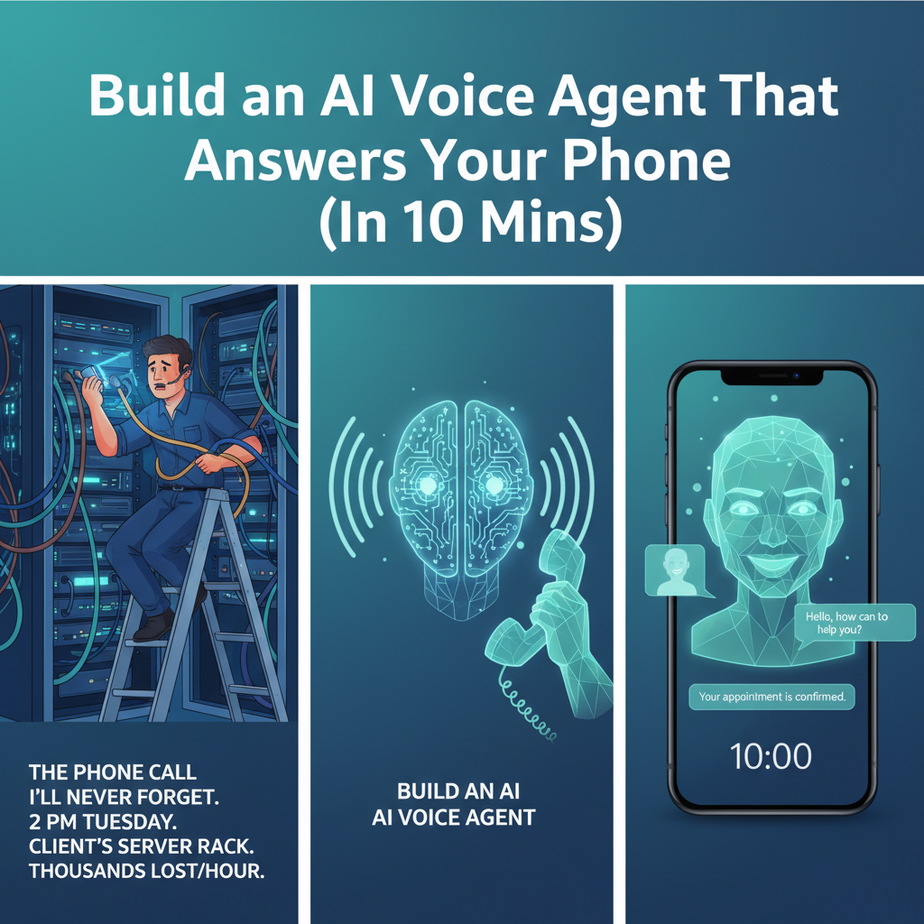
The Phone Call I’ll Never Forget
It was 2 PM on a Tuesday. I was on a ladder, wrist-deep in a client’s server rack, trying to fix a network issue that was costing them thousands per hour. My phone rang. I ignored it. It rang again. And again.
Finally, I climbed down, covered in dust, and answered. “Hello?”
“Hi, do you guys fix laptops?” the voice asked.
We did not. I politely said so and hung up. Climbed back up the ladder. The phone rang again. “Hi, what are your hours?”
I almost threw my phone across the room. Every business owner knows this feeling. The phone is your lifeline, but it’s also a firehose of interruptions. Every ring could be a million-dollar deal or someone asking for directions. You have to answer, but every time you do, you lose focus. You lose flow. You lose money.
Why This Matters
Imagine you could hire a receptionist. Someone sharp, polite, and available 24/7. They never take a lunch break, never get sick, and never get flustered. They answer every call on the first ring, ask the right questions, and only pass the important stuff along to you.
What would that be worth? Thousands a month? Your sanity?
That’s what we’re building today. Not a person, but an AI voice agent. This isn’t just about answering the phone. It’s about building a system that:
- Captures every single lead. No more missed calls because you were busy.
- Qualifies customers automatically. Stop wasting your time with tire-kickers.
- Frees you up to do actual work. The work that makes you money.
This automation replaces the chaos of a constantly ringing phone with the calm efficiency of a well-oiled machine. It’s your front line, your gatekeeper, and your new favorite employee.
What This Tool / Workflow Actually Is
We’re going to use a tool called Bland.ai. Don’t let the name fool you; it’s anything but bland.
What it does: Bland is an API that lets you build and deploy AI-powered voice agents. In simple English, you write a script (a “prompt”), give it a voice, and tell it what to do. It handles all the complicated stuff: understanding human speech, responding in a natural-sounding voice, and running the phone call.
Think of it as a factory for phone-call-handling robots. You design the robot’s brain on paper, and Bland builds and operates it for you for pennies per minute.
What it does NOT do: This is not a self-aware AI from a sci-fi movie. It can’t feel emotions or truly “understand” things in a human sense. It’s a highly specialized tool designed to have structured conversations. It follows your instructions. If your instructions are bad, it will be bad at its job. Garbage in, garbage out.
Prerequisites
I know some of you are already sweating, thinking this is going to be some hardcore coding nightmare. Relax. Here’s all you need:
- A Bland.ai Account: They have a free trial. Go sign up. It takes 30 seconds.
- A Computer with a Terminal: If you’re on a Mac, you have it (it’s called “Terminal”). If you’re on Windows, you have it (it’s called “Command Prompt” or “PowerShell”). This is the black screen you see in hacker movies. Don’t worry, we’re only typing one command.
- 5-10 Minutes of Courage: That’s it. If you can copy and paste, you can do this. I’ll walk you through every single click.
Step-by-Step Tutorial
Alright, let’s build your first receptionist. We’ll start with a simple outbound call to your own phone, so you can see the magic happen.
Step 1: Get Your API Key
First, log in to your Bland.ai account. On the dashboard, look for “Settings” or “API Keys” in the sidebar. You’ll see a long string of letters and numbers. This is your API Key. It’s like a secret password for your code to talk to Bland. Copy it and keep it safe. Don’t share it publicly.
Step 2: Open Your Terminal
Go ahead, open it. It won’t bite. This is our command center for sending instructions directly to the cloud.
Step 3: Craft The API Call
We’re going to use a command called `cURL`. It’s a universal tool for sending web requests. You’re going to copy the block below, replace the placeholder text, and paste it into your terminal.
Here’s the template. Don’t run it just yet. Let’s break it down so you understand what’s happening.
curl -X POST https://api.bland.ai/v1/calls \\
  -H "Content-Type: application/json" \\
  -H "authorization: YOUR_API_KEY" \\
  -d '{
    "phone_number": "YOUR_PHONE_NUMBER_WITH_COUNTRY_CODE",
    "task": "Your mission is to act as a friendly assistant for a bakery. Wish them a good day and ask them what their favorite type of pastry is. Keep the call under 30 seconds.",
    "voice_id": 2
  }'
What does this mean?
curl -X POST ...: You’re telling the terminal to send a `POST` request to the Bland API endpoint. This is how you send data.-H "...": These are “headers.” You’re sending two of them. The first tells the server you’re sending JSON data. The second is for your secret API key.-d '{ ... }': This is the “data” payload. It’s a JSON object containing the instructions for the call.phone_number: The number you want the AI to call. Put your own cell phone number here to test it. Use the full format, like `+15551234567`.task: This is the prompt! This is the “brain” of your AI. You’re telling it exactly what its job is.voice_id: Bland has a library of voices. `2` is a friendly female voice. You can experiment with others later.
Step 4: Make the Call
Now, replace the placeholders:
- Replace `YOUR_API_KEY` with the key you copied from your Bland dashboard.
- Replace `YOUR_PHONE_NUMBER_WITH_COUNTRY_CODE` with your actual phone number.
Copy the entire modified code block. Paste it into your terminal. Hit Enter.
In a few seconds, your phone should ring. Answer it. It’s your robot.
Complete Automation Example
That was cool, but not exactly a business system. Now let’s make it useful. Let’s build an inbound agent for a fictional “Busy Beaver Bakery” that takes custom cake orders.
The goal: when a customer calls, the AI asks for the cake details and sends that information to us in a structured way.
The Concept: Webhooks
How does the AI send us the info? It uses something called a **webhook**. A webhook is just a URL that a program can send data to. When the call ends, Bland will package up the call summary and send it to a URL we provide. It’s like a digital courier service.
For this test, we’ll use a free tool called webhook.site. Go there now. It will instantly give you a unique URL. Copy it. This is our temporary mailbox for the call data.
The Inbound Agent Workflow
Instead of making an outbound call with `cURL`, we’ll configure an agent in the Bland dashboard to handle *inbound* calls.
- In your Bland dashboard, go to “Phone Numbers” and buy a number. It’s usually a dollar or two a month. This is the number customers will call.
- Create a new “Inbound Agent.” You’ll see an interface to configure it.
- The Prompt (The `task`): This is the most important part. Paste this into the task box.
You are a helpful and cheerful receptionist for the Busy Beaver Bakery. Your goal is to take a custom cake order. Do not deviate from this goal. 1. Greet the caller warmly and introduce yourself. 2. Ask for the following information one by one: - What type of cake they want (e.g., chocolate, vanilla, red velvet). - What size cake (e.g., 6-inch, 8-inch, sheet cake). - What message they want written on the cake. - The date and time they need to pick it up. 3. After gathering all the details, repeat the complete order back to them for confirmation. 4. Once they confirm, thank them and tell them the bakery will send a confirmation text message shortly. Then, end the call. - The Webhook URL: Find the field for `webhook_url` or `on_complete_webhook`. Paste the URL you got from `webhook.site`.
- Assign the Agent to your Number: Link this new agent to the phone number you bought.
That’s it. Now, call the new phone number from your cell phone. Go through the process. Pretend you’re ordering a cake. After you hang up, look at your `webhook.site` page. You will see a beautiful chunk of JSON data containing the full transcript of your call and a summary. The factory is working.
Real Business Use Cases
This isn’t just for bakeries. Here are five ways this exact same pattern can be used:
- Real Estate Agency: The agent answers calls from property listings. It asks, “Are you calling about 123 Main Street? Are you working with an agent? Are you pre-approved for a mortgage?” It captures the lead info and sends it to the CRM, flagging it as a “hot lead.”
- Dental Clinic: The agent handles appointment confirmations. It calls patients a day before their appointment: “Hi, this is a reminder from Dr. Smith’s office about your appointment tomorrow at 3 PM. Can you please say ‘confirm’ or ‘reschedule’?”
- Local Plumber: A 24/7 emergency line. The agent asks for the caller’s name, address, phone number, and a description of the emergency. It then uses a webhook to trigger an emergency SMS to the on-call plumber.
- SaaS Company: The agent acts as a simple demo-booking bot. When a user requests a demo online, the agent calls them instantly: “Hi, I see you’re interested in a demo of our software. Are you free to talk tomorrow at 10 AM or 2 PM?”
- E-commerce Store: The agent handles basic “Where is my order?” calls. By connecting to a Shopify API (a more advanced step), it can look up the order status in real-time and read it back to the customer, deflecting a support ticket.
Common Mistakes & Gotchas
- Writing a Novel for a Prompt: Your `task` should be a clear, concise set of instructions, not a 10-page essay. The simpler it is, the more reliably the AI will perform. Start small and add complexity later.
- Forgetting an Exit Condition: The agent needs to know when to end the call. Your prompt must include instructions like, “After you get the confirmation, thank them and then say goodbye.” Otherwise, it might just stay on the line awkwardly.
- Ignoring the Data: The call itself is only half the system. The real value is in the structured data you get from the webhook. If you don’t connect that webhook to anything (like a spreadsheet, CRM, or email), you’ve just built a fancy but useless answering machine.
- Not Setting a `max_duration`: For outbound calls, it’s wise to set a maximum duration (e.g., 2 minutes). This is a safety net to prevent a confused AI from running up a huge bill on a call that goes nowhere.
How This Fits Into a Bigger Automation System
A voice agent is just one piece of the puzzle. It’s the front door to your automation factory. Think about what happens after the webhook fires:
- CRM Integration: The webhook data can be sent to a tool like Zapier or Make.com, which then creates a new Lead in your HubSpot or Salesforce CRM, complete with the call transcript.
- Email/SMS Follow-up: Zapier can also trigger an email or SMS. For the bakery example, it could send the customer a real text: “Thanks for your order! We’ve got you down for a 10-inch chocolate cake for this Friday. Here is your order #123.”
- Multi-Agent Workflows: The voice agent is just the first step. It qualifies a lead and captures the data. That data could then be fed to a *different* AI agent (like a GPT-4 model) whose only job is to write a perfect, customized follow-up email based on the call transcript.
- RAG Systems (Retrieval-Augmented Generation): What if a caller asks a question the agent wasn’t programmed for? You can connect your agent to a knowledge base (a library of your company’s documents). The agent can search the documents in real-time to answer complex questions, turning it from a script-reader into a true expert.
What to Learn Next
Congratulations. You just built a robot that can talk on the phone and do useful work. You’ve replaced one of the most annoying, time-consuming parts of running a business with a few lines of instructions.
But right now, our agent is a little… dumb. It can follow a script, but it can’t access live information. It can’t check if a product is in stock, look up a customer’s order history, or check your real-time calendar availability.
In the next lesson, we’re going to give our robot superpowers. We’ll teach it how to use “tools” to connect to live data sources and APIs. We’re moving from a simple receptionist to a fully-fledged operational agent. Stay tuned.
“,
“seo_tags”: “ai voice agent, business automation, bland.ai tutorial, automate phone calls, no-code ai, lead qualification, ai receptionist”,
“suggested_category”: “AI Automation Courses