
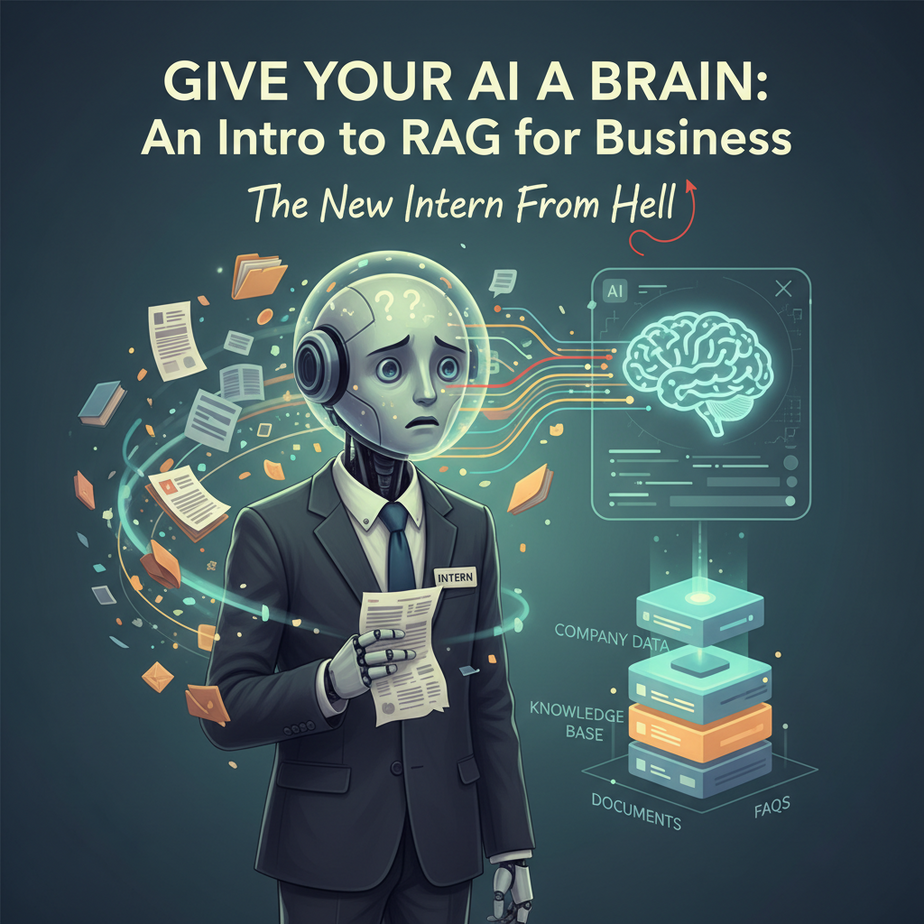
The New Intern From Hell
Imagine you hire a new intern. They’re incredibly smart, a fast learner, and can write beautiful emails. There’s just one problem: they have total amnesia. Every morning, they walk in with a completely blank slate.
You ask them, “What’s our refund policy?” They stare at you blankly. “I don’t know, but I can write a poem about refunds if you like!”
You ask, “Can you summarize the notes from the Q3 client meeting?” They reply, “I don’t have any notes, but I can tell you the history of the Roman Empire.”
This is what it feels like to use a standard Large Language Model (like GPT-4) for your business. It’s a genius with no specific knowledge of *your world*. You spend all your time feeding it context, copy-pasting documents, and re-explaining things. It’s exhausting.
Why This Matters
What if you could give that intern a key to a filing cabinet containing every document your company has ever produced? The employee handbook, product specs, past client emails, meeting transcripts… everything. And what if they could read and understand any document in that cabinet in less than a second?
Suddenly, your intern is your most valuable employee. They can answer any question with perfect accuracy, citing the exact source.
This is what Retrieval-Augmented Generation (RAG) does for your AI. It’s not about training a whole new AI model (which is crazy expensive and complex). It’s about giving an existing, powerful AI access to your private information, *just in time*, so it can answer questions intelligently.
This system replaces:
- Hours of manual searching. No more digging through Google Drive or old emails.
- Inconsistent answers. Everyone gets the same, correct information sourced from the official documents.
- Your role as the company encyclopedia. Free yourself from answering the same questions over and over.
What This Tool / Workflow Actually Is
Retrieval-Augmented Generation (RAG) sounds like something from a sci-fi novel, but the concept is dead simple. Think of it as an “open-book test” for AI.
Here’s the workflow:
- Retrieval: When you ask a question (e.g., “Do we offer discounts for non-profits?”), the system doesn’t immediately ask the AI. First, it *retrieves* the most relevant snippets of information from your knowledge base (your filing cabinet). It finds the paragraph about discount policies in your sales handbook.
- Augmentation: It then takes your original question and *augments* it with the information it just found. It creates a new, more detailed prompt behind the scenes.
- Generation: Finally, it hands this augmented prompt to a powerful LLM like GPT-4 and says, “Using *only* the provided documents, answer this question.”
What it does: RAG makes your AI an expert on a specific set of documents. It grounds the AI’s answers in facts from *your* data, dramatically reducing hallucinations (when the AI makes stuff up).
What it does NOT do: RAG does not “train” or permanently modify the base AI model. The intern doesn’t memorize the filing cabinet; they just get very, very good at looking things up quickly. If you take the documents away, they have amnesia again.
Prerequisites
Okay, we’re going to write a tiny bit of code. Don’t panic. It’s more like writing a recipe than engineering a rocket. If you can copy and paste, you will succeed.
- An OpenAI API Key: You’ll need to sign up for an OpenAI account and get an API key. You might need to add a few dollars of credit (a whole day of testing this will cost you less than a cup of coffee).
- Python 3 Installed: Most Macs have it pre-installed. For Windows, it’s a quick download from the official Python website.
- A Few Python Libraries: Open your Terminal (or Command Prompt) and run this one command. It installs all the tools we need.
pip install openai pandas numpy scikit-learn
That’s it. You’re ready.
Step-by-Step Tutorial
Let’s build a simple RAG system for a fictional SaaS company, “PixelFlow.”
Step 1: Create Your Knowledge Base
This is our filing cabinet. For this lesson, it’s going to be a simple CSV file named knowledge_base.csv. Create this file in the same folder where you’ll save your Python script. Put this exact content inside it:
topic,information
pricing,"PixelFlow has three tiers: Starter at $19/mo, Pro at $49/mo, and Enterprise at $99/mo. All plans come with a 14-day free trial."
integrations,"We integrate directly with Slack, Google Drive, and Zapier. Integration with Microsoft Teams is on our Q4 roadmap."
refunds,"We offer a 30-day money-back guarantee. Users can request a full refund within 30 days of their first subscription payment, no questions asked."
support,"Our support team is available via email at support@pixelflow.com. Pro and Enterprise users also have access to live chat support during business hours (9am-5pm EST)."
security,"All user data is encrypted at rest and in transit using AES-256 encryption. We are fully GDPR and CCPA compliant."
Step 2: Create a Python Script
Create a new file named ask_bot.py. This is where our code will live. Open it in a simple text editor.
Step 3: The Code – Imports and Setup
First, we need to import our tools and set up our API key. Paste this at the top of ask_bot.py.
import os
import pandas as pd
import numpy as np
from openai import OpenAI
from sklearn.metrics.pairwise import cosine_similarity

# IMPORTANT: Set your API key here or as an environment variable
client = OpenAI(api_key="YOUR_OPENAI_API_KEY")
Why? This code imports the libraries we installed and tells the script how to authenticate with OpenAI. Remember to replace YOUR_OPENAI_API_KEY with your actual key.
Step 4: The Code – The RAG Engine
Now for the main logic. This looks like a lot, but I’ve added comments explaining every part. This is the robot who reads the filing cabinet. Paste this code below the setup section in the same file.
# 1. Function to create embeddings (turn text into numbers)
def get_embedding(text, model="text-embedding-3-small"):
   text = text.replace("\
", " ")
   return client.embeddings.create(input=[text], model=model).data[0].embedding

# 2. Load the knowledge base from the CSV file
kb_df = pd.read_csv("knowledge_base.csv")

# 3. Create an embedding for each piece of information in our knowledge base
# This is done once when the script starts up
kb_df['embedding'] = kb_df['information'].apply(lambda x: get_embedding(x))
print("🤖 Knowledge base is loaded and vectorized.")

# 4. The main RAG function
def answer_question(user_question):
    # First, create an embedding for the user's question
    question_embedding = get_embedding(user_question)

    # Second, find the most similar piece of information in our knowledge base
    # We use cosine similarity to compare the question's numbers to the knowledge's numbers
    kb_df['similarity'] = kb_df['embedding'].apply(lambda x: cosine_similarity([x], [question_embedding])[0][0])
    most_relevant_chunk = kb_df.sort_values('similarity', ascending=False).iloc[0]
    relevant_context = most_relevant_chunk['information']

    # Third, create the prompt for the LLM, augmenting it with the retrieved context
    system_prompt = "You are a helpful assistant for PixelFlow. Answer the user's question based ONLY on the following context. If the context doesn't contain the answer, say you don't have that information."

    final_prompt = f"Context:\
{relevant_context}\
\
User Question: {user_question}"

    # Fourth, send the augmented prompt to the LLM to generate the final answer
    response = client.chat.completions.create(
        model="gpt-4o",
        messages=[
            {"role": "system", "content": system_prompt},
            {"role": "user", "content": final_prompt}
        ],
        temperature=0
    )

    return response.choices[0].message.content
Complete Automation Example
We’ve built the engine. Now let’s add the steering wheel. This final piece of code creates a simple loop that lets you ask questions in your terminal. Add this to the very bottom of your ask_bot.py file.
# A simple loop to ask questions in the terminal
if __name__ == "__main__":
    while True:
        question = input("Ask a question about PixelFlow (or type 'quit' to exit): ")
        if question.lower() == 'quit':
            break
        answer = answer_question(question)
        print(f"\
Answer: {answer}\
")
Your script is complete! Save the file. Now go to your terminal, navigate to the folder where you saved your two files, and run the command:
python ask_bot.pyIt will say `🤖 Knowledge base is loaded…`. Now, ask it a question like: `How much does the pro plan cost?` or `What is your refund policy?`
Watch the magic happen. You didn’t tell the AI anything about pricing. It *retrieved* the information from your CSV file and used it to form a perfect answer.
Real Business Use Cases
This simple file-based RAG is more powerful than it looks. Here are 5 ways to use this exact system:
- New Employee Onboarding: Create a `new_hire_faq.csv`. The bot can answer questions like “How do I set up my health insurance?” or “What’s the wifi password?”
- Sales Enablement: Create a `competitor_battlecards.csv`. A salesperson can ask, “What are our key advantages over Competitor X?” and get instant, approved talking points.
- Content Creation: Create a `brand_voice_guide.csv`. A marketer can ask, “Write a tweet about our new feature in our brand voice,” and the AI will use the guidelines to generate on-brand copy.
- Freelancer Project Management: Create a `project_specs.csv` for each client. You can ask, “What is the primary goal of the Acme Corp project?” or “What’s the hex code for their brand blue?”
- Personal Knowledge Management: Turn your book notes into a CSV. Ask, “What were my main takeaways from the book ‘Atomic Habits’?” and get a perfect summary in your own words.
Common Mistakes & Gotchas
- Putting Too Much in One Row: Each row in your CSV should be a self-contained chunk of information. Don’t paste a 10-page document into a single cell. Break it down into logical paragraphs.
- Using a Bad Knowledge Source: If your `knowledge_base.csv` has outdated or wrong information, your AI will confidently give outdated or wrong answers. Garbage in, garbage out.
- Not Being Specific in the Final Prompt: The instruction `based ONLY on the following context` is critical. Without it, the AI might ignore your data and fall back on its general knowledge, defeating the purpose of RAG.
- Thinking This Scales to a Million Documents: This simple script scans the whole CSV every single time you ask a question. It’s fine for a few dozen or hundred rows, but it will get slow fast. This is a teaching tool, not a production system for a massive knowledge base.
How This Fits Into a Bigger Automation System
A RAG engine is the “brain” module in a larger automation factory. It’s almost never used in isolation. Imagine connecting it to:
- The Voice Agent (from our last lesson): A customer calls your AI receptionist and asks about your refund policy. The voice agent sends that question to this RAG script, gets the answer, and speaks it back to the customer in real-time.
- A Customer Support Slack Bot: A new support ticket comes in. An automation reads the ticket, sends it to your RAG engine, and posts the suggested answer as a private reply to your support agent in Slack, giving them a head start.
- Email Automation: An automated system could read incoming emails, identify common questions, use the RAG engine to draft a reply, and save it in your “Drafts” folder for a human to approve with one click.
RAG is the component that adds specialized intelligence to any workflow.
What to Learn Next
You’ve just built a system that gives your AI a custom brain. You understand the fundamental loop: retrieve, augment, generate. This is one of the most important concepts in applied AI today.
But as we noted, our current system has a weakness: it’s slow and clunky. Scanning a CSV file every time is like having your intern read every single document in the filing cabinet for every question. It doesn’t scale.
In our next lesson, we’re going to upgrade our filing cabinet. We’re moving from a simple CSV to a dedicated **Vector Database**. These are databases built for one purpose: finding the most similar information in a massive dataset at lightning speed. We’ll take our RAG system from a clever prototype to a production-ready powerhouse.
“,
“seo_tags”: “rag tutorial, retrieval-augmented generation, business ai, custom gpt, ai knowledge base, openai api, python for ai”,
“suggested_category”: “AI Automation Courses