
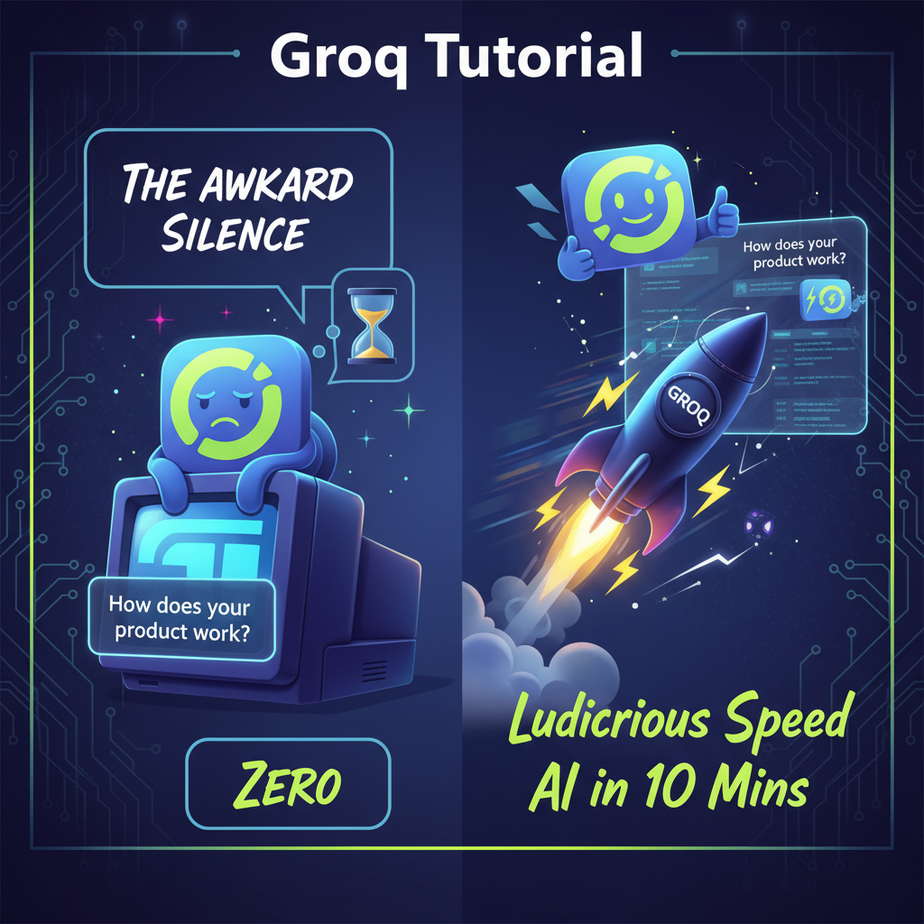
The Awkward Silence
Picture this. You’ve built an AI chatbot for your website. A potential customer lands on your page, full of hope and credit card details. They type a simple question: “Do you ship to Canada?”
And then… nothing.
The little three-dot “thinking” animation pulses. Once. Twice. Your customer checks their Wi-Fi. They take a sip of coffee. A tumbleweed rolls across their screen. After seven agonizing seconds, a perfectly robotic answer appears. By then, your customer has already closed the tab and is halfway to your competitor’s website, a site where the chatbot answers instantly.
That awkward silence, that digital lag, is the sound of you losing money. It’s the sound of a bad user experience. It’s the sound of an automation that’s more frustrating than helpful. We’re here to kill that silence. Forever.
Why This Matters
In the world of automation, speed isn’t a feature; it’s the entire product. Latency—the delay between a request and a response—is your enemy. A slow AI is like hiring the world’s smartest intern, but they take a full minute to answer every question you ask. Useless.
This workflow replaces:
- Slow, clunky chatbots: The ones that make users feel like they’re communicating via carrier pigeon.
- Batch processing jobs: Instead of analyzing customer feedback overnight, you can do it in real-time as it comes in.
- Frustrated users and lost sales: A fast, responsive system feels intelligent and trustworthy. A slow one feels broken.
Mastering high-speed inference is the difference between building a cute AI toy and building a revenue-generating machine that can operate at scale.
What This Tool / Workflow Actually Is
We’re going to be working with Groq (pronounced “grok,” as in, to understand). It is not another language model like GPT-4. It’s a specialized hardware company that has built a new kind of chip called an LPU, or Language Processing Unit.
Think of it this way: a normal processor (CPU) is a jack-of-all-trades. A graphics processor (GPU) is a specialist for doing thousands of calculations at once, which is great for *training* AI models. An LPU from Groq is a hyper-specialist. It’s a custom-built assembly line designed to do only ONE thing: run already-trained language models at absolutely insane speeds.
What it does: Executes open-source language models (like Llama 3 or Mixtral) faster than pretty much anything else on the planet. We’re talking hundreds of tokens per second.
What it does NOT do: It does not train models. You cannot use it to create your own model from scratch. It is purely for *inference*—the process of using a model to get a result.
Prerequisites
Don’t panic. This is easier than assembling IKEA furniture. I promise.
- A GroqCloud API Key: Go to GroqCloud and sign up. It’s free to get started. Once you’re in, navigate to the “API Keys” section and create one. Copy it and keep it safe.
- A Python Environment: If you’re a complete beginner, use a free online tool like Replit. If you have Python on your computer, that’s perfect. We’re not doing anything complex.
- The Groq Python Library: You’ll need to install one small thing. Open your terminal or shell and run this command. That’s it.
pip install groq
That’s the entire shopping list. If you can copy and paste, you can do this.
Step-by-Step Tutorial
Let’s build the simplest possible version of this. Our goal is to send a question to the Groq API and get a response back, instantly.
Step 1: Create Your Python File
Create a new file called fast_bot.py. Open it in your favorite text editor.
Step 2: Import the Library and Set Your Key
The first thing we need to do is tell our script to use the Groq library and how to authenticate. One of the smartest things the Groq team did was make their code library a drop-in replacement for OpenAI’s. This means if you’ve ever written a single line of code for ChatGPT, you already know how to use Groq.
Add this to the top of your file. Replace "YOUR_GROQ_API_KEY" with the key you copied earlier.
import os
from groq import Groq

client = Groq(
    api_key="YOUR_GROQ_API_KEY",
)
Step 3: Define the Chat Completion Call
Now we’ll create the core function. We tell the AI who it is (the system prompt) and what we want to ask it (the user prompt). We also specify which model to use. I’m using `llama3-8b-8192` here, which is a fantastic, small, and ridiculously fast model.
Add this code below what you’ve already written:
chat_completion = client.chat.completions.create(
    messages=[
        {
            "role": "system",
            "content": "You are a helpful assistant."
        },
        {
            "role": "user",
            "content": "Explain the importance of low-latency AI systems in one sentence.",
        }
    ],
    model="llama3-8b-8192",
)
Why this step exists: This structure is the universal standard for interacting with most modern language models. We’re creating a list of messages to simulate a conversation. The `system` message sets the AI’s behavior, and the `user` message is our actual question.
Step 4: Print the Result
The API gives us back a bunch of information, but the part we care about is tucked away in .choices[0].message.content. Let’s print it out.
Add this final line to your script:
print(chat_completion.choices[0].message.content)
Step 5: Run It!
Go to your terminal, navigate to the folder where you saved your file, and run:
python fast_bot.pyBefore you can even blink, the answer will appear on your screen. That’s it. That’s the core workflow. You just executed a query on one of the fastest AI systems in the world.
Complete Automation Example
Okay, let’s build something useful. Imagine we have a website contact form, and we want to instantly classify incoming messages into “Sales Inquiry,” “Technical Support,” or “Billing Question” so we can route them to the right team.
Here’s the full, copy-pasteable Python script to do just that.
import os
from groq import Groq
import json

# --- CONFIGURATION ---
# It's better to set this as an environment variable, but for a simple script this is fine.
# os.environ["GROQ_API_KEY"] = "YOUR_KEY_HERE"
client = Groq()

# --- THE AUTOMATION FUNCTION ---
def classify_customer_inquiry(inquiry_text):
    """
    Uses Groq to classify a customer message into one of three categories.
    Returns the category as a string.
    """
    system_prompt = (
        "You are an expert classification bot. Your only job is to analyze the user's message "
        "and classify it into one of three categories: 'Sales Inquiry', 'Technical Support', or 'Billing Question'. "
        "You must respond with ONLY the JSON format: {\\"category\\": \\"CATEGORY_NAME\\"}. Do not add any other text or explanation."
    )

    try:
        chat_completion = client.chat.completions.create(
            messages=[
                {
                    "role": "system",
                    "content": system_prompt
                },
                {
                    "role": "user",
                    "content": inquiry_text,
                }
            ],
            model="llama3-8b-8192",
            temperature=0.0, # We want deterministic results
            max_tokens=50,
            response_format={"type": "json_object"}, # Enforce JSON output
        )

        response_content = chat_completion.choices[0].message.content
        # Parse the JSON string to get the dictionary
        response_json = json.loads(response_content)
        return response_json.get("category", "Unclassified")

    except Exception as e:
        print(f"An error occurred: {e}")
        return "Error during classification"

# --- EXAMPLES ---
query1 = "Hi, I'm wondering if your premium plan includes API access? I'm thinking of buying."
query2 = "My login isn't working, I keep getting a 403 error."
query3 = "I think there's a mistake on my last invoice, can you check it?"
query4 = "what's the weather like"

print(f"Query: '{query1}' --> Classified as: {classify_customer_inquiry(query1)}")
print(f"Query: '{query2}' --> Classified as: {classify_customer_inquiry(query2)}")
print(f"Query: '{query3}' --> Classified as: {classify_customer_inquiry(query3)}")
print(f"Query: '{query4}' --> Classified as: {classify_customer_inquiry(query4)}")
When you run this, it will instantly categorize each message. This function could be hooked up to your website backend, a Slack bot, or an email parser to create a fully automated triage system for your business.
Real Business Use Cases
- E-commerce Store: A customer asks the chatbot, “I’m looking for a waterproof jacket for hiking in the rain.” A slow AI might take 5 seconds to parse this. Groq can power a system that instantly filters the product catalog and replies with three perfect options before the user even finishes typing their next thought.
- Content Marketing Agency: An editor needs to check 50 blog posts for tone and style guide compliance. An automation using Groq can scan each article and provide feedback in under a second, turning a full day of tedious work into a 10-minute coffee break.
- SaaS Company: A user is typing a bug report into a form. A Groq-powered backend can analyze the text in real-time, identify it as a known issue, and pop up a message saying, “Looks like you’re running into a known bug. Our team is on it! Here’s a workaround…” This prevents duplicate tickets and makes the user feel heard.
- Legal Tech Firm: A lawyer uploads a 50-page contract. A tool powered by Groq can instantly scan the document, identify all clauses related to liability, and summarize them. This isn’t just about saving time; it’s about providing instant intelligence.
- Call Center Software: As a customer service agent is talking, their speech is converted to text. Groq can analyze the text in real-time for sentiment. If the customer’s frustration level spikes, it can automatically flag the call for a supervisor to review *while the call is still happening*.
Common Mistakes & Gotchas
- Asking for unavailable models: Groq has a specific, curated list of models they support. You can’t just ask for `gpt-4-turbo`. Check their documentation for the current list of available model names.
- Ignoring the prompt: The AI is fast, but it’s not a mind reader. In our classification example, we were brutally specific in the system prompt, telling it to ONLY return JSON. This is called prompt engineering, and it’s critical for reliable automation.
- Using it for the wrong job: Groq is a Ferrari. Don’t use it to haul lumber. It’s built for low-latency, high-throughput inference. If you have a task that can run overnight and takes 3 hours, a cheaper, slower solution might be better. Use Groq where speed is a competitive advantage.
- Forgetting about context windows: Every model has a limit to how much text it can remember (e.g., 8192 tokens for `llama3-8b-8192`). If you try to feed it a 300-page book, it will fail. For large documents, you need a different strategy (which we’ll cover in a future lesson on RAG).
How This Fits Into a Bigger Automation System
What we built today is a single, supercharged gear. It’s incredibly powerful, but the real magic happens when you connect it to the rest of the factory.
- AI Voice Agents: Low latency is the single most important factor for a voice bot that doesn’t sound like a drunken robot. You can pipe the user’s speech-to-text output into Groq, get an instant response, and feed that to a text-to-speech engine. This is how you build conversations that flow naturally.
- Multi-Agent Systems: Imagine an “CEO” agent that needs to make a decision. It can delegate tasks to specialized “worker” agents. If the workers are powered by Groq, they can research, summarize, and report back in seconds, allowing the CEO agent to make complex decisions almost instantly.
- RAG Systems: In a Retrieval-Augmented Generation system, you first find relevant information from your database and *then* use an LLM to generate an answer. Groq is perfect for that second step, making your internal knowledge-base search feel instantaneous.
Think of Groq as the fast-twitch muscle fiber in your automation’s body. It’s what powers every reaction that needs to happen *right now*.
What to Learn Next
You’ve just installed a fusion reactor in your automation workshop. You have access to nearly unlimited, instantaneous intelligence. The simple text-in, text-out model is powerful, but it’s just the beginning.
Now that we can think at the speed of light, what happens when we give our machine a voice and ears? What happens when it can not only understand text but also hold a real-time conversation?
In the next lesson in our AI Automation course, we’re going to do exactly that. We’ll take our new Groq engine and connect it to live speech-to-text and text-to-speech APIs to build an AI Voice Agent that can answer a phone call and respond intelligently without those awkward, money-losing silences.
Stay sharp. The factory is just getting started.
“,
“seo_tags”: “Groq, AI Automation, Large Language Models, LLM, Python Tutorial, API, Real-time AI, Low Latency, LPU, Business Automation”,
“suggested_category”: “AI Automation Courses