
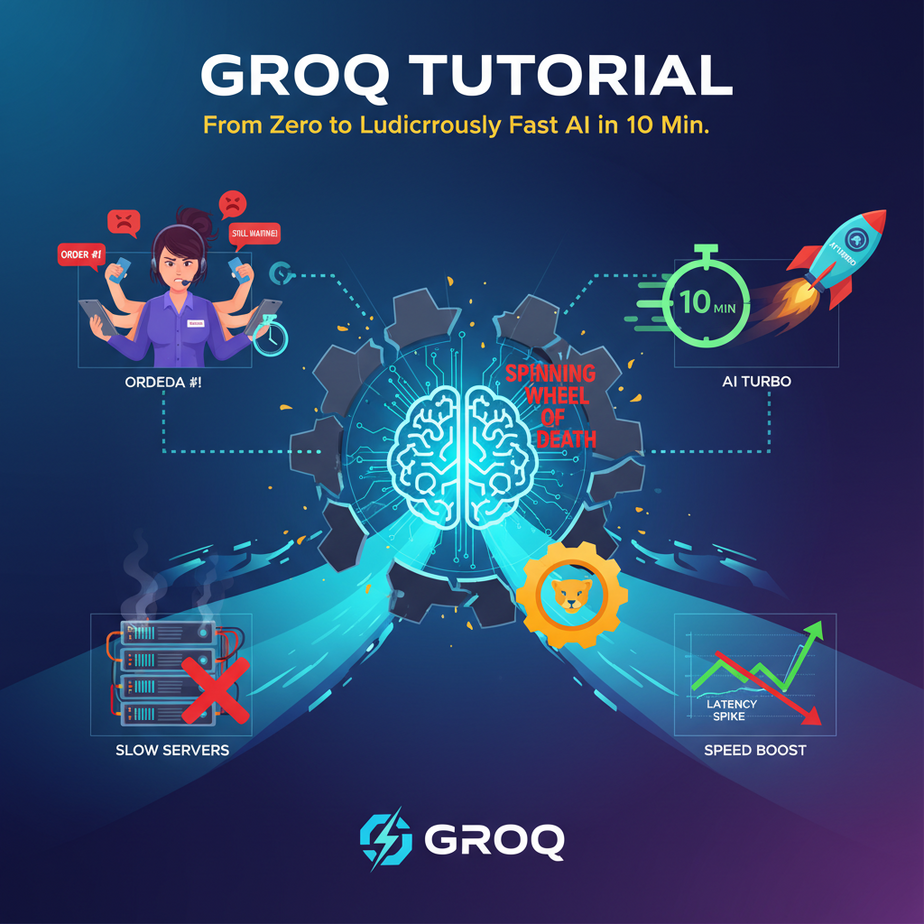
The Spinning Wheel of Death
Picture this. Your best customer support agent, Brenda, is having a terrible Monday. She’s juggling three live chats at once. On screen one, a guy whose order is MIA. On screen two, a woman whose discount code isn’t working. On screen three, someone who just wants to rant about your logo.
Brenda is using your company’s fancy new “AI Assistant” to help her draft replies. The problem? The AI is… thinking. The little three-dot animation is pulsing, mocking her. It’s been seven seconds. The customer in chat one just typed, “???? HELLO????”
The AI finally spits out a generic, unhelpful response. Brenda sighs, deletes it, and types one herself. The expensive AI assistant isn’t an assistant; it’s a roadblock. It’s like having an intern who takes a full minute to find the right paperclip.
This delay, this *latency*, is the silent killer of AI automation. It makes your tools feel dumb, your service feel slow, and your agents want to throw their monitors out the window.
Why This Matters
In the world of automation, speed isn’t a feature; it’s the whole damn point. A slow AI is a useless AI.
Business Impact:
- User Experience: A chatbot that takes 8 seconds to respond isn’t conversational; it’s annoying. Users will leave.
- Productivity: An internal tool that makes your team wait is actively costing you money. Brenda could have solved two tickets in the time she wasted waiting for the AI.
- Real-Time Applications: You simply cannot build certain things without near-instant responses. Think live call analysis, interactive voice agents, or real-time data filtering. A 5-second delay makes these impossible.
What we’re building today is the antidote to the spinning wheel. We’re replacing the slow, thoughtful intern with a robot that has the answer before you’ve even finished asking the question. We’re talking about a tool so fast it feels like magic: Groq.
What This Tool / Workflow Actually Is
Groq (pronounced “Grok,” like the word) is not an AI model itself. You don’t ask Groq a question. Instead, Groq is an *inference engine*. It’s a specialized hardware and software system designed to do one thing and one thing only: run existing AI models (like Meta’s Llama 3) at absolutely insane speeds.
Think of it like this: A normal GPU is a powerful pickup truck. It can haul lumber, tow a boat, and drive off-road. It’s versatile. Groq’s hardware, called an LPU (Language Processing Unit), is a Formula 1 car. It can’t haul lumber, but on a racetrack, it leaves the pickup truck in the dust. In our case, the “racetrack” is running language models.
What it does: It takes a request (your prompt), sends it to a model (like Llama 3), and gets the response back to you, often in a fraction of a second.
What it does NOT do: It doesn’t create models. It isn’t a database. It isn’t a replacement for OpenAI or Anthropic in terms of model variety, but for the models it *does* run, it’s the fastest in the world.
Prerequisites
I know this sounds like voodoo from the future, but you can get this running in minutes. Brutally honest, here’s all you need:
- A Groq Account: Go to
groq.comand sign up. They have a generous free tier to get you started. No credit card needed to begin. - Python 3 Installed: Most computers have it already. Open your terminal or command prompt and type
python --version. If you see a number like3.9.x, you’re golden. If not, a quick Google search for “install Python” will get you there. - A Desire for Speed: You need to be tired of waiting for AI to think. That’s it. No machine learning degree required.
Seriously, if you can copy and paste, you can do this.
Step-by-Step Tutorial
Alright, let’s build our speed demon. We’ll make a simple Python script that talks to the Groq API.
Step 1: Get Your Groq API Key
This is your secret password to access the system. Don’t share it.
- Log in to your Groq account.
- On the left-hand menu, click on “API Keys.”
- Click the “Create API Key” button. Give it a name (like “MyFirstAutomation”) and click “Create.”
- Copy the key immediately and save it somewhere safe, like a password manager. You will not see this key again.
Step 2: Set Up Your Project
Open your terminal or command prompt. We need to install the official Groq Python library.
pip install groqThat one command downloads everything you need. Next, create a new file named fast_bot.py and open it in your favorite code editor.
Step 3: Write the Code
Copy and paste this code into your fast_bot.py file. Don’t worry, I’ll explain every line.
import os
from groq import Groq

# IMPORTANT: Never hardcode your API key like this in a real application
# Instead, use environment variables. For this lesson, we'll do it simply.
API_KEY = "YOUR_GROQ_API_KEY_HERE"

client = Groq(
    api_key=API_KEY,
)

chat_completion = client.chat.completions.create(
    messages=[
        {
            "role": "system",
            "content": "You are a helpful assistant."
        },
        {
            "role": "user",
            "content": "Explain the importance of low-latency in AI systems.",
        }
    ],
    model="llama3-8b-8192",
)

print(chat_completion.choices[0].message.content)
Step 4: Understand and Run the Code
Before you run it, replace "YOUR_GROQ_API_KEY_HERE" with the actual key you copied in Step 1.
Let’s break it down:
from groq import Groq: This imports the library we installed.client = Groq(...): This creates our connection to the Groq service, using your secret key for authentication.client.chat.completions.create(...): This is the main event. We’re telling the client to start a new chat conversation.messages=[...]: This is the context of the conversation. The"system"role gives the AI its general instructions. The"user"role is your actual prompt.model="llama3-8b-8192": This tells Groq which AI model to use. We’re using Meta’s Llama 3 8B model, which is small, smart, and ridiculously fast on Groq’s hardware.print(...): The result comes back in a structured way. This line drills down into the response to find the actual text message from the AI and prints it to your screen.
Now, run it from your terminal:
python fast_bot.pyBlink. It’s done. You should see a well-written explanation of latency appear almost instantly. No spinning wheel. No waiting. Welcome to the fast lane.
Complete Automation Example
That was fun, but let’s solve a real business problem. Remember Brenda and the flood of support emails? Let’s build an instant email classifier.
The Goal: An automation that reads an incoming email and instantly categorizes it as ‘Sales Inquiry’, ‘Technical Support’, ‘Billing Question’, or ‘Spam’.
Here’s the complete Python script. Create a new file called email_classifier.py.
from groq import Groq

API_KEY = "YOUR_GROQ_API_KEY_HERE"

client = Groq(api_key=API_KEY)

def classify_email(email_body):
    # This is our highly specific instruction to the AI
    system_prompt = """
    You are an email classification expert. Your only job is to classify the user's email into one of the following categories:
    [Sales Inquiry, Technical Support, Billing Question, Spam].
    You must respond with ONLY the category name and nothing else. Do not add any explanation or punctuation.
    """

    chat_completion = client.chat.completions.create(
        messages=[
            {
                "role": "system",
                "content": system_prompt,
            },
            {
                "role": "user",
                "content": email_body,
            }
        ],
        model="llama3-8b-8192",
        temperature=0.0, # We want deterministic, not creative, answers
        max_tokens=10, # The answer is short, so we don't need many tokens
    )

    category = chat_completion.choices[0].message.content.strip()
    return category

# --- Let's test it with some example emails ---

email_1 = "Hi, I was wondering what your pricing is for the enterprise plan? Thanks, Bob"
email_2 = "My login isn't working, I keep getting an error 500. Can you help me fix this?"
email_3 = "!!$$ CLICK HERE TO CLAIM YOUR FREE PRIZE $$$!!"

print(f"Email 1 is a: {classify_email(email_1)}")
print(f"Email 2 is a: {classify_email(email_2)}")
print(f"Email 3 is a: {classify_email(email_3)}")
Replace the API key and run this file: python email_classifier.py
The output will appear instantly:
Email 1 is a: Sales Inquiry
Email 2 is a: Technical Support
Email 3 is a: Spam
Notice the prompt. We told it *exactly* what to do and what not to do. This is the key to reliable automation. Because of Groq’s speed, you could hook this script up to your email server and classify hundreds of emails a minute, routing them to the right departments before a human even sees them.
Real Business Use Cases
This same pattern—a fast model with a precise prompt—unlocks a ton of possibilities.
- E-commerce Chatbots: A customer asks, “Do you have this shirt in blue and in a size medium?” The bot can check inventory via an API and respond instantly. A 5-second delay here kills the sale.
- Financial News Analysis: A script scans a live feed of financial news. The moment a headline about a specific company appears, Groq can perform sentiment analysis (Positive, Negative, Neutral) in milliseconds to inform trading algorithms.
- Live Transcription & Summarization: A tool that listens to a meeting or sales call. As people talk, it transcribes their words and uses Groq to pull out action items, key decisions, and a summary, all ready the second the call ends.
- Content Moderation: A social media platform or forum can pass every new comment through a Groq-powered classifier to instantly check for hate speech, spam, or rule violations, flagging them for removal before they cause harm.
- Interactive Voice Agents (IVR): When you call a company and talk to a robot, the delay is what makes it so painful. Powering that robot with Groq allows for natural, back-and-forth conversation because the AI can understand and generate its response instantly.
Common Mistakes & Gotchas
- Hardcoding API Keys: I showed you the simple way, but in a real project, use environment variables. Hardcoding keys is a security risk. If you upload your code to GitHub, your key will be stolen and abused.
- Ignoring Model Choice: Groq offers multiple models (e.g., Llama 3 8B and 70B). The 8B model is faster and cheaper, perfect for simple tasks like classification. The 70B model is smarter but slightly slower and more expensive, better for complex reasoning. Don’t use a sledgehammer to crack a nut.
- Forgetting About Cost at Scale: The free tier is for learning and development. If you start classifying 100,000 emails a day, you will be paying for it. Always check the pricing and set up billing alerts.
- Bad Prompting: Speed means nothing if your instructions are garbage. Be brutally specific in your system prompt. Tell the AI its role, its constraints, and the exact format of its output. “Garbage in, garbage out” just happens much, much faster with Groq.
How This Fits Into a Bigger Automation System
Our email classifier is cool, but it’s just the first gear in a much larger machine.
Think about it. The script doesn’t just have to `print` the category. It can:
- Connect to a CRM: Take the output `Technical Support` and use the HubSpot or Salesforce API to automatically create a new high-priority support ticket assigned to the tech team.
- Trigger Email Sequences: If the category is `Sales Inquiry`, it could automatically add the sender’s email to a specific follow-up sequence in Mailchimp or ConvertKit.
- Act as a Router in a Multi-Agent System: This classifier can be the “receptionist” agent. Its only job is to figure out what the user wants and route the task to a more specialized agent (e.g., the “Billing Agent” or the “Documentation Expert Agent”). Its speed is critical to making the whole system feel responsive.
- Power a Voice Agent: Combine Groq’s fast responses with a text-to-speech API like ElevenLabs, and you have the foundation for a truly conversational AI you can talk to in real-time.
This simple, fast component is the building block for creating complex, intelligent systems that actually work at the speed of business.
What to Learn Next
You’ve now tamed speed. You’ve seen that AI doesn’t have to be slow and clunky. You have a tool that can react instantly, and that changes the game completely.
But our classifier is just one worker on an assembly line. What happens when you need a whole team of AI workers? What if you need one AI to classify the task, another to look up information, and a third to write the final email?
In the next lesson in this course, that’s exactly what we’re going to build. We’ll take our Groq-powered classifier and promote it to “Team Lead.” We’ll use it as a high-speed router to delegate tasks to other, more specialized AI agents. Get ready to build your first AI automation factory.
“,
“seo_tags”: “Groq API, AI Automation, Python Tutorial, Low Latency AI, LPU, Llama 3, Fast AI, Business Automation, AI for Beginners”,
“suggested_category”: “AI Automation Courses