
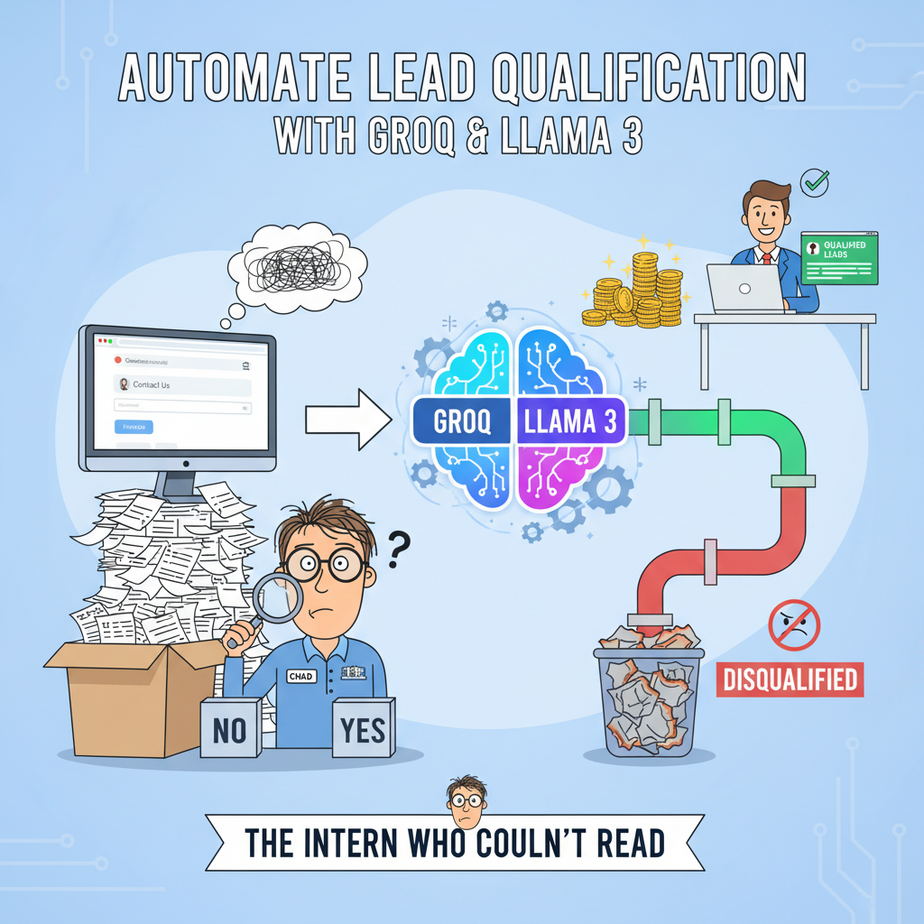
The Intern Who Couldn’t Read
Let’s talk about Chad. Every small business has a “Chad.”
Chad was our summer intern. His one job was to monitor the website’s “Contact Us” form and sort new leads for the sales team. Simple, right? All he had to do was separate the hot leads from the spam, the students asking for homework help, and the occasional guy trying to sell us industrial-grade floor polish.
Chad was a disaster.
A multi-million dollar prospect from a Fortune 500 company got marked as “Junk” because they didn’t use their corporate email. A high-school student writing a paper on “business stuff” got a calendar invite from our top sales rep. The floor polish guy got two follow-up emails. It was pure chaos, and our sales team wanted my head on a platter.
We fired Chad (metaphorically; he just went back to college). But the problem remained. Manually qualifying leads is a soul-crushing, expensive, and error-prone waste of time. Your best salespeople should be selling, not acting as human spam filters.
Today, we build Chad’s replacement. An AI that works instantly, never gets tired, costs fractions of a penny per lead, and actually gets it right. Welcome to the Academy.
Why This Matters
This isn’t just a cool party trick. This is a fundamental upgrade to your entire revenue engine. A human takes, what, 2-5 minutes to read a lead, research the person, and decide what to do? Let’s be generous and say 3 minutes.
If you get 50 leads a day, that’s 150 minutes—2.5 hours—of a paid employee’s time spent on glorified data entry. Every single day. That’s over 12 hours a week. For a salesperson making $80k/year, you are burning roughly $12,000 a year on a task a robot can do in 8 seconds for less than the cost of a coffee.
This automation is your 24/7 digital gatekeeper. It ensures:
- Speed to Lead: Hot leads get routed to sales in milliseconds, not hours.
- Consistency: The same rules are applied to every single lead, every time. No Monday morning sleepiness or Friday afternoon apathy.
- Focus: Your expensive, talented humans only ever talk to people who are actually worth talking to.
We are replacing manual, repetitive, low-value work with an intelligent, scalable, and dirt-cheap system.
What This Tool / Workflow Actually Is
We’re combining three things to build our superhuman intern:
- A Large Language Model (LLM): We’ll use Llama 3, a powerful open-source model that’s brilliant at understanding text and nuance. This is the “brain” of our operation.
- A Fast Inference Engine: We’ll use Groq. Think of Groq as a jet engine for AI models. It doesn’t create the intelligence, it just runs it at absolutely insane speeds. This is crucial because lead qualification needs to be instant.
- Function Calling (Tool Use): This is the secret sauce. Instead of asking the AI to just *describe* the lead in a messy paragraph, we give it a very specific form to fill out. We force it to return clean, structured data (JSON) that a computer can immediately understand and act upon. It’s the difference between asking someone to “tell me about the car” versus “fill out this vehicle inspection checklist.”
This workflow does one thing: It takes raw, messy text from a lead and transforms it into structured, actionable data.
It does NOT: talk to the customer, book meetings by itself, or close the deal. It is the first, critical step in a larger automation pipeline.
Prerequisites
I know some of you are allergic to code. Don’t panic. If you can copy and paste, you have the required technical skills. This is brutally simple.
- A Groq Account: Go to GroqCloud. Sign up. It’s free to get started and they give you a generous number of API calls. You just need to grab your API key.
- Python 3 installed: Most computers have it already. If not, a quick Google search for “install python” will get you there.
- One Python library: We need to install the Groq Python client. You’ll open your terminal or command prompt and type one single command. That’s it.
Seriously. That’s the list. No servers, no credit card, no 20-step setup process. Let’s build.
Step-by-Step Tutorial
Time to get our hands dirty. We’re going to write a simple Python script that you can run on your computer or drop into any automation platform like Pipedream, Zapier, or Make.com.
Step 1: Get Your Groq API Key
Log in to your GroqCloud account. On the left-hand menu, click on “API Keys.” Create a new key and copy it somewhere safe. Treat this like a password.
Step 2: Set Up Your Environment
Open your computer’s terminal (on Mac, it’s called Terminal; on Windows, it’s Command Prompt or PowerShell). Type this and press Enter:
pip install groqThat’s it. You just installed the necessary tool.
Step 3: Define Your “Function” – The Qualification Checklist
This is the most important part. We need to design the structured form we want the AI to fill out. We define this as a JSON object. For our lead qualifier, we want to know a few key things.
Here’s the structure we’ll force the AI to use:
{
  "is_qualified": "boolean",
  "reasoning": "A brief explanation of why the lead is or is not qualified.",
  "lead_category": "'Enterprise', 'SMB', 'Hobbyist', or 'Spam'",
  "next_action": "'Route to Sales', 'Send Nurture Email', or 'Discard'"
}
We will embed this structure directly into our instructions for the AI.
Step 4: Write the Python Script
Create a new file called qualify.py and paste the following code into it. I’ll explain what each part does below.
import os
import json
from groq import Groq

# --- CONFIGURATION ---
# IMPORTANT: Paste your Groq API key here.
# For real applications, use environment variables.
GROQ_API_KEY = "YOUR_GROQ_API_KEY_HERE"

# The raw lead message from your website form
lead_message = """
Hi there, my name is Susan from TechSolutions Inc. We are a 50-person company looking for a new project management tool. Our budget is flexible, around $5k-$10k annually. We need to make a decision in the next 60 days. Can we get a demo?
"""

# --- SCRIPT START ---

client = Groq(api_key=GROQ_API_KEY)

def qualify_lead(message):
    print("\
Qualifying new lead...")
    print(f"LEAD MESSAGE: {message}\
")

    chat_completion = client.chat.completions.create(
        messages=[
            {
                "role": "system",
                "content": """
                You are an expert lead qualification assistant for a B2B SaaS company.
                Your job is to analyze the user's message and determine if they are a qualified lead based on our criteria.
                A qualified lead is a business (not a student or individual) with a clear need and some indication of budget or urgency.

                You MUST respond using the `qualify_lead` tool. Do not add any other commentary.
                """
            },
            {
                "role": "user",
                "content": message,
            }
        ],
        model="llama3-70b-8192",
        tools=[
            {
                "type": "function",
                "function": {
                    "name": "qualify_lead",
                    "description": "Categorize and qualify a new sales lead.",
                    "parameters": {
                        "type": "object",
                        "properties": {
                            "is_qualified": {
                                "type": "boolean",
                                "description": "True if the lead is a potential business customer, False otherwise."
                            },
                            "reasoning": {
                                "type": "string",
                                "description": "A 1-2 sentence explanation for the qualification decision."
                            },
                            "lead_category": {
                                "type": "string",
                                "enum": ["Enterprise", "SMB", "Hobbyist", "Spam"],
                                "description": "The category of the lead. SMB is for small-medium businesses."
                            },
                            "next_action": {
                                "type": "string",
                                "enum": ["Route to Sales", "Send Nurture Email", "Discard"],
                                "description": "The immediate next step to take with this lead."
                            }
                        },
                        "required": ["is_qualified", "reasoning", "lead_category", "next_action"]
                    }
                }
            }
        ],
        tool_choice="auto"
    )

    # Extract the JSON payload from the tool call
    tool_call = chat_completion.choices[0].message.tool_calls[0]
    result_json = json.loads(tool_call.function.arguments)
    return result_json

# --- EXECUTION ---
if __name__ == "__main__":
    # Replace `lead_message` with any text you want to test
    qualified_data = qualify_lead(lead_message)

    # Pretty print the structured JSON output
    print("--- QUALIFICATION RESULT ---")
    print(json.dumps(qualified_data, indent=2))
    print("--------------------------")
What this code does:
- It imports the necessary libraries.
- It sets your API key (remember to paste yours in!).
- The
qualify_leadfunction contains the magic. It defines the `system` prompt, which tells the AI its job. - Crucially, the `tools` parameter describes our desired JSON structure. We’re giving the AI a blueprint for its answer.
- It makes the API call to Groq, running Llama 3-70b.
- Finally, it extracts and prints the clean JSON response.
Step 5: Run It!
Save the file. Go back to your terminal, navigate to the folder where you saved qualify.py, and run:
python qualify.pyYou should see the AI’s structured analysis printed to your screen in under a second.
Complete Automation Example
Let’s run our script with two very different leads to see our digital intern in action.
Example 1: The Perfect Lead
We use the message from our code:
"Hi there, my name is Susan from TechSolutions Inc. We are a 50-person company looking for a new project management tool. Our budget is flexible, around $5k-$10k annually. We need to make a decision in the next 60 days. Can we get a demo?"
Expected Output:
--- QUALIFICATION RESULT ---
{
  "is_qualified": true,
  "reasoning": "The lead is from a defined business (TechSolutions Inc, 50-person), has a clear need, a stated budget, and a decision timeline. This is a strong SMB lead.",
  "lead_category": "SMB",
  "next_action": "Route to Sales"
}
--------------------------
Perfect. This JSON is now ready to be used by another system. You could write a simple rule: IF next_action == “Route to Sales”, THEN create a new deal in your CRM and assign it to a sales rep.
Example 2: The Time-Waster
Now let’s change the lead_message variable in the script to this:
"hey, i'm a student doing a project on crm software, can u send me info on ur pricing and features for my report thx"
Expected Output:
--- QUALIFICATION RESULT ---
{
  "is_qualified": false,
  "reasoning": "The user identifies themselves as a student working on a project, not a potential business customer.",
  "lead_category": "Hobbyist",
  "next_action": "Discard"
}
--------------------------
Boom. The AI correctly identified this as a non-lead and recommended discarding it. No sales rep’s time was wasted. The system worked.
Real Business Use Cases
This exact workflow can be adapted for almost any business that gets inbound inquiries.
- Real Estate Agency: The form asks, “What are you looking for?” The AI categorizes the response into `lead_category`: `First-Time Buyer`, `Investor`, `Renter`, or `Vendor Spam`. `First-Time Buyers` get routed to junior agents, `Investors` go straight to the senior partner.
- Marketing Agency: The form asks, “Tell us about your project.” The AI analyzes the text for budget mentions, scope, and industry, then sets `next_action`: `Schedule Discovery Call` for high-value projects, `Send Case Studies` for smaller inquiries.
- E-commerce (Wholesale): The wholesale application form is a block of text. The AI extracts company name, checks if they mention a valid business registration number, and estimates their order size to qualify them. `next_action` becomes `Approve Account` or `Request More Info`.
- Recruiting Firm: A “Contact Us” for potential candidates. The AI parses their message to see if they mention job titles or skills relevant to open roles. `lead_category` becomes `Hot Candidate`, `Potential Candidate`, or `Irrelevant`.
- Software Bug Reports: Users submit bug reports in a free-text form. The AI analyzes the message and categorizes it: `Critical Crash`, `UI Glitch`, `Feature Request`, or `User Error`. This allows support to prioritize tickets instantly.
Common Mistakes & Gotchas
- Bad Prompting: If your system prompt is vague (“Tell me about this lead”), you’ll get vague, useless answers. Be specific about the criteria that define a good lead for *your* business.
- Overly Complex Functions: Don’t start by asking the AI to fill out 25 fields. Start with the 3-5 most critical ones. You can always add more later. Complexity is the enemy of reliability.
- Forgetting the “Out” Category: Always have a category for spam, students, or garbage. If you only give the AI `Enterprise` and `SMB`, it will try to cram a spam message into one of those boxes.
- Blind Trust: For the first few weeks, log every input and output. Have a human spot-check the AI’s decisions. This helps you find edge cases and refine your prompt. Don’t just deploy and pray.
- Using the Wrong Model: Using a massive, slow, expensive model like GPT-4-Turbo for this is like using a sledgehammer to crack a nut. Llama 3 on Groq is perfect because it’s fast, cheap, and more than smart enough for the job.
How This Fits Into a Bigger Automation System
This script is not an island. It’s a single, powerful gear in a much larger machine. The structured JSON it produces is a universal language that other systems can understand.
- CRM Integration: The output can trigger a workflow in HubSpot or Salesforce. A qualified `SMB` lead automatically gets a new deal created with a value of $10,000, while an `Enterprise` lead gets a deal worth $100,000 and triggers a Slack notification to the Head of Sales.
- Email Automation: A lead categorized as `Hobbyist` could be added to a low-priority newsletter in Mailchimp, while a qualified `SMB` is sent a targeted case study relevant to their industry.
- Multi-Agent Systems: This is just Agent #1 (The Qualifier). Its output can trigger Agent #2 (The Researcher). Agent #2 takes the lead’s email, finds their LinkedIn profile, checks their company’s size on Clearbit, and adds all that rich data back to the CRM record before a human ever sees it.
- RAG Systems: You could feed the AI your company’s official “Ideal Customer Profile” documentation as context. This helps it make even more accurate decisions based on your specific sales strategy.
Think of this not as one automation, but as the front door to your entire automated sales pipeline.
What to Learn Next
Our digital intern, “Groq,” is now expertly sorting the mail. It’s fast, efficient, and never complains. But all it does is sort.
What if, after identifying a hot lead, our system could instantly go out and prepare a full dossier on them? What if it could find their company website, read the “About Us” page, summarize their business model, and find the lead’s personal LinkedIn profile—all before the notification even hits your sales rep’s phone?
That’s where we’re going next. In the next lesson in this course, we’re building the Automated Reconnaissance Agent. We’ll take the output from today’s script and plug it into a system that uses AI-powered web scraping to enrich leads with mission-critical intelligence.
You’ve built the gatekeeper. Next, you build the spy.
“,
“seo_tags”: “AI automation, lead qualification, Groq, Llama 3, business process automation, sales automation, function calling, python tutorial”,
“suggested_category”: “AI Automation Courses