
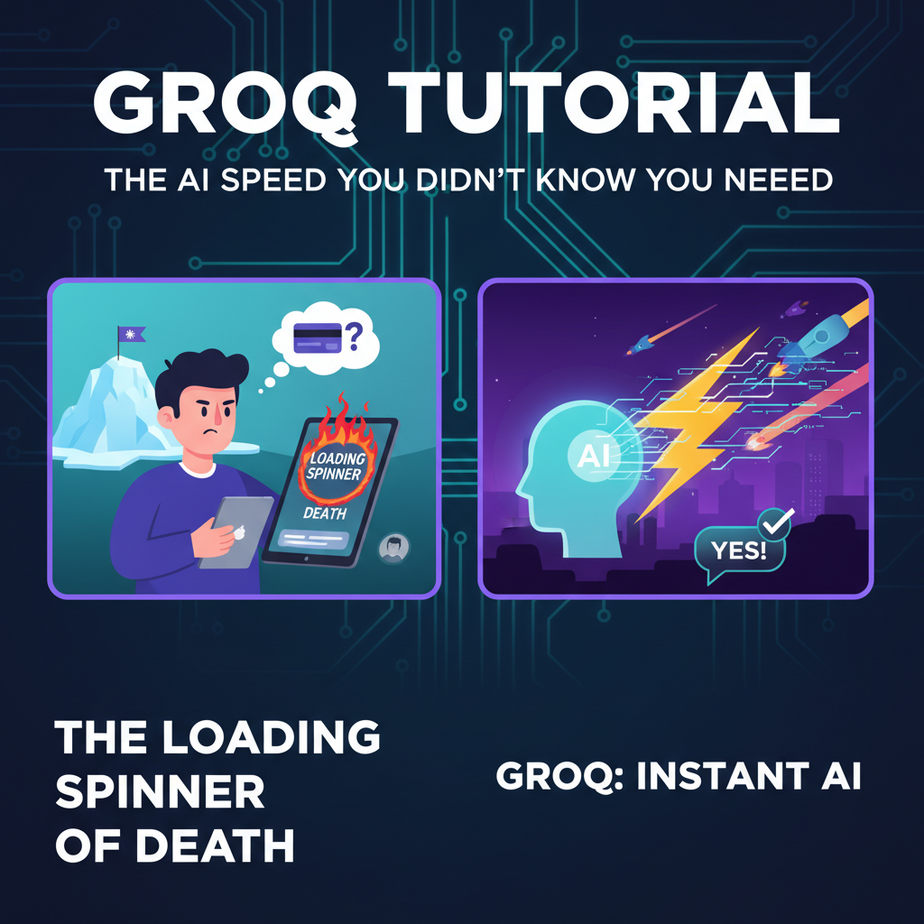
The Loading Spinner of Death
Picture this. You built a shiny new AI chatbot for your website. A potential customer, wallet in hand, asks it a simple question: “Do you ship to Antarctica?”
Your bot, powered by a big, fancy, expensive model, starts to “think.”
A little spinner appears. One second… two seconds… three…
By second four, your customer has concluded you’re either a) out of business or b) using a hamster on a wheel to power your servers. They close the tab. You just lost a sale to the most unforgiving boss in business: the back button.
That awkward, painful silence while an AI “thinks” is the digital equivalent of an employee staring blankly at a customer. It kills trust, it kills conversions, and it makes your cutting-edge tech feel ancient. We’re here to fix that. Permanently.
Why This Matters
In the world of automation, speed isn’t just a feature; it’s the entire product. A slow AI is a toy. A fast AI is a tool.
This workflow replaces:
- The clunky, slow chatbot that makes users rage-quit.
- Internal tools that employees avoid because they’re “too laggy.”
- Any automation where a human is still faster than the machine.
Think about the business impact. When your AI responds instantly, you unlock:
- Real-time conversations: Voice agents that don’t have awkward pauses. Chatbots that feel like you’re talking to a real person.
- Interactive data analysis: Tools that can summarize, categorize, and analyze text as fast as you can paste it in.
- Massive scale: The ability to serve thousands of users without any of them noticing a delay.
We’re moving from building automations that are *possible* to building automations that are *practical*. And the tool that gets us there is called Groq.
What This Tool / Workflow Actually Is
Let’s be brutally clear. Groq is NOT a new AI model like GPT-4 or Claude.
Instead, Groq has created a new kind of computer chip called an LPU, or Language Processing Unit. Think of it like a specialized processor designed to do one thing and one thing only: run existing, open-source Large Language Models (LLMs) at absolutely terrifying speeds.
Metaphor time: Imagine you have a world-class chef (the AI model, like Llama 3). A normal computer (a GPU) is like a standard kitchen. It’s good, it gets the job done. Groq is like a hyper-optimized, futuristic kitchen from a sci-fi movie, designed specifically for that one chef to cook at 100x the speed without breaking a sweat.
What it does: It provides an API that lets you run models like Llama 3 and Mixtral at hundreds of tokens per second. The result is near-instantaneous text generation.
What it does NOT do: It doesn’t train models. It doesn’t have its own proprietary model. Its quality is entirely dependent on the open-source model you choose to run on its hardware.
Prerequisites
This is easier than setting up a new coffee machine. I promise.
- A Groq API Key: Go to GroqCloud. Sign up for a free account. Navigate to the API Keys section and create a new key. Copy it somewhere safe.
- Python installed: We’ll use a few lines of Python. If you don’t have it, just download it from the official Python website. If you can install Spotify, you can do this.
- A Code Editor: You can use Notepad if you hate yourself. I strongly recommend the free and excellent Visual Studio Code.
That’s it. No credit card, no 10-step server setup, no weird developer rituals.
Step-by-Step Tutorial
Alright, let’s build our speed demon. We’re going to write a simple script that sends a question to Groq and gets an answer back faster than you can blink.
Step 1: Set Up Your Project Folder
Open your terminal or command prompt. Let’s keep things tidy.
mkdir groq_fast_ai
cd groq_fast_ai
Now, create a file inside this folder called main.py.
Step 2: Install the Groq Python Library
In that same terminal window, we need to install the official Groq helper library. It’s a simple command.
pip install groqThis tells Python’s package manager (`pip`) to go fetch the code that makes talking to Groq easy.
Step 3: Write the Code
Open your main.py file in your code editor. Paste the following code into it. Don’t worry, I’ll explain every line.
import os
from groq import Groq

# IMPORTANT: Never hardcode your API key in production!
# This is for demonstration purposes only.
# For a real project, use environment variables.
client = Groq(
    api_key="YOUR_GROQ_API_KEY_HERE",
)

def ask_groq(question):
    print(f"Asking Groq: {question}")
    print("---------------------------------")

    chat_completion = client.chat.completions.create(
        messages=[
            {
                "role": "system",
                "content": "You are a helpful assistant."
            },
            {
                "role": "user",
                "content": question,
            }
        ],
        model="llama3-8b-8192",
    )

    response_content = chat_completion.choices[0].message.content
    print(response_content)

# --- Let's run it! ---
if __name__ == "__main__":
    user_question = "Explain the concept of AI inference in one sentence."
    ask_groq(user_question)
Step 4: Understand and Run the Code
First, replace "YOUR_GROQ_API_KEY_HERE" with the actual API key you copied from the Groq console. Yes, I’m telling you to hardcode it for now. This is a quick test, not a Fortune 500 company’s production code. We’ll learn better habits later.
Here’s what the code does:
import...: Brings in the necessary libraries.client = Groq(...): Creates our connection to the Groq API using your key.chat_completion = ...: This is the main event. We’re creating a “chat completion” which is just a fancy way of saying “ask the AI a question.”messages=[...]: This is the conversation history. The `system` role tells the AI how to behave. The `user` role is for our question.model="llama3-8b-8192": We’re telling Groq we want to use the Llama 3 8B model. You can choose other models from their documentation.print(...): We dig into the response object and print out the actual text answer.
To run it, go back to your terminal (which should still be in the `groq_fast_ai` folder) and type:
python main.pyThe response should appear almost instantly. Try changing the `user_question` to something else and run it again. Feel the speed. That’s not a bug; it’s the whole point.
Complete Automation Example
Let’s build something a tiny bit more useful. Imagine you’re a sales rep. You get long, rambling emails from potential clients. You need to quickly understand their needs and draft a reply. Waiting 15 seconds for an AI assistant is a workflow killer.
Our automation will take a long email, instantly summarize it into bullet points, AND draft a response.
Replace the code in your main.py with this:
import os
from groq import Groq

client = Groq(
    api_key="YOUR_GROQ_API_KEY_HERE",
)

CUSTOMER_EMAIL = """
Hi there,

I hope this email finds you well. My name is Barry, and I'm the procurement manager over at MegaCorp Inc. We're currently exploring solutions for our logistics department and came across your platform. We have a fleet of about 500 trucks and need a system that can handle real-time tracking, route optimization, and fuel efficiency monitoring. Our current system is a bit dated and we're struggling with integration into our new accounting software.

Could you provide some information on whether your system can handle these requirements? Also, what does the onboarding process look like for a company our size? And what about pricing?

Looking forward to hearing from you.

Best,
Barry
"""

def process_email(email_body):
    print("--- Processing Email with Groq ---")

    # Task 1: Summarize the email
    summary_request = client.chat.completions.create(
        messages=[
            {
                "role": "system",
                "content": "You are a sales assistant. Summarize the following email into 3 key bullet points for a busy salesperson."
            },
            {
                "role": "user",
                "content": email_body,
            }
        ],
        model="llama3-8b-8192",
    )
    summary = summary_request.choices[0].message.content
    print("\
--- EMAIL SUMMARY ---")
    print(summary)

    # Task 2: Draft a response
    draft_request = client.chat.completions.create(
        messages=[
            {
                "role": "system",
                "content": "You are a helpful sales assistant. Draft a polite and professional response to the email. Acknowledge the key points and suggest a 30-minute discovery call next week to discuss details. Do not invent facts about the product."
            },
            {
                "role": "user",
                "content": email_body,
            }
        ],
        model="llama3-8b-8192",
    )
    draft = draft_request.choices[0].message.content
    print("\
--- DRAFT RESPONSE ---")
    print(draft)


if __name__ == "__main__":
    process_email(CUSTOMER_EMAIL)
Run it again: python main.py.
Instantly, you get a clean summary AND a ready-to-send email draft. This is a real, usable tool that can save hours every week. The speed means a salesperson will actually *use* it.
Real Business Use Cases
This core pattern—instant text generation—can be applied everywhere.
- E-commerce Support: A customer service agent gets a ticket. They type `!details order #12345` into their support software, and a Groq-powered bot instantly fetches the order details and drafts a personalized response based on the customer’s query.
- Content Marketing Agency: A content strategist uses an internal tool to brainstorm. They enter a topic like “AI for small business,” and in one second, Groq generates 10 blog titles, 5 social media hooks, and a high-level outline for an article.
- Legal Tech: A paralegal pastes a 50-page contract into a tool. The tool uses Groq to instantly scan for and flag non-standard clauses, summarize indemnity sections, and list all defined terms. This reduces review time from hours to minutes.
- Therapy & Coaching: A journaling app could use Groq to provide real-time, empathetic reflections. As a user types, the app can offer gentle prompts or summarize their feelings, creating an interactive and responsive experience that feels alive.
- Education: A student is struggling with a math problem. They take a picture of it. An AI tutor powered by Groq instantly provides a step-by-step hint (not the answer), allowing for a real-time, interactive learning session without any frustrating lag.
Common Mistakes & Gotchas
- Thinking Groq is a model: I’ll say it again. Groq runs *other companies’* models. If you don’t like the output from Llama 3, the problem isn’t Groq’s speed, it’s the model’s intelligence. Pick the right model for the job.
- Ignoring Rate Limits: The free tier is generous for development, but it’s not infinite. If you build a public-facing app that gets a lot of traffic, you’ll hit your limits. Check your dashboard and plan for scaling.
- Forgetting About the Prompt: Speed doesn’t fix a bad prompt. “Garbage in, garbage out” is still the law of the land. Your `system` message and `user` content are still 90% of what determines a good result.
- Not Using Streaming for Chat: For a chatbot interface, you want the words to appear one by one. Our example waits for the full response. The Groq SDK supports “streaming” to deliver a better user experience. It’s a slightly more advanced topic we’ll cover later.
How This Fits Into a Bigger Automation System
Our little Python script is cool, but it’s an island. The real power comes when you connect this instant brain to the nervous system of your business.
- CRM Integration: Connect this to your CRM (like HubSpot or Salesforce). When a new lead is created, a webhook triggers your Groq script to research the lead online, summarize its findings, and add a “Quick Summary” note to the contact record—all before a sales rep even sees the notification.
- Voice Agents: This is the holy grail. The sub-second latency of Groq is what makes AI voice agents sound natural instead of robotic. You can build a system that listens, understands, and responds in a single, fluid conversation, perfect for phone-based customer service or appointment booking.
- Multi-Agent Systems: In a complex workflow, you can use Groq as the fast, cheap “intern” agent. It can pre-process and summarize huge amounts of text, then pass its clean summaries to a more powerful (and slower/more expensive) model like GPT-4 for the final, high-level strategic thinking.
- RAG (Retrieval-Augmented Generation): When you build a bot to answer questions about your own documents, the process involves fetching relevant text chunks and then having an LLM synthesize an answer. Groq can perform that synthesis step so quickly that the entire search-and-answer process feels instantaneous.
What to Learn Next
You’ve now built something that is, frankly, magical. You have a text processor that works at the speed of thought. But running it from your command line is… limiting.
You have the engine, but you don’t have a car. How do you let other people, or other systems, use your new superpower?
In our next lesson in the Academy, we’re going to do just that. We’ll take our Groq script and wrap it in a simple API using a framework called FastAPI. This will turn your local script into a real, professional web service that can be called from a website, a mobile app, another automation tool—anything that can speak HTTP.
You’ve mastered speed. Next, you’ll master connectivity. The real fun is just beginning.
See you in the next lesson.
“,
“seo_tags”: “Groq, AI inference, LPU, fast LLM, API tutorial, Python SDK, AI automation, real-time AI, Llama 3”,
“suggested_category”: “AI Automation Courses