
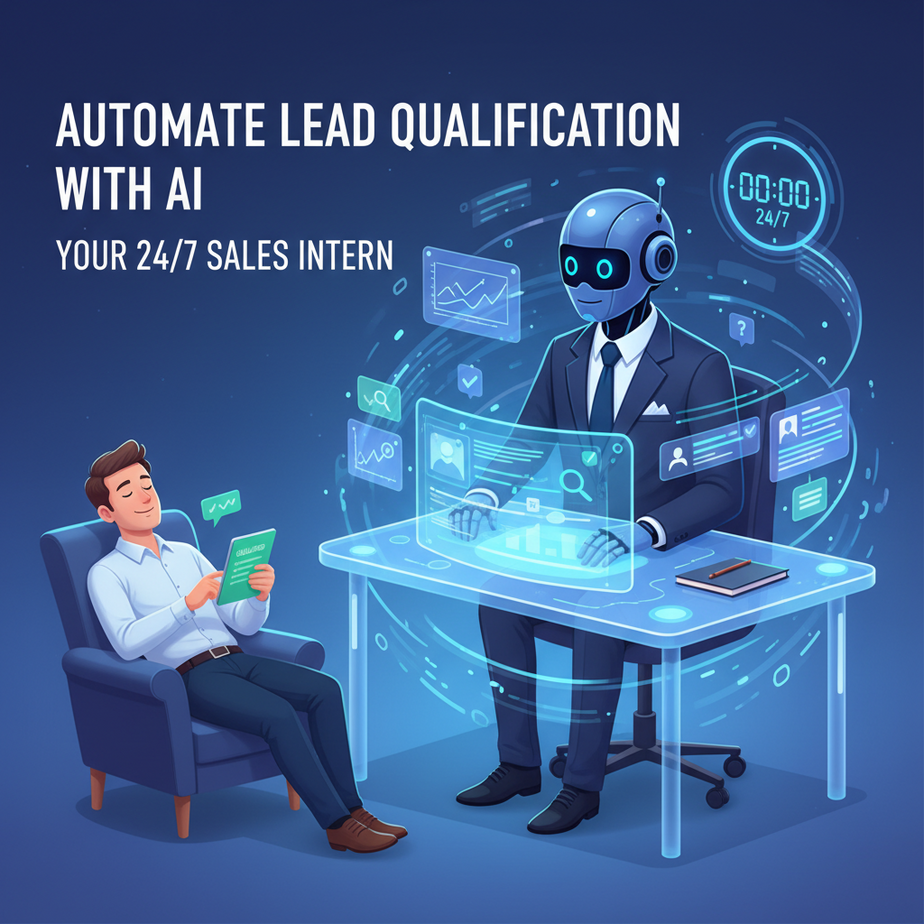
The Hook: The Intern Who Never Sleeps
Picture this: It’s 11 PM. You’re exhausted. You’ve got 37 new leads in your inbox, and every single one of them looks… *maybe* interesting? One claims to be a Fortune 500 company, but the email is from a Gmail address. Another is “interested in a demo,” but they’re a student project. You’re stuck playing detective, Googling domains, checking LinkedIn, and cross-referencing budgets that don’t exist.
You need an intern. Not the coffee-fetching kind. The hyper-obsessive, never-tired, judgmental intern who lives inside your computer. The kind that looks at a lead and says, “Nope. Wrong industry,” or “Bingo! Here’s a company with 500 employees and recent funding.”
Today, we’re building that intern. We’re automating lead qualification so you stop wasting time on tire-kickers and start talking to real buyers.
Why This Matters: From Chaos to Pipeline
Manual lead qualification is a time vampire. For a small business, it’s the founder burning midnight oil. For a sales team, it’s an SDR spending 4 hours a day to find 10 good contacts. That’s 50% of their week gone before they even make a call.
This automation replaces:
- The manual researcher (who hates their job)
- The “spray and pray” approach (which burns your domain reputation)
- The anxiety of a messy CRM filled with dead leads
The Impact:
- Time: Cuts lead research from 10 mins/lead to 10 seconds.
- Money: Your sales team calls qualified leads, not ghosts.
- Scale: You can process 1,000 leads as easily as 10.
What This Tool / Workflow Actually Is
We’re building a smart workflow that automatically reviews a new lead’s information (like their website, company name, or what they wrote in a contact form) and scores it.
It DOES:
- Enrich lead data from public sources (like their website).
- Analyze that data against your Ideal Customer Profile (ICP).
- Return a score (0-10) and a reason.
- Push the qualified lead to your CRM or alert you via Slack.
It does NOT:
- Write poetry about your leads (save that for GPT-4o).
- Close deals for you. It just hands you the good ones on a silver platter.
- Access private data (like their bank account, lol).
Prerequisites: What You Need (It’s Easier Than You Think)
Don’t panic. No PhD in Computer Science required. You just need:
- A free OpenAI API key: Go to platform.openai.com, sign up, and create a secret key.
- A simple automation tool: We’ll use
n8norMake.com(both have free tiers). For this example, I’ll show you the logic you can build in ANY visual tool, plus a pure Python script if you want to run it locally. - A definition of your “Perfect Lead”: What does your dream client look like? (e.g., “SaaS company, 50-200 employees, uses Stripe”)
Ready? Let’s build your new digital employee.
Step-by-Step Tutorial: Building the Qualification Engine
Step 1: Define Your Ideal Customer Profile (ICP)
Before we write a single line of code, we need to tell the AI what to look for. Open a text file and write down your criteria.
ICP Definition:
- Industry: Tech, SaaS, E-commerce
- Company Size: 10-500 employees
- Keywords: "automation", "AI", "efficiency", "growth"
- Red Flags: Student, personal Gmail, competitor, agency selling SEO
Why? An AI without instructions is like a powerful car without a steering wheel. It will go fast, but probably into a ditch.
Step 2: The AI Brain (The Prompt)
This is the core. We will send the lead’s info to GPT-4o-mini (cheap and smart) and ask it to score the lead based on our ICP.
Your prompt is your boss. Make it clear.
You are a ruthless Sales Director. Your job is to qualify leads based on our strict Ideal Customer Profile.

Our ICP:
- Industry: SaaS, Tech, E-commerce
- Size: 10-500 employees
- Must show signs of needing automation (e.g., mentions manual work, scaling issues).

Red Flags:
- Students
- Personal emails (gmail, yahoo)
- Competitors
- Clearly not a fit (e.g., a local bakery)

Input Data:
Name: {Lead Name}
Company: {Company Name}
Website: {Website URL}
Message: {What they wrote}

Task:
1. Analyze the input data.
2. Assign a score from 0 to 10 (10 = Perfect match, 0 = Junk).
3. Provide a one-sentence reason for the score.

Output JSON format:
{
  "score": 8,
  "reason": "SaaS company, 50 employees, mentioned scaling manual data entry."
}
Step 3: The Automation Logic (Visual Builder or Code)
In a tool like n8n, you would do this:
- Trigger: New row in Google Sheets, or a Webhook from your website form.
- HTTP Request: Call the OpenAI API with the prompt above and lead data.
- IF Node: If score > 7, do this. If score < 7, do that.
- Action: Add qualified lead to your CRM (HubSpot, Airtable) AND send a Slack notification. Send unqualified leads to a “Maybe Later” list.
Complete Automation Example: The Python Script
If you want to run this manually or add it to a backend, here’s the raw Python. This is copy-paste ready. You just need to pip install openai.
import openai
import json

# Set your API Key
openai.api_key = "sk-Your-API-Key-Here"

def qualify_lead(lead_data):
    # 1. Define your ICP Prompt
    system_prompt = """
    You are a Sales Director. Evaluate leads based on this ICP:
    - Industry: SaaS, Tech
    - Size: 10-500 employees
    - Keywords: automation, AI, scale

    Red Flags: Students, Gmail, Agencies.

    Return JSON: {"score": int, "reason": "string"}
    """

    user_prompt = f"Lead Data: {json.dumps(lead_data)}"

    # 2. Call OpenAI
    response = openai.chat.completions.create(
        model="gpt-4o-mini",
        messages=[
            {"role": "system", "content": system_prompt},
            {"role": "user", "content": user_prompt}
        ],
        response_format={"type": "json_object"}
    )

    # 3. Parse Result
    result = json.loads(response.choices[0].message.content)
    return result

# --- Example Usage ---
new_lead = {
    "name": "Sarah Jenkins",
    "company": "FlowState SaaS",
    "website": "https://flowstate.io",
    "message": "We are scaling fast but doing data entry manually. Help?"
}

score_card = qualify_lead(new_lead)

print(f"Lead: {new_lead['company']}")
print(f"Score: {score_card['score']}/10")
print(f"Reason: {score_card['reason']}")

if score_card['score'] > 7:
    print("
🔔 ALERT: Notify Sales Team!")
    # Code here to add to CRM
else:
    print("
📂 SAVED: To 'Nurture' list.")
Real Business Use Cases (How Everyone Wins)
- The Boutique Agency: Filters out 100 “free consultation” seekers to find 5 actual businesses with budget. Saves 15 hours a week.
- The SaaS Founder: Auto-qualifies Beta signups. Only talks to users who actually match the target persona, ensuring better feedback.
- The Real Estate Investor: Scrapes property inquiries. AI scores motivation level based on the message text (“urgent sale” vs “just curious”).
- The E-commerce Store: Instantly tags “Wholesale Inquiries” from “Customer Support” tickets and routes them to the sales manager.
- The Recruiter: Scans incoming resumes. Filters out unqualified candidates before a human ever sees the CV.
Common Mistakes & Gotchas
- The “Lazy Prompts” Trap: If your prompt is vague (“Is this a good lead?”), the AI will hallucinate or be useless. Be specific about your ICP.
- The API Bill Surprise: GPT-4o-mini is cheap. But if you process 100,000 leads, it adds up. Always cap your automation loops.
- Ignoring the ‘Maybe’ Bucket: Don’t just delete low scores. A lead scoring 5 today might score 9 next year. Keep them in a separate nurture list.
- Blind Trust: Always have a human-in-the-loop for the first week. Check if the AI is being too harsh or too loose.
How This Fits Into a Bigger Automation System
Congrats! You just built the gatekeeper. Now, what happens after they get in?
The Super-Pipeline:
- Lead Scoring (This Lesson): The AI filters the noise.
- Data Enrichment: Another AI agent grabs their LinkedIn data or tech stack (using tools like Hunter.io or BuiltWith).
- Outreach Agent: The qualified lead triggers a personalized email sequence. Not a generic blast, but one referencing their specific website info.
- CRM Integration: Everything logs automatically in HubSpot or Salesforce.
You are building a factory, not just a single robot.
What to Learn Next
You now have a smart intern filtering your inbox. But what happens when they find a gem? In the next lesson, we’re moving from Filtering to Acting.
We’re going to build an AI SDR (Sales Development Rep) that takes your qualified leads and drafts personalized outreach emails using their specific data points.
Don’t schedule manual follow-ups ever again. Let the robots handle the boring work. Catch you in the next module.