
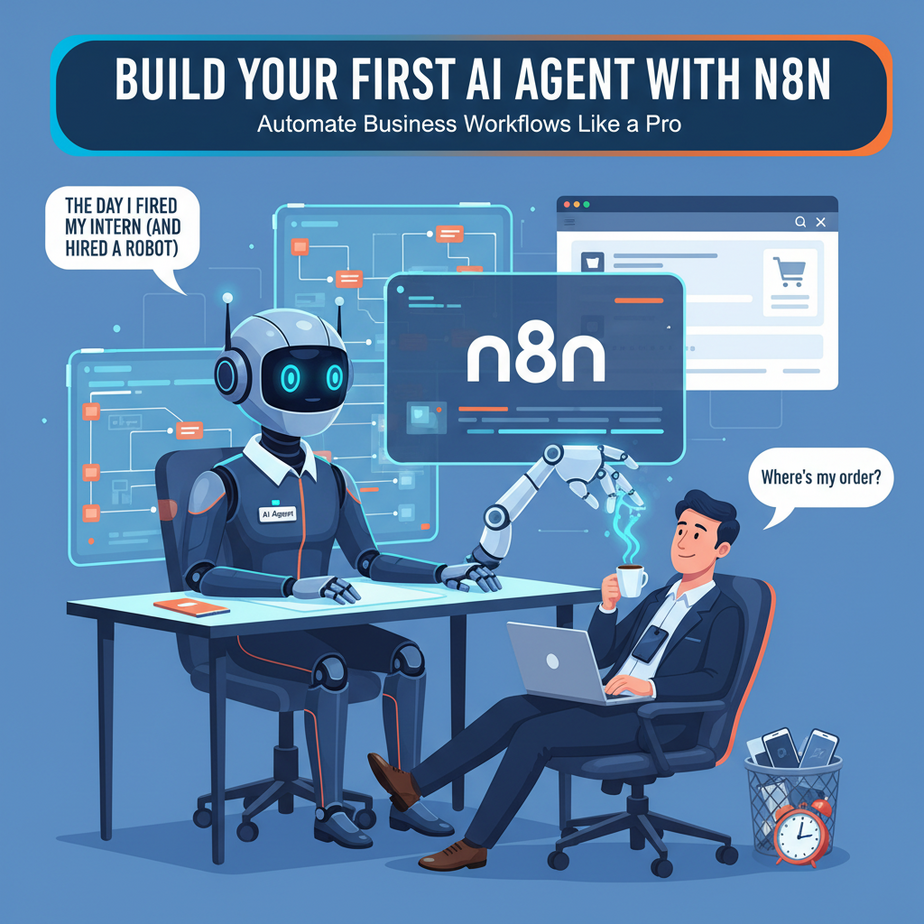
The Day I Fired My Intern (And Hired a Robot)
Picture this: It’s 2 AM. I’m running an e-commerce store, and my phone keeps buzzing with the same three questions: “Where’s my order?”, “Do you ship to Canada?”, “Can I return this?” My intern—bless his heart—was answering these manually until midnight. By 2 AM, I was the one answering them, bleary-eyed, wondering why I built a business just to become a 24/7 customer service rep.
That’s when I built my first n8n agent. Not a chatbot—a real, thinking agent that could fetch order data, check shipping rules, and draft refund responses. It didn’t just reply; it worked. And within a week, it was handling 80% of my inbox while I slept.
Today, you’re building that same agent. No code. No PhD. Just you, me, and a workflow that turns chaos into calm.
Why This Replaces Your Chaotic Human Ops
Manual work is expensive. A junior hire costs $3k/month, works 40 hours, and still ghosts you on Friday. An AI agent costs $20 in n8n credits, works 24/7, and never steals your lunch from the office fridge.
Here’s the business impact:
- Speed: Response time drops from hours to seconds.
- Scale: Handle 10 or 10,000 requests without hiring.
- Sanity: You stop being the human FAQ page.
This agent replaces:
- Customer service reps answering repetitive queries
- Interns manually copying data between tools
- Freelancers writing basic content on demand
What We’re Actually Building (And What It’s Not)
What it is:
We’re building a smart workflow in n8n that:
- Triggers when a customer sends an email or form
- Uses OpenAI to understand the intent
- Fetches real data (order info, policies) from your database or API
- Generates a personalized, accurate response
- Posts it to your inbox, Slack, or CRM automatically
What it’s NOT:
- A magic black box that “just works” without setup
- A sentient AI that knows everything about your business (yet)
- A replacement for complex human decisions (use lawyers for that)
Prerequisites: You Need Three Things
If you can order pizza online, you can build this. Seriously.
- n8n account: Free tier is enough. Sign up at n8n.cloud.
- OpenAI API key: Grab this from platform.openai.com. Put $5 on it.
- A data source: We’ll use a simple Google Sheet for orders, but Airtable or a database works.
No coding. No server setup. No “contact sales.” Just accounts you can create in 5 minutes.
Step-by-Step: Build Your Agent in 15 Minutes
Step 1: Create the Trigger
In n8n, click “New Workflow.” Search for “Email Trigger” (or “Webhook” if you’re testing with forms). Connect your email. This is your agent’s ears—it listens for incoming messages.
Step 2: Add the AI Brain
Drag in the “OpenAI” node. Select “Chat Model.” Paste your API key. In the system message, write:
You are a customer service agent for [Your Business]. Your job is to answer questions about orders, shipping, and returns. Be polite, clear, and helpful. If you don't know, say so.Step 3: Connect Your Data (The Secret Sauce)
Drag in a “Google Sheets” node. Connect it to your order database. In the AI node, add a tool called “Function” or “Code.” Paste this:
// Fetch order data from Google Sheets
const orderId = $input.item.json.orderId;
const sheetData = await $getGoogleSheetData({ sheetId: 'YOUR_SHEET_ID', range: 'Orders!A:C' });
const order = sheetData.find(row => row[0] === orderId);
return order ? { status: order[1], tracking: order[2] } : { error: 'Order not found' };
Step 4: Generate the Response
Wire the AI node to generate a response using the data. The AI will say: “Your order #123 is shipped. Tracking: XYZ.”
Step 5: Send It Back
Use an “Email Send” or “Slack” node to post the response. Turn on the workflow. Test it with a fake email. Watch it work.
Complete Automation Example: The Smart Lead Responder
Let’s build a real business system. You run a marketing agency. Leads fill out your contact form. You want to qualify them automatically and send a custom proposal.
Workflow:
- Trigger: Webhook from your website form (name, email, company, budget).
- AI Analysis: OpenAI node evaluates the lead. Prompt: “Is this a qualified lead? Budget over $5k? Give a score 1-10.”
- Router: If score >7, proceed. Else, tag as “nurture” and send a generic PDF.
- Data Fetch: Check your CRM (HubSpot, Pipedrive) via HTTP request to see if they’re already a client.
- Content Generation: OpenAI writes a personalized proposal based on their industry and budget. Use this prompt:
Write a 3-paragraph proposal for a ${{budget}} project in the ${{industry}} industry. Highlight our relevant case studies. End with a clear next step. - Send: Email the proposal using SendGrid. Log to CRM. Notify your sales rep via Slack.
Result: High-value leads get a custom proposal in 2 minutes. Low-value leads get nurtured. You focus on closing deals, not writing emails.
5 Real Business Use Cases
- E-commerce Store: Auto-answer “Where’s my order?” by pulling Shopify data and tracking links. Reduces support tickets by 60%.
- Real Estate Agent: When a lead views a listing, agent texts them neighborhood stats and similar properties. Turns cold leads warm.
- Freelance Developer: Screens project requests. Rejects low-budget gigs. Generates scope docs for qualified leads. Saves 5 hours/week.
- SaaS Startup: Routes feature requests to the right Slack channel. Tags by urgency. Generates summaries for the product team.
- Consulting Firm: Onboards new clients by answering FAQs, sending contracts, and scheduling kickoff calls automatically.
Common Mistakes & Gotchas
- Mistake: Letting the AI “wing it” without data access. Fix: Always give it tools to fetch real info. Never let it guess.
- Mistake: No error handling. Fix: Add an “IF” node: If API fails, send a fallback message and alert you.
- Mistake: Overloading the prompt. Fix: Keep prompts short. Use tools for data, not prompt magic.
- Mistake: No logging. Fix: Always add a node to log every interaction to a Google Sheet for review.
- Mistake: Forgetting rate limits. Fix: Add a wait node if you’re sending >100 messages/hour.
How This Fits Into Your Automation Stack
Right now, your agent is a lone wolf. But it can plug into a pack:
- CRM: Push qualified leads to HubSpot. Pull client data to personalize messages.
- Email: Trigger on incoming emails. Send from Gmail or Outlook.
- Voice Agents: Add a text-to-speech node (like ElevenLabs) to call customers with updates.
- Multi-agent Workflows: One agent qualifies leads, another drafts proposals, a third reviews and sends.
- RAG Systems: Feed your entire knowledge base (PDFs, docs) into Pinecone, then query it with n8n for accurate answers.
Your AI agent isn’t a tool. It’s a team member. And this is just the first hire.
What to Learn Next: The Agent Gets a Memory
Right now, your agent remembers nothing. Ask it about yesterday’s lead—it forgets. In the next lesson, we give it memory using vector databases. It’ll recall every conversation, every client, every preference. It becomes your business’s institutional brain.
You’ve built an intern that works. Next, we build one that learns.
See you in Lesson 3.
“,
“seo_tags”: “n8n tutorial, AI agent, business automation, workflow automation, no-code AI, customer service automation, lead generation AI, n8n workflow, OpenAI integration, automation course”,
“suggested_category”: “AI Automation Courses