
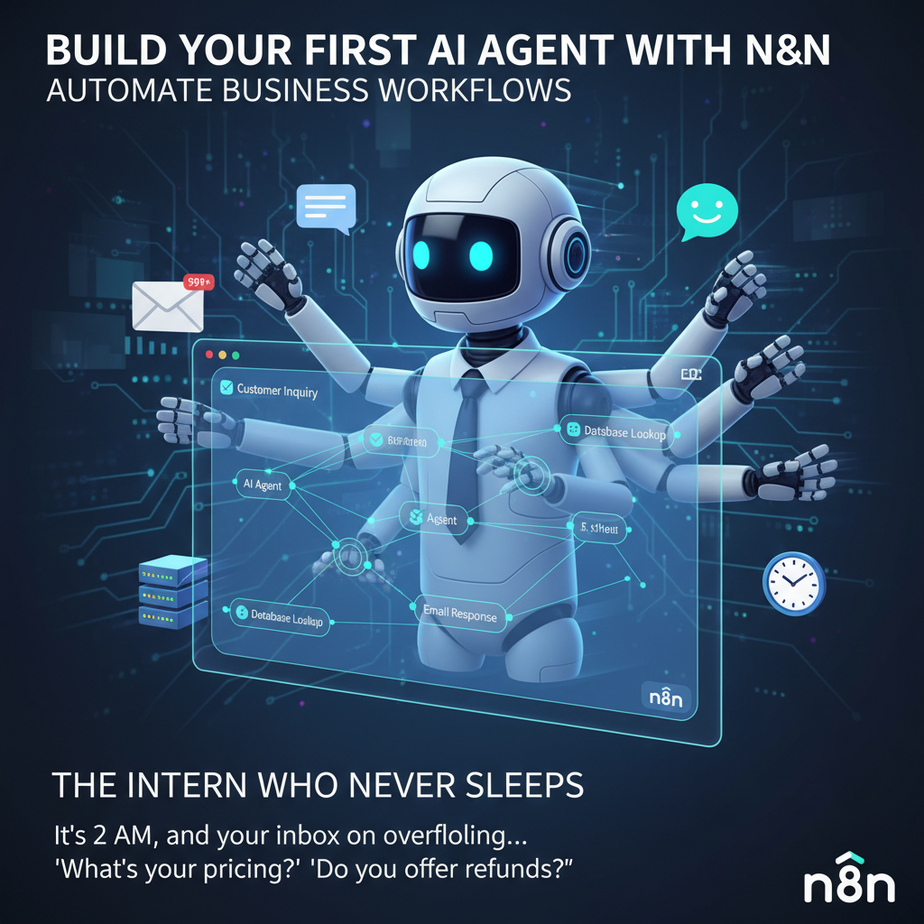
The Intern Who Never Sleeps
Picture this: It’s 2 AM, and your inbox is overflowing with customer inquiries. “What’s your pricing?” “Do you offer refunds?” “Can you customize this?” Meanwhile, you’re staring at the ceiling, wondering why you ever started a business if it just means becoming a 24/7 customer service rep.
Here’s the beautiful truth: You don’t need to answer every email yourself. You need an intern — one who’s read your entire knowledge base, never gets tired, doesn’t need coffee breaks, and costs less than your Netflix subscription. That’s exactly what we’re building today.
Welcome to Lesson 7 of the AI Automation Academy. I’m Professor Ajay, and today we’re diving into n8n — the most powerful, underrated automation tool that’s about to become your new favorite employee.
Why This Matters: The Business Impact
Every hour you spend copying data between systems or answering the same basic questions is an hour you’re NOT spending on growth, strategy, or finally taking that vacation. AI agents replace:
- That overwhelmed customer service intern who keeps asking you what to do
- Your messy manual workflow of checking 5 different apps every morning
- The chaos of losing leads because someone forgot to follow up
One n8n agent can handle thousands of interactions while you sleep. It’s like hiring a team of specialists who work for pennies and never call in sick.
What n8n Actually Is (And Isn’t)
n8n is a visual workflow builder. Imagine it as a digital factory floor where different machines (called “nodes”) connect to each other. One machine receives a customer email, another one analyzes it with AI, a third one checks your database, and a fourth one sends the perfect response.
What it IS: A glue that connects your apps, adds AI intelligence, and automates business processes without writing code.
What it ISN’T: A magic wand that does everything (you still need to tell it what to do), or a coding language (it’s mostly clicking and configuring).
Prerequisites: Brutally Honest
You need:
- An n8n cloud account (free tier gets you 100 executions/month — plenty to start)
- Basic patience — the first workflow always feels clunky, like driving a car for the first time
- No coding required (but a developer’s curiosity helps)
If you’ve never touched n8n, perfect. Fresh minds learn faster. If you’re a developer who thinks you’re too cool for visual tools — trust me, this will save you 10x the time.
Step-by-Step Tutorial: Building Your First AI Agent
We’re building a customer support agent that answers questions from a knowledge base. It’s the hello world of business automation, but for grown-ups.
Step 1: Set Up Your Factory Floor
- Sign up at n8n.io (cloud is easiest) and verify your email
- Click “New Workflow” — you’ll see an empty canvas
- Take a breath. This white screen is your new superpower.
Step 2: Create the Trigger (When Someone Needs Help)
- Click the big blue “+” button to add your first node
- Search for “Webhook” — this creates a public URL that can receive messages
- Select “Webhook” and choose the HTTP Method: POST
- Copy the webhook URL that appears (you’ll need this later)
Think of this as installing a doorbell. When someone presses it (sends a message), your agent wakes up.
Step 3: Add the AI Brain (OpenAI)
- Add another node, search for “OpenAI”
- Connect it to the Webhook node by dragging from the dot
- Select “Chat” as the operation
- Click the little gears icon to add credentials (you’ll need your OpenAI API key — get it from platform.openai.com)
- In the Messages field, click “+ Add Message”
- Set Role to “System” and Content to: “You are a helpful customer support agent. Answer questions based on our company info. Be concise but friendly.”
- Add another message with Role “User” and Content:
{{$json.body.question}}(this captures the question from the webhook)
Step 4: Send the Response Back
- Add a third node, search for “Respond to Webhook”
- Connect it to the OpenAI node
- In the Response Body, click “+ Add Field”
- Set Field Name to “answer” and Value to:
{{$json.choices[0].message.content}}
Step 5: Activate and Test
- Click “Active” in the top right
- Open a terminal or use a tool like Postman
- Send a POST request to your webhook URL with this JSON body:
{
  "question": "What are your refund policies?"
}
Or simpler, use curl:
curl -X POST \
  -H "Content-Type: application/json" \
  -d '{"question": "What are your refund policies?"}' \
  "YOUR-WEBHOOK-URL-HERE"
You should get back a JSON response with your AI-generated answer. Boom. Your first agent just worked.
Complete Automation Example: Lead Qualification System
Let’s build something that makes money immediately — an AI lead qualification bot for your website.
The Workflow:
- Trigger: Webhook receives lead from your website form
- Filter: Check if lead’s email is in your CRM (we’ll use a Google Sheets node as a fake CRM)
- AI Analysis: OpenAI analyzes the lead’s message to determine urgency and budget
- Decision: If high priority, send to Slack immediately. If medium, add to follow-up list.
- Response: Send personalized email based on lead type
Copy-Paste Code (Advanced Node Configurations):
Filter/Function Node (for checking if lead exists):
// Check if email exists in Google Sheets
const leads = items[0].json;
const newEmail = $input.item.json.email;

const existing = leads.find(lead => lead.email === newEmail);

if (existing) {
  return [{json: {exists: true, lead: existing}}];
} else {
  return [{json: {exists: false, email: newEmail}}];
}
AI Analysis Prompt (System Message):
Analyze this customer inquiry and determine:
1. Urgency (High/Medium/Low)
2. Budget indicator (Yes/No/Unknown)
3. Custom requirements (Yes/No)

Output JSON format:
{"urgency": "High", "budget": "Yes", "custom": "No"}
Slack Notification Formatting:
const lead = $input.item.json;
const analysis = $input.item.json.analysis;

return [{
  json: {
    text: `🚨 HOT LEAD ALERT
Email: ${lead.email}
Message: ${lead.message}
Urgency: ${analysis.urgency}
Budget: ${analysis.budget}
Action needed NOW!`
  }
}];
Real Business Use Cases
1. E-commerce Store Owner
Problem: 200+ daily emails asking “Where’s my order?” “What’s the return policy?” “Is this in stock?”
Solution: n8n agent connects to Shopify + OpenAI. It reads order status from your database, checks inventory, and provides instant answers. Only escalates rare issues to humans.
2. Consulting Firm
Problem: Inbound leads from website forms sit in a spreadsheet for days before anyone calls them.
Solution: n8n automatically scores leads using AI (company size, stated budget, urgency keywords), sends hot leads to sales team Slack, adds warm leads to CRM, and nurtures cold leads with email sequences.
3. SaaS Startup
Problem: Trial users have basic questions but your tiny team can’t provide 24/7 support.
Solution: AI agent trained on your documentation answers 80% of support tickets automatically, tracks which questions it couldn’t answer, and creates a knowledge gap report for your team.
4. Real Estate Agency
Problem: Agents waste hours qualifying leads who have no financing or are just browsing.
Solution: n8n webhook on website forms asks AI to pre-qualify: “Are you pre-approved for a mortgage?” “What’s your timeline?” Only serious buyers get human agent attention.
5. Freelance Developer
Problem: Client proposals take 3-5 hours each, but 60% of prospects never respond.
Solution: AI agent analyzes project requirements from initial email, generates a draft proposal with estimated hours, sends it via email, and follows up automatically. You only finalize proposals from interested clients.
Common Mistakes & Gotchas
1. The “It Works in Test But Not in Real Life” Trap
Test with realistic data. Don’t just use “Hello World” — test with actual customer questions, messy formatting, and edge cases. Real data is ugly.
2. OpenAI Cost Surprise
Set a daily budget limit in OpenAI dashboard. Start with GPT-3.5 Turbo — it’s 10x cheaper and handles most business tasks fine. GPT-4 is overkill for simple agents.
3. No Error Handling
Always add an “IF” node after critical steps. If OpenAI fails, where does the data go? Add a fallback email to yourself so you never miss a customer interaction.
4. Rate Limiting Ignorance
If you’re sending 1000 emails through Gmail’s API, you’ll hit limits. n8n has built-in throttling — use it. Space out requests by 1-2 seconds for bulk operations.
5. Forgetting to Activate
It sounds silly, but 30% of workflows fail because someone built it, tested it, and never clicked “Active.” The gray “Inactive” button has ruined many automations.
How This Fits Into Your Automation Empire
Your AI agent isn’t a solo hero — it’s part of a larger system. Here’s the upgrade path:
Connect to CRM (Next Level)
Instead of Google Sheets, use HubSpot or Pipedrive nodes. When your agent qualifies a lead, it can automatically create a contact, set a deal stage, and assign it to your sales rep.
Build a Multi-Agent System
One agent qualifies leads → passes to research agent that scrapes LinkedIn → another agent drafts personalized outreach. Each agent does one job, but together they replace an entire SDR team.
Trigger Voice Agents
When your AI agent detects a high-value lead, use a webhook to trigger an AI phone call (via tools like VAPI or Retell AI) to confirm their interest instantly. Yes, robot calls that actually help.
Implement RAG (Retrieval-Augmented Generation)
Connect your agent to a vector database (like Pinecone). Now it can answer questions about your 200-page product manual, past client contracts, or legal documents — with citations.
What to Learn Next
You just built your first intelligent worker. But this is only Lesson 7 in a 20-lesson course. Here’s what’s coming:
Lesson 8: “Multi-Agent Systems: When One AI Isn’t Enough” — We’ll orchestrate 3-5 specialized agents that talk to each other. Imagine a sales team where each member is a different AI model, and they’re all crushing quotas while you’re at the beach.
Lesson 9: “Vector Databases: Giving Your AI a Perfect Memory” — We’ll connect your n8n workflows to a brain that remembers everything about your business and never forgets a customer detail.
Bookmark this course. You’re building an army of digital workers, and Lesson 8 is where they start talking to each other.
Now go activate that workflow. Your future self is already sleeping peacefully while your agent handles the 2 AM emails.
— Professor Ajay