
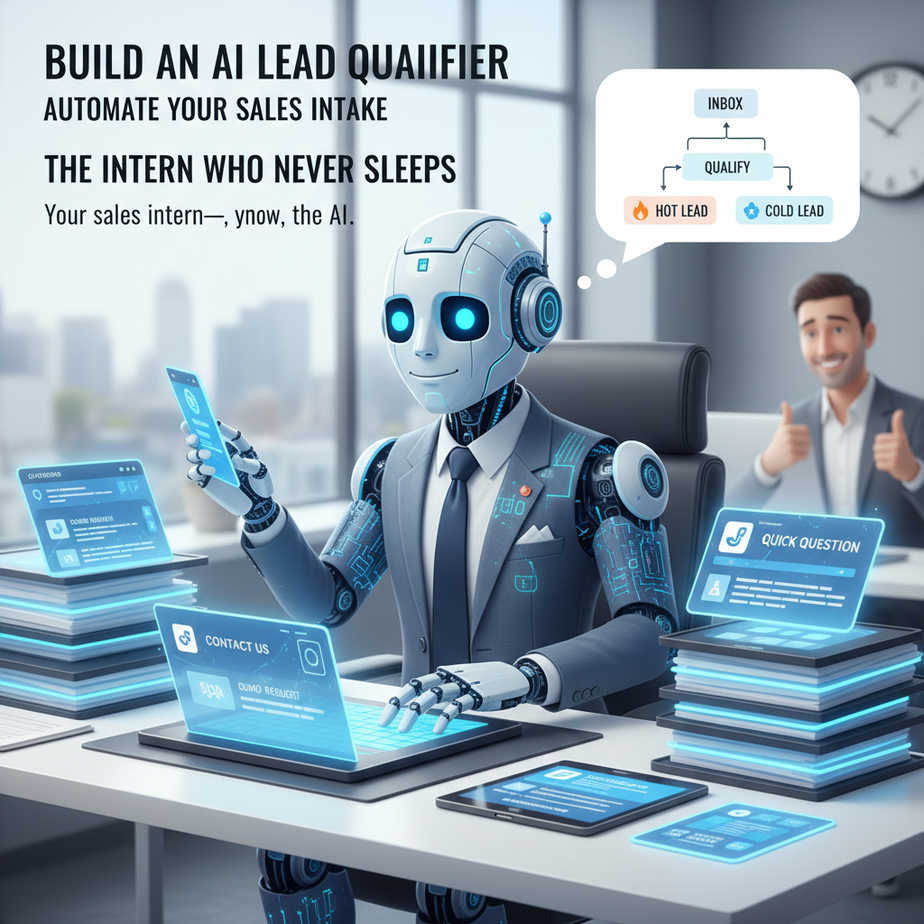
The Intern Who Never Sleeps
Picture this: It’s Monday morning. Your inbox is already overflowing with “contact us” forms, demo requests, and “quick questions.” Your sales intern—you know, the one who”s still learning the difference between a warm lead and a time vampire—is dutifully replying to all of them. Meanwhile, your best customer is waiting for a call, and that $50K deal is about to go cold.
What if you had an intern who never slept, never got tired, and could spot a $100K lead buried in a spammy email in 3 seconds flat? That”s what we”re building today. No, it won”t replace your sales team—it”ll make them superhuman.
Why This Matters
Every minute your sales team spends chasing a lead that never had budget is a minute they”re not closing real deals. We”re talking about:
- Time: Save 10–20 hours/week per sales rep
- Sanity: Your team only talks to qualified prospects
- Scale: Handle 10x inbound volume without hiring
This replaces the manual triage process: the “Ctrl+F for budget,” the “skim LinkedIn,” the “guess based on email domain.” It”s your first line of defense against deal decay.
What This Automation Actually Is
This is an AI agent that acts as a lead qualifier. When a new lead comes in (via email, form, or webhook), it:
- Reads the lead”s info
- Asks 2–3 clarifying questions via email
- Scrapes public data (like LinkedIn) for role and company
- Assigns a qualification score (0–100)
- Sends hot leads to your CRM and cold leads to a nurture sequence
It does NOT:
- Close deals
- Replace human sales calls
- Handle complex objections
Prerequisites
You need:
- An email account (Gmail or Outlook)
- Access to a simple CRM (HubSpot, Airtable, or even a Google Sheet)
- A free account on Make.com (like Zapier but more flexible)
- Zero coding skills required—just copy, paste, and click
If you can set up an email signature, you can build this. No joke.
Step-by-Step Tutorial
Step 1: Create Your Lead Capture Form
Use any form tool (Typeform, Google Form, or your website form). Make sure it collects:
- Name
- Company
- How did you hear about us?
Each submission should trigger a webhook or send an email notification.
Step 2: Set Up Make.com Scenario
Go to Make.com and create a new Scenario. We”ll use a “Watch Emails” module to detect new form submissions (or a webhook if your form supports it).
Step 3: Parse Lead Info
Add a “Text Parser” module to extract the lead details from the email or JSON payload.
Step 4: Enrich with LinkedIn Data (Optional but Powerful)
We”ll use Phantombuster API to scrape LinkedIn. If you don”t have an API key, skip this for now—it still works without it.
Step 5: Run Qualification Logic
Add a “Router” module to score the lead. Example rules:
- +20 points if email contains “@company.com”
- +30 points if role contains “VP” or “Director”
- +40 points if message mentions “budget” or “pricing”
Step 6: Send Email & Update CRM
If score > 50, send a personalized email to your sales team and add to CRM. If < 50, send a nurture email and add to newsletter list.
Complete Automation Example
Let”s build a real scenario: A lead named “Alex” from “Acme Corp” submits your demo form.
Step 1: Email Trigger
Make.com watches your inbox for emails from your form tool (e.g., “typeform@notifications.com”).
Step 2: Parse
We extract:
Name: Alex
Email: alex@acmecorp.com
Company: Acme Corp
Message: "We need a pricing demo for our 50-person team."
Step 3: Qualification Score
We run a simple Python script (Make.com supports Python snippets):
def calculate_score(lead):
    score = 0
    if "acmecorp.com" in lead["email"]:
        score += 20
    if "pricing" in lead["message"] or "budget" in lead["message"]:
        score += 40
    if "team" in lead["message"]:
        score += 10
    return score

lead = {"email": "alex@acmecorp.com", "message": "We need a pricing demo for our 50-person team."}
print(calculate_score(lead))
# Output: 70
Step 4: Decision
Score = 70 → HOT LEAD. Trigger:
- Send Slack alert to #sales channel
- Add to CRM with tag “Tier 1”
- Send personalized email: “Alex, saw your message about pricing. Let”s chat tomorrow at 2 PM?”
Step 5: Nurture (if score < 50)
Example: A lead from Gmail with message “cool tool” → Score 10. Action:
- Add to newsletter “Lead Nurture Sequence”
- Send template: “Thanks for checking us out! Here”s a case study you might like.”
Real Business Use Cases
1. B2B SaaS Startup
Problem: 100+ demo requests/week, but only 20% have budget.
Solution: AI qualifies for “budget,” “team size,” and “role.” Sales only sees real opportunities.
2. Marketing Agency
Problem: Inquiries from solopreneurs when you target enterprise.
Solution: Qualify by company size and domain. Auto-pivot solopreneurs to a lower-tier offer.
3. E-commerce Brand
Problem: Wholesale inquiries cluttering support inbox.
Solution: AI detects “wholesale,” “bulk,” or “B2B” and routes to dedicated sales rep.
4. Real Estate Broker
Problem: Zillow leads are cold and unresponsive.
Solution: AI sends a qualifying question: “Are you pre-approved and looking within 30 days?” If no, auto-nurture.
5. Recruiting Firm
Problem: Hard to tell which candidates are serious.
Solution: AI asks role, salary expectations, and availability. Scores based on urgency and fit.
Common Mistakes & Gotchas
- Over-scoring vanity metrics: Don”t reward big company names if they”re not decision-makers.
- Ignoring the follow-up: Your AI should ask for a calendar link, not just a generic reply.
- Not updating rules: Review scores monthly. Your “ideal customer” evolves.
- Forgetting compliance: If you”re scraping LinkedIn, don”t violate their ToS. Use APIs, not bots.
How This Fits Into a Bigger Automation System
This qualifier is the front door of your revenue engine. Downstream, it connects to:
- CRM: Auto-tag and stage leads (HubSpot, Salesforce)
- Email Sequences: Trigger nurture or demo scheduling
- Voice Agents: Hot leads get an AI call to confirm attendance
- Multi-agent Workflows: This agent can hand off to a “demo scheduler” agent
- RAG Systems: Feed qualified lead data into a chatbot for personalized sales calls
Think of it like an airport: This agent is TSA—fast, efficient, and only lets the right people through.
What to Learn Next
In the next lesson, we”ll turn these hot leads into booked meetings using an AI Scheduler that negotiates calendars, sends reminders, and even reschedules if someone ghosts. You”ll build a lead-to-meeting pipeline that runs while you sleep.
Until then—go build your intern. And get some sleep.