
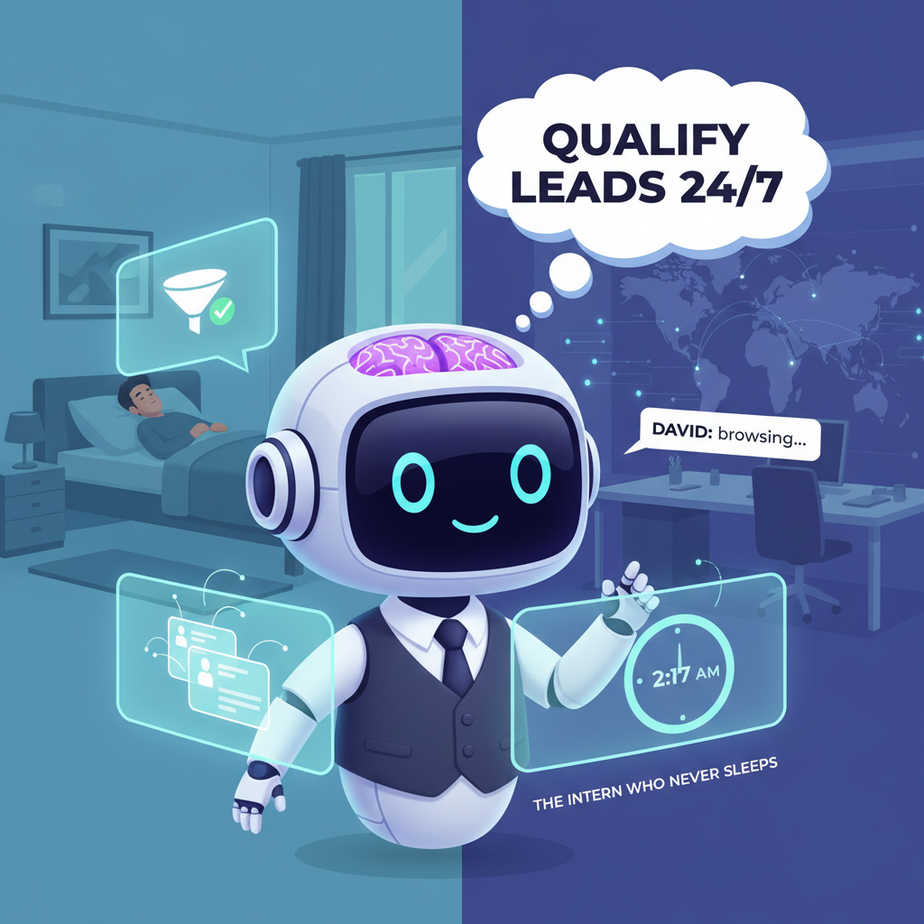
The Intern Who Never Sleeps
It’s 2:17 AM on a Tuesday. You’re fast asleep, but your competitor isn’t. A high-value prospect, let’s call him David, just landed on your website. David is ready to buy. He fills out your ‘Contact Us’ form with his budget ($50k), timeline (30 days), and specific needs (custom integration).
What happens next? Nothing. Absolutely nothing. Until you or your sales intern wake up at 8:00 AM, see the email, and decide to “circle back” after their coffee. By then, David has already filled out three other forms, and your competitor—whose intern works 24/7—is already on a call with him.
This is the silent revenue killer for 90% of businesses. It’s not that your product is bad or your marketing is weak. It’s that the space between a lead showing interest and you responding is filled with human limitations: sleep, coffee breaks, meetings, and general chaos.
What if you had an intern who didn’t need sleep, coffee, or a salary? An intern who could talk to David at 2:17 AM, ask the right questions, qualify him instantly, and hand your sales team a perfectly packaged opportunity the moment they log in?
That’s what we’re building today. A Lead Qualification Agent.
Why This Matters: Revenue Velocity
A lead qualification agent isn’t just a fancy chatbot. It’s a revenue acceleration engine.
Time: You cut your response time from hours (or days) to seconds. According to industry data, responding to a lead within 5 minutes increases conversion chances by 9x. Your human team can’t do that. An AI agent can.
Money: You stop wasting your expensive sales team’s time on tire-kickers. The agent filters out the ‘just browsing’ crowd and the people with a $500 budget for a $50k problem. Your closers only talk to people who are already pre-qualified and ready to buy.
Scale: What happens when your marketing campaign goes viral? You suddenly get 500 leads in an hour. Your two sales interns have a nervous breakdown. Your AI agent just welcomes the opportunity. It can handle 10 leads or 10,000 leads without breaking a sweat.
Sanity: It replaces the frantic, repetitive work of data entry, copy-pasting email details into your CRM, and trying to remember what the lead actually said. It automates the boring stuff so your humans can do the human stuff: building relationships and closing deals.
What This Tool / Workflow Actually Is
Think of this agent as a smart, automated receptionist and data-gatherer. It lives on your website, in your email, or via SMS.
What it does:
- It initiates a conversation with a new lead.
- It asks a series of strategic questions (e.g., “What’s your biggest challenge right now?”, “What’s your budget for this project?”, “When do you need to start?”).
- It listens to the lead’s answers and understands the intent and key data points.
- Based on your pre-defined rules, it qualifies or disqualifies the lead on the spot.
- It automatically sends this structured data (name, email, budget, timeline, needs, qualification score) directly to your CRM, like HubSpot or Salesforce.
- If qualified, it can even book a meeting directly on your sales rep’s calendar.
What it does NOT do:
- It does NOT close the deal for you. It’s not a sales closer. It’s a sales qualifier.
- It does NOT have feelings. It won’t get frustrated if the lead is rude.
- It does NOT replace your entire sales team. It makes them hyper-efficient.
Prerequisites
Don’t worry, you won’t need to write a single line of complex code. For this tutorial, we’ll use a visual automation platform like n8n or Zapier coupled with an AI model like GPT-4 or Claude. The concepts are universal, but the tools are accessible.
You will need:
- An account on an automation platform (n8n has a generous free tier).
- Access to an AI API key (OpenAI or Anthropic).
- A CRM that accepts API calls (or even just a Google Sheet to start).
- A willingness to think logically, not programmatically.
If you can design a flowchart, you can build this agent.
Step-by-Step Tutorial: Building Your First Agent
Let’s build this in n8n, a powerful visual tool that feels like connecting digital LEGOs.
Step 1: The Trigger (The Front Door)
First, we need to catch the lead. In our example, let’s say a lead fills out a form on your website. In n8n, you’d start with a ‘Webhook’ node. This creates a unique URL. When your form is submitted, it fires a JSON payload of the lead’s data (name, email, initial message) to this URL. That’s the start of the domino effect.
Step 2: The AI Brain (The Qualification)
This is the magic. We take the webhook data and feed it into an ‘AI Agent’ node. We need to give the AI a clear set of instructions (a system prompt). This is like training a new employee.
SYSTEM PROMPT:
You are a highly efficient Lead Qualification Agent. Your job is to analyze a lead's initial message and extract key information. You must ask follow-up questions to determine three things:
1. BUDGET: Do they have a realistic budget? If not stated, ask for it.
2. TIMELINE: Do they have an urgent need? Ask when they want to start.
3. PAIN POINT: What is their primary problem they are trying to solve?

Based on this, assign a QUALIFICATION SCORE from 1 to 10. A score of 8 or higher is 'Qualified'. Below that is 'Nurture'.

Your output must be a valid JSON object with the following keys: "budget", "timeline", "pain_point", "qualification_score", "status".
Step 3: The Logic (The Fork in the Road)
Now, we use an ‘IF’ node. This is simple binary logic. We look at the JSON output from our AI agent. The condition is: qualification_score > 7. If true, the path goes to ‘Qualified’. If false, the path goes to ‘Nurture’.
Step 4: The Action (Doing the Work)
For the ‘Qualified’ path, we add a ‘HubSpot’ (or Google Sheets) node to create a new contact and deal, mapping the fields from our AI’s JSON output. Then, we add a ‘Cal.com’ or ‘Google Calendar’ node to book a meeting.
For the ‘Nurture’ path, we add an ‘Email’ node to send a helpful nurture sequence. “Thanks for your interest! We’ve received your info. Here are some case studies while we review your request…”
Step 5: Activate and Test
Turn the workflow on. Go to your website, fill out the form as a test lead, and watch the magic happen in n8n’s execution log. See the data flow, the AI make a decision, and the actions trigger automatically. You just built a 24/7 sales intern.
Complete Automation Example
Let’s walk through a real scenario: David, our 2 AM lead, lands on a SaaS pricing page and requests a demo.
- Trigger: David submits the ‘Request a Demo’ form. The webhook in our automation catches his email, name, and a message: “I’m looking for a solution for my team of 15. We need this ASAP.”
- AI Analysis: The AI receives this. It sees ‘team of 15’ and ‘ASAP’. It doesn’t see a budget. It knows this is a promising lead but missing info. It generates a qualifying question: “Thanks, David! To make sure we’re a good fit, what’s the approximate budget you’ve allocated for this project?” It outputs a JSON with a preliminary score of 5 and a ‘Needs Info’ status.
- Agent Responds: The automation instantly replies to David’s form submission with that exact question.
- Actions Fire:
- The ‘IF’ node sees the score of 9.
- A HubSpot node creates a new ‘Hot Lead’ deal, worth $20,000, and assigns it to your top sales rep.
- A Slack node sends a notification to the #sales channel: “🔥 Hot lead qualified! David Chen, $20k budget, needs ASAP. Deal created.”
- A Cal.com node finds an open slot on your rep’s calendar tomorrow and sends David an email with a booking link: “David, here’s a link to book a 30-minute deep-dive with our specialist.”
4.Second Interaction: David replies: “$15k-20k”. This reply hits our system (via email parser or a follow-up webhook). The AI sees the new budget info. It re-evaluates: Team size 15, Timeline ‘ASAP’, Budget ‘$20k’. That’s a perfect fit. It updates the score to 9, status to ‘Qualified’.
From lead capture to a booked meeting in your sales rep’s calendar, with zero human touch in between. That’s power.
Real Business Use Cases (MINIMUM 5)
1. The E-commerce Store: Problem: Customers ask complex questions about product compatibility or shipping that their small team can’t answer 24/7. Solution: An agent on their Shopify store asks about the customer’s use case, product type, and location. It qualifies buying intent and either answers directly or routes a qualified customer to a live support agent.
2. The Real Estate Agency: Problem: Agents waste hours on Zillow leads who are just browsing, not serious buyers. Solution: An agent on the website asks for the lead’s price range, must-have features, and desired neighborhood. It syncs this data to their CRM and only alerts an agent if the lead is pre-approved and looking within 30 days.
3. The Freelance Consultant: Problem: A consultant gets tons of ‘Can I pick your brain?’ emails that go nowhere. Solution: An agent connected to their email inbox analyzes new inquiries. It looks for keywords like ‘project scope’, ‘budget’, and ‘timeline’. If these are present, it automatically sends a Calendly link for a paid discovery call. If not, it sends an FAQ/pricing guide PDF.
4. The B2B Software Company: Problem: Their ‘Contact Sales’ form is a black hole. Sales doesn’t know which inbound leads are enterprise-level vs. small business. Solution: The agent qualifies leads based on company size, number of employees, and use case. Enterprise leads get an immediate call with a senior account exec. SMB leads get an automated email sequence and a link to a self-serve trial.
5. The Local HVAC Company: Problem: Getting emergency calls at 10 PM for non-emergency issues. Solution: An SMS agent for after-hours inquiries. It texts back asking if the issue is an active leak/no heat. If yes, it dispatches an on-call tech. If no, it schedules a callback for the next business day. This filters out urgent from non-urgent and optimizes the on-call schedule.
Common Mistakes & Gotchas
1. The Robot Voice: Don’t make the agent sound like a machine. Your system prompt is critical. Tell it to be empathetic, concise, and use simple language. Test the conversation flow yourself. If it feels robotic, rewrite the prompt.
2. The Inquisition: Don’t ask 10 questions upfront. People hate that. It’s better to ask one or two key questions, answer them, and then ask another. Make it a conversation, not a data-entry form.
3. The One-Shot Qualification: Don’t assume you can qualify a lead from a single sentence. The best systems are multi-turn. They gather info, ask for clarification, and build a profile over a short interaction.
4. Forgetting the Human Hand-Off: The agent’s job is to qualify, not to close. The transition to a human must be seamless. When the agent hands the lead over, the human should have the full transcript and data summary. There should be zero repetition for the lead.
5. Ignoring the Data: Your agent is generating valuable data. What are the common disqualification reasons? What budget range do most qualified leads fall into? Use this data to refine your marketing and your agent’s qualification logic.
How This Fits Into a Bigger Automation System
Your Lead Qualification Agent is not an island. It’s the gatekeeper to a much larger revenue machine.
- CRM: It feeds your CRM with clean, structured, qualified data. Your CRM is no longer a graveyard of un-contacted leads; it’s a goldmine of pre-vetted opportunities.
- Email Marketing: The ‘Nurture’ path doesn’t just send one email. It can enroll the lead in a targeted sequence based on the ‘pain point’ the AI identified. A lead interested in ‘integration’ gets case studies about integrations.
- Voice Agents (The Next Step): What happens after the meeting is booked? A voice agent can call the lead an hour before the meeting to confirm attendance, drastically reducing no-shows.
- Multi-Agent Workflows: Once the lead is qualified, you can spin up another agent to conduct research on the lead’s company and prepare a briefing document for the sales rep before the call. This is called a ‘research agent’. Your qualification agent triggers the research agent.
- RAG Systems: If the lead asks a very specific technical question, your qualification agent can tap into a RAG (Retrieval-Augmented Generation) system to pull answers from your technical documentation, ensuring it gives accurate, up-to-date information without a human having to step in.
What to Learn Next
You’ve just built the front door to your automated sales factory. You’ve replaced the sleepy intern with a hyper-efficient AI agent that never misses a lead.
But a gatekeeper is only as good as what it lets through. In our next lesson, we’re going to build the agent that follows up: The Automated Sales Development Representative (SDR).
We’ll teach that agent to take your qualified leads, research their company, write personalized outreach emails, and handle initial objections—all before your human salesperson ever gets involved.
Stay tuned. The factory is just getting started.