
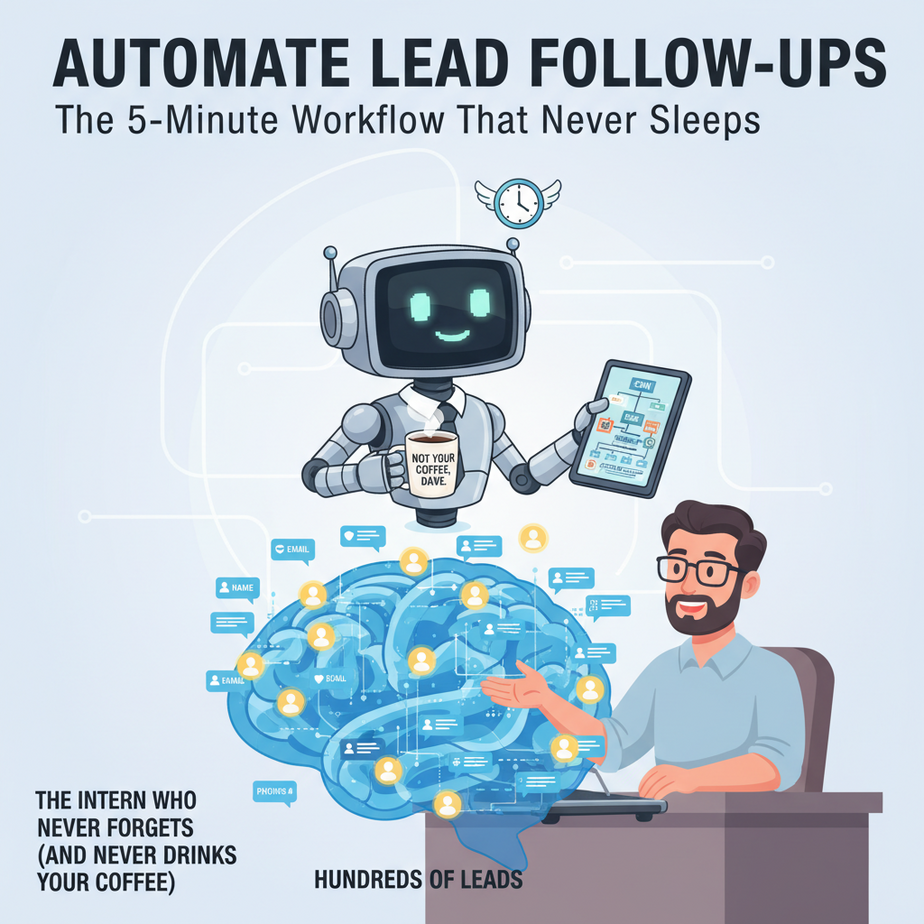
The Intern Who Never Forgets (And Never Drinks Your Coffee)
Meet Dave. Dave runs a digital marketing agency. Dave has a beautiful CRM full of leads—hundreds of names, emails, and phone numbers. Every Monday, Dave sets aside three hours to “follow up.” He opens his CRM, clicks each lead, writes a “just checking in” email, copies, pastes, hits send. By hour two, his eyes glaze over. By hour three, he’s accidentally sent the same email to a prospect named “Attorney John Smith” but addressed it “Hey Sarah.” Dave hates this work. It’s the same as filing paper. It’s robotic. Yet he knows that timely follow-ups are the difference between a booked call and a lost opportunity.
What if Dave had an intern who never slept, never missed a lead, and never complained about sending the 47th “hey, are you interested?” email? That intern is our automation. In this lesson, we’re building a lead follow-up machine. You’ll learn how to create a system that:
- Watches your inbox or form for new leads
- Waits the right amount of time
- Sends a perfectly timed, personalized follow-up message
- Stops bothering a lead if they reply
This isn’t a fancy AI writer. It’s a reliable, boring, profit-generating machine. Let’s build it.
Why This Matters: The Money in the Gap
Most leads go cold because of one thing: delay. A prospect fills out a “contact me” form on Tuesday. You get to it Friday. By then, they’re already talking to your competitor. Or they’ve forgotten they were interested. Or they’ve decided you’re slow.
Manual follow-up is a scale killer. You can personally manage 20 leads a week. The automation can manage 2,000 without breaking a sweat. It replaces you—the human bottleneck—ensuring every single lead gets a warm, timely touch. This isn’t about blasting spam. It’s about strategic, persistent, automated persistence. That’s what converts browsers into buyers.
What This Automation Actually Is (And Isn’t)
IS: A sequence of timed messages (emails, SMS, even calls via tools like Make.com or n8n) triggered by a new lead’s data. It uses simple logic: if they reply, stop. If they don’t reply in 3 days, send reminder #2.
IS NOT: An AI that writes sales emails. We’ll use templates. It’s not a chatbot. It’s not replacing your sales team. It’s their digital assistant, doing the grunt work so they can have real conversations.
Prerequisites: The Zero-Fear Setup
You do NOT need to code. You need an internet connection and a willingness to click buttons. This lesson uses Zapier (or Make.com) as the “glue” between apps. You’ll need:
- A free Zapier account (100 tasks/month is enough to start).
- A Google Sheets spreadsheet (free).
- An email account (Gmail, Outlook, etc.).
- A form tool (Typeform, Google Forms, or just a manual trigger for testing).
If you can fill out a form and send an email, you can build this. I’ve seen 60-year-old business owners do it in an afternoon.
Step-by-Step: Building Your Lead-Follow-Up Machine
Step 1: Map Your Lead Sources
Where do leads come from? Website form? LinkedIn DMs? Landing page? For this example, we’ll use a Google Form (like a “Get a Free Proposal” form). List your fields: Name, Email, Company, Interest. Keep it simple.
Step 2: Set Up Your Tracking Sheet
Create a Google Sheet called “Lead Automation Dashboard.” Create these columns:
Timestamp | Name | Email | Company | Interest | Last Contacted | Follow-Up # | Reply StatusThis sheet is your “brain.” The automation will read and write to it.
Step 3: Build the Core Zap (New Lead Trigger)
1. In Zapier, click “Create Zap.”
2. Trigger: Choose your form tool (e.g., Google Forms). Select “New Form Submission.”
3. Action: Choose Google Sheets. “Create Spreadsheet Row.”
4. Map the form fields to your sheet columns. Add a “Last Contacted” column with a timestamp formula like: =NOW() (but for Zapier, you might leave it blank and let the automation set it).
5. Test it. Submit your form. Check your sheet. A new row appears! 🎉
Step 4: Add the “Wait” & “Follow-Up #1” Step
1. Add a new step to your Zap: “Schedule by Zapier” (or “Delay”).
2. Set a “Delay for 1 Day” (or 24 hours).
3. Next, add an action: “Gmail” -> “Send Email.”
4. Use the lead’s data to personalize the email:
Subject: Quick question about [Interest], [Name]!

Hi [Name],

I saw you reached out about [Interest]. Have you had a chance to look into this further?

If it’s a priority, I’d love to help. Want a quick 10-minute chat this week?

Best,
[Your Name]
[Your Company]
5. In your Zapier logic, add a filter: ONLY proceed if the “Reply Status” column in your sheet is empty. (This requires a slightly more advanced setup—we’ll cover it in the “Giant Ball of Twine” section below.)
Step 5: Add Follow-Up #2 (3 Days Later)
1. Duplicate your Zap, or create a new one with a “New Row Added” trigger for your sheet.
2. Add a delay of 3 days.
3. Send a slightly different email. Perhaps include a case study or a resource link.
4. Again, check if the lead has replied (we’ll automate the “Reply Status” update later).
Step 6: The “Reply Detector” (The Holy Grail)
This is the magic that stops the spam. You need Zapier to monitor your inbox and update the Google Sheet when a lead replies.
1. New Zap: Trigger = “Gmail” -> “New Email Matching Search.”
2. Search Query: from:([lead’s email]) or subject:(“Re:”)
3. Action: “Google Sheets” -> “Update Spreadsheet Row.”
4. Use the lead’s email as the lookup key, and set “Reply Status” to “Replied.”
5. Now, your follow-up Zaps will see this flag and stop sending. No more embarrassing double-follow-ups!
Complete Automation Example: The “Free Consultation” Funnel
Let’s walk through a full journey for “Laura,” a potential client.
- Monday, 2:00 PM: Laura fills out a “Book a Free Consult” form on your website.
- 2:01 PM: Zapier adds Laura to your Google Sheet, marking “Reply Status” as blank.
- Tuesday, 2:00 PM: Zapier triggers. 24 hours have passed. Laura hasn’t replied. Zapier sends Follow-Up #1 via Gmail: “Hi Laura, saw you were interested in a free consult. Want to find 15 minutes?”
- Wednesday, 4:30 PM: Laura sees the email and replies: “Yes, how about Friday at 10?”
- Wednesday, 4:35 PM: The Reply Detector Zap sees Laura’s email, finds her row in the sheet, and updates “Reply Status” to “Replied.”
- Thursday, 2:00 PM: Follow-Up #2 was scheduled to send. But the Zap checks the sheet. It sees “Reply Status: Replied” and stops. Laura never gets the annoying second email.
- Friday, 10:00 AM: You have a hot lead on the phone, not a cold one. You close the deal.
Real Business Use Cases (Beyond Dave’s Agency)
- Real Estate Agent: Website leads are gold. This system follows up with “Here’s the neighborhood guide you requested” and “Did you see the new listing at 123 Maple?” until the buyer calls.
- Consultant: A lead downloads your “HR Audit Checklist.” The system sends a 3-email sequence: “Hope you found it useful,” “Here’s a case study,” “Want to see how this works for your company?”
- E-commerce Store: Someone abandons a cart. The system follows up with a 10% discount code after 2 hours, then a “Last chance” message after 24 hours.
- Course Creator: A lead signs up for a webinar. The system sends “Looking forward to it!” + pre-webinar tips + post-webinar recording + “Here’s the enrollment link for the full course.”
- Freelance Writer: You pitch to a list of 100 companies. The system sends the initial pitch, then a follow-up with a portfolio link 5 days later, then a final “closed for new work” nudge.
Common Mistakes & Gotchas
1. The “Firehose” Mistake: Don’t blast 10 emails in 3 days. Space them out. A 1, 3, 7-day cadence is more human.
2. Forgetting the “Reply” Filter: Without it, you’ll look like a spam bot. The reply detector is non-negotiable.
3. Ignoring Legal Compliance: In some regions, you need an “opt-in” or easy unsubscribe. Add a line: “P.S. Don’t want these tips? Just reply ‘stop’ and I’ll never email you again.”
4. Over-Engineering at the Start: Begin with ONE follow-up email. Get it working. Then add the second. Then add the reply detector. Don’t try to build the whole castle in a day.
How This Fits Into Your Bigger Automation System
Your follow-up machine is the “middle stage” of your sales engine.
- Before: Leads come from ads, content, or SEO. They enter your form → your sheet.
- During: Your follow-up machine nurtures them until they reply.
- After: When they reply, you can automate further: add them to your CRM (like HubSpot or Keap), tag them as “hot lead,” and trigger a calendar invite.
Later in this course, we’ll connect this to a voice AI that calls qualified leads, or a multi-agent system that scores lead quality before even adding them to the follow-up flow.
What to Learn Next
You’ve just built the foundational layer of sales automation: persistent, intelligent follow-up. In the next lesson, we’ll add a layer of smarts: Scoring Leads Before You Bother to Follow Up. We’ll use AI to analyze form responses and predict which leads are worth your direct attention, and which ones should go to the automated sequence. That’s where you stop managing the queue and start managing the pipeline.
Until then, go build your first Zap. Test it with your own email. Send yourself a follow-up. Feel the power of the machine. This is the first step in turning your business into a well-oiled factory.
“,
“seo_tags”: “lead automation, follow-up system, zapier tutorial, no-code sales, business automation, sales funnel, email sequences, lead nurture”,
“suggested_category”: “AI Automation Courses