
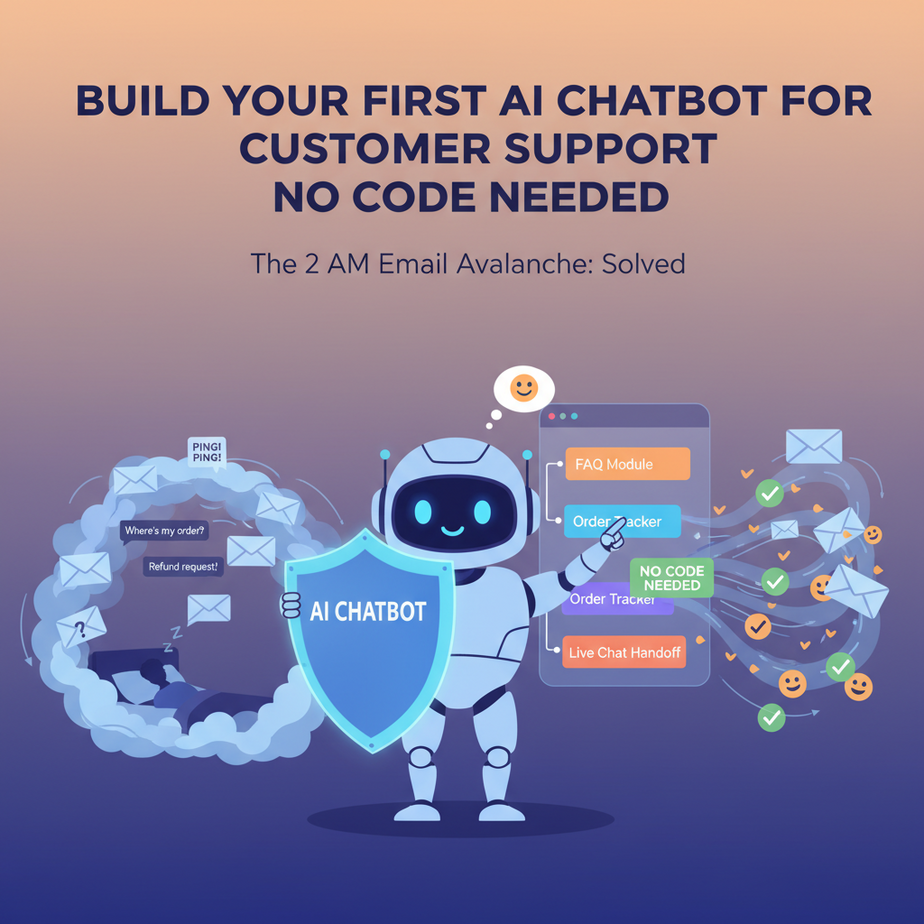
The 2 AM Email Avalanche
You’re asleep. Your business is asleep. Then, at 2:17 AM, it happens: PING. PING. PING. Three new customer emails. “Where’s my order?” “What’s your return policy?” “How do I reset my password?”
You could hire a night-shift intern. Or you could build a tiny, tireless robot that answers those questions instantly while you sleep. That’s our goal today.
Why This Matters (Your Intern Never Sleeps)
Every founder, freelancer, and business owner drowns in repetitive customer queries. Answering them steals hours you should spend on growth, strategy, or sleep. A support bot replaces that chaos with order. It handles the “Where is it?” and “How do I?” questions, freeing you for the “Why is this happening?” work. This isn’t about replacing humans; it’s about automating the boring parts so humans can do what humans do best: be creative and empathetic. It saves money, scales infinitely, and makes your business feel ‘on’ all the time.
What This Automation Actually Is
Think of it as a smart FAQ that talks back. You feed it a document (like your company handbook or a list of FAQs). The AI reads it, understands the context, and then answers customer questions using that knowledge. It’s not a magic search bar. It doesn’t know things it wasn’t taught. It’s a precision tool—your own trained brain, given a solid textbook. We’re building a Q&A specialist bot, not a general-purpose chatty AI.
Prerequisites: You Need Curiosity, Not a CS Degree
Zero coding. No complex servers. All you need is a free account on a platform we’ll discuss, a few minutes, and this guide. If you can upload a file and type in a website, you’re overqualified.
Step-by-Step: Building Your Bot with N8N
We’ll use N8N, a visual automation platform that feels like building with LEGO blocks. It’s free for self-hosting (or has a generous cloud trial). It’s our pipeline factory for this course.
- Set Up Your N8N Environment: Sign up at n8n.cloud (free trial) or install locally via Docker (if you’re comfortable). Once logged in, you’ll see a blank canvas. This is your automation workshop.
- Create a New Workflow: Click ‘New Workflow’. We’re building a bot that listens for questions and answers them. We’ll start simple.
- Add a Webhook Trigger: On the left, search for “Webhook”. Drag the Webhook node onto the canvas. This node is the ‘ears’ of your bot. It sits and waits for messages from a chat interface (like a website widget). For now, double-click it and copy the ‘URL’. You’ll use this later to connect it to your chat widget.
- Ingest Your Knowledge Base: This is the most important step. Your bot is dumb without data. We need to give it your company docs. Drag a “Google Drive” or “Notion” node (or a simple “Read Binary File” if you’re using a PDF). Connect it to your Webhook. Configure it to pull in your FAQ PDF, help center doc, or product manual. This is the bot’s textbook.
- The Magic: AI Chat Node: Drag in the “AI Agent” node (from the N8N AI package). Connect the output of your document reader to the ‘Memory’ input of the AI Agent. In the node’s configuration, select your AI model (OpenAI’s GPT-4o is a reliable choice). In the ‘System Message’ section, type: “You are a customer support assistant. Answer questions ONLY based on the provided context. If you don’t know, politely direct users to a human. Be concise and friendly.”
- Connect to Output: Drag in a “Respond to Webhook” node. Connect the output of the AI Agent to this. This node sends the bot’s answer back to the chat interface.
- Activate & Test: Hit the big green ‘Activate’ button. Go to your chat widget (you can use a service like Tidio, Crisp, or even a simple HTML form for testing). Send a question. Watch the magic. Your bot should reply with information from your uploaded document.
// Example of the 'System Message' you'd configure in the AI Agent node:
"You are a helpful support agent for 'Acme Corp'. Your goal is to answer user questions using ONLY the context from our product manual. If the answer isn't in the manual, say: 'I'm not sure, but I can connect you to a human expert.' Keep responses under 100 words. Be friendly and direct."

// Example of a test Webhook Payload you can send manually for debugging:
{
  "query": "What is your return policy?"
}
Complete Automation Example: The E-commerce Help Desk
Let’s say you sell custom sneakers online. Your main pain points are: “Where’s my order?” “What’s the sizing?” “What’s the return window?”
- Build Knowledge: You create a Google Doc titled “Acme Sneaker Manual” with sections: “Order Tracking”, “Sizing Guide”, “Return Policy (30 days)”.
- Setup: In N8N, you configure a Webhook trigger (URL: https://n8n.example/webhook/sneaker_support).
- Connect Knowledge: Add a Google Drive node that fetches that specific doc and converts it to text.
- Configure AI: Add an AI Agent. System message: “You answer for Acme Sneakers. Use ONLY the manual. Be enthusiastic about sneakers.”
- Connect to Chat: You embed a simple chat widget on your website (using the Webhook URL) or connect it to a Facebook Messenger page.
- Result: A customer asks, “How long for returns?” The bot scans the Google Doc, finds the line, and replies: “You have 30 days from delivery to initiate a return! Just click ‘Start Return’ on your order page.”
Real Business Use Cases (Beyond Sneakers)
- Freelancer/Consultant: Answer “What’s your process?” and “What’s your pricing?” instantly, qualifying leads 24/7.
- Real Estate Agency: Bot handles “What’s the asking price?” “How many bedrooms?” and “What’s the square footage?” from listings, freeing agents for serious calls.
- SaaS Startup: “How do I integrate your API?” The bot pulls from your technical docs, reducing support tickets on day one.
- Local Restaurant: “What are your hours?” “Do you have gluten-free options?” Answers from your menu PDF, so you stop getting asked the same thing by phone.
- Online Course Creator: “Where do I find the lesson on Topic X?” The bot scans your curriculum doc and points students to the exact video.
Common Mistakes & Gotchas
Beginners often make these errors: 1) Feeding the bot too much unstructured text. A clean FAQ doc is better than a 100-page rambling manual. 2) Letting it guess. If the data isn’t there, it will hallucinate. The ‘I don’t know’ fallback is critical for trust. 3) Not testing edge cases. Try asking it nonsense or questions it can’t answer. See if it politely declines. 4) Forgetting to set a rate limit. You don’t want the bot spinning your server into oblivion with 1,000 questions in a minute.
How This Fits Into Your Automation System
Your chatbot is the friendly front door. But behind it, you connect other automation ‘gears’: CRM Integration: If a customer mentions a specific order number, the bot can trigger a node to look up that order in your CRM (e.g., HubSpot) and give personalized updates. Escalation Path: If the bot is confused, it can create a ticket in your helpdesk (Zendesk, Intercom) and add the full conversation log. Voice Companion: This same bot logic can be adapted for a voice AI agent on your phone line, answering calls before they reach you. You’re building a modular system; the bot is your first interconnectable piece.
What to Learn Next
You’ve just built the tip of the automation iceberg. In our next lesson, we’ll connect this bot to an email inbox to create an automated ticketing system that categorizes and drafts replies. Then, we’ll teach it to hand off conversations to a human, but only when truly necessary. You’re on a path from chaos to control. One robot at a time.
“,
“seo_tags”: “AI chatbot, customer support automation, no-code AI, N8N tutorial, business automation, beginner AI”,
“suggested_category”: “AI Automation Courses