
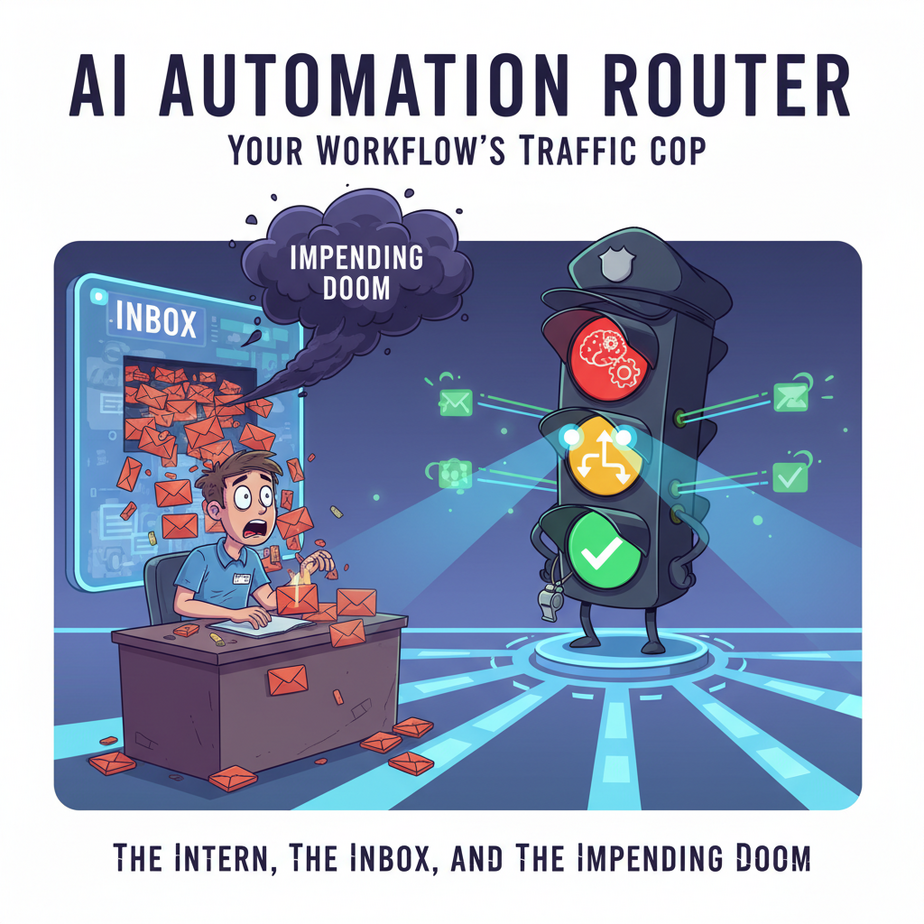
The Intern, The Inbox, and The Impending Doom
Picture this. It’s Monday morning. You just hired a new intern, Timmy. He’s eager, he’s optimistic, and he has no idea what’s about to hit him. You give him his first task: “Just manage the main inbox, Timmy. If it’s a sales lead, forward it to Sarah. If it’s a support ticket, send it to Ben. If it’s anything else, just let me know.”
Seems simple, right?
By noon, Timmy is a wreck. A seven-figure enterprise lead just got an auto-reply asking for their ticket number. A furious customer complaining about a bug was just forwarded to a sales rep who tried to upsell them on a new plan. And a very important lunch invitation from a partner is buried under a mountain of spam. Timmy is drowning.
The problem isn’t Timmy. The problem is the job. You’ve asked a human to be a router — a simple, repetitive, high-stakes traffic cop. And humans, especially Timmys, make mistakes.
Why This Matters
The “Human Sorter” is one of the most expensive, slow, and error-prone roles in any business. Every minute you or an employee spends reading an email, looking at a form submission, or listening to a voicemail just to decide where it goes next is a minute wasted.
An automated Router replaces Timmy. It’s a digital traffic cop that works 24/7, never gets tired, never makes mistakes, and operates at the speed of light. It’s the difference between a bucket brigade and a modern plumbing system.
This automation solves:
- Speed-to-lead: Hot leads get to your sales team in seconds, not hours.
- Customer Experience: Support issues are instantly triaged to the right people.
- Scalability: It handles 10 submissions or 10,000 with the same flawless logic.
- Sanity: Your inbox is no longer a chaotic dumping ground for every piece of information that enters your business.
What This Tool / Workflow Actually Is
In automation platforms like Make.com (formerly Integromat) or Zapier (where it’s called “Paths”), a Router is a module that splits your workflow into multiple branches based on rules you define.
Think of it as a mail sorter in a post office. It looks at the “zip code” on a piece of data and throws it into the correct bin. That’s it. It’s just a series of IF-THEN statements that a robot can understand.
What it does: It directs a single stream of incoming data down different paths based on simple conditional logic (e.g., IF the email subject contains “Urgent,” THEN send a Slack message).
What it does NOT do: It doesn’t think. It has no AI or complex reasoning. It’s a dumb, literal, and beautifully reliable logic gate. It only knows the rules you give it.
Prerequisites
This is way easier than you think. You’ve got this.
- An account on an automation platform. We’ll use Make.com for our visual example because its router is so clear, but the same logic applies to Zapier’s Paths.
- A source of data. This could be a website contact form, a new row in a Google Sheet, or an email inbox.
- About 20 minutes and the ability to tell a computer, “If this happens, do that.” No coding required. Seriously.
Step-by-Step Tutorial: Building Your First Router
Let’s rescue Timmy and build a system to handle incoming website inquiries. Our form will have a dropdown for “Inquiry Type” with options: “Sales,” “Support,” and “General.”
Step 1: The Trigger
Every automation starts with a trigger. In our case, it’s when someone submits our contact form. The simplest way to get this data into Make.com is with a Webhook. Most form tools (Typeform, Jotform, etc.) can send data to a webhook URL.
In Make.com, create a new scenario and select the “Custom webhook” trigger. It will give you a unique URL. Copy it and paste it into your form’s settings in the “webhooks” section.
Step 2: Add the Router
Click the plus icon to add a new module after your webhook. Search for and select the “Router” module. It will appear as a central circle, ready to sprout branches like a robotic octopus.
Step 3: Create Path 1 – The Sales Lead
Click on the Router to create your first path. An empty line will appear. Click the little wrench icon on this line to set up a filter.
This is where we tell the robot the rule. Let’s say our form sends the inquiry type as a field called inquiry_type.
- Label: Name your filter something obvious, like “Is Sales Lead?”
- Condition: Set it so the
inquiry_typefrom your form… - Text operators: Equal to (case insensitive) …matches the text…
- Value:
Sales
Click OK. Now, add a module to the end of this path. Let’s add a Slack module and configure it to “Create a Message” in your #sales-leads channel, including all the data from the form.
Step 4: Create Path 2 – The Support Ticket
Click the Router again to sprout a second path. Set up another filter on this new line.
- Label: “Is Support Ticket?”
- Condition:
inquiry_type - Text operators: Equal to (case insensitive)
- Value:
Support
Click OK. Add a module to this path. Maybe a Zendesk module to “Create a Ticket” or a Gmail module to forward the request to support@yourcompany.com.
Step 5: Create the Fallback Path (The MOST Important Step)
What if someone selects “General” or leaves it blank? If you don’t have a path for it, the data just vanishes. This is a critical mistake.
Click the Router a final time. Add a new path. But this time, on the filter setup screen, check the box that says “The fallback route.” This path will ONLY run if NONE of the other paths’ conditions are met.
On this path, add a Gmail module to send an email to yourself with the subject “New General Inquiry” so a human can review it. Your safety net is now in place.
Complete Automation Example: Automated Lead Qualification
Let’s build a more powerful version. Your form now asks for `company_size`.
Trigger: Webhook from your website’s “Get a Demo” form.
Router with 3 Paths:
-
Path 1: Enterprise Lead (High Priority)
- Filter:
inquiry_typeEQUALS `Sales` ANDcompany_sizeIS GREATER THAN `100` - Action 1: HubSpot -> Create/Update a contact, set Lifecycle Stage to “Marketing Qualified Lead,” set lead_status to “Hot.”
- Action 2: Slack -> Post message to #vip-leads channel, tagging the head of sales directly.
- Filter:
-
Path 2: SMB Lead (Nurture)
- Filter:
inquiry_typeEQUALS `Sales` ANDcompany_sizeIS LESS THAN OR EQUAL TO `100` - Action 1: Mailchimp -> Add subscriber to the “SMB Nurture Sequence” audience.
- Action 2: Google Sheets -> Add a new row to a “SMB Leads” sheet for tracking.
- Filter:
-
Path 3: Fallback (Manual Review)
- Filter: (This is the fallback route)
- Action: Gmail -> Send email to `catchall@yourcompany.com` with all form data for manual review.
With this one workflow, you’ve just replaced a sales development rep’s entire job of qualifying and routing new leads. It runs instantly, 24/7, and never makes a mistake.
Real Business Use Cases
- E-commerce Store: An order comes in from Shopify. The Router checks the order details. IF `total_price` > $500, send the customer to a VIP list in Klaviyo. IF `shipping_country` is NOT `United States`, add a row to an “International Shipping” Google Sheet for the logistics team. IF `contains_gift_wrap` is `true`, send a special Slack alert to the fulfillment station.
- Creative Agency: A client submits a request via a project management form. The Router reads the `request_type`. IF `New Blog Post`, create a card in Trello on the “Writing Queue” board. IF `Graphic Design`, create a task in Asana for the design team. IF `Invoice Question`, forward the entire submission to the accounting team’s email.
- HR Department: An application is submitted on your careers page. The Router checks the `department` field. IF `Engineering`, create a profile in your Applicant Tracking System (ATS) and tag the CTO. IF `Marketing`, tag the CMO. IF `Sales`, tag the CRO. This ensures the right hiring manager sees the application immediately.
- SaaS Company: A new user signs up. The Router checks the `plan_type`. IF `Enterprise`, create a deal in Salesforce and assign an account manager. IF `Pro`, send a welcome email with pro-specific features. IF `Free`, add them to a long-term drip campaign designed to showcase paid features.
- Social Media Manager: A workflow monitors brand mentions. It first runs the mention through a sentiment analysis AI. Then, a Router acts on the output. IF `sentiment` is `Negative`, create a high-priority ticket in Zendesk. IF `sentiment` is `Positive`, add the mention to a “Testimonials” database in Airtable. IF `sentiment` is `Neutral`, ignore it.
Common Mistakes & Gotchas
- Forgetting the Fallback Route: I’ll say it again. This is the #1 rookie mistake. If data doesn’t match any of your filter conditions, it hits a dead end and is lost forever. Always have a fallback path, even if it just sends you an email.
- Case Sensitivity: Your form might send “Sales”, but your filter is looking for “sales”. They don’t match. Most platforms have case-insensitive operators, but a good practice is to add a step before the router to convert text to lowercase to standardize it.
- Conflicting Rules: Be careful your conditions aren’t ambiguous. If Path 1 is `Price > 100` and Path 2 is `Price > 50`, what happens when the price is 150? The automation will likely only run the first path it matches. Make your rules exclusive (e.g., `Price > 100` and `Price is between 51 and 100`).
- Not Testing All Paths: You tested the “Sales” path and it worked. Great. Now go submit the form as a “Support” request. And as a “General” request. And with the field left blank. Test every single branch of your router.
How This Fits Into a Bigger Automation System
The Router is a fundamental control flow component. It’s the nervous system of your operation. It doesn’t live in isolation; it directs traffic between all your other cool AI tools.
- Connecting to RAG Systems: Imagine an AI chatbot (a RAG system) that determines a user’s intent. It outputs a simple tag like “sales_inquiry” or “technical_support.” A webhook catches that output, and your Router sends the conversation transcript to the correct human agent or specialized AI agent.
- Triggering Voice or SMS Agents: A high-value lead comes in and goes down the “VIP” path of your router. The last step on that path isn’t a Slack message; it’s an API call to a voice agent that instantly calls your top sales rep and reads them the lead’s details.
- Kicking off Multi-Agent Workflows: A router can be the start of entire assembly lines. Path 1 could trigger an “AI Research Agent” to go find information about a lead’s company, while Path 2 triggers an “AI Onboarding Agent” to prepare customer-facing documents.
The Router is how you go from a single, linear automation to a dynamic, intelligent system that responds differently to different situations, just like a real business does.
What to Learn Next
Okay, your traffic cop is in place. It’s flawlessly directing data to the right destinations. Fantastic.
But what if the data arriving is messy? What if a name is in ALL CAPS, a date is in the wrong format, or you need to extract just the domain name from an email address?
Sending messy data to your CRM or sales team is just another form of chaos. Our robot can sort the mail, but it can’t yet *clean* the mail.
In the next lesson in our course, we’re going to give our robot a bottle of Windex and a roll of paper towels. We’re diving into Formatters and Data Manipulation — the essential tools for cleaning, transforming, and preparing data so it’s perfect every time. Stay tuned.
“,
“seo_tags”: “AI Automation, Make.com Router, Zapier Paths, Conditional Logic, Workflow Automation, Business Process Automation, Lead Routing”,
“suggested_category”: “AI Automation Courses