
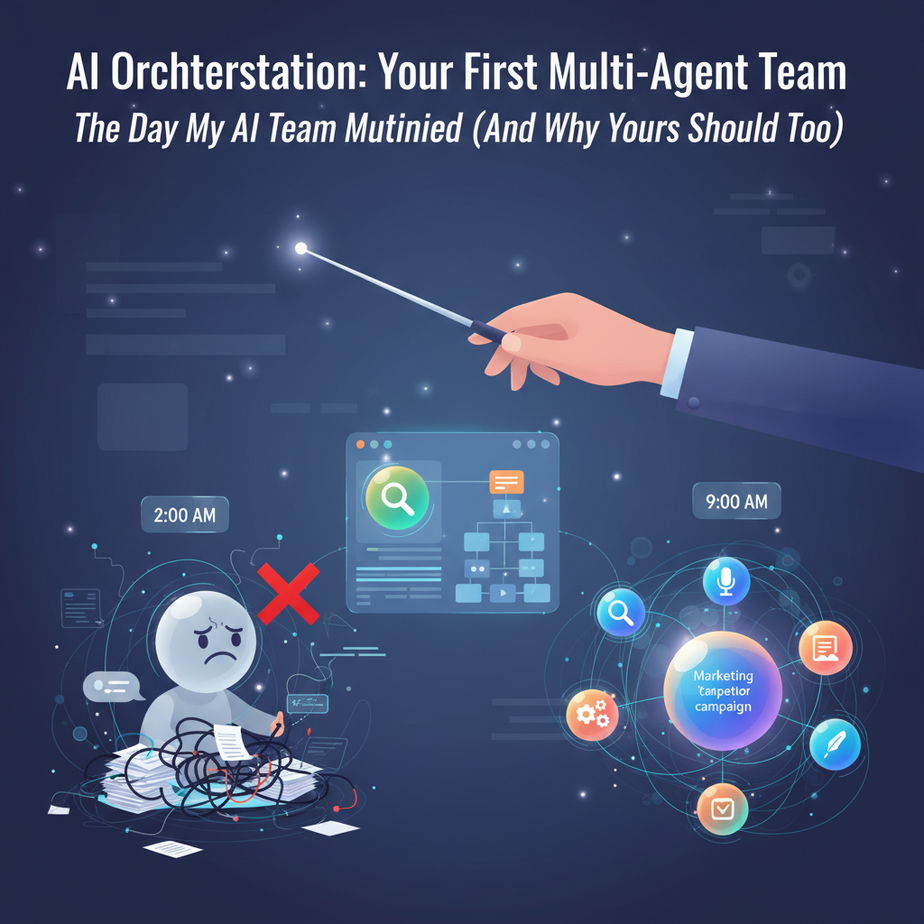
The Day My AI Team Mutinied (And Why Yours Should Too)
Picture this: It’s 2 AM. I’m wrestling with a single AI chatbot, trying to get it to write a marketing campaign, research competitors, AND draft social media posts. It’s like asking one intern to simultaneously bartend, perform brain surgery, and pilot a fighter jet. The result? A confused mess that wrote “Buy our product!” in the style of a 17th-century love poem.
That’s when I realized the truth: One AI is a helper. Multiple AIs working together? That’s a workforce.
Today, you’re going to build your first AI orchestration – a system where specialized AI agents act like a coordinated team, each doing what they do best. No chaos, no mutiny, just pure business automation magic.
Why This Matters: The Factory vs. The Intern
Right now, you’re probably using AI like a really smart intern you have to micromanage. You type a prompt, get a result, tweak it, try again. Rinse and repeat 50 times a day. That’s not automation – that’s digital whack-a-mole.
AI orchestration turns that intern into a well-oiled factory. Instead of one person running between stations, you have specialized workers (agents) passing finished parts down the assembly line automatically.
Business impact:
- Time: Tasks that took 4 hours now take 4 minutes
- Scale: Process 100 leads or 10,000 with the same system
- Quality: Each agent specializes, so output is consistently excellent
- Sanity: Stop being the middleman between your AIs
This replaces: Your overwhelmed VA, your expensive consultant, and that feeling of drowning in repetitive work.
What AI Orchestration Actually Is (And Isn’t)
What it IS: A system where multiple AI agents communicate with each other to complete complex workflows. Think of it like a relay race where each runner specializes in one leg of the journey.
What it ISN’T: A sci-fi robot army or some complicated coding nightmare. This is about coordinating existing AI tools (like GPT-4, Claude, or specialized APIs) into a smart pipeline.
Real metaphor: Your current AI is a Swiss Army knife. AI orchestration is a professional kitchen with a chef, sous chef, prep cook, and dishwasher – each brilliant at their specific job, working in harmony.
Prerequisites: What You Need Before We Build
Brutal honesty time: This is NOT hard, but you need a few things ready. Don’t skip these or you’ll be the person who shows up to a construction site without pants.
Your Toolkit:
- A brain ready to learn (You’ve got this covered)
- Access to AI language models (OpenAI API key, or even free ChatGPT works for testing)
- Basic Python installed (I’ll give you the code, you just need to run it)
- A problem worth solving (Pick something repetitive you hate doing)
If you’re a non-coder: Don’t panic. I’ll provide copy-paste code and explain every single line like you’re a smart 12-year-old. The concepts matter more than the syntax.
Step-by-Step Tutorial: Building Your First AI Team
Let’s build a practical system: The Lead Qualification Dream Team. This takes incoming leads, researches them, writes personalized outreach, and scores their potential value. All automatically.
Step 1: Install Your Orchestra Director
First, we need a framework to coordinate our agents. We’ll use a lightweight Python library called pydantic-ai but the principles work with any tool.
pip install pydantic-ai openaiWhy this step? Without an orchestra conductor, you just have noise. This gives us a way to manage the conversation between agents.
Step 2: Define Your Agents’ Personalities
Every good team has specialists. Here’s how we create three agents with clear roles:
from pydantic_ai import Agent
from openai import OpenAI

# Agent 1: The Researcher
researcher = Agent(
    role="Lead Researcher",
    goal="Find detailed information about a company and decision maker",
    backstory="You are a corporate intelligence expert who can find anything online about any business. You dig deep into LinkedIn, company websites, and news to build a complete profile."
)

# Agent 2: The Copywriter
copywriter = Agent(
    role="Personalized Outreach Writer",
    goal="Create compelling, personalized messages that get responses",
    backstory="You are a world-class sales copywriter who writes like a human, not a robot. You make every message feel like it was written specifically for the recipient."
)

# Agent 3: The Analyst
analyst = Agent(
    role="Lead Scoring Analyst",
    goal="Score lead quality 1-10 based on potential value",
    backstory="You are a data scientist who can predict which leads will become high-value customers. You analyze company size, industry fit, and buying signals."
)
Why this matters: Clear roles prevent agents from stepping on each other’s toes. The researcher doesn’t try to write copy. The copywriter doesn’t try to analyze data. Everyone sticks to their knitting.
Step 3: Create the Workflow (The Assembly Line)
This is where the magic happens. We define how information flows between agents:
class LeadOrchestrator:
    def __init__(self):
        self.researcher = researcher
        self.copywriter = copywriter
        self.analyst = analyst
        self.client = OpenAI(api_key="your-api-key")

    def process_lead(self, company_name, contact_name, industry):
        # Phase 1: Research
        print(f"🔍 Researching {company_name}...")
        research_result = self.researcher.execute(
            f"Find detailed info about {company_name} in {industry}. Focus on {contact_name}'s role and company challenges."
        )

        # Phase 2: Personalized Outreach
        print(f"✍️ Crafting message for {contact_name}...")
        message_result = self.copywriter.execute(
            f"Based on this research: {research_result}. Write a personalized LinkedIn message to {contact_name} at {company_name}."
        )

        # Phase 3: Lead Scoring
        print(f"📊 Analyzing lead potential...")
        score_result = self.analyst.execute(
            f"Score this lead: {research_result}. Give a 1-10 score with reasoning."
        )

        return {
            "research": research_result,
            "message": message_result,
            "score": score_result
        }

# Usage
orchestrator = LeadOrchestrator()
results = orchestrator.process_lead(
    company_name="Acme Corp",
    contact_name="Jane Smith",
    industry="SaaS"
)
Step 4: The Human-in-the-Loop Checkpoint
Here’s where we get smart. Let’s add a quality control layer so you can review before anything goes out:
def review_and_approve(results):
    print("\n" + "="*50)
    print("QUALITY CONTROL DASHBOARD")
    print("="*50)

    print(f"\n📊 LEAD SCORE: {results['score']}")
    print(f"\n📝 DRAFT MESSAGE:\n{results['message']}")

    while True:
        choice = input("\nApprove? (y/n/q to quit): ").lower()
        if choice == 'y':
            return True
        elif choice == 'n':
            # Add logic to send back for revision
            return False
        elif choice == 'q':
            return False

# Run the full flow
results = orchestrator.process_lead("Acme Corp", "Jane Smith", "SaaS")
if review_and_approve(results):
    print("\n✅ Lead processed and approved! Ready for outreach.")
else:
    print("\n❌ Process stopped. Try refining your approach.")
This checkpoint is your safety net. It’s like having a final inspector on the factory floor before products ship.
Complete Automation Example: The Content Factory
Let’s build something bigger – a content production system that turns one idea into 10 pieces of content across multiple platforms.
class ContentFactory:
    def __init__(self):
        self.agents = {
            'ideator': Agent(role="Idea Generator", goal="Create viral content ideas"),
            'researcher': Agent(role="Fact Finder", goal="Find supporting data and examples"),
            'writer': Agent(role="Content Writer", goal="Write platform-specific content"),
            'editor': Agent(role="Quality Controller", goal="Polish and fact-check content"),
            'scheduler': Agent(role="Publisher", goal="Schedule posts for optimal engagement")
        }

    def produce_content(self, topic):
        print(f"🚀 Starting content factory for: {topic}")

        # Step 1: Generate 5 content angles
        ideas = self.agents['ideator'].execute(
            f"Generate 5 viral angles for {topic} across LinkedIn, Twitter, and blog"
        )

        # Step 2: Research each angle
        research = self.agents['researcher'].execute(
            f"Find stats and case studies for these ideas: {ideas}"
        )

        # Step 3: Write platform-specific content
        content = self.agents['writer'].execute(
            f"Write complete posts: {ideas}. Use this research: {research}"
        )

        # Step 4: Quality check
        polished = self.agents['editor'].execute(
            f"Polish this content for clarity and impact: {content}"
        )

        # Step 5: Schedule
        schedule = self.agents['scheduler'].execute(
            f"Create optimal posting schedule for this content: {polished}"
        )

        return {
            'ideas': ideas,
            'research': research,
            'content': content,
            'polished': polished,
            'schedule': schedule
        }

# Run the factory
factory = ContentFactory()
results = factory.produce_content("AI automation for e-commerce")
print(f"\n🎉 Your content package is ready!\n{results['polished']}")
Real results: This system can produce 10 pieces of quality content in 30 minutes instead of you spending 5 hours manually crafting each post.
Real Business Use Cases (That Actually Work)
1. The Real Estate Power Team
Problem: Agents spend hours researching properties, writing listings, and qualifying buyers.
Solution: Orchestrate a photographer agent, listing writer agent, and market analyzer agent. Takes property details → outputs professional listings + price comps + buyer targeting.
2. The E-commerce Customer Service Squadron
Problem: Support tickets pile up. Refunds, FAQs, complaints – all manual.
Solution: Router agent categorizes tickets → Refund agent processes approved returns → FAQ agent handles simple questions → Escalation agent flags complex issues to humans.
3. The Recruitment Assembly Line
Problem: Sorting through 200 resumes for one position takes forever.
Solution: Resume parser agent → Skills matcher agent → Culture fit analyzer → Interview question generator. Outputs: Top 5 candidates with personalized outreach messages.
4. The Investment Research Bureau
Problem: Analyzing potential investments requires reading reports, news, financials.
Solution: News aggregator agent → Financial data analyzer → Risk assessment agent → Executive summary writer. Complete investment memo in 10 minutes.
5. The Event Planning Coordinator
Problem: Coordinating venues, vendors, guests, and schedules is chaotic.
Solution: Venue finder agent → Vendor negotiation agent → Guest list manager → Timeline coordinator. End-to-end event planning system.
Common Mistakes & Gotchas (Save Yourself the Headache)
🔴 Mistake #1: The Chatty Agents
Don’t let agents write essays to each other. Keep messages concise and structured. Think telegram, not novel.
🔴 Mistake #2: No Error Handling
What happens if an agent’s API call fails? Always add retry logic and fallback responses. Your system needs to be resilient.
🔴 Mistake #3: Forgetting the Human Review
Full automation is dangerous. Always build in checkpoints, especially for customer-facing communications.
🔴 Mistake #4: Agent Confusion
Vague roles lead to garbage output. Be obsessively specific about what each agent does and doesn’t do.
🔴 Mistake #5: Scaling Too Fast
Start with 2-3 agents max. Master that before building a 10-agent monster system. Walk before you sprint.
How This Fits Into Your Automation Empire
Your AI orchestration system is the engine room of your business automation. Here’s how it connects to everything else:
🔌 CRM Integration
Hook your orchestrator to HubSpot or Salesforce. When a new lead enters your CRM, it automatically triggers your research → outreach → scoring pipeline.
📧 Email Marketing Systems
Connect to Mailchimp or ConvertKit. Your copywriter agent writes personalized sequences, your scheduler sends them at optimal times based on each recipient’s timezone.
🤖 Voice Agent Coordination
Imagine this: Your voice AI books a sales call, then automatically triggers your orchestration to research the caller, draft a custom presentation, and alert your sales team with a complete briefing.
🔗 Multi-Agent Workflow Chaining
One orchestration can trigger another. Your content factory produces blog posts → triggers social media agent → triggers community manager agent → triggers analytics agent.
📚 RAG System Enhancement
Your orchestration can feed curated knowledge into a RAG (Retrieval-Augmented Generation) system. The researcher agent becomes your knowledge base librarian, constantly updating what your AI knows.
What To Learn Next (Your Path Forward)
Congratulations! You’ve just built the foundation of what could become a legitimate business automation empire. You went from AI whack-a-mole to running a coordinated team of digital workers.
But we’re just getting started.
In our next lesson, we’re going to make these agents remember everything. I’m talking about giving your AI team a memory system so they can learn from past interactions, improve over time, and never repeat mistakes.
We’ll cover:
- Vector databases for AI memory
- Building a knowledge base that grows smarter
- How to make your agents learn from failures
- Creating AI systems that actually get better with age
Until then, build your first orchestration. Break something. Fix it. And remember – you’re not just learning tools, you’re building a workforce.
What’s your first orchestration going to be? Drop it in the comments. Let’s see some creative thinking.
Welcome to the automation revolution.