
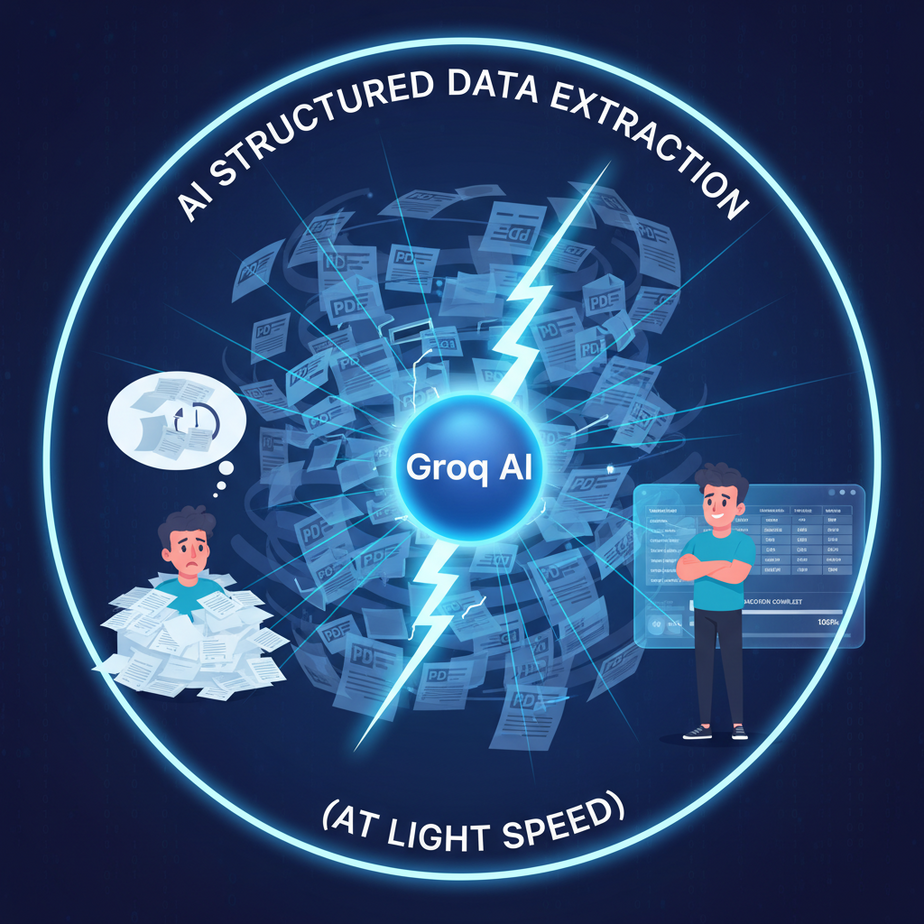
The Intern, the Invoices, and the Inevitable Meltdown
I once had a client, a logistics company, drowning in a sea of PDF invoices. Thousands of them. Each one from a different vendor, with a slightly different format. Their solution? An intern named Kevin.
Kevin’s job was simple: open a PDF, find the invoice number, the total amount, and the due date, then copy-paste them into a spreadsheet. All day. Every day.
Kevin was not built for this. He was slow. He made typos. He confused the “Total” with the “Subtotal” on Tuesdays and transposed numbers after lunch. The accounting department hated him. The coffee machine feared him. The company was paying for 8 hours of work and getting maybe 3 hours of usable data and a whole lot of expensive corrections.
This isn’t a story about Kevin. It’s a story about a broken, expensive, and painfully human system. It’s a system you probably have somewhere in your own business. Today, we’re going to fire Kevin (metaphorically, of course) and replace him with a robot that does the same job in milliseconds, for fractions of a penny, with zero mistakes.
Why This Matters
The world runs on unstructured data: emails, support tickets, customer reviews, social media comments, legal documents, resumes. It’s all just… text. Humans can read it, but computers can’t do much with a blob of words.
To automate anything meaningful, you first need to turn that chaos into clean, structured data—like a spreadsheet or a database record. This process is called structured data extraction.
This workflow replaces:
- Manual data entry clerks.
- Virtual assistants copying and pasting info.
- Developers writing fragile, rule-based text parsers that break every time a comma moves.
Mastering this single skill is like building the main intake valve for your entire automation factory. It’s how you get raw materials (messy text) off the truck and onto the conveyor belt in a standardized format your other machines can work with.
What This Tool / Workflow Actually Is
We’re using a tool called Groq. Let’s be clear:
What it is: Groq is an “inference engine.” Think of it like a souped-up sports car engine. You can put different models (like Llama 3 or Mixtral) inside it, and it runs them at absolutely absurd speeds. It’s famous for being the fastest way to get a response from a high-quality LLM today.
What it is NOT: Groq is not a new AI model. It doesn’t have its own special brain. It’s a platform for running existing open-source models, just way, way faster than anyone else.
The workflow is simple: We send Groq a piece of messy text and a “template” (a JSON schema). We command the AI: “Read this text and fill out this template. Do not deviate. Do not get creative. Just fill the boxes.” The result is a perfect, machine-readable JSON object.
Prerequisites
I’m serious about making this accessible. You can do this. Here’s all you need:
- A Groq Account: Go to
console.groq.comand sign up. It’s free, and they give you a generous free tier to get started. You’ll need to create an API key. - A way to send an API request:
- For non-coders: I recommend a free tool like Postman or Insomnia. They give you a simple interface for this stuff.
- For the command-line curious: We’ll use a simple
curlcommand. If you’re on a Mac or Linux, you already have it. If you’re on Windows, it’s built into the Command Prompt and PowerShell.
That’s it. No coding required to follow along with the main example. If you want to put this into a real application later, you’ll use a library, but for today, we’re just proving the concept.
Step-by-Step Tutorial
Let’s build our ‘Intern Kevin’ replacement bot. Its job is to read customer feedback and extract key details.
Step 1: Get Your Groq API Key
Log in to your Groq account, go to the “API Keys” section, and create a new key. Copy it somewhere safe. Treat this key like a password. Don’t share it publicly.
Step 2: Define Your Data “Template” (JSON Schema)
First, we need to decide what information we want to pull out. Let’s say for every piece of customer feedback, we want to know four things: the customer’s name, their sentiment (positive, neutral, or negative), a one-sentence summary, and whether a follow-up is required.
In the language of computers, that template looks like this (this is JSON):
{
  "customer_name": "string",
  "sentiment": "string (positive, neutral, or negative)",
  "summary": "string",
  "follow_up_required": "boolean (true or false)"
}
This simply tells the AI the exact structure we expect back. No more, no less.
Step 3: Craft The “Magic” Prompt
This is where we give the AI its marching orders. A good prompt has three parts: the Role, the Task, and the Constraints. We’ll put this in the “system prompt.”
You are a world-class algorithm for extracting structured information from text.
You are given a piece of text from a user. Your task is to extract the specified information and output it in a perfect JSON format.

Your output MUST be ONLY the JSON object. Do not include any other text, pre-amble, or explanations.
Do not use markdown formatting like .

Use this exact JSON schema:
{
  "customer_name": "string",
  "sentiment": "string (positive, neutral, or negative)",
  "summary": "string",
  "follow_up_required": "boolean (true or false)"
}
This prompt is brutally direct. It tells the AI its job, what to do, and most importantly, what not to do (like get chatty).
Step 4: Combine and Send the Request
Now we put it all together. We’ll use a `curl` command, which is a universal way to send web requests from your terminal. Just copy and paste this, but remember to replace `YOUR_GROQ_API_KEY` with the key you created.
Open your terminal (Terminal on Mac, or Command Prompt/PowerShell on Windows) and paste this in. I’ve broken it down line-by-line for clarity, but you can paste it as one block.
curl -X POST \\
  https://api.groq.com/openai/v1/chat/completions \\
  -H "Authorization: Bearer YOUR_GROQ_API_KEY" \\
  -H "Content-Type: application/json" \\
  -d '{
    "messages": [
      {
        "role": "system",
        "content": "You are a world-class algorithm for extracting structured information from text. You are given a piece of text from a user. Your task is to extract the specified information and output it in a perfect JSON format. Your output MUST be ONLY the JSON object. Do not include any other text, pre-amble, or explanations. Do not use markdown formatting like . Use this exact JSON schema: {\\\\\\"customer_name\\\\\\": \\\\\\"string\\\\\\", \\\\\\"sentiment\\\\\\": \\\\\\"string (positive, neutral, or negative)\\\\\\", \\\\\\"summary\\\\\\": \\\\\\"string\\\\\\", \\\\\\"follow_up_required\\\\\\": \\\\\\"boolean (true or false)\\\\\\"}"
      },
      {
        "role": "user",
        "content": "The new dashboard feature is fantastic! It really simplifies my workflow. Thanks for the great work, my name is Sarah Chen."
      }
    ],
    "model": "llama3-8b-8192",
    "temperature": 0,
    "response_format": {"type": "json_object"}
  }'
A quick explanation of the important parts:
YOUR_GROQ_API_KEY: This is your secret key.messages: This array contains our system prompt and the user’s text we want to analyze.model: We’re using `llama3-8b-8192`, which is fast and smart enough for this job.temperature: 0: This tells the AI not to get creative. We want predictable, repeatable results.response_format: {"type": "json_object"}: This is a special feature that forces the model to output valid JSON. It’s our ultimate safety net.
Complete Automation Example
Let’s use a more complex, slightly negative example to see it in action.
The Problem
A customer, John Doe, sent a frustrated email to our support desk. We need to instantly categorize it and flag it for follow-up.
The Input Text (The messy email)
"Hi there, my name is John Doe. I'm writing because my recent order (#A-58292) still hasn't shipped, and it's been over a week. The tracking page is useless. I'm pretty disappointed with the service and I need someone to look into this ASAP."
The Full `curl` Command
We use the exact same command as above, just swapping out the `content` in the user message.
curl -X POST \\
  https://api.groq.com/openai/v1/chat/completions \\
  -H "Authorization: Bearer YOUR_GROQ_API_KEY" \\
  -H "Content-Type: application/json" \\
  -d '{
    "messages": [
      {
        "role": "system",
        "content": "You are a world-class algorithm for extracting structured information from text. You are given a piece of text from a user. Your task is to extract the specified information and output it in a perfect JSON format. Your output MUST be ONLY the JSON object. Do not include any other text, pre-amble, or explanations. Do not use markdown formatting like . Use this exact JSON schema: {\\\\\\"customer_name\\\\\\": \\\\\\"string\\\\\\", \\\\\\"sentiment\\\\\\": \\\\\\"string (positive, neutral, or negative)\\\\\\", \\\\\\"summary\\\\\\": \\\\\\"string\\\\\\", \\\\\\"follow_up_required\\\\\\": \\\\\\"boolean (true or false)\\\\\\"}"
      },
      {
        "role": "user",
        "content": "Hi there, my name is John Doe. I'm writing because my recent order (#A-58292) still hasn't shipped, and it's been over a week. The tracking page is useless. I'm pretty disappointed with the service and I need someone to look into this ASAP."
      }
    ],
    "model": "llama3-8b-8192",
    "temperature": 0,
    "response_format": {"type": "json_object"}
  }'
The Beautiful, Structured Output
Hit enter, and in less than a second, Groq will return this:
{
  "customer_name": "John Doe",
  "sentiment": "negative",
  "summary": "Customer is disappointed because their order has not shipped after a week and the tracking page is not working.",
  "follow_up_required": true
}
Look at that. Perfect. Clean. No typos. Every field is filled correctly. This JSON can now be sent to any other system in your business automatically. Kevin and his spreadsheet never stood a chance.
Real Business Use Cases
This exact pattern can be used everywhere:
- Lead Generation Agency: Parse inbound emails from a website’s contact form. Extract `name`, `company`, `email`, `phone`, and `service_of_interest` to automatically create a new lead in your CRM.
- E-commerce Store: Analyze product reviews to extract `product_name`, `rating` (1-5), and `key_complaint` or `key_praise`. Feed this data into a dashboard for your product team.
- Real Estate Brokerage: Scrape property descriptions from a website and extract structured data like `address`, `price`, `bedrooms`, `bathrooms`, and `square_footage` to populate your internal database.
- Healthcare Provider: Process patient intake forms (as text) to extract `patient_name`, `date_of_birth`, `symptoms`, and `insurance_provider` to pre-fill an electronic health record. (Note: Be mindful of HIPAA and data privacy here).
- Recruiting Firm: Take a raw text resume and extract `candidate_name`, `contact_info`, `years_of_experience`, and a list of `technical_skills` to quickly sort and rank applicants.
Common Mistakes & Gotchas
- A chatty bot: If you forget the strict constraints in the system prompt or omit the `response_format` parameter, the model might say, “Sure, here is the JSON you requested!” before giving you the JSON. This extra text will break any downstream automation that expects pure JSON. Be ruthless in your prompt.
- Schema Drift: You update the JSON schema in your prompt but forget to update the code that processes the output. Your automation breaks. Always keep the schema definition (the source of truth) in one place.
- Ignoring `temperature = 0`: For data extraction, you want determinism, not creativity. Setting the temperature to 0 makes the output as consistent as possible. If you let it get creative, it might summarize things differently each time.
- Overly Complex Schemas: Don’t try to extract 50 fields from a single sentence. Break down complex extraction tasks into smaller, more focused steps. The AI is smart, but it’s not a mind-reader.
How This Fits Into a Bigger Automation System
This workflow is a foundational building block. It’s rarely the end of the line; it’s the beginning.
- To a CRM: The JSON output from our example could be sent to the HubSpot or Salesforce API. If `follow_up_required` is `true`, it creates a new high-priority ticket assigned to a support agent.
- To an Email System: You could build a router. If `sentiment` is `negative`, it forwards the original email to a manager. If `positive`, it triggers an automated “Thank you for your feedback!” email.
- With Voice Agents: A customer calls your support line. An AI voice agent transcribes the call to text. This Groq workflow then processes the transcript to extract the key details, creating a support ticket without a human ever touching it.
- In Multi-Agent Workflows: This is Agent #1 (The Extractor). Its output is passed to Agent #2 (The Router), which then passes it to Agent #3 (The Responder), which drafts an email reply based on the structured data.
Think of it this way: structured data is the universal language of automation. This workflow is your universal translator.
What to Learn Next
You’ve done it. You’ve turned messy, unpredictable human language into clean, predictable machine data. You’ve built the front door of your automation factory, where raw materials are sorted and standardized.
But what happens once the data is inside? How do you make *decisions* with it?
In the next lesson in this course, we’re going to build a Router Agent. We’ll teach an AI to read the JSON we just created and make a decision: should this ticket go to Sales, Support, or Engineering? You’ll learn how to build simple logic gates that turn your data into automated actions.
You’ve built the intake. Next, we build the central sorting system.
“,
“seo_tags”: “groq api, structured data extraction, ai automation, json output, large language models, business automation, no-code ai, llama3, data parsing”,
“suggested_category”: “AI Automation Courses