
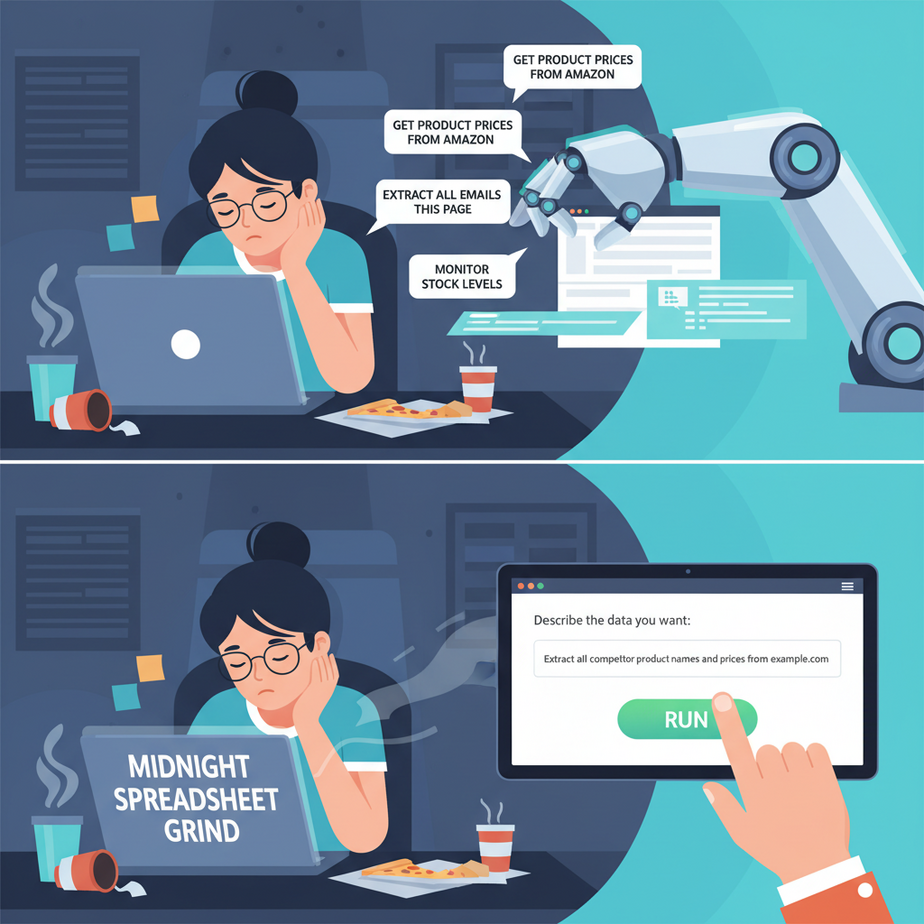
The Midnight Spreadsheet Grind
It’s 11 PM. You, the overworked founder/freelancer/marketer, are staring at a competitor’s website. Your mission, which you definitely chose to accept, is to figure out their pricing strategy.
So you begin the ritual. Click. Highlight name. Copy. Alt-Tab. Paste into Excel. Alt-Tab. Click. Highlight price. Copy. Alt-Tab. Paste. Repeat. For 50 more products. Your eyes are burning. Your soul is slowly leaking out through your keyboard. You’ve become a biological copy-paste machine, a human macro. There has to be a better way.
You might have heard that to do this automatically, you need to hire a developer to write a “web scraper,” a fragile piece of code that breaks the moment a website changes a button color. That used to be true. Not anymore. Today, we’re going to teach our AI intern to do it for us, using nothing but plain English.
Why This Matters
Web scraping isn’t just for tech wizards. It’s a fundamental business intelligence tool. It’s how you get answers to critical questions, automatically:
- Lead Generation: Who is sponsoring that big industry conference? Let’s get a list.
- Competitive Analysis: What are the top 10 competing products on Amazon, what are their prices, and what are their review scores?
- Market Research: What are people complaining about in the reviews for my competitor’s SaaS tool?
- Hiring: Which companies are hiring for “Senior Python Developer” on LinkedIn right now?
This workflow replaces hours of manual, mind-numbing data entry. It replaces a fragile, expensive script. It gives you the power to pull raw data from the web and turn it into business strategy, on demand. You’re not just saving time; you’re building a market intelligence machine.
What This Tool / Workflow Actually Is
We are going to use a large language model, specifically Anthropic’s Claude 3.5 Sonnet, to act as our data extractor.
Here’s the simple metaphor: Traditional web scraping is like sending a blind robot into a library with a very specific set of instructions: “Go to the third floor, fifth aisle, second shelf, count seven books from the left, and open to page 42.” If a librarian moves the shelf, the robot is lost and walks into a wall.
AI-based scraping is like sending a smart human intern into the library. You just say, “Hey, go find me all the books about dragons and make a list of their titles and authors.” The intern can see the layout, read the signs, and understand the context, even if things have been moved around.
What this is: A manual, but incredibly powerful, technique where you feed the raw HTML code of a webpage to an AI and give it plain-English instructions on what data to pull out and how to format it.
What this is NOT: A fully automated, multi-page crawling system. This is a one-page-at-a-time tool. It won’t click links or navigate a site for you. But for one-off data extraction tasks, it’s an absolute game-changer.
Prerequisites
This is one of the most beginner-friendly lessons in the entire course. Seriously.
- A Claude Account: Go to claude.ai and sign up for a free account. We’ll be using the free version of Claude 3.5 Sonnet.
- A Web Browser: You’re reading this, so you’ve got this one covered. We’ll need to know how to “View Source” on a page.
- A Goal: Know what information you want to extract from a specific webpage.
That’s it. No code, no downloads, no credit card.
Step-by-Step Tutorial
Let’s pull some data. For our example, we’ll use a fictional directory of local marketing agencies.
Step 1: Get the Page’s HTML Source
The AI can’t “see” the web. We need to give it the raw material the browser uses to build the visual page: the HTML. It looks scary, but you don’t need to read it.
- Navigate to the webpage you want to scrape in your browser.
- Right-click anywhere on the page (not on an image).
- From the menu, select “View Page Source”. (It might be called “Show Page Source” or something similar depending on your browser).
- A new tab will open with a wall of code. Don’t panic. This is what we need.
- Select all of it (Ctrl+A or Cmd+A) and copy it to your clipboard (Ctrl+C or Cmd+C).
Step 2: Craft Your Prompt
This is where the magic happens. We need to tell our AI intern exactly what to do. A good prompt has four parts: Role, Context, Task, and Format.
Open up claude.ai. Here’s the prompt structure we’ll use:
You are an expert data extraction bot. Your only job is to analyze the provided HTML content and extract specific information.

I am pasting the full HTML source code of a business directory webpage below.

From the HTML, please extract the following for EACH agency listed on the page:
- The name of the agency
- Their specialty (e.g., "SEO", "Content Marketing")
- The phone number

Return this data ONLY as a CSV format, with a header row. Do not include any other text, explanations, or apologies.

Here is the HTML:

[PASTE THE HTML YOU COPIED HERE]
Step 3: Execute and Get Your Data
Now, just paste your prompt into the Claude chat window, with the massive block of HTML you copied at the end. Hit enter.
Almost instantly, Claude will process the entire mess of code and spit out exactly what you asked for: clean, structured, CSV-formatted data. It will likely appear in a special “Artifact” window to the side, ready for you to copy or download. You just did in 30 seconds what would have taken 30 minutes of manual drudgery.
Complete Automation Example
Let’s do a real-world example. Imagine we want a list of AI tools from a product directory.
The Goal: Scrape the names, one-line descriptions, and pricing models of AI tools from a fictional website called `futuretools.io`.
1. The (Simplified) HTML Source
Imagine we right-click and “View Page Source” on the website. We copy the whole thing, but here’s a small sample of what the HTML for one tool might look like:
<div class="tool-card">
  <h3 class="tool-name">AutoWriter Pro</h3>
  <p class="tool-description">AI-powered content generation for blogs.</p>
  <span class="pricing-tag">Freemium</span>
</div>
<div class="tool-card">
  <h3 class="tool-name">PixelPerfect AI</h3>
  <p class="tool-description">Generate stunning images from text prompts.</p>
  <span class="pricing-tag">Subscription</span>
</div>
2. The Perfect Prompt
We’ll paste the entire page’s HTML into Claude after this prompt:
You are a precise data extraction engine. You will be given the HTML of a webpage that lists various AI tools.

Your task is to parse this HTML and create a list of all the tools. For each tool, you must extract:
1. The tool's name.
2. The one-line description.
3. The pricing model (e.g., "Freemium", "Subscription").

Present the final output as a clean CSV formatted string with the headers: Name,Description,Pricing. Do not add any commentary before or after the CSV data.

Here is the HTML:

[PASTE THE FULL HTML HERE]
3. The Instant Result
Claude will process the request and provide a clean, copy-pasteable output, probably in an Artifact window:
Name,Description,Pricing
AutoWriter Pro,"AI-powered content generation for blogs.",Freemium
PixelPerfect AI,"Generate stunning images from text prompts.",Subscription
And just like that, you have a spreadsheet. No code, no errors, just results.
Real Business Use Cases
- Real Estate Agents: Scrape property listings from Zillow or a local MLS site for a specific zip code to get a list of properties, their prices, and square footage for market analysis.
- Restaurant Owners: Scrape Yelp or Google Maps for a list of all competing restaurants within a 5-mile radius, extracting their cuisine type, rating, and number of reviews.
- E-commerce Managers: Scrape a competitor’s product category page to get a list of all their products and prices to ensure your own pricing is competitive.
- Job Seekers / Recruiters: Scrape a job board like Indeed for all postings containing a specific keyword (e.g., “Project Manager”) in a certain city, extracting the company name, job title, and date posted.
- Content Creators: Scrape a popular blog in your niche to get the titles and publication dates of their 50 most recent posts to analyze their content strategy.
Common Mistakes & Gotchas
- Scraping JavaScript-Heavy Sites: If a website loads its content dynamically (you see loading spinners), the initial HTML you get from “View Source” might be empty. This technique works best on simpler, “server-rendered” sites.
- Getting Hallucinated Data: If your prompt is vague, the AI might get confused and invent data or mix up fields. Be very specific about what you want. If it makes a mistake, correct it and try again: “That’s almost right, but the price is actually inside the span with the class ‘price-tag’. Try again.”
- Ignoring Terms of Service: Read the website’s `robots.txt` or Terms of Service. Don’t scrape sites that explicitly forbid it. Don’t overload a small business’s server. Be ethical and responsible. This is a tool for focused data collection, not for spam or theft.
- Forgetting to Specify the Format: If you don’t tell the AI *exactly* how to format the output (e.g., “Return as CSV”), it will give you a friendly, conversational paragraph, which is useless for automation. Be a drill sergeant with your formatting instructions.
How This Fits Into a Bigger Automation System
Getting the data is just step one. The real power comes from what you do with it next. The clean CSV output from Claude is the perfect fuel for a larger automation engine:
- CRM & Lead Nurturing: Take the list of conference sponsors you just scraped and use a tool like Zapier or Make to automatically create them as new leads in your HubSpot or Salesforce CRM. You can even enroll them in an introductory email sequence.
- Automated Reporting: Scrape your competitor’s prices once a week. Pipe the CSV data into a Google Sheet. Use the sheet to build a dashboard that automatically tracks their price changes over time and sends you an email alert if a price drops below a certain threshold.
- Content Creation Pipeline: Scrape a list of trending topics from Reddit or Hacker News. Feed that list as input to another AI agent (using the OpenAI or Claude API) and have it draft social media posts or blog ideas for each topic.
This manual scrape is the trigger for a cascade of other automated actions. It’s the information gathering step for your robot army.
What to Learn Next
You now know how to pull structured data from almost any simple webpage using just a few sentences. You’ve turned the entire web into your personal, queryable database. But it’s still a manual process. You have to copy and paste the HTML each time.
What if you wanted to do this for 10 pages? Or 100? What if you wanted to do it automatically every single morning at 9 AM?
In our next lesson, we’re going to level up. We’ll ditch the manual copy-pasting and learn how to write a simple script that automatically fetches the website’s content and feeds it to an AI API. We’ll connect the dots and build our first truly autonomous data-gathering robot. The training wheels are coming off.