
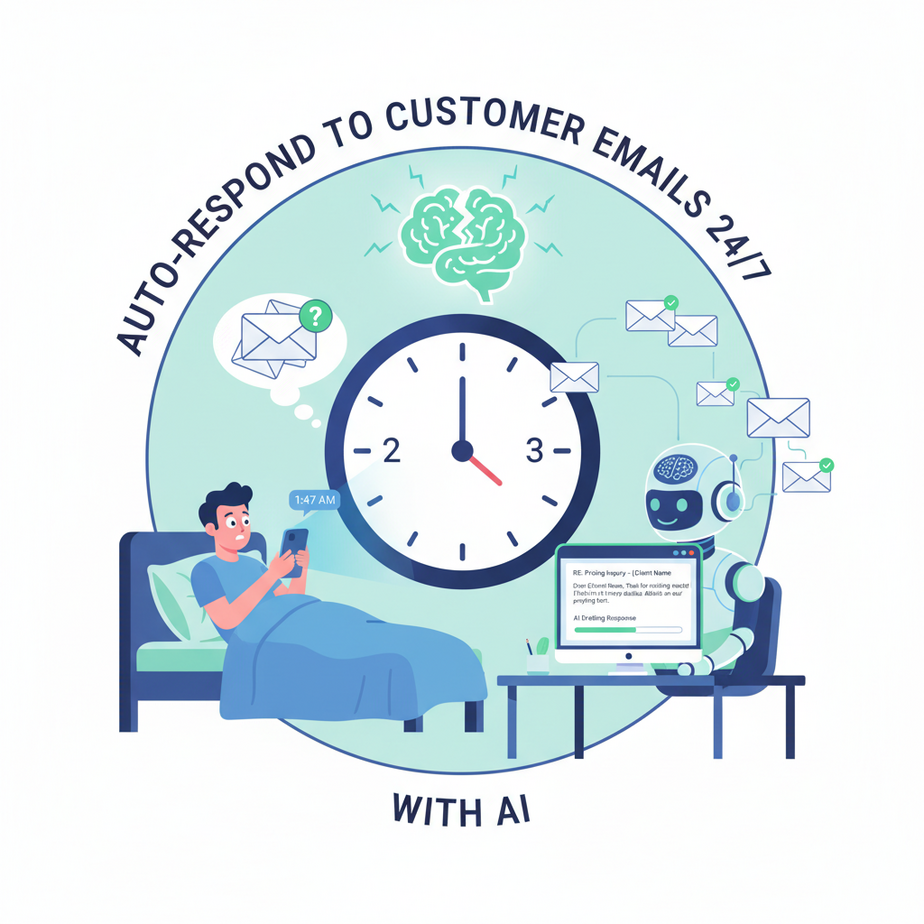
The 2 AM Email That Broke My Brain
Last Tuesday, I woke up at 2 AM to a notification. A potential client had emailed at 1:47 AM with a detailed pricing question. My old response? Panic. My new response? Nothing. Because while I was sleeping, my AI assistant had already replied—calmly, helpfully, and in their time zone.
Imagine your customer service email inbox as a water pipe. Now imagine it’s clogged. The water (inquiries) backs up. Pressure builds. Eventually, something bursts—your reputation, your client’s patience, or your sanity. Most businesses live in this state of low-grade emergency.
What if you could install a smart valve? Something that opens automatically, directs flow where it needs to go, and only alerts you when something truly needs your brain? That’s what we’re building today.
Why This Matters: Your Customer’s Clock vs. Yours
Every unanswered email is a tiny crack in trust. A 2022 study found that 82% of customers expect an immediate response to sales inquiries. “Immediate” means minutes, not hours. Yet most small businesses can’t staff a 24/7 team.
This automation does three things:
- Time Compression: Reply in minutes, not hours. Your business seems impossibly responsive.
- Scale Without Headcount: Handle 100 or 1000 emails without hiring.
- Sanity Preservation: Let AI handle the boring replies so you can focus on the complex ones.
It effectively replaces the role of a junior customer service intern—without the coffee breaks, HR paperwork, or tired mistakes.
What This Actually Is (And Isn’t)
What it IS: A workflow that watches your Gmail inbox, detects new emails from potential customers, uses AI to draft a helpful reply, and sends it automatically (or saves it as a draft for your approval).
What it’s NOT:
- A magic box that handles complex refunds or legal disputes
- A replacement for human empathy in sensitive situations
- A way to spam people
Think of it as your first-line defense—handling the “What are your hours?” and “Can I get a quote?” questions so you can handle the “My grandma just died and I need to postpone our contract” conversations.
Prerequisites: Brutally Honest
Good news: You need zero coding. But you need:
- A Gmail account (any, including free @gmail.com)
- n8n account (free tier handles this perfectly)
- An OpenAI API key ($5-10 in credits will last months)
If you can copy/paste text and click buttons, you can build this. If you can’t, take 15 minutes right now to create these accounts. I’ll wait.
Step-by-Step Tutorial: Building Your AI Email Responder
Step 1: Set Up Your Gmail Trigger
First, we need to watch for new emails. In n8n, create a new workflow. Search for “Gmail” and drag the “Gmail Trigger” node onto the canvas.
Configure it with:
Event: New email matching search
Search: "is:unread -category:promotions"
This ignores ads and promotions, focusing only on important emails.
Connect your Gmail account. n8n will walk you through OAuth—just click and authenticate. No passwords to enter.
Step 2: Filter the Right Emails
Not every email needs an AI reply. Let’s filter. Add an “IF” node after Gmail Trigger.
Condition 1: Subject does not contain "unsubscribe"
Condition 2: Subject does not contain "cancel"
This excludes newsletters and cancellation requests (which should go to a human). For this lesson, we’ll focus on sales inquiries. But in a real business, you’d route differently.
Step 3: Draft with AI
Add an “OpenAI” node. Connect it after the IF node. Configure it:
- Operation: Chat
- Model: gpt-4o-mini (cheap and good)
- Prompt:
You are a friendly customer service assistant for {{company_name}}. Your tone is helpful but professional, like a knowledgeable friend.

Here's the customer's email:
{{JSON.stringify($input.first.json.body.text, null, 2)}}

Write a clear, concise response. If they asked for information you don't have, politely request clarification. End with a friendly sign-off.
Replace {{company_name}} with your actual business name. In the node, map the input to use data from the Gmail trigger.
Step 4: Send the Reply
Add a “Gmail” node again, but this time select “Send Email” as the operation. Configure:
- To: {{JSON.stringify($input.first.json.from)}}
- Subject: Re: {{JSON.stringify($input.first.json.subject)}}
- Body: {{JSON.stringify($input.second.json.choices[0].message.content)}}
CRITICAL SAFETY SETTING: In the node settings, toggle “Save as Draft” to ON for your first test. This prevents sending unintended emails. Once you’re confident, you can switch to “Send Immediately.”
Step 5: Mark as Read
Add another Gmail node to mark the original email as read, preventing duplicate replies.
- Operation: Update
- Email ID: {{JSON.stringify($input.first.json.id)}}
- Add Label: replied-ai
This creates a labeled archive so you can review what your AI sent.
Step 6: Test and Deploy
Click “Execute Workflow” in n8n. Send a test email to yourself. Watch it flow through. Check your drafts folder or sent emails. Tweak the AI prompt if needed.
Once happy, set the workflow to run automatically. The trigger node will poll your Gmail every 5 minutes (or use Gmail Push API for real-time).
Complete Automation Example: A Design Studio’s Workflow
Let’s walk through a real scenario. Alex runs “PixelCraft Design Studio.” She gets 20-30 emails daily: “What’s your rate?” “Can you redesign my logo?” “Do you do animations?”
Her Old Process: Check email 3x daily. Manually reply. Miss evening inquiries. Stress.
Her New Automation:
- Trigger: New email arrives at 9 PM: “Hi! I need a website for my bakery. What’s your pricing?”
- Filter: Email passes checks (no “unsubscribe,” etc.)
- AI Analysis: OpenAI node recognizes “bakery,” “website,” and “pricing.”
4. Response Generated: “Hi there! Thanks for reaching out. Our bakery websites start at $3,500 and include custom design, e-commerce setup, and mobile optimization. We’d love to hear more about your bakery! Could you share your website URL and any specific features you need? Best, Alex at PixelCraft”
5. Sent as Draft: Alex reviews it at 10 PM, adds a personal touch: “PS: I love croissants!” and hits send.
Result: Client responds at 11 PM. Next morning, Alex has a warm lead. Without automation, that email might have gone unanswered for 24+ hours, and the client might have chosen someone else.
Real Business Use Cases (Minimum 5)
1. Real Estate Agency
Problem: Agents miss emails from new buyers in different time zones.
Solution: Auto-reply to “What homes are available in [neighborhood]?” with a prompt requesting specific criteria (budget, bedrooms, etc.). Human agent follows up with personalized list.
2. SaaS Startup
Problem: Support inbox fills with “How do I reset my password?” and “Can I upgrade my plan?”
Solution: AI drafts replies with password reset links and upgrade pricing, freeing founders to handle bugs and feature requests.
3. Freelance Consultant
Problem: Potential clients email at random times asking for availability and rates.
Solution: Auto-replies with calendar link and rate sheet, asks 3 qualifying questions, and schedules discovery calls automatically.
4. E-commerce Store
Problem: “Where’s my order?” and “What’s your return policy?” emails dominate the inbox.
Solution: AI references order status (integrated with Shopify API) and explains return policy, escalating complex cases to humans.
5. Appointment-Based Service (Salon, Gym, Clinic)
Problem: Constant emails about booking, rescheduling, and service questions.
Solution: AI drafts replies with booking links, rescheduling instructions, and service menus, dramatically reducing phone calls.
Common Mistakes & Gotchas
Mistake 1: The “Black Box” Problem
Never set it to “auto-send” on day one. You don’t know how your AI will handle a particular query. Always start in draft mode. Review 100% of AI-generated responses before they go out.
Mistake 2: Ignoring Context
Your AI doesn’t know your latest promotion, your vacation dates, or that you’re out of stock. Update your AI prompt weekly with current business context.
Mistake 3: Privacy Leaks
Never include sensitive data in prompts. Don’t ask AI to draft responses containing customer personal information unless you’ve implemented proper data handling.
Mistake 4: The Broken Handoff
If AI drafts a response about a complex problem, ensure it flags it for human review. Don’t let AI pretend to solve issues it can’t.
How This Fits Into a Bigger Automation System
This email responder is just one component of a larger customer acquisition and retention system. Connect it to:
1. Your CRM (HubSpot, Salesforce, Airtable)
When AI replies, it creates a contact in your CRM. Add a node to update a “Last Contacted” timestamp. This turns an email conversation into a customer relationship.
2. Calendar Scheduling (Calendly, Google Calendar)
If the AI detects booking intent, it can send a Calendly link automatically. “I’d love to schedule a call! Here’s my calendar…”
3. Voice Agents
Imagine this email workflow triggers a follow-up call via AI voice agent: “Hi, I’m calling about your bakery website inquiry. Is now a good time to chat?” The future is multi-channel.
4. Multi-Agent Workflows
Your email responder could hand off to a “Billing Agent” or “Technical Support Agent” based on keywords, creating a virtual support team.
5. RAG (Retrieval-Augmented Generation) Systems
Connect to a knowledge base. Instead of general replies, AI pulls your exact pricing, case studies, and FAQs to answer questions with hyper-accuracy.
What to Learn Next: The Sales Follow-Up Engine
You’ve now built a system that captures every lead. But capturing isn’t converting. In the next lesson, we’ll build an AI Sales Follow-Up Engine that:
- Detects when a lead hasn’t replied after 3 days
- Generates a personalized follow-up email referencing their specific inquiry
- Connects to your calendar to suggest specific meeting times
This is how you go from “having leads” to “closing deals” while you sleep. Your AI intern just got a promotion to sales development rep.
Click your n8n editor. Open your new workflow. Give it a test with your own email. Then tomorrow morning, you’ll have an inbox that manages itself.
The future of customer service isn’t a bigger team. It’s a smarter pipeline. Yours is now running.
“,
“seo_tags”: “AI automation, email automation, customer service automation, n8n tutorial, business automation, AI email responder, workflow automation”,
“suggested_category”: “AI Automation Courses