
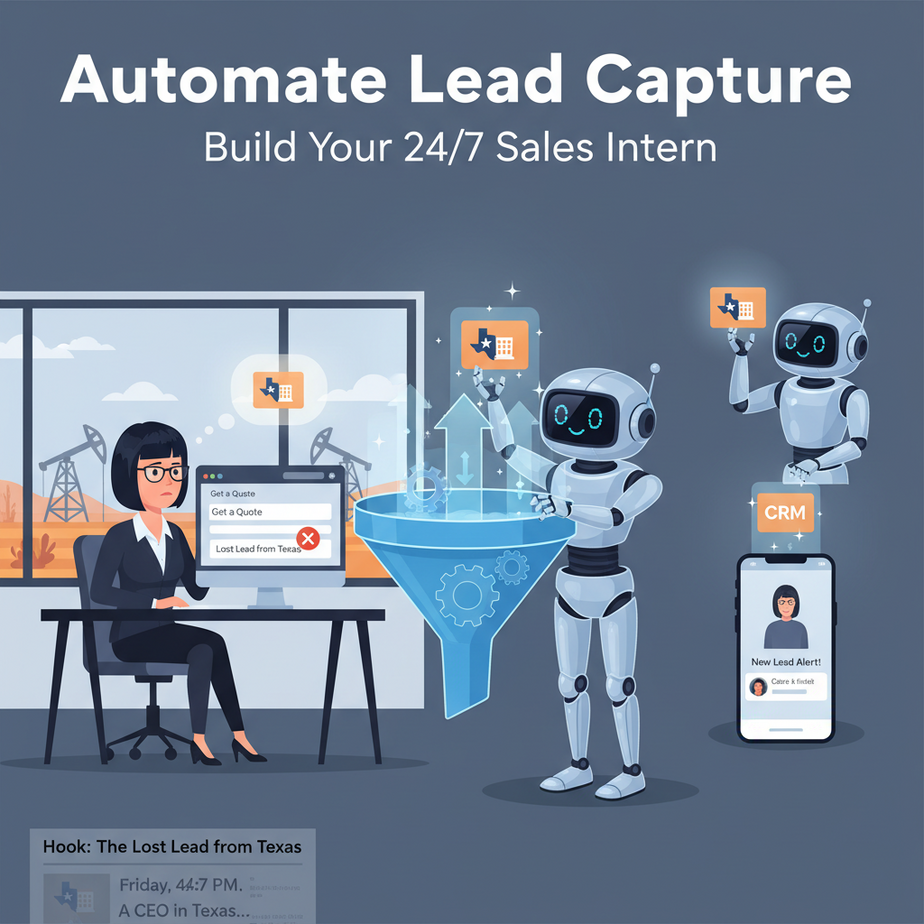
Hook: The Lost Lead from Texas
Picture this: It’s Friday, 4:47 PM. A CEO in Texas just finished reading your case study and clicked your “Get a Quote” button. She filled out your form.
But you’re already out the door, chasing a happy hour beer.
Monday rolls around. Your sales team sees a cold lead in their inbox from 72 hours ago. It’s dead. She bought from your competitor. You just lost a $20K deal because a human was busy being human.
This isn’t a failure of willpower. It’s a failure of systems.
Today, we’re building you a 24/7 sales intern. An automation that never sleeps, never gets distracted, and treats every single lead like the VIP they are. It’s your first step in replacing manual, time-sensitive work with something that runs on autopilot.
Why This Matters: Your Revenue is Dripping Down the Drain
Every hour a lead sits unresponded, your chance of conversion drops by 10x. It’s like leaving a free penguin at the petting zoo—people are confused and walking away.
This automation isn’t just about speed. It’s about:
- Intelligence: Is this a student asking for a homework helper or a Fortune 500 company? The form can’t tell the difference. Your new intern can.
- Scale: One intern can handle 100 leads as easily as 10. You cannot.
- Sanity: No more “Did we follow up with X?” panic. It’s all tracked, logged, and acted upon.
What you’re building is the first layer of a self-driving sales engine. This lesson is your driver’s ed.
What This Tool / Workflow Actually Is
We are building a smart lead intake and routing system. Here’s the non-technical picture:
A potential customer fills out a form on your website. That data gets sent to a central brain (our automation). The brain asks questions: “Are they a big company?” “Did they mention a specific pain point?” “What’s their budget?” Based on the answers, it instantly decides what to do next.
It might create a ticket in your helpdesk, send a tailored email, add them to a “Hot Lead” Slack channel, or even text your sales director.
It’s NOT a generic contact form. It’s NOT a simple “thank you” page. And it’s definitely NOT a CRM. It’s the intelligent layer that sits on top of all those tools and makes them work together like a well-oiled team.
Prerequisites
Before we start, let’s be brutally honest. This is beginner-friendly, but it requires a little setup. You will need:
- An account on Zapier (the free plan works). This is our automation glue.
- A form tool (Google Forms, Typeform, or JotForm). We’ll use Google Forms as it’s free and accessible.
- A messaging app for alerts (Slack, Microsoft Teams, or even a simple email). We’ll use Slack as it’s visual and popular.
That’s it. No coding. No servers. No headaches. If you can click and copy-paste, you can build this. Let’s do it.
Step-by-Step Tutorial: Build Your Lead Automation Intern
Imagine we’re building this for a marketing agency called “Pixel Perfect.” They get website contact form submissions and need to instantly know if it’s a serious lead or a spammy request for free graphics.
Step 1: Design the Form to Capture Intelligence, Not Just Data
A boring contact form gives you a name, email, and a blank box. Our form needs to ask the right questions to fuel the automation. Go to Google Forms and create a new form.
- Question 1 (Required): “What’s the best way to contact you?” (Dropdown: Email, Phone Call)
- Question 2 (Required): “What’s your company size?” (Dropdown: 1-10, 11-50, 51-200, 200+)
- Question 3 (Required): “What’s your primary challenge right now?” (Dropdown: Marketing, Sales, Operations, Other)
- Question 4 (Required): “Describe your project in 2-3 sentences.” (Paragraph text)
Why these questions? They give our automation logic to work with. Company size tells us if it’s enterprise. The primary challenge routes it to the right specialist. This is your intern’s intake interview.
Step 2: Create the Zaper (Our Automation Brain)
Log into Zapier. Click “Create Zap.” A Zap is a single automation. We’ll build one called “Lead Intake & Triage.”
Trigger: The event that starts your Zap. In Zapier, search for “Google Forms” and connect your account. Choose “New Form Response” as the trigger event. Select your form from the dropdown.
Test the trigger. Zapier will find the latest response. This is the data we’ll work with.
Step 3: Add a Filter (Your Intern’s First Decision)
Not every lead deserves the same attention. Let’s filter out noise. Add a step in your Zap and choose “Filter by Zapier.”
Set up the filter: “Only continue if…”
– “Company Size” (from your form) does not equal “1-10” AND
– “What’s your primary challenge” does not equal “Other”
This is a simple rule: we skip solo entrepreneurs and vague requests. Our intern now focuses on the most promising leads.
Step 4: Route the Lead (Where Does It Go?)
Now we use the data to act. We’ll send a Slack message to a specific channel based on the challenge.
Add a Slack step. Choose “Send Channel Message.”
Connect your Slack account. In the “Channel” field, pick your #leads or #sales-alerts channel. In the “Message Text” field, craft a formatted alert:
🚨 *NEW HOT LEAD!* 🚨

*Name:* {{Form Question 1: Full Name}}
*Email:* {{Form Question 2: Email Address}}
*Company Size:* {{Form Question 3: Company Size}}

*Challenge:* {{Form Question 4: Primary Challenge}}

*What they said:* "{{Form Question 5: Project Description}}"

👉 *Next Step:*  |
The text in curly braces `{{ }}` is dynamic data from your form. It will automatically fill in with each new response.
Step 5: Also Log It (Create a Paper Trail)
Let’s create a Google Sheet to log all qualified leads. Add a Google Sheets step. Choose “Create Spreadsheet Row.”
Select your spreadsheet (create one beforehand with columns for: Timestamp, Name, Email, Company Size, Challenge, Lead Source).
Map the data from your Google Form step to the columns.
Why do this? Slack messages get buried. A spreadsheet is your forever record and a simple backup database.
Step 6: Test & Turn It On
Zapier will let you send a test form submission. Do it. Watch it flow through your automation: filter, Slack alert, and Google Sheet log. If it works, turn your Zap ON. Your intern is now hired.
Complete Automation Example: The E-commerce Store “GadgetFlow”
GadgetFlow sells tech accessories. They use a “Wholesale Inquiry” form. Their Zap is a perfect parallel:
- Trigger: Google Forms “Wholesale Inquiry” response.
- Filter: Only continue if “Monthly Volume” is “500+ units” AND “Country” is NOT “USA” (they handle USA in-house).
- Action 1 (Slack): Posts to #intl-sales-team with a custom emoji. Message includes a link to a pre-made quote template in Notion.
- Action 2 (Email): Sends a templated “Got your inquiry” email via Gmail, CC’ing the regional sales manager.
- Action 3 (Google Sheets): Logs the lead in a “Q3 Wholesale Pipeline” sheet, flagging it as “Qualified – Follow Up.”
Result: The international sales team is alerted within seconds, the lead is prepped for follow-up, and nothing falls through the cracks.
Real Business Use Cases (How You Can Use This TODAY)
- The Freelance Web Developer: Gets inquiry forms. The Zap filters by “Project Budget,” sending budget > $5K to a priority email and budget < $5K to a simple proposal template, saving hours of manual sorting.
- The Local Restaurant: “Catering Inquiry” form. Zap routes inquiries over 50 guests to the manager’s phone (via SMS), and smaller ones to a booking link, ensuring no catered event is missed.
- The Online Course Creator: “Coaching Application” form. Zap scores responses based on written quality (using a simple keyword filter in Zapier). High-scoring applicants get a direct Calendly link; others get a standard info packet.
- The Consulting Firm: “Case Study Request” form. The Zap checks the company domain against a list of target industries (using a Google Sheet lookup). If it’s a target, it adds the contact to a special “Prospect Nurture” sequence in their CRM.
- The Non-Profit: “Volunteer Signup” form. Zap sorts by availability (weekends vs. weekdays) and skill set, sending targeted Slack messages to different volunteer coordinators, speeding up deployment.
Common Mistakes & Gotchas
The first mistake I see is asking for too much info upfront. You’ll scare people away. Start with 4-5 key questions max. The rest can come in a follow-up.
Second, forgetting to test your filter. Always send a test submission that *shouldn’t* pass the filter to make sure your intern isn’t an over-eager newbie letting everything through.
Third, no escalation path. What if your Zap fails? Zaper has built-in error alerts, but for critical leads, have a backup: maybe CC a shared inbox or use a tool like “Zapier Monitor” to get alerts on Zap failures.
Finally, not using your data. That Google Sheet log? You can analyze it monthly to see which questions, company sizes, or challenges bring in the best leads. That’s another automation for another lesson.
How This Fits Into a Bigger Automation System
Your smart form is just the first domino. Think of it as the entrance to a factory:
- CRM: Once a lead is qualified (Company Size > 50), your Zap can add them directly to Salesforce or HubSpot as a new “Deal” with a specific “Stage.”
- Email: The lead can trigger a welcome sequence in Mailchimp or ActiveCampaign, personalized by their challenge (e.g., “Here’s how we solve Marketing problems…”).
- Voice Agents: Imagine a follow-up where an AI voice agent calls the lead 15 minutes after submission: “Hi, I’m your automated assistant. Did you have a moment to chat?” This is possible with tools like Vapi or ElevenLabs integrated into your automation.
- Multi-agent Workflows: Your Zap could hand off the qualified lead to a separate “research” automation. An AI agent could scan the company’s website and LinkedIn, then summarize their latest news for your sales team before they make contact.
See the pattern? The form is the trigger. The Zap is the orchestrator. The tools (Slack, CRM, AI) are the workers. You’re building an ecosystem, not just a single task.
What to Learn Next
You’ve just hired your first automation intern. It’s efficient, fast, and works for pennies. But it’s only listening for one signal: a form submission.
In the next lesson, we’re going to teach our intern to listen in on social conversations. We’ll set up an automation that scans Twitter/X for people complaining about your competitors and pings you to step in with a helpful reply (or a sales pitch).
You’ll learn about APIs, webhooks, and the magic of sentiment analysis. It’s going to be fun, and it’s the next logical step in scaling your business intelligence.
Until then, go set up your lead automation. Your 24/7 sales intern is waiting for their first assignment.
“,
“seo_tags”: “AI automation, lead generation, workflow automation, Zapier, Google Forms, business process automation, no-code, sales automation”,
“suggested_category”: “AI Automation Courses