
The Hook: Your Leads Are a Hot Mess
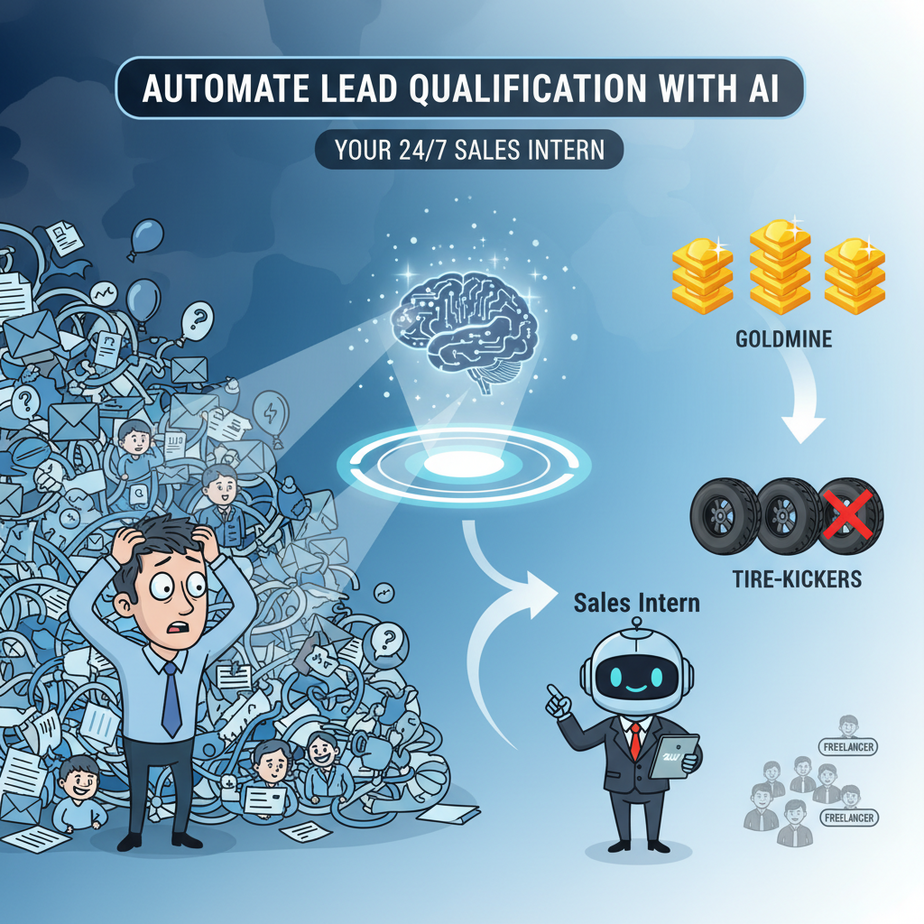
Imagine this: It’s Monday morning. You open your inbox, and there are 47 new leads. Four are goldmines. Three are tire-kickers. The rest? Freelancers “just exploring,” students doing homework, and your competitor trying to steal your pricing sheet.
You’re not a business owner; you’re a human spam filter. Every minute you spend replying to “Can you send me a brochure?” is a minute you’re not closing real deals. Your best prospects are slipping through the cracks while you play email tennis with ghosts.
What if you had a tireless intern who read every inquiry, asked the right questions, scored their potential, and only handed you the hot ones? An intern who worked 24/7, never got bored, and didn’t need coffee breaks.
Let’s build that intern. Today.
Why This Matters: From Chaos to Controlled Pipeline
Unqualified leads aren’t just annoying—they’re expensive. They burn your time, demoralize your sales team, and skew your marketing data. An AI lead qualification system changes the game:
Time: You get back 5-10 hours a week. That’s one big project, or a long lunch where you actually relax.
Money: You close deals faster because your attention is on prospects who can actually afford you and have a real need.
Scale: Whether you get 10 leads or 1,000, your qualification process doesn’t break. The AI scales effortlessly.
Sanity: No more dread when you open your inbox. Just a clean list of people ready to talk business.
This replaces the manual back-and-forth, the endless “discovery call” that should have been a 5-minute form, and the guesswork of prioritizing your pipeline.
What This Workflow Actually Is
We’re building an automated pipeline that takes a new lead’s information (like an email or a form submission), asks them a few key qualifying questions via email or chat, and then uses an AI model to score their response. Finally, it sorts them into buckets (e.g., “Hot,” “Warm,” “Nurture”) and notifies you only if they’re worth your time.
What it does: Interacts with leads, collects data, analyzes intent, and organizes your pipeline.
What it does NOT do: It doesn’t close the deal for you. It doesn’t handle complex negotiations. It’s a screener, not a closer. Think of it as a smart bouncer for your sales club.
Prerequisites: Zero to Hero
Don’t panic. This looks complex, but we’re going step-by-step. You need:
1. A free account with an automation platform (we’ll use Make.com, but Zapier works similarly).
2. An API key from an AI service (OpenAI or Anthropic – we’ll use OpenAI for this example, a free tier credit will last you ages).
3. A way to receive leads (a simple Google Form is perfect, or your existing contact form if it can send a webhook).
That’s it. No coding. If you can copy-paste and fill out a form, you can do this.
Step-by-Step Tutorial: Building Your AI Lead Intern
We’ll use Make.com (integromat) as our visual pipeline builder. It’s like Lego for automation.
Step 1: The Trigger – Catching the Lead
First, we need to catch the lead. Let’s assume you have a Google Form asking for: Name, Email, Company Size, and their “Biggest Challenge.”
In Make, create a new scenario. Add a “Google Forms” module. Select “Watch Responses.” Connect your form. This module now listens for new leads like a bat in a cave.
Step 2: The Conversation – Asking Qualifying Questions
We need more info. Does this lead have budget? When are they looking to buy?
Add a module: “Email” (or use a chat platform like Intercom/Slack if you have it). We’ll send an email.
Pro Tip: Use an AI email writer module inside Make to draft a personalized follow-up based on their “Biggest Challenge.” But for simplicity, we’ll just send a standard template.
Your Email Template:
Subject: Quick follow-up about your inquiry, {{Name}}Body:
Hi {{Name}},
Thanks for reaching out about {{Biggest Challenge}}. To make sure we're the right fit and give you the best advice, could you answer two quick questions?
1. What's your approximate budget for solving this? (e.g., $1k, $5k, $10k+)
2. When are you looking to get started?
Just reply to this email. I'll review your answers and send over some resources tailored for you.
Best,
Your TeamStep 3: The Wait – Patience is Key
The automation needs to wait for their reply. This is advanced. In Make, you can use a “Commit” to pause a scenario and “Resume” it when a new email arrives. For a beginner-friendly version, we’ll simplify:
The Simplified Path: We’ll assume you run this qualification check manually OR you use a form that has these questions upfront. For this guide, we’ll assume our initial form has the budget and timeline questions.
Wait, that’s cheating. Let’s stick to the AI analysis part which is the core.
Step 3 (Revised): The Brain – AI Analysis
This is where the magic happens. Add a module: “OpenAI” -> “Create a Completion (Chat).”
Connect your OpenAI account. Use the GPT-4o-mini model (cheap and smart).
Prompt to send to the AI:
You are a ruthless sales qualification AI. Analyze this lead and give a score from 1-10 and a category: "Hot", "Warm", or "Nurture".

Lead Info:
Name: {{Name}}
Email: {{Email}}
Company Size: {{Company_Size}}
Challenge: {{Biggest_Challenge}}
Budget: {{Budget}}
Timeline: {{Timeline}}

Output format:
Score: [Number]
Category: [Category]
Reason: [One sentence why]
Map the form fields from the Google Form trigger into this prompt.
Step 4: The Sort – Routing the Lead
Add a Router module (in Make, it’s called a “Router”). It splits the path based on conditions.
Path 1: If AI output contains “Score: 8” or higher OR Category is “Hot”.
Path 2: If Score is 5-7.
Path 3: If Score is less than 5.
Step 5: The Action – Notify or Nurture
For Path 1 (Hot): Add a “Slack” or “Email” module to send YOU a notification. “🔥 HOT LEAD ALERT: {{Name}} just scored a {{Score}}. Call them now!”
For Path 2 (Warm): Add a “Gmail” module to send them a pre-written nurture email. Add them to your CRM as “Follow up in 1 week.”
For Path 3 (Nurture): Add a “Mailchimp” or “SendGrid” module to add them to a monthly newsletter list. Out of sight, out of mind, but not lost.
Complete Automation Example: The SaaS Consultant’s Nightmare
Meet Sarah. She’s a solo SaaS consultant. She gets about 20 leads a week. Most are startups with $0 budget. She spends her Fridays crying into her coffee trying to find the one real client.
Implementation:
1. She sets up a Google Form on her website’s “Contact Me” page. It asks: Company, Budget, Timeline, Tech Stack.
2. Her Make.com scenario triggers on new form entries.
3. It sends the data to OpenAI with the prompt: “Score this lead 1-10. Is their budget over $5k? Are they using modern tech? Is the timeline this quarter?”
4. AI Output: “Score: 9. Category: Hot. Reason: $10k budget, needs help next month.”
5. Make.com sees the “Hot” category and instantly pings Sarah’s phone with a push notification via the Make app.
6. Sarah calls them 5 minutes later while they’re still browsing her site. They hire her on the spot.
Result: Sarah stopped checking her email every hour. Her phone only buzzes for gold. She closes 30% more deals because she responds to hot leads in minutes, not hours.
Real Business Use Cases
- E-commerce Store: Qualifies wholesale inquiries. High volume, low margin? AI routes to a self-service FAQ. High volume, high margin? AI routes to the sales director’s calendar link.
- Real Estate Agent: New lead from Zillow comes in. AI texts them: “Are you pre-approved and looking to buy in the next 30 days?” If yes, agent calls immediately. If no, lead goes to a drip campaign about mortgage rates.
- Recruitment Agency: Candidate applies. AI analyzes their resume against the job description. Does it match? Push to the recruiter’s “Review” folder. No match? Auto-reply with “Thanks, we’ll keep you in mind.”
- Marketing Agency: Contact form submission. AI checks the sender’s email domain for company size (using a lookup tool) and asks for budget. If budget is below agency minimum, send a polite “We’re not a good fit, here’s a DIY guide.”
- Law Firm: Intake form for “Legal Consultation.” AI reads the issue description. If it’s a “slip and fall” (low value), auto-send a referral list. If it’s “business contract dispute” (high value), alert the partner immediately.
Common Mistakes & Gotchas
1. The “Black Box” Problem: Don’t just trust the AI blindly. Log the AI’s reasoning. Always add a step in your automation that saves the AI’s full output to a Google Sheet. You need to know WHY it scored someone a 2 vs a 9. Audit your intern.
2. Over-Automation: Don’t let the AI reject leads outright unless you’re 1000% sure. A score of 2 might still be a future enterprise client who is just in a bad spot today. Always err on the side of “Nurture” rather than “Reject.”
3. Forgetting the Human Touch: The AI handles the first 5 minutes. You handle the rest. If the AI sets up a meeting, YOU must show up. Don’t let the automation ghost people after it hooks them.
4. Token Costs: GPT-4o-mini is cheap. But running this on every single spam email can add up. Use a filter early. For example, only run the AI logic if the email looks like a real business email (contains a “.com” and a full name).
How This Fits Into a Bigger Automation System
Lead Qualification is the front door. It connects to everything:
CRM: Once qualified, the lead is automatically created in HubSpot/Salesforce with the correct status (Hot/Warm/Cold).
Email Sequences: “Hot” leads trigger a manual call task. “Warm” leads trigger a 5-day educational email sequence.
Voice Agents: Imagine the AI Qualifier texts the lead: “Hot enough to talk? Click here to call our AI receptionist now.” The lead clicks, and your AI Voice Agent answers basic questions instantly.
Multi-Agent Workflows: Your “Qualifier Agent” passes the hot lead to a “Researcher Agent,” which scrapes their LinkedIn and company news, then writes a briefing email to you BEFORE you call them. That’s the next level.
What to Learn Next
You just built a self-aware filter for your business. You’ve stopped being a receptionist and started being a CEO.
But what happens when you have 1,000 leads and they all need different answers?
In the next lesson, we’re going to teach your AI Intern how to do actual research. We’re building an AI that reads a prospect’s website, looks at their LinkedIn, and writes a personalized ice-breaker email for you.
No more generic templates. Just pure, personalized outreach at scale.
Go set up that Google Form and your Make.com account. Class is in session.