
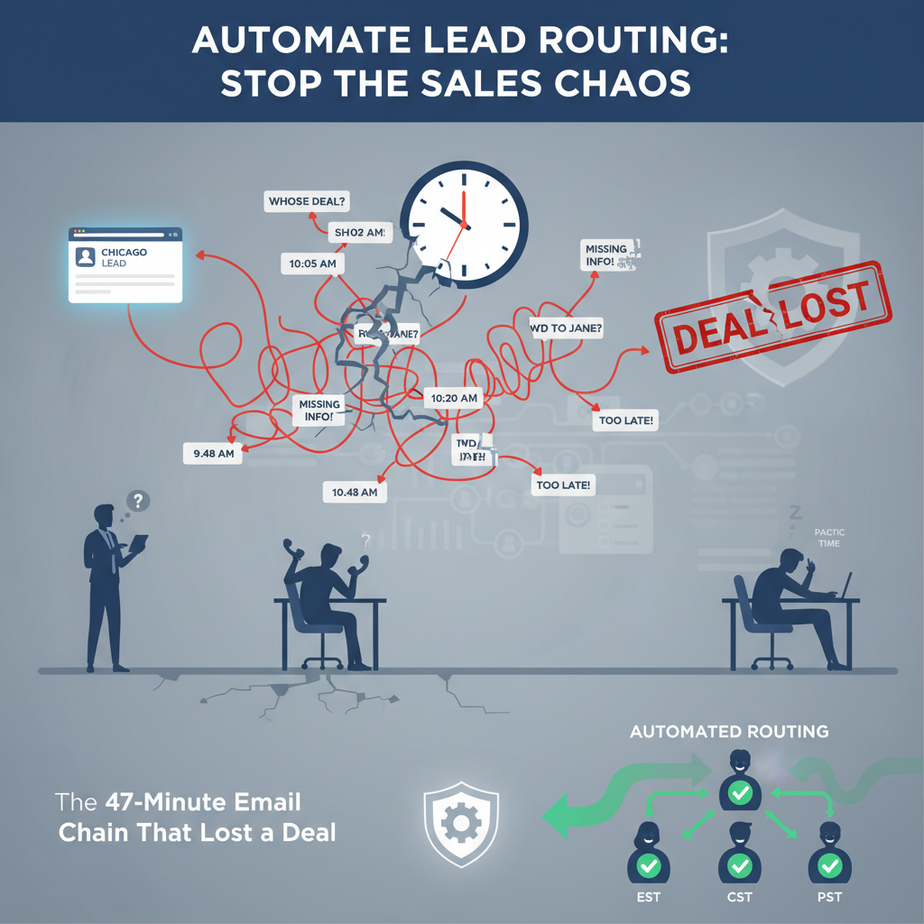
The 47-Minute Email Chain That Lost a Deal
Picture this: It’s 9:47 AM. A hot lead from Chicago comes in on your website’s contact form. Your sales team, spread across three time zones, starts an email chain.
“Is this mine?”
“I thought Sarah handled Midwest enterprise.”
“She’s in a demo until 11.”
Meanwhile, the lead sits there, cooling off. By the time you figure out who owns it, your competitor has already responded.
Sound familiar? That’s the ‘manual routing nightmare’—the business equivalent of playing musical chairs with revenue. And it’s bleeding your company dry.
Why This Matters: The Million-Dollar Hand-Off
Lead routing isn’t just administrative housekeeping. It’s a silent revenue killer. Studies show that responding within 5 minutes makes you 21x more likely to engage a lead. But when you’re spending that time figuring out *who* should respond, you’re burning precious minutes that could be closing deals.
This automation replaces the ’email tennis’ between your sales ops person and your team. It replaces the 2 PM stand-up meeting where everyone debates lead ownership. Most importantly, it replaces the reactive scrambling that happens when leads fall through the cracks.
The math is simple: One lost enterprise deal could be $50K in annual recurring revenue. If your routing delay loses you just two deals a year, that’s a $100K mistake for a system that takes two hours to build.
What This System Actually Is: Your Digital Traffic Cop
This isn’t some magic AI that reads minds. It’s a straightforward, rule-based system that uses a few key data points to make smart decisions—instantly.
What it does:
- Listens to your contact form submissions
- Grabs key info: email, company, website, message content
- Applies your business rules (territories, expertise, availability)
- Sends the lead directly to the right person’s Slack/Email/CRM
- Logs the hand-off for tracking
What it does NOT do:
- It doesn’t write personalized emails for you
- It doesn’t diagnose what’s wrong with your lead quality
- It doesn’t replace human sales skills
Think of it like a smart conveyor belt in a factory. The raw materials (leads) come in one end. Your rules determine which workstation (salesperson) they go to. The output is a sorted, prioritized pipeline—no confusion, no delays.
Prerequisites: No Code, Just Rules
If you can write an if-then statement in Excel, you can build this. We’re going to use Zapier (or Make.com) as our automation engine. These are no-code platforms that connect apps like Lego bricks.
You’ll need:
- A Zapier/Maker account (free tier works for starters)
- A contact form on your website (Typeform, JotForm, or any tool that sends webhooks)
- Slack and a CRM (HubSpot, Salesforce, Pipedrive) or just email
- 30 minutes of focused time
If you’re nervous, don’t be. We’ll build this together, step-by-step. You can always start simple and add complexity later.
Step-by-Step Tutorial: Build Your Routing Engine
Let’s build a system that routes leads based on two factors: company size (from the email domain) and message keywords.
Step 1: Set Up Your Trigger
First, we need the system to *listen* for new leads. In Zapier, this is the “Trigger” step. We’ll use a webhook from your contact form.
# Example Webhook Payload (JSON from your form tool)
{
  "lead_email": "john@acme.com",
  "company_name": "Acme Inc",
  "message": "Looking for enterprise pricing for our team of 50",
  "submitted_at": "2024-01-15T10:30:00Z"
}
Action:
- In Zapier, create a new Zap
- Choose “Webhooks by Zapier” as the trigger app
- Select “Catch Hook”
- Copy the unique webhook URL Zapier gives you
- Paste this URL into your contact form tool’s webhook/integration settings
- Submit a test lead from your form
- Back in Zapier, click “Test & Continue”
You should see the test lead’s data appear in Zapier. This confirms the connection works.
Step 2: Extract Key Data with Paths
Now we need to analyze the lead. Zapier’s “Paths” feature lets us create decision branches—like an intern reading a form and deciding which manager gets it.
# Sample Decision Logic (What We'll Build Visually)

IF email ends with "@acme.com" OR message contains "enterprise"
THEN Path 1: Enterprise Team

ELSE IF message contains "startup" OR "small business"
THEN Path 2: SMB Team

ELSE (everything else)
THEN Path 3: General Inbound
Action:
- After the Webhook step, add a “Paths” step
- Click “Add Path”
- Name Path 1: “Enterprise”
- Set the conditions: In the filter, select “Email” from the webhook data, choose “Text Contains”, and enter “@acme.com”. Add an OR condition: “Message” contains “enterprise”.
- Create Path 2: “SMB” with conditions: “Message” contains “startup” or “small”
- Create Path 3: “General” (this will catch everything else)
Step 3: Assign and Notify
Now we route. For each path, we’ll send a notification to the right team.
# Notification Template (Slack Message)

New Enterprise Lead! 🚀

Company: {{company_name}}
Contact: {{lead_email}}
Message: {{message}}
Assigned to: Enterprise Team (Sarah, Mike)

[View in CRM]
Action (for each Path):
- In Path 1, add a “Slack” action
- Choose “Send Channel Message”
- Select your sales team’s channel
- Compose the message using the fields from Step 1 (click the “+” button to insert data)
- Click “Test”
- Repeat for Path 2 and 3, routing to different channels or users
Step 4: Create the CRM Record (Optional but Recommended)
To avoid future chaos, log the lead in your CRM with the assignment.
# CRM Contact Creation JSON (Generic Format)

{
  "email": "john@acme.com",
  "company": "Acme Inc",
  "lead_source": "Website Contact Form",
  "owner_id": "ent_team_owner",
  "custom_field": {
    "routing_path": "Enterprise",
    "routed_at": "2024-01-15T10:31:00Z"
  }
}
Action:
- Add a final step in Zapier: “HubSpot”
(or your CRM)
- Select “Create Contact”
- Map the webhook fields to CRM fields
- Add a custom field for “Routing Path”
- Set “Owner” based on your path (e.g., “Sarah” for Enterprise)
- Test and publish the Zap
Now, every new lead is automatically routed, assigned, and logged within seconds.
Complete Automation Example: The E-Commerce Safety Net
Let’s connect everything for a business that sells B2B software tools. They get 50+ inquiries daily.
The Trigger: Webhook from Typeform “Contact Us” form.
The Logic:
- Path 1 (VIP): Email ends with “@partner.com” OR message contains “strategic” → Route to VP Sales in Slack + Email alert
- Path 2 (Product Fit): Message contains “API integration” OR “developer” → Route to Solutions Engineer + Tag as “Tech Lead”
- Path 3 (Volume): Email contains “@gmail.com” or “@yahoo.com” → Route to SDR in Slack + Create HubSpot contact tagged “Website Inbound”
- Path 4 (Unknown): Everything else → Route to generic sales@ email with a summary
The Result:
No more morning triage meetings. The VP gets immediate heads-up on strategic leads. The Solutions Engineer is looped into tech inquiries automatically. The SDR handles volume leads without ambiguity. And the founder sleeps knowing no lead falls through the cracks.
Time Saved: 10+ hours/week per sales ops person.
Revenue Impact: 15% faster response time, estimated 5% conversion lift on inbound leads.
Real Business Use Cases
1. Real Estate Agency
Problem: 100+ website leads/month, agents complain about lead quality, leads get cold.
Routing Logic: Route based on location (ZIP code in message) to local agent. Route luxury keywords (“mansion”, “view”) to senior agent.
Outcome: 40% faster response, 20% more agent buy-in.
2. SaaS Startup
Problem: Mix of students, startups, and enterprises. SDRs wasting time on unqualified leads.
Routing Logic: Path 1: “enterprise” keywords → CEO. Path 2: “API” or “integration” → CTO. Path 3: All others → SDR.
Outcome: Qualified leads reach decision-makers faster, increasing close rate.
3. Marketing Agency
Problem: Creative leads, paid search leads, SEO leads—no clear owner.
Routing Logic: Analyze message for keywords (“PPC”, “adwords” → Paid team; “website”, “SEO” → Organic team).
Outcome: Specialists get aligned leads, higher proposal win rate.
4. E-Commerce B2B
Problem: Wholesaler inquiries vs. sample requests vs. retailer partnerships—all in one inbox.
Routing Logic: Use company domain (“.edu” = university, “.gov” = government). Message content (“bulk” = wholesale).
Outcome: Correct sales team engages with the right offer, reducing back-and-forth.
5. Consulting Firm
Problem: Senior partners time wasted on small projects. Junior associates unsure of what’s worth pursuing.
Routing Logic: Project budget mentioned? → Partner. “Free consultation” or “advice”? → Junior associate.
Outcome: Partners focus on high-value work, juniors build pipeline, better resource allocation.
Common Mistakes & Gotchas
1. Over-Complicating the Rules
Don’t create 20 paths on day one. Start with 2-3 simple rules. Test for two weeks. You can always add more. Complexity kills reliability.
2. Ignoring Fallbacks
Always have a “catch-all” path. If your rules miss a lead, it should go somewhere (e.g., generic email) instead of disappearing into the void.
3. Not Testing with Real Data
Submitting a test with “acme.com” is different than handling “acme corp” or “acme inc”. Use real-world examples from your past inbox.
4. Forgetting the Human Step
This system doesn’t replace the salesperson’s job—it *enables* them. Make sure your team knows the new process and has access to the notifications.
5. No Audit Trail
Always log assignments. Use the CRM or a Google Sheet. This helps you refine rules and prove ROI to your team.
How This Fits Into a Bigger Automation System
Your routing engine is a critical module in a larger sales machine. Here’s how it connects:
To CRM: Creates clean records with ownership data. This feeds into your pipeline reports and commission calculations.
To Email/Slack: Instant notifications mean your team can respond while the lead is still warm. Integrate with your email marketing to add new leads to relevant sequences automatically.
To Voice Agents (Future): Once a lead is routed and warm, a voice AI can make the initial follow-up call: “Hi John, this is Sarah from Acme. I saw your inquiry about enterprise pricing. Do you have 5 minutes to discuss?”
To Multi-Agent Workflows: Your routing agent is just the first. The next agent could be a “Lead Qualifier” that scrapes the lead’s website, pulls LinkedIn data, and scores the lead before it even reaches the salesperson.
To RAG Systems: Imagine this: Your routing agent not only assigns the lead but also surfaces the 3 most relevant case studies from your knowledge base to the salesperson’s Slack channel, giving them instant context.
Start with this routing module. Once it’s running smoothly, each of these connections becomes a simple “add-on,” like upgrading from a bicycle to a motorcycle to a self-driving car.
What to Learn Next: The Lead Enrichment Engine
You’ve just built the traffic cop. Now let’s hire an intelligence analyst.
In the next lesson, we’ll build a Lead Enrichment System that automatically supplements incoming leads with LinkedIn profile data, company size, technology stack, and even intent signals from similar companies.
Imagine routing a lead not just based on keywords, but knowing that “Acme Inc” just raised a Series B funding round (triggering a “high-value” flag) or that their tech stack suggests they need a specific integration you offer.
This turns your routing from a simple sorter into a strategic weapon.
Your homework: Build the basic routing system we covered today. Run it for a week. Measure your response time before and after. Bring your data to the next lesson.
Class dismissed. Go make your first connection.
“,
“seo_tags”: “lead automation, sales routing, Zapier tutorial, business automation, CRM integration, workflow automation, sales ops, no-code automation”,
“suggested_category”: “AI Automation Courses