
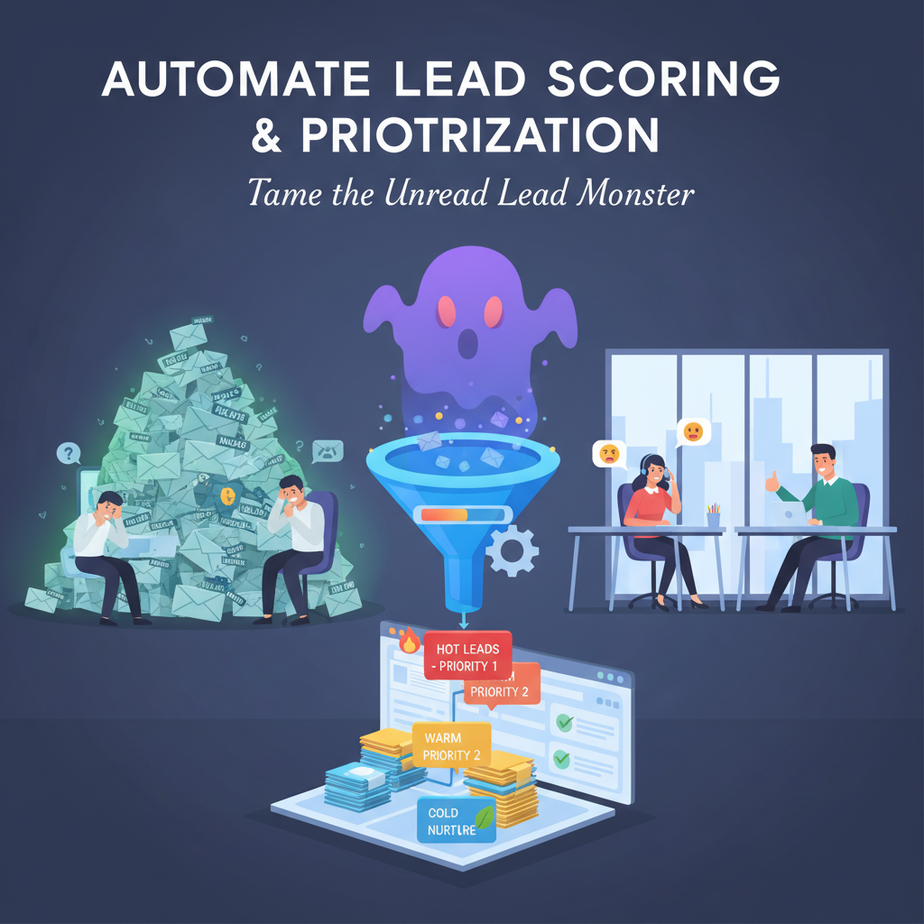
The Pile of Unread Leads That’s Haunting Your Sales Team
It starts with an email. Then another. By Friday, your sales inbox looks like a digital landfill. 200 new leads. You have a sinking feeling that the best one is buried between a newsletter signup and a vendor pitch.
Your junior sales rep opens the first email. “How much is your service?” they ask. The lead isn’t ready. You just wasted 15 minutes on a tire-kicker. Meanwhile, a qualified enterprise prospect sitting on page three is waiting patiently… and being ignored.
Manual lead sorting is like playing lottery with your revenue. Today, we’re replacing that chaos with a calm, intelligent intern that reads every lead, scores it, and hands you a prioritized list of who to call next.
Why This Matters: From Chaos to Controlled Revenue
This isn’t just about saving time. This is about changing your sales outcome.
A manual process means:
- Revenue Leaks: Hot leads go cold while you sift through junk.
- Botched First Impressions: Calling a lead at the wrong time kills the deal.
- Demoralized Team: Your best salespeople waste hours on low-probability deals.
An automated lead scoring system replaces the chaotic intern with a reliable, AI-powered analyst. It works 24/7, never gets tired, and knows what a good lead looks like before you even read the email.
What This Automation Actually Is
We are building a lead scoring pipeline. It’s a workflow that takes raw lead data (like email form submissions or CSVs) and outputs a prioritized list.
What it does:
- Assigns a numerical score to each lead based on criteria (e.g., job title, company size, email domain).
- Ranks all leads from highest to lowest score.
- Can automatically add top leads to a priority list or send an alert.
What it does NOT do:
- It does not send emails or make calls. (That’s for lesson 7).
- It does not magically close deals. It does the homework so you can sell.
- It is not a replacement for human judgment, but a power-up for it.
Prerequisites: You Can Do This With a Spreadsheet Mindset
Don’t panic. This is not a complex machine learning PhD project. We’re using logic and a touch of code. You need:
- A basic understanding of Python: Just know how to run a script. We’ll provide the code.
- A spreadsheet program (like Excel or Google Sheets): To understand data in rows and columns.
- Willingness to tinker: If you can follow a recipe, you can build this.
Think of Python as the tool, and the lead data as the ingredients. We’re just mixing them according to a simple recipe.
Step-by-Step Tutorial: Building Your First Lead Scorer
We’ll build this in Python. It’s free, powerful, and we can copy-paste a working solution.
Step 1: Gather Your Data
Your lead data needs to be in a simple format. Let’s assume you’ve exported your leads as a CSV file from a Google Form or your CRM. It might look like this: email, name, company, job_title, source.
Step 2: Create Your Scoring Rules
Before we write code, we think like a salesperson. What makes a lead good? Let’s make up simple rules:
- Job Title: “CEO,” “Director,” or “Head of” = +10 points
- Company Size: If the word “Corp” or “Inc.” is in the name = +5 points
- Source: “Referral” or “Webinar” = +15 points. “Paid Ad” = +2 points
- Domain: If it’s a Gmail or Yahoo address = -5 points (likely a student or personal email)
Step 3: Write the Automation Script
Here is the complete, copy-paste-ready Python script. Save this as lead_scorer.py.
import csv
from collections import defaultdict

# Define your scoring rules. You can edit these!
SCORING_RULES = {
    'job_title': {
        'CEO': 10, 'President': 10, 'Director': 10, 'Head of': 10, 'VP': 10
    },
    'company_type': {
        'Corp': 5, 'Inc': 5, 'Ltd': 5
    },
    'source': {
        'Referral': 15, 'Webinar': 15, 'LinkedIn': 10, 'Organic': 5, 'Paid Ad': 2
    },
    'domain': {
        'gmail.com': -5, 'yahoo.com': -5, 'outlook.com': -5
    }
}

def score_lead(lead):
    """Calculates a score for a single lead."""
    score = 0

    # Check Job Title
    for key, points in SCORING_RULES['job_title'].items():
        if lead.get('job_title') and key in str(lead['job_title']):
            score += points
            break

    # Check Company Type
    for key, points in SCORING_RULES['company_type'].items():
        if lead.get('company') and key in str(lead['company']):
            score += points
            break

    # Check Source
    for key, points in SCORING_RULES['source'].items():
        if lead.get('source') and key in str(lead['source']):
            score += points
            break

    # Check Email Domain
    email = lead.get('email', '')
    for domain, points in SCORING_RULES['domain'].items():
        if domain in email:
            score += points
            break

    return score

def main():
    # Load leads from CSV (replace with your file path)
    leads = []
    with open('leads.csv', mode='r', newline='') as infile:
        reader = csv.DictReader(infile)
        for row in reader:
            leads.append(row)

    # Score each lead
    scored_leads = []
    for lead in leads:
        lead['score'] = score_lead(lead)
        scored_leads.append(lead)

    # Sort leads by score (highest first)
    scored_leads.sort(key=lambda x: x['score'], reverse=True)

    # Output the top 10 leads to the console
    print("TOP 10 PRIORITY LEADS (Highest Score First):\n")
    print(f"{'Score':<5} | {'Name':<15} | {'Email':<25} | {'Company':<20} | {'Job Title'}")
    print("-"*80)
    for lead in scored_leads[:10]:
        print(f"{lead['score']:<5} | {lead.get('name', ''):<15} | {lead.get('email', ''):<25} | {lead.get('company', ''):<20} | {lead.get('job_title', '')}")

    # Optional: Save all scored leads to a new CSV for CRM import
    output_file = 'scored_leads.csv'
    with open(output_file, 'w', newline='') as outfile:
        fieldnames = list(scored_leads[0].keys())
        writer = csv.DictWriter(outfile, fieldnames=fieldnames)
        writer.writeheader()
        writer.writerows(scored_leads)
    print(f"\nFull list saved to {output_file}")

if __name__ == "__main__":
    main()
Step 4: Prepare Your Data File
Create a file named leads.csv in the same folder as your script. Your columns should be: email,name,company,job_title,source. Enter some dummy data to test.
email,name,company,job_title,source
john.doe@gmail.com,John Doe,Acme LLC,Junior Manager,Paid Ad
jane.smith@starpower.com,Jane Smith,Starpower Inc,CEO,Referral
bob@state.gov,Bob Johnson,State Government,Middle Manager,Organic
Step 5: Run the Script
Open your terminal/command prompt, navigate to the folder, and type:
python lead_scorer.pyYou should see a clean, printed list of your top leads. The file scored_leads.csv will be created for your CRM.
Complete Automation Example: The Real Estate Agent
A real estate agent gets 100 new website inquiries per week. It's impossible to call everyone. Here's how they use this exact automation:
- Data Source: Website form submissions (name, email, phone, looking for).
- Scoring Rules:
- Looking for "investment property": +10 points
- Owns a business listed on LinkedIn: +15 points (manual check, but you can automate this later)
- Phone number with out-of-state area code: +5 points (more serious)
- Email is from a corporate domain: +3 points
- Workflow:
- New inquiry form submits → Data is dumped into
leads.csv(via Zapier or a simple script). - Agent runs the Python script every morning.
- She gets a printed list: "Today's Hot List." She only calls the top 10 scores.
- She manually calls the #1 lead, who said they're buying an investment property next month. Deal closed.
- New inquiry form submits → Data is dumped into
Result: She stopped chasing cold leads and increased her close rate by focusing her time.
Real Business Use Cases (Beyond Real Estate)
- E-commerce Customer Support: A support team prioritizes tickets based on keywords ("urgent," "refund") and customer history, ensuring VIP buyers get help first.
- Recruitment Agency: Scores candidate resumes based on keywords (skill, years of experience, certifications) to instantly flag the top 5% for a recruiter's review.
- SaaS Company: Scores trial sign-ups. Users who visit the pricing page and use specific features get a higher score, triggering a personalized onboarding email from the CEO.
- Event Planner: Prioritizes attendee inquiries for a premium conference. High-score leads (C-level titles, past attendees) get a call from the manager, while others get a standard auto-reply.
- Freelancer/Consultant: Scores project inquiries from platforms like Upwork or via email. High-score projects (clear budget, defined scope, corporate client) get a priority proposal within 2 hours.
Common Mistakes & Gotchas
- The Static Rule Trap: Your rules need to evolve. A lead scoring system that worked last year might not work now. Review your rules quarterly.
- False Positives (The "Nice Person" Effect): A friendly email from a non-decision-maker will still score high. Your system is a filter, not a fortune teller. Human judgment is still required.
- Data Silos: This script reads from a CSV. In reality, you want this to connect directly to your email, Google Forms, or CRM. That's the next step in automation (using webhooks).
- Over-Scoring Everything: If everything scores between 20-30, the ranking loses meaning. Adjust your point values so there's a clear top tier, middle, and bottom.
How This Fits Into a Bigger Automation System
Lead scoring is the first filter in a larger sales automation system. It's the intelligence layer that decides what happens next.
- Connecting to CRM (e.g., Salesforce, HubSpot): Once a lead is scored, you can use the API to update their "Lead Score" field. Filters and views can show you all "Hot" leads instantly.
- Triggering Email Sequences: Connect your scoring system to an email tool (like Mailchimp or SendGrid). High-score leads get an invitation to a demo. Low-score leads get a nurture campaign.
- Feeding a Voice Agent: Imagine this: After scoring, your script automatically dials the top lead using a voice AI (like this course's next lesson). The AI says, "Hi Jane, I saw you were interested in our enterprise plan..." and you get a summary of the conversation.
- The Multi-Agent Workflow: In the full course system, this lead scorer acts as a "Coordinator Agent." It hands off hot leads to the "Nurturing Agent" (for emails) and the "Demo Agent" (for calls), while archiving cold leads. It turns a single automation into a team of robots.
What to Learn Next: The Automated Follow-Up
You've just built the brain of your sales team. Now, let's give it a voice. In our next lesson, we'll build an AI Email Responder that automatically replies to all these scored leads, tailoring the message based on their score.
You'll learn to use a tool that writes personalized emails in your brand's voice, so the high-score lead from today gets a perfect follow-up by the time you finish your coffee.
Remember: You're not just learning to code. You're building a revenue engine. Start your engine. Your next lead is waiting.