
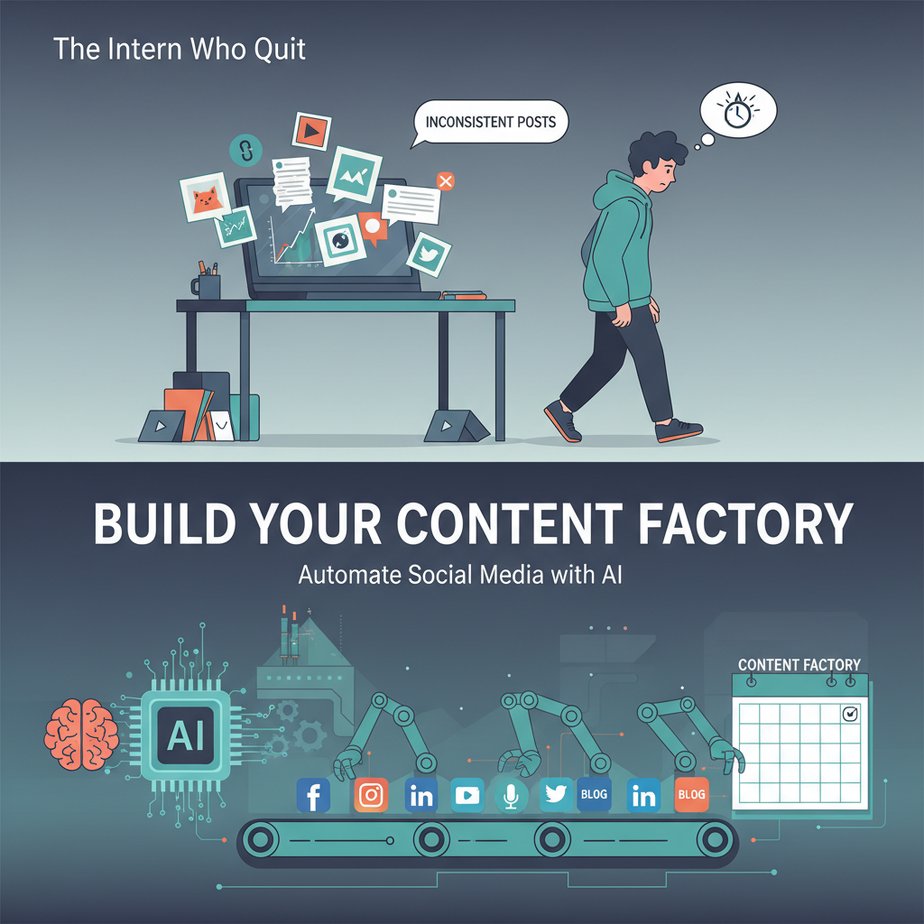
The Intern Who Quit (And You Should Too)
You hire a bright, eager intern to manage your company’s social media. They’re excited. You’re relieved. Three weeks later, they’re posting inconsistently, forgetting hashtags, and panicking about “the algorithm.” They quit. You’re back to square one.
Sound familiar? Manual social media management is the modern-day equivalent of washing dishes by hand. It’s repetitive, error-prone, and it’s costing you growth.
Today, we’re replacing that intern with a Content Factory—an automated workflow that generates posts, formats them for each platform, and publishes them on schedule. It’s like having a robotic assembly line for your digital presence.
Why This Matters: From Chaotic to Calendared
Businesses waste 10-15 hours per week on social media manually. That’s 500+ hours a year—a full-time employee’s worth of work spent on posting, not strategizing.
This automation replaces:
- The frantic writer scrambling for a post idea at 9 PM
- The designer resizing graphics for five different platforms
- The virtual assistant copy-pasting captions
- YOU, staring at a content calendar that looks like a bad crossword puzzle
With this system, you can create a month of content in an afternoon, and never worry about posting again.
What This Automation Actually Is
This IS:
- A workflow that takes a single idea and turns it into 5-10 formatted posts
- A scheduler that posts at optimal times without you touching anything
- A consistency engine that never has a “bad brain day”
This is NOT:
- A magic “go viral” button (we control quality, not luck)
- A replacement for human strategy or brand voice
- A set-and-forget system that ignores engagement and comments
Prerequisites: The Friendly Start
What you need:
- Zero coding experience. This uses visual workflow builders.
- Accounts: OpenAI (for content generation), Notion or Google Sheets (for idea storage), Buffer or Later (for scheduling).
- A brain: You need to feed the factory raw material (ideas, topics).
Time commitment: 45 minutes to build, 10 minutes per week to run.
Step-by-Step Tutorial: Building Your Factory
We’ll use n8n, a visual automation tool (like Zapier, but more powerful). It’s free for self-hosted use and handles complex logic beautifully.
Step 1: Set Up Your Content Bank
First, create a Google Sheet or Notion database with three columns:
- Idea: “Explain why AI automation matters to small business owners”
- Platform: LinkedIn, Twitter, Instagram (separate rows for each)
- Status: Draft, Scheduled, Published
Step 2: The Generation Workflow (n8n Canvas)
In n8n, build a workflow that does this:
- Trigger: New row in your Google Sheet (when Idea is added).
- AI Writer: Use OpenAI to expand the idea into a post.
- Format & Adapt: Modify the text for each platform.
- Write Back: Save the formatted posts to the Sheet.
Here’s the exact JSON workflow you can import into n8n:
{
  "nodes": [
    {
      "type": "n8n-nodes-base.googleSheetsTrigger",
      "parameters": {
        "sheetId": "YOUR_SHEET_ID",
        "range": "A:C"
      }
    },
    {
      "type": "n8n-nodes-base.openai",
      "parameters": {
        "operation": "message",
        "model": "gpt-4o-mini",
        "prompt": "=Take the idea from the previous node and write a ${{ $json.Platform }} post about it. Be concise and engaging."
      }
    },
    {
      "type": "n8n-nodes-base.set",
      "parameters": {
        "values": {
          "LinkedIn": "=LinkedIn: " + $json.response,
          "Twitter": "=Twitter (condensed): " + $json.response.substring(0, 280),
          "Instagram": "=Instagram (with emoji): " + $json.response + " \
\
#AI #Automation"
        }
      }
    },
    {
      "type": "n8n-nodes-base.googleSheets",
      "parameters": {
        "operation": "update",
        "sheetId": "YOUR_SHEET_ID",
        "range": "D:F",
        "options": {
          "valueInputMode": "USER_ENTERED"
        }
      }
    }
  ],
  "meta": {
    "templateCredsSetupCompleted": true
  }
}
Step 3: The Scheduling & Posting Workflow
Once posts are formatted, we schedule them using Buffer’s API:
// n8n HTTP Request node configuration
POST https://api.buffer.com/v1/updates/create.json
Headers: {Authorization: Bearer YOUR_BUFFER_TOKEN}
Body (Form-JSON):
{
  "text": "{{$json.LinkedIn}}",
  "scheduled_at": "2024-10-15T14:30:00Z",
  "profile_ids": ["YOUR_LINKEDIN_PROFILE_ID"]
}
Step 4: Run It!
Add a new idea to your sheet. Watch the factory run:
- Trigger fires (60 seconds).
- AI writes three platform variations (30 seconds).
- Scheduler queues them for next week (instant).
- Sheet updates with “Scheduled” status.
Complete Automation Example: The Agency Sprint
Scenario: A digital marketing agency has 10 clients. They need weekly content for each.
Automation:
- Input: Client brief uploaded to a shared folder.
- Processing: AI generates 5 posts per client, tailored to voice.
- Output: All posts scheduled across 10 accounts, divided by day.
Result: 50 scheduled posts in 20 minutes. Saves 25+ hours/week.
Real Business Use Cases
- E-commerce Store: Automatically post new product features as Instagram Reels and Twitter threads, pulling data from Shopify.
- Consulting Firm: Turn white paper chapters into LinkedIn articles and summary tweets, establishing thought leadership.
- Restaurant Chain: Generate daily specials posts with emojis and location tags, scheduled across Facebook/Instagram.
- Real Estate Agency: Automate property listing posts with AI-generated descriptions, using recent market trends.
- SaaS Startup: Publish launch updates, customer testimonials, and feature announcements without manual effort.
Common Mistakes & Gotchas
- Over-Automation: Don’t let AI lose your brand voice. Always review the first 10 outputs.
- Ignoring Engagement: Schedule posts, but set aside 15 mins/day to reply to comments manually.
- Platform Formatting: Hashtags on LinkedIn look unprofessional. Test each format.
- API Limits: Buffer/LinkedIn have rate limits. Space your posts out (30+ minutes apart).
- Quality Over Quantity: 3 great posts beat 10 mediocre ones. Feed the AI better prompts.
How This Fits Into a Bigger Automation System
Your Content Factory is module 1 in the Marketing Automation Stack:
- CRM Connection: Use HubSpot to trigger posts when new leads sign up.
- Content Repurposing: Feed this system your blog posts (coming next lesson!).
- Voice Agent Integration: Record audio clips, auto-generate video captions.
- Multi-Agent Workflow: The AI writer gets feedback from an “Editor” agent that checks for tone.
- RAG System: Connect to your knowledge base (PDFs, docs) for expert-level content.
What to Learn Next: Blog-to-Social Pipeline
You’ve built the factory. Now, learn how to feed it a single blog post and automatically slice it into 20 social assets—quotes, stats, carousels, and threads.
Next lesson: “Turn One Blog Into 20 Social Posts: The Content Multiplier”
Click the link below to continue your automation journey. Your factory is ready for raw material.
“,
“seo_tags”: “social media automation, AI content creation, n8n workflows, business productivity, content factory, marketing automation”,
“suggested_category”: “AI Automation Courses