
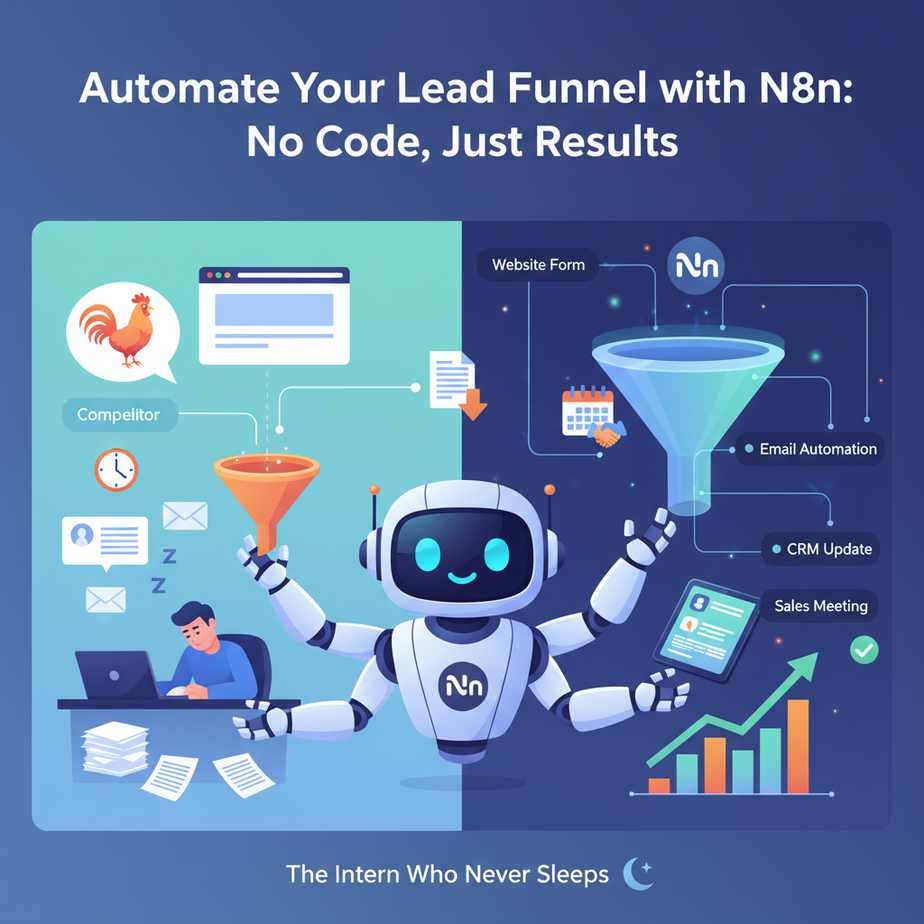
Hook: The Intern Who Never Sleeps
Picture this: It’s 3 AM. Your website visitor fills out a form for a free PDF. They’re interested. They’re ready. But you’re asleep. Your competitor’s intern is online, and so is their lead capture form. Who wins? They do. Every. Single. Time.
What if you had an intern who never sleeps, never misses a lead, and sorts every incoming request before your coffee is even brewed? That’s what we’re building today. An automated lead funnel. This isn’t magic; it’s a pipeline you can build in 30 minutes with N8n.
Why This Matters: Money While You Sleep
Manual lead handling is a money leak. Every lead that sits in an inbox for hours is a lead going cold. Every lead you manually sort is time not spent closing deals.
By automating this, you replace the chaos of a panicked intern checking email with a calm, robotic assembly line. This automation:
- Replaces manual email checks and spreadsheet entry.
- Increases response speed from hours to minutes.
- Reduces human error (forgetting to follow up).
- Scales instantly—handle 10 or 10,000 leads with the same workflow.
It’s the difference between a leaky bucket and a pressurized pipeline. You get to focus on the art of the sale, not the plumbing.
What This Automation Actually Is
We’re using N8n, an open-source workflow automation tool. Think of it as a visual recipe book for your business tasks. You drag, drop, and connect nodes (like Lego blocks) to tell your software what to do.
Our workflow will:
- Capture a lead from a website form (or any trigger).
- Check if they’re a hot lead (using simple logic).
- Store their details in a Google Sheet (your database).
- Send them a personalized welcome email.
- Alert your team via Slack about a new hot lead.
It does NOT:
- Replace a human for complex sales conversations.
- Magic up leads from thin air (you still need traffic).
- Require any coding knowledge (you’ll click, not type code).
Prerequisites: Just a Beginner’s Mindset
Brutally honest: You need zero coding skills. You need a willingness to click ‘connect’ and ‘save.’
You will need:
- A free N8n account (or self-hosted).
- A free Google Sheet to act as your database.
- A free email account (like Gmail) for sending emails.
- A free Slack workspace (optional, for alerts).
If you have these, you’re ready. Don’t get intimidated by the apps; we’re just connecting simple dots.
Step-by-Step Tutorial: Build Your Lead Machine
Let’s build this. Open your N8n dashboard.
Step 1: Create the Trigger (The Doorbell)
Every great workflow starts with a trigger. Ours will be a **Webhook**. This is a unique URL that listens for incoming data, like a form submission.
- Click **”+”** to add a new workflow.
- Search for and add the **”Webhook”** node.
- Click the node. On the right panel, copy the **Webhook URL**.
- Save your webhook settings.
Why? This URL is your magic doorbell. You’ll tell your website form to send data here.
Step 2: Parse the Data (Unpack the Gift)
The webhook will receive a messy package of data (like `{“name”: “John”, “email”: “john@doe.com”, “budget”: “5000”}`). We need to unpack it.
- Add an **”Edit Fields (Set)”** node after the Webhook.
- In the “Fields to Set” section, click **”Add Expression”**.
- Create these three expressions:
- Name -> `{{ $json.name }}`
- Email -> `{{ $json.email }}`
- Budget -> `{{ $json.budget }}`
Why? We’re extracting the specific pieces of information we care about, so our later nodes can use them easily.
Step 3: The Decision Maker (Is This a Hot Lead?)
Not all leads are equal. Let’s flag leads with a budget over $2,000 as “Hot.”
- Add an **”IF”** node after the Edit Fields node.
- Click it. Under “Conditions,” set:
- Left Value: `{{ $json.budget }}`
- Operator: **Greater Than**
- Right Value: `2000`
Why? This is the logic gate. It routes your workflow: Hot leads go one way, others go another.
Step 4: Store the Lead (The Filing Cabinet)
Every lead needs to be recorded, no matter what.
- Add a **”Google Sheets”** node. Connect your Google account (N8n will guide you).
- Select your spreadsheet and worksheet.
- Choose **”Append Row.”**
- In the “Row” section, map our fields:
- A: `{{ $json.name }}`
- B: `{{ $json.email }}`
- C: `{{ $json.budget }}`
Why? This is your immutable record. Even if emails fail, you have the data.
Step 5: Send a Welcome Email (The Robot Handshake)
From the **true** branch of the IF node (our “Hot Lead” path), we send an email.
- Add an **”Email (Gmail)”** node. Connect your Gmail account.
- Fill out the email template:
- To: `{{ $json.email }}`
- Subject: “Thanks for your interest, {{ $json.name }}!”
- Body: “Hi {{ $json.name }}, we see you’re interested in a ${{ $json.budget }} project. Our team will follow up shortly. Here’s our brochure…”
Why? Instant acknowledgment builds trust and keeps the lead warm.
Step 6: Alert Your Team (The Alarm Bell)
A hot lead is worth a notification.
- From the same **true** path, add a **”Slack”** node.
- Connect your Slack workspace.
- Choose the channel (e.g., #sales-alerts).
- Write a message: `🚨 HOT LEAD! Name: {{ $json.name }}, Email: {{ $json.email }}, Budget: ${{ $json.budget }}`
Why? A human should know when a robot has delivered a golden opportunity.
Step 7: Connect the False Path
For leads under $2,000 (the false path from the IF node), we might just store them and send a lighter email. Connect the **false** branch of the IF node to the Google Sheets node (you can have multiple paths going into one node) and add a simpler Email node.
Step 8: Activate Your Workflow
Click the toggle in the top right to make your workflow active. Your automation is now running!
Step 9: Test It
Use a free service like Webhook.site or Postman to send a test POST request to your webhook URL with this JSON body:
{
  "name": "Alex",
  "email": "alex@client.com",
  "budget": 3500
}
Check your Google Sheet, email, and Slack. You should see everything fire.
Complete Automation Example: The Course Enrollment Pipeline
Let’s run a full example. Imagine you sell an online course for $500.
- A visitor lands on your sales page and submits an email to “Get the Syllabus.”
- The form sends the data to our N8n webhook.
- N8n checks the lead’s source (from a hidden form field). If it’s “Facebook Ad,” we flag it for a higher discount.
- The lead is stored in the Google Sheet with a “Status: New” column.
- A welcome email is sent immediately with a link to the syllabus PDF.
- If the lead opens that email (tracked via a pixel), N8n triggers a *new* workflow 24 hours later to send a case study email. This is where the real power builds—you’re creating a chain of automated touchpoints.
- Your sales team gets a Slack alert for every new lead, sorted by source and potential value.
This single workflow captures, sorts, nurtures, and alerts—all without a single manual click.
Real Business Use Cases (MINIMUM 5)
- Real Estate Agency: Capture website inquiries. Auto-sort by budget (e.g., >$500k = hot lead). Send property portfolios via email and alert the top agent’s phone.
- Freelance Designer: Use a “Get a Quote” form. Auto-categorize by project type (logo vs. full website). Store in a sheet, then send a calibrated proposal template to move the conversation forward.
- Consulting Firm: Whitepaper download form. After download, auto-send a 3-part email sequence over one week, each delivering more value, building authority and trust.
- E-commerce Startup: Abandoned cart? N8n can trigger a 3-email recovery sequence (1 hour, 24 hours, 7 days later) with increasing discounts, all personalized.
- Non-Profit: Donation form submission. Auto-send a tax receipt email and add the donor to a monthly newsletter segment based on donation size, nurturing them for larger gifts later.
Common Mistakes & Gotchas
- Forgetting to Activate: Building the workflow is step one. Remember to flip the switch!
- Data Not Mapping: If your Google Sheet column headers don’t match the names you set in the node, data won’t write. Double-check spelling.
- API Rate Limits: Sending 10,000 emails at once might get you marked as spam. Use a delay node to space them out or use a dedicated email service.
- Not Testing: Always test with a dummy email. Don’t blast your live audience with broken emails.
- Over-Complexity: Start simple. This three-node core (Trigger -> Store -> Email) works. Add complexity as you need it.
How This Fits Into a Bigger Automation System
This lead funnel is the **entry point** for your entire business engine. It connects to:
- CRM (like HubSpot): Instead of Google Sheets, push leads directly into your CRM for full contact history.
- Multi-Agent Workflows: Once a lead is tagged “Hot,” trigger a second workflow where an AI agent researches the company and drafts a personalized outreach email for your sales rep.
- RAG Systems: Feed your stored leads into a Vector Database. An AI can then answer questions like: “Which leads from our webinar were interested in pricing over $10k?”
- Voice Agents: Imagine a voice agent calling your hot leads from the Slack alert, confirming their interest and scheduling a meeting in your calendar automatically.
You just built the foundational brick of a skyscraper. Every major process in your business can have a similar automated pipeline.
What to Learn Next: The Follow-Up Machine
You’ve captured the lead. Now, let’s ensure it never goes cold. In our next lesson, we’ll build an **Automated Nurturing System**. We’ll use that Google Sheet as our trigger to send a week-long email sequence, update lead status automatically, and even re-engage cold leads with a special offer.
You’re not just building workflows; you’re building an automated growth engine. Your first lead machine is running. Time to feed it more leads.
Ready for Lesson 2?