
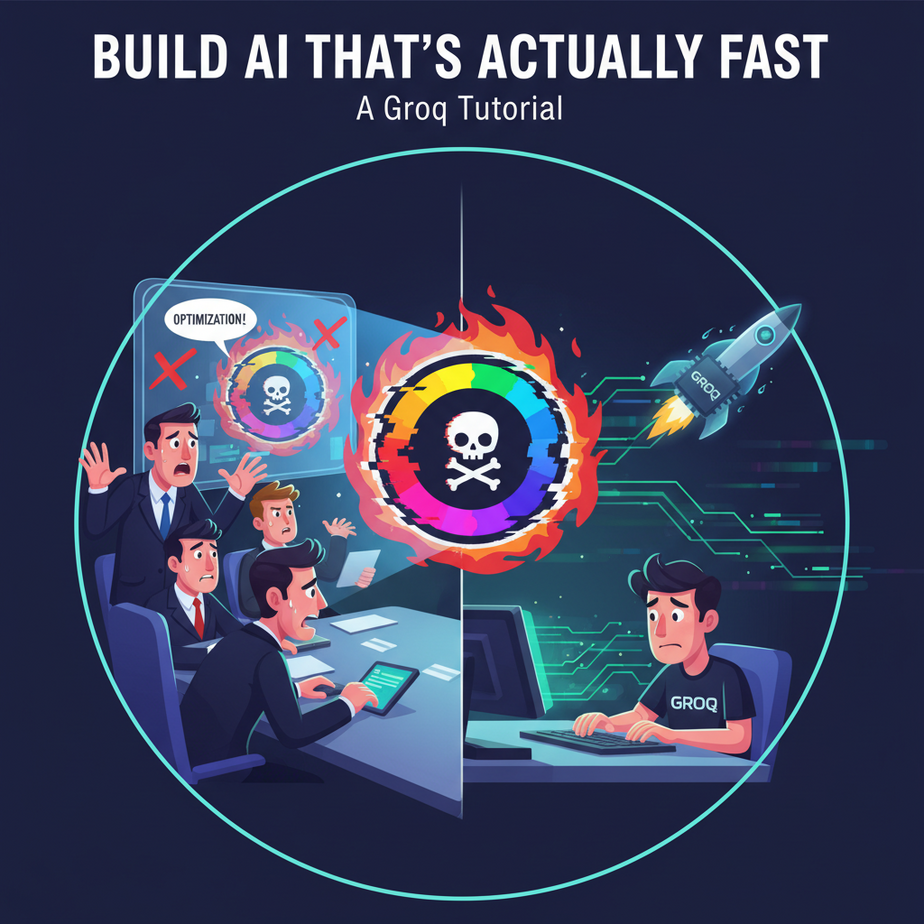
The Spinning Wheel of Death
I was in a meeting. A big one. The kind with suits and people who use words like “synergy” without laughing. We were demoing a new AI-powered customer support tool we’d built for a potential client.
The client’s Head of Operations, a woman with an unnervingly steady gaze, typed a question into our chatbot: “I received a damaged product, model XF-200. What’s your return policy for international shipments?”
Our fancy AI bot, powered by the latest and greatest model, began to “think.” And think. And think some more. A little three-dot animation pulsed on the screen. It felt less like intelligent thought and more like our intern, Barry, frantically searching Google in the background.
Five seconds passed. Then ten. In the world of user experience, that’s an eternity. The client tapped her pen on the table. Tap. Tap. Tap. The deal was dying with every agonizing second of silence.
The answer finally appeared, and it was a good one. But it was too late. The magic was gone. The impression wasn’t “Wow, this is the future!” It was “Wow, this is slower than just calling someone.”
That night, I threw the whole response system in the trash and rebuilt it around a different principle: speed isn’t a feature; it’s the *foundation*. And the tool that lets us build on that foundation is called Groq.
Why This Matters
In the world of AI automation, latency is a killer. It’s the difference between a tool that feels magical and one that feels like a chore. Think about it:
- Real-time conversations: A customer service bot that responds instantly feels like a real conversation. One that takes 8 seconds per response feels like a broken website.
- Interactive tools: An AI writing assistant that suggests text as you type is a superpower. One that makes you wait is an interruption.
- Data processing pipelines: Analyzing 10,000 customer reviews can take hours with a standard API. If you could do it in minutes, you could run that analysis every day, not every quarter.
This workflow replaces the slow, expensive, and unpredictable “thinking” time of many AI systems. It replaces the need to build complex loading screens and apology messages. It lets you build AI that feels less like a remote-controlled robot and more like a part of your own brain.
What This Tool / Workflow Actually Is
Let’s be crystal clear. Groq is NOT a new AI model. It’s not a competitor to GPT-4, Claude, or Llama.
Groq is a new kind of computer chip. It’s a piece of hardware, which they call an LPU (Language Processing Unit), designed to do one thing and one thing only: run existing open-source Large Language Models (like Llama 3) at absolutely ludicrous speeds.
Think of it like this: An AI model is a recipe. Your computer’s processor (a CPU or GPU) is the oven. Groq is a revolutionary new microwave that’s been perfectly tuned to cook that one specific recipe in seconds instead of minutes. The final meal is the same, but the cooking time is unbelievable.
So, what this workflow is: Using the Groq API to send prompts to popular open-source models and get a response back faster than you can blink. It’s an engine for speed.
What it’s NOT: It’s not a way to access the most powerful, cutting-edge models like GPT-4o. You’re limited to the specific models they’ve optimized for their hardware. But for a huge number of business tasks, the raw intelligence of those models is more than enough, and the speed is a game-changer.
Prerequisites
This is where you might get nervous. Don’t be. If you can copy and paste, you can do this. I promise.
- A Groq API Key: Go to GroqCloud and sign up. It’s free to get started. Once you’re in, navigate to the “API Keys” section and create a new key. Copy it and save it somewhere safe, like a password manager. We’ll need it in a minute.
- Python 3 installed: Most computers already have it. If not, a quick Google search for “install Python” will get you there. We are only writing about 10 lines of code. This is not a heavy-duty programming lesson.
- A text editor: Notepad, VS Code, whatever. Just a place to write or paste our script.
That’s it. No credit card, no server setup, no PhD in computer science required.
Step-by-Step Tutorial
Let’s make our first impossibly fast API call. We’re going to build a tiny Python script that sends a question to Groq and prints the answer.
Step 1: Install the Groq Python Library
Open your terminal or command prompt. This is the little black window where you can type commands. Type this and hit Enter:
pip install groqThis installs the official helper library that makes talking to Groq’s API dead simple.
Step 2: Create Your Python Script
Create a new file named quick_test.py. Open it in your text editor and paste in the following code. Don’t worry, I’ll explain what each line does.
import os
from groq import Groq

# IMPORTANT: Paste your Groq API key here
# For real projects, use environment variables. For this lesson, we'll keep it simple.
api_key = "gsk_YOUR_API_KEY_HERE"

client = Groq(
    api_key=api_key,
)

chat_completion = client.chat.completions.create(
    messages=[
        {
            "role": "system",
            "content": "You are a helpful assistant."
        },
        {
            "role": "user",
            "content": "Explain the importance of low-latency AI in one paragraph.",
        }
    ],
    model="llama3-8b-8192",
)

print(chat_completion.choices[0].message.content)
Step 3: Understand and Run the Script
Before you run it, replace gsk_YOUR_API_KEY_HERE with the actual API key you got from the Groq console.
Here’s the breakdown:
import Groq: Brings in the library we installed.client = Groq(...): Creates our connection to the Groq API using your key.client.chat.completions.create(...): This is the main event. We’re asking the AI to complete a chat conversation.messages: This is the conversation history. We give it asystemmessage to set its personality and ausermessage with our actual question.model="llama3-8b-8192": This tells Groq which engine to use. This is Llama 3’s 8-billion parameter model. It’s small, smart, and ridiculously fast on Groq’s hardware.print(...): This just prints out the AI’s response to your screen.
Now, go back to your terminal, make sure you’re in the same directory where you saved the file, and run it:
python quick_test.pyBlink. The answer is already there. That’s the magic.
Complete Automation Example
Okay, a simple Q&A is cool, but let’s solve a real business problem. Remember our lead intake form from the story? Let’s build the AI brain for it.
The Goal: A user submits a form on our website. We need to instantly categorize their inquiry (“Sales”, “Support”, or “General Inquiry”) and generate a structured JSON object we can use to route it in our CRM.
The Tool: One Python script that takes the user’s message as input.
Here’s the code. Create a file called lead_router.py and paste this in:
import os
import json
from groq import Groq

# --- CONFIGURATION ---
API_KEY = "gsk_YOUR_API_KEY_HERE"
# This is the raw text from the user's form submission
USER_INQUIRY = "Hi, I was wondering about your enterprise pricing plans and if you offer volume discounts. Thanks!"

# --- SYSTEM PROMPT ---
SYSTEM_PROMPT = """
You are an expert inquiry routing agent. Your job is to analyze a user's message and categorize it into one of three categories: 'Sales', 'Support', or 'General Inquiry'.

You MUST respond with ONLY a valid JSON object in the following format:
{
  "category": "",
  "summary": ""
}
"""

# --- AUTOMATION LOGIC ---
def route_inquiry(inquiry_text):
    try:
        client = Groq(api_key=API_KEY)
        chat_completion = client.chat.completions.create(
            messages=[
                {
                    "role": "system",
                    "content": SYSTEM_PROMPT
                },
                {
                    "role": "user",
                    "content": inquiry_text,
                }
            ],
            model="llama3-8b-8192",
            temperature=0.0,  # We want deterministic output
            response_format={"type": "json_object"}, # Ask for JSON output
        )

        # Parse the JSON response from the model
        response_content = chat_completion.choices[0].message.content
        json_response = json.loads(response_content)
        return json_response

    except Exception as e:
        return {"error": str(e)}

# --- EXECUTION ---
if __name__ == "__main__":
    routed_data = route_inquiry(USER_INQUIRY)
    print(json.dumps(routed_data, indent=2))
What’s happening here?
- We define a powerful
SYSTEM_PROMPTthat tells the AI its job and, critically, forces it to reply in a specific JSON format. - We use two special parameters:
temperature=0.0makes the output less random and more predictable, andresponse_format={"type": "json_object"}is a direct instruction to the model to output valid JSON. - The script runs the inquiry through the AI, gets the structured data back, and prints it.
Run it from your terminal: python lead_router.py
The output will be instant and look like this:
{
  "category": "Sales",
  "summary": "The user is asking about enterprise pricing and volume discounts."
}
This isn’t just text; it’s data. You can now use this output to automatically create a ticket in HubSpot, assign it to the sales team, and add a summary note, all before the user has even closed their browser tab.
Real Business Use Cases
This exact pattern—fast text in, fast structured data out—is an automation superpower. Here are five ways to use it:
- E-commerce Chatbots: A customer asks, “Do you ship to Canada and what are the costs?” The AI instantly parses the intent (“shipping query”) and location (“Canada”) and can query a database to provide a precise, immediate answer.
- Call Center Agent Assist: As a support agent talks to a customer on the phone, a speech-to-text service transcribes the conversation in real-time. This text is fed to Groq to instantly detect customer sentiment (is the customer getting angry?) and pull up relevant help articles for the agent.
- Content Moderation: A social media platform can analyze every new comment or post the microsecond it’s submitted. Groq can classify it for hate speech, spam, or policy violations and flag it for removal before it’s ever seen by other users.
- Financial Data Extraction: An analyst needs to process thousands of news articles to find mentions of specific companies and the sentiment of the article. A Groq-powered script can read an article and output structured JSON like
{"company": "AAPL", "sentiment": "positive", "source": "Reuters"}in milliseconds, allowing them to build a real-time market sentiment dashboard. - Interactive Educational Tools: A language-learning app can provide instant feedback on a user’s grammar and pronunciation. The user speaks a sentence, it’s transcribed, and Groq instantly provides a correction and explanation, creating a seamless learning loop.
Common Mistakes & Gotchas
- Using the Wrong Model: You can’t just put
gpt-4in the model parameter and expect it to work. You MUST use one of the models listed in the Groq documentation. Their power comes from hardware-specific optimization. - Confusing Speed with Smarts: Llama 3 on Groq is still Llama 3. It’s incredibly capable, but for tasks requiring deep, multi-step reasoning, a slower, more powerful model like GPT-4 might still be the right choice. Use Groq for the 90% of tasks where speed is more important than S-tier genius.
- Not Forcing Structured Output: The real power comes from getting predictable data (like JSON) back. If you just ask a question in plain English, you’ll get a paragraph back, which is hard to automate. Your system prompt is everything. Be demanding.
- Ignoring Rate Limits: The free tier is generous, but it’s not infinite. If you’re building a high-traffic application, you’ll need to check their pricing and usage tiers to avoid getting shut off.
How This Fits Into a Bigger Automation System
Groq is rarely the entire orchestra; it’s the first violin. It’s the component you use when you need a near-instant cognitive pulse in your system.
Imagine an advanced AI agent. Its “brain” might be a complex system:
- Reflexes (Groq): It uses Groq for instant responses. Is the user saying hello? Is this a sales or support query? This is the fast, almost subconscious part of the system.
- Working Memory (Vector Database): It uses a database like Pinecone or Chroma to remember the conversation and retrieve relevant documents (this is the core of RAG, which we’ll cover).
- Deep Thought (GPT-4 or Claude 3): When a user asks a complex, multi-step question like “Compare your product’s security features against these three competitors and format the result as a table,” the system might decide the task requires a more powerful—and slower—model. It can hand off the query to a different API for the heavy lifting.
Our lead-routing script could be the first step in a chain: Form submission -> Groq for instant categorization -> The category determines the next step (e.g., if “Sales,” send to a GPT-4 agent to draft a personalized outreach email based on the person’s LinkedIn profile).
What to Learn Next
You now have a superpower: the ability to execute AI tasks at the speed of thought. You’ve built an engine that’s faster than anything most people have ever experienced.
But an engine is useless without a car. Raw speed is just a number until you connect it to a real system that does real work.
In the next lesson in our AI Automation course, we’re going to do exactly that. We’re going to take our lightning-fast Groq brain and build a body for it. We’ll create a simple “Tool-Using Agent” that can not only understand a user’s request but can decide which software tool to use to fulfill it—all in real-time.
Get ready. We’re about to stop just talking to AI and start giving it hands.
“,
“seo_tags”: “groq, ai automation, python, api tutorial, large language models, llama3, low latency ai, real time ai”,
“suggested_category”: “AI Automation Courses