
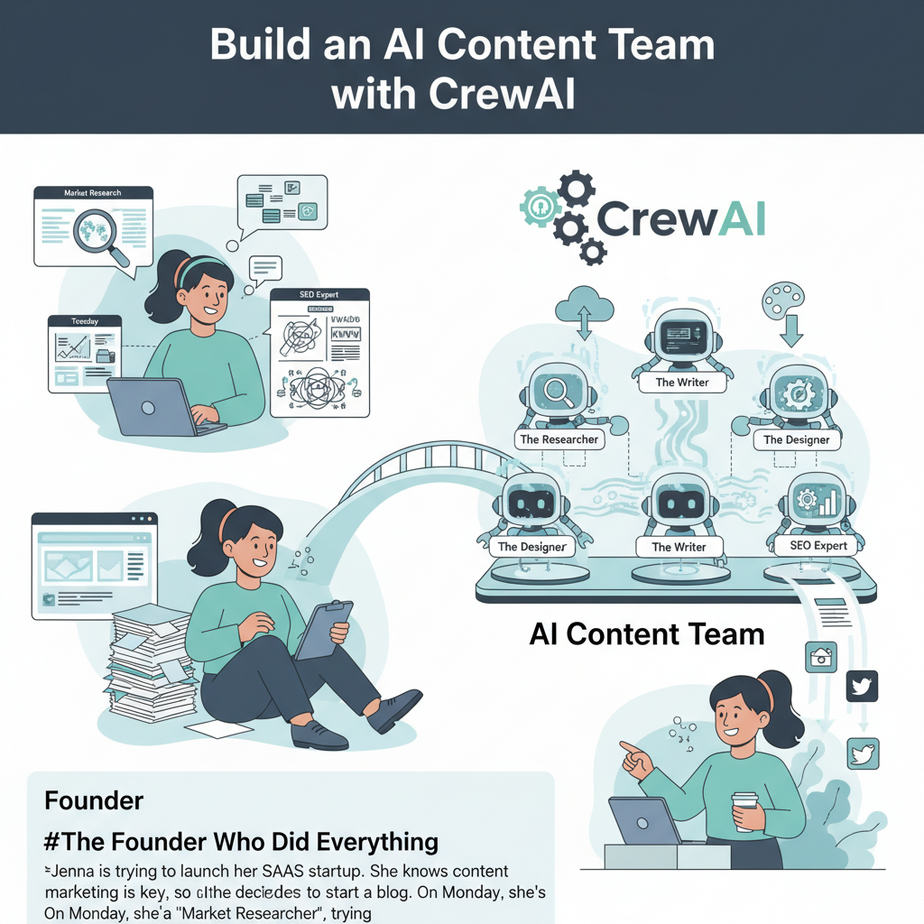
The Founder Who Did Everything
Jenna is trying to launch her SaaS startup. She knows content marketing is key, so she decides to start a blog. On Monday, she’s a “Market Researcher,” trying to figure out what to write about. On Tuesday, she’s an “SEO Specialist,” hunting for keywords on Google.
By Thursday, she’s the “Content Writer,” fueled by cheap coffee and despair, trying to bang out 1,500 words. On Friday, she’s the “Editor,” fixing her own typos. And on Saturday, she’s the “Social Media Manager,” weakly posting a link to Twitter, which gets two likes (one is from her mom).
The blog post is okay, but not great. And the whole process took her 15 hours she should have spent talking to customers. Jenna isn’t running a content strategy; she’s playing a sad game of professional whack-a-mole, and she’s burning out.
Why This Matters
Most attempts at AI content generation are like giving a single, overworked intern a vague instruction and hoping for the best. You get generic, soulless content. The magic isn’t in having one AI; it’s in making multiple, specialized AIs work together as a team.
This workflow isn’t about generating a single blog post. It’s about building a Content Assembly Line. A crew of specialists that can execute a complex strategy while you sleep. This system allows you to:
- Achieve True Scale: Produce high-quality, SEO-optimized content consistently, not just when you feel inspired.
- Improve Quality: By giving each AI agent a specific role (researcher, writer, editor), you get a much better result than a single, generalist AI.
- Reclaim Your Time: You stop being a content creator and start being a content strategist. You manage the machine; you don’t turn the cranks yourself.
This automation replaces the need for a team of junior freelancers. You become the editor-in-chief, and your AI crew does all the legwork for pennies.
What This Tool / Workflow Actually Is
CrewAI is a framework for orchestrating AI agents. That’s a fancy way of saying it’s a toolkit for making different AIs talk to each other and work together on a project. It’s the digital version of a project manager hiring a team and giving them a goal.
Think of it like a movie production crew:
- An Agent: This is a specialist. The “Expert SEO Analyst” or the “Witty Content Writer.” You give them a role, a goal, and even a backstory to help them focus.
- A Task: This is the specific job you give an agent. “Analyze the keywords for the topic ‘AI in Real Estate’ and create a content brief.”
- A Crew: This is the team of agents you assemble to work on a project.
- A Process: This is how the crew works. For today, we’ll use a “sequential” process, like an assembly line where the researcher passes their work to the writer.
What it does vs. What it doesn’t do
CrewAI helps you build and run autonomous teams that can perform multi-step tasks. It is incredibly powerful for workflows that require research, analysis, and creation.
It is NOT a magic wand. You, the human, are the strategist. Your job is to define the roles, the tasks, and the final goal. The crew executes your vision. Garbage strategy in, garbage content out.
Prerequisites
Okay, deep breath. This lesson is a step up from just calling an API. It involves writing a simple script. Don’t panic. If you can follow a recipe, you can do this. The payoff is enormous.
- Python 3 Installed: CrewAI is a Python library. If you don’t have Python, go to the official Python website and download it. During installation on Windows, make sure to check the box that says “Add Python to PATH.”
- A Code Editor: Visual Studio Code is free and fantastic. You can even use a simple text editor.
- An LLM API Key: Your crew needs a brain. We’ll use Groq with Llama 3 because it’s insanely fast and powerful. Go to GroqCloud, get your free API key. You can also use keys from OpenAI, Anthropic, etc.
- Terminal/Command Line Access: You’ll need to install the libraries. Open your Terminal (macOS) or Command Prompt/PowerShell (Windows) and run these two commands:
pip install crewai
pip install 'crewai[tools]'
That’s the entire setup. You are now more powerful than 99% of business owners.
Step-by-Step Tutorial
We’re going to build a simple two-agent crew: a researcher and a writer. The researcher will find a topic and create an outline, and the writer will write the article.
Step 1: Setup Your Python File
Create a new file called `content_crew.py`. First, we need to import the necessary components and set up our API key. It’s best practice to set it as an environment variable so you don’t hardcode it in your script.
import os
from crewai import Agent, Task, Crew, Process
from crewai_tools import SerperDevTool

# Set your API keys as environment variables
# It's recommended to do this in your terminal for security
# export SERPER_API_KEY='Your Serper Key'
# export GROQ_API_KEY='Your Groq Key'

# Or, for quick testing, you can uncomment and set them here:
# os.environ["SERPER_API_KEY"] = "YOUR_SERPER_KEY"
os.environ["GROQ_API_KEY"] = "YOUR_GROQ_KEY"

llm = Groq(model_name="llama3-8b-8192")
search_tool = SerperDevTool()
Note: We’re also importing `SerperDevTool`. This is a tool that gives our agents access to Google search. You’ll need a free API key from Serper.dev.
Step 2: Define Your Agents
Think of this as hiring your team. We need a researcher and a writer. We give each a clear role, goal, and backstory.
# Agent 1: The Research Specialist
researcher = Agent(
  role='Expert Market Research Analyst',
  goal='Find hot topics and create detailed content briefs for a tech blog.',
  backstory='You are a seasoned analyst who uses data to find trending topics that will attract a large audience.',
  verbose=True,
  allow_delegation=False,
  llm=llm,
  tools=[search_tool]
)

# Agent 2: The Senior Content Writer
writer = Agent(
  role='Senior Tech Content Strategist',
  goal='Write compelling, easy-to-understand blog posts about complex tech topics.',
  backstory='You are a famous tech blogger known for making difficult subjects accessible and fun to read.',
  verbose=True,
  allow_delegation=False,
  llm=llm
)
verbose=True is your best friend. It makes the agents “think out loud” in your terminal so you can see their process.
Step 3: Create the Tasks
Now we give our agents their assignments. Notice how the second task will use the output of the first one.
# Task 1: Research and Outline
research_task = Task(
  description='Find a trending topic in AI automation for 2024. Identify 5 key sub-topics. Create a bullet-point outline for a blog post on this topic.',
  expected_output='A content brief including the main topic, 5 sub-topics, and a bullet-point outline.',
  agent=researcher
)

# Task 2: Write the Article
write_task = Task(
  description='Using the provided content brief, write a 1000-word blog post. The tone should be informative but also witty and slightly sarcastic, in the style of Professor Ajay.',
  expected_output='A full blog post of at least 1000 words, formatted in simple HTML with h5 for headers and p for paragraphs.',
  agent=writer
)
Step 4: Assemble the Crew and Kick Off the Job
Time to put it all together and start the engine.
# Create the Crew
content_crew = Crew(
  agents=[researcher, writer],
  tasks=[research_task, write_task],
  process=Process.sequential,
  verbose=2
)

# Start the work!
result = content_crew.kickoff()

print("######################")
print(result)
When you run this script (`python content_crew.py`), you’ll see the agents start working in your terminal. They’ll search the web, formulate the plan, and then write the article. The final result will be printed at the end.
Complete Automation Example
Here is the full, copy-paste-ready script. Make sure you have your API keys set up.
import os
from crewai import Agent, Task, Crew, Process
from crewai_tools import SerperDevTool
from langchain_groq import ChatGroq

# You can set keys in your environment or uncomment and add them here
# os.environ["SERPER_API_KEY"] = "YOUR_KEY"
os.environ["GROQ_API_KEY"] = "YOUR_KEY"

# --- LLM and Tools Setup ---
llm = ChatGroq(model_name="llama3-8b-8192")
search_tool = SerperDevTool()

# --- AGENTS ---
researcher = Agent(
  role='Expert Market Research Analyst',
  goal='Find hot topics and create detailed content briefs for a tech blog.',
  backstory='You are a seasoned analyst who uses data to find trending topics that will attract a large audience.',
  verbose=True,
  allow_delegation=False,
  llm=llm,
  tools=[search_tool]
)

writer = Agent(
  role='Senior Tech Content Strategist',
  goal='Write compelling, easy-to-understand blog posts about complex tech topics.',
  backstory='You are a famous tech blogger known for making difficult subjects accessible and fun to read.',
  verbose=True,
  allow_delegation=False,
  llm=llm
)

# --- TASKS ---
research_task = Task(
  description='Find a trending topic in AI automation for small businesses in 2024. Create a bullet-point outline for a blog post about it.',
  expected_output='A content brief including the main topic and a detailed, multi-level bullet-point outline.',
  agent=researcher
)

write_task = Task(
  description='Using the provided content brief, write a 1000-word blog post. The tone should be informative, witty, and slightly sarcastic.',
  expected_output='A full blog post of at least 1000 words in HTML format.',
  agent=writer
)

# --- CREW ---
content_crew = Crew(
  agents=[researcher, writer],
  tasks=[research_task, write_task],
  process=Process.sequential,
  verbose=2
)

# --- EXECUTION ---
result = content_crew.kickoff()

print("\
\
######################")
print("Content Creation Complete!")
print("######################\
")
print(result)
Real Business Use Cases
This multi-agent pattern is a superpower. You can apply it everywhere:
- Sales Outreach Team: An agent researches a prospect on LinkedIn, a second agent analyzes their company’s recent news, and a third agent writes a hyper-personalized cold email.
- Social Media Team: One agent finds a trending news article. A second agent writes a summary. A third agent drafts three different Twitter posts about it.
- Job Application Team: An agent reads your resume. A second agent reads a job description. A third agent drafts a custom cover letter highlighting the overlap.
- Software Dev Team: A ‘Product Manager’ agent writes user stories. A ‘Developer’ agent writes pseudo-code to solve it. A ‘QA’ agent writes test cases.
- Market Analysis Team: One agent gathers SEC filings for a company. Another agent analyzes competitor press releases. A third agent synthesizes all the data into a SWOT analysis.
Common Mistakes & Gotchas
- Giving Agents Vague Goals: The most common mistake. “Write a blog post” is a bad goal. “Write a 1500-word SEO-optimized blog post for an audience of non-technical founders” is a great goal. Be specific.
- Not Giving Agents Tools: A researcher with no access to the internet is useless. Make sure your agents have the tools they need for the job (e.g., `SerperDevTool` for searching).
- Building a Crew of 10 on Day One: Don’t try to build the Avengers on your first attempt. Start with a duo, like Batman and Robin. Get a two-agent crew working perfectly, then consider adding a third, like an “Editor” agent.
- Forgetting About Costs: While Groq is cheap, running huge crews with thousands of tasks on a model like GPT-4 can get expensive. Always monitor your token usage. Start small.
How This Fits Into a Bigger Automation System
A CrewAI script is a powerful engine, but you need to build the rest of the car around it. This script can be the core of a much larger system:
- Triggering: You can wrap this Python script in a simple web framework (like Flask) to create an API endpoint. Now, a webhook from your project management tool (like Asana or Trello) can trigger the content crew to start working on a new topic.
- Input: Instead of hardcoding the topic in the task, the script can accept arguments or read from a Google Sheet of content ideas.
- Output: The final `result` doesn’t have to just be printed. You can have your script automatically create a new draft in WordPress, save it as a Google Doc, or send it to your email for review.
This is how you go from a cool script to a fully automated, end-to-end business process.
What to Learn Next
We’ve built an incredible internal team that can create things. They take instructions, collaborate, and produce a final product. But they live inside our computer.
What if our crew could interact with the outside world? What if they could not only *write* about customer service, but actually *do* customer service?
In the next lesson in this course, we’re going to build a **Customer Service Crew**. We’ll give our agents new tools that allow them to connect to a helpdesk API. They’ll be able to read real customer tickets, look up user information in a database, and draft intelligent replies, escalating to a human only when they’re stuck. We’re about to move from automation to autonomy.
You’ve built your factory. Next, you’ll open it to the public.
“,
“seo_tags”: “CrewAI, AI agents, content automation, AI marketing, Python automation, multi-agent systems, Groq, Llama 3”,
“suggested_category”: “AI Automation Courses