
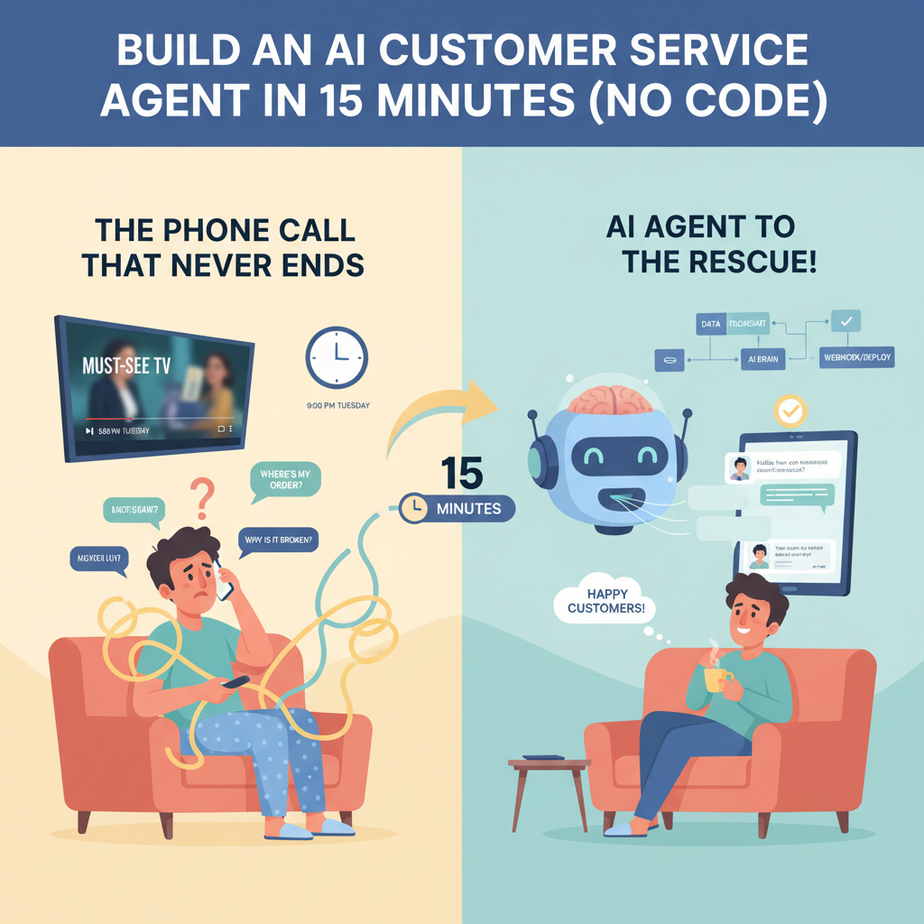
The Phone Call That Never Ends
It’s 9 PM on a Tuesday. You’re finally sitting down to watch that show everyone’s been talking about. Your phone rings. It’s a customer. They want to know your return policy. You explained it on your website, in the order confirmation email, and carved it into a stone tablet you keep on your desk. You answer, politely, for the tenth time today.
An hour later, another call. “Do you ship to Antarctica?” Another hour, another call. “My package is late.” You check the tracking. It’s scheduled to arrive tomorrow, exactly on time.
This isn’t running a business; it’s being a human answering machine. You’re trapped in a low-level video game quest that just repeats forever. You hired an intern once, but they spent most of their time trying to become a TikTok star and answered every question with “uh, let me check.” There has to be a better way.
Why This Matters
What we’re building today isn’t just a fancy voicemail. It’s a 24/7, infinitely patient, perfectly on-brand customer service agent. It’s the employee you’ve always dreamed of: it never gets tired, never has a bad day, and can handle a thousand calls at once without breaking a sweat.
This automation replaces the most soul-crushing part of customer support: answering the same 10-20 questions over and over. By automating Tier 1 support, you free up your actual human brain (and your team’s) to solve the real, juicy problems — the ones that actually grow your business.
The business impact:
- Time: You get your nights and weekends back. Your team focuses on high-value work.
- Money: One AI agent costs pennies per call, saving you thousands on salary for round-the-clock human support.
- Scale: Handle a sudden surge of calls during a promotion without hiring a temp army. Your AI scales instantly.
- Sanity: Never answer “what are your hours?” again. Ever.
Think of it as setting up a perfect little factory. The phone calls come in, and your robot worker handles 80% of them flawlessly. Only the special cases, the ones that require real human creativity, get passed up the line to you.
What This Tool / Workflow Actually Is
We’re going to build a voice-based AI agent using two main tools:
- OpenAI (The Brain): This provides the intelligence. We’ll use a model like GPT-4o to understand what the customer is saying and decide what to say back. It’s the smart conversationalist.
- Vapi (The Nervous System): This is the magic piece that connects the AI brain to a real phone line. It handles all the messy stuff: listening to the human (speech-to-text), turning the AI’s text response into realistic speech (text-to-speech), and managing the phone call itself. It’s the mouth, ears, and phone line for our AI brain.
This workflow creates a conversational agent that people can call on the phone. It will listen to their questions and provide answers based on the instructions we give it. Simple as that.
What it does NOT do: It doesn’t magically know your business secrets. It won’t have access to your order database or CRM unless we explicitly connect it (which is a topic for a future lesson). For now, it only knows what we tell it in its initial instructions.
Prerequisites
I know this sounds complex, but you can do this. If you can follow a recipe to bake a cake, you can do this. Brutal honesty, here’s what you need:
- An OpenAI Account: Go to
platform.openai.com. You’ll need to add a credit card for API access. Don’t worry, we’re talking cents, not dollars, for testing. - A Vapi Account: Go to
vapi.aiand sign up. They have a free trial to get you started. - 15 Minutes of Focus: Turn off your notifications. Close your 27 browser tabs. Let’s do this.
You do NOT need to know how to code. You just need to be able to copy, paste, and click buttons. I’ll walk you through every single step.
Step-by-Step Tutorial
Alright, let’s build our tireless robot intern.
Step 1: Get Your API Keys
An API key is just a secret password that lets our tools talk to each other. We need one from OpenAI.
- Go to your OpenAI account at
platform.openai.com. - In the left menu, click on “API Keys.”
- Click “Create new secret key,” give it a name like “VapiAgent,” and copy the key. Store this somewhere safe like a password manager. You won’t see it again.
Step 2: Create a New Agent in Vapi
Now, let’s jump into Vapi, the control center for our agent.
- Log in to your Vapi dashboard.
- In the left menu, click on “Assistants,” then click the “Create Assistant” button.
- This is where we assemble our robot. You’ll see a bunch of options. Don’t be intimidated. We only need to touch a few things.
Step 3: Configure the AI Brain (The Model)
First, we need to tell Vapi which AI brain to use.
- Under “Model,” click the dropdown. You’ll see options like OpenAI, Anthropic, etc.
- Choose OpenAI.
- Paste your OpenAI API Key into the box that appears.
- For the “Chat Model,” select
gpt-4o. It’s fast, smart, and cost-effective. The ‘o’ stands for ‘omni,’ which is just a fancy way of saying it’s good with all sorts of things, including voice.
That’s it for the brain. We’ve successfully performed a brain transplant.
Step 4: Give the Agent Its Instructions (The System Prompt)
This is the most important step. The “System Prompt” is the agent’s job description, personality, and rulebook all in one. A good prompt makes a good agent. A lazy prompt makes a useless agent.
Scroll down to the “System Prompt” section. Delete whatever is in there and paste this in. This is for a fictional online store called “GadgetGrove.”
You are a friendly and helpful customer service agent for GadgetGrove, an online store that sells high-quality electronic gadgets.

Your primary goal is to answer customer questions accurately and concisely. Your secondary goal is to ensure the customer has a pleasant experience.

**Your Personality:**
- Friendly, professional, and patient.
- You are clear and easy to understand.
- You never sound like a robot. Use natural, conversational language.

**Core Knowledge & Rules:**
1.  **Return Policy:** Customers can return any item within 30 days for a full refund, no questions asked. The item must be in its original packaging. They should visit gadgetgrove.com/returns to start the process.
2.  **Shipping:** We offer free standard shipping on all orders over $50. Standard shipping takes 3-5 business days. Express shipping is available for $15 and takes 1-2 business days.
3.  **Order Status:** You do NOT have access to live order information. If a customer asks for the status of their specific order, say this EXACT phrase: "I'm sorry, I can't look up live order details at the moment, but our support team can help. Can I get your name and email so they can follow up with you shortly?"
4.  **Escalation:** If a customer is angry, asks for a manager, or has a problem you don't know how to solve, your job is to capture their information for a human to call them back. Say: "It sounds like I can't fully resolve this for you, but I want to make sure you get the help you need. Can I take down your name and email for a human support agent to call you back within the hour?"
5.  **Closing the Call:** End the call politely. Say something like, "Is there anything else I can help you with today?" If not, say, "Great! Thanks for calling GadgetGrove. Have a wonderful day!"
See what we did? We gave it a persona, a list of facts (its knowledge base), and clear rules for what to do when it gets stuck. This is the blueprint for its behavior.
Step 5: Choose a Voice and Test
Let’s give our agent a voice. Under the “Voice” section, you can choose a provider. OpenAI has great voices built-in. Select “OpenAI” and pick a voice like “alloy” or “nova.”
Now, click the “Create Assistant” button at the bottom. That’s it! Your agent is live.
To test it, Vapi gives you a test phone number right there on the dashboard. Call it from your cell phone and try asking it questions:
- “What’s your return policy?”
- “How much is shipping?”
- “Where is my order?” (This should trigger the escalation rule).
Listen to how it responds. It should follow your instructions perfectly. Congratulations, you just built an AI customer service agent.
Complete Automation Example
Let’s refine the prompt from Step 4 into a complete, copy-paste-ready example for a SaaS company called “CodeSphere,” which sells a project management tool.
The goal is to answer simple pricing questions and capture leads for the sales team if the inquiry is about enterprise plans.
Use this as your System Prompt in Vapi:
You are a friendly and knowledgeable first-line support agent for CodeSphere, a software-as-a-service (SaaS) project management tool.

Your primary goal is to answer questions about our pricing tiers. Your secondary goal is to identify potential enterprise customers and capture their information for our sales team.

**Your Personality:**
- Cheerful, clear, and efficient.
- You are an expert on CodeSphere's pricing.
- You are not a salesperson, you are a helpful guide.

**Core Knowledge & Rules:**
1.  **Free Plan:** Our Free plan is for individuals. It includes up to 3 projects and basic task management. It's free forever.
2.  **Pro Plan:** Our Pro Plan is $10 per user per month. It's for small teams and includes unlimited projects, advanced reporting, and priority support.
3.  **Enterprise Plan:** Our Enterprise Plan has custom pricing. It's for large organizations and includes features like dedicated security reviews, a dedicated account manager, and SSO integration. You do NOT quote prices for this plan.
4.  **Lead Capture Trigger:** If a user mentions wanting features like "SSO," "dedicated support," "custom security," or asks for pricing for more than 50 people, they are an enterprise lead. Immediately say: "It sounds like our Enterprise Plan would be a perfect fit for you. I can have a dedicated account manager reach out with custom pricing and a demo. Would you like me to do that?"
5.  **Capturing Information:** If they say yes, ask for their full name, company name, and their email address. Repeat it back to them to confirm. Then say, "Perfect! I've sent that over to our enterprise team. They'll be in touch within 24 hours. Is there anything else I can help with?"
6.  **Out of Scope:** If they ask about technical support, bug reports, or specific features not related to pricing, say: "That's a great question for our technical support team. You can reach them at support@codesphere.com."
With this prompt, your agent can now act as a 24/7 sales qualifier. It handles the simple questions and funnels the big-money leads directly to your sales team, complete with their contact info. This is a real, revenue-generating automation you just built in minutes.
Real Business Use Cases
- Local Restaurant:
- Problem: The phone is constantly ringing with people asking for hours, location, or if they can make a reservation. This distracts staff from serving customers.
- Solution: The AI agent answers the phone, provides hours and address info from its prompt, and for reservations, it can say, “You can book a table instantly at our website, restaurant.com/reservations. Can I send you a link to that via text?”
- Real Estate Agency:
- Problem: The agency gets dozens of calls a day from online listings. Most are just casually browsing, wasting agents’ time.
- Solution: The AI agent answers, asks qualifying questions from a script (“Are you pre-approved for a mortgage?”, “What is your desired move-in date?”), and only transfers the hot, qualified leads to a live agent.
- Small E-commerce Store:
- Problem: The owner spends 3 hours a day answering the same questions about shipping, returns, and product materials.
- Solution: The AI agent, armed with a detailed FAQ in its prompt, handles 90% of these calls, freeing the owner to work on marketing and product development.
- Medical or Dental Clinic:
- Problem: The front desk is swamped with calls for appointment scheduling and confirmations.
- Solution: The AI agent can schedule appointments, confirm existing ones, and answer basic questions like “Do you accept XYZ insurance?” It knows to escalate any medical questions to a human immediately.
- IT Helpdesk for a Small Company:
- Problem: The one IT person is drowning in password reset requests and “how do I connect to the WiFi?” tickets.
- Solution: The AI agent can walk users through common Tier 1 issues. For a password reset, it can guide them to the self-service portal and escalate to a human only if the user is locked out.
Common Mistakes & Gotchas
- The Vague Prompt: If your prompt says “Be helpful,” the AI will be useless. Be hyper-specific. Give it a name, a personality, and a playbook. The examples above are a good starting point.
- Not Having an Escape Hatch: Your AI will inevitably get a question it can’t answer. You MUST give it a rule for what to do. The “escalate to a human and take a message” strategy is the most important rule you can give it.
- Forgetting About Latency: There will be a slight pause while the AI “thinks.” This is normal. Using fast models like
gpt-4oand quality voice providers (which Vapi handles for you) minimizes this. Don’t expect it to be 100% instantaneous like a human. Yet. - Setting and Forgetting Costs: This is a cheap automation, but not free. Keep an eye on your Vapi and OpenAI usage dashboards, especially when you first launch, to understand your costs. It’s usually a tiny fraction of what you’d pay a human.
How This Fits Into a Bigger Automation System
A voice agent is just one piece of the puzzle. It’s the front door. The real power comes when you connect it to your other systems.
- CRM Integration: When our agent captures a lead (like in the CodeSphere example), it can do more than just take a message. It can be configured to automatically create a new Contact in your HubSpot or Salesforce CRM, assign it to a salesperson, and create a task for them to follow up.
- Email Automation: After a call, the agent can trigger an email to the customer summarizing the conversation or sending them the links they asked for. It can also send a transcript of the call to you or your team.
- Multi-Agent Workflows: You can chain agents together. A simple “router” agent could answer the phone and ask, “Are you calling about sales or support?” Based on the answer, it could transfer the call to a specialized Sales AI or a Support AI, each with its own unique prompt and knowledge.
- RAG Systems (Retrieval-Augmented Generation): For our next lesson, we’ll explore how to give our agent a massive external brain. Instead of just knowing the 5 facts in its prompt, it could read your entire 200-page website knowledge base and answer questions from it instantly.
Think of today’s lesson as laying the first piece of track for a massive railroad system.
What to Learn Next
You did it. You built a voice AI that can talk to your customers. Take a moment and appreciate that. You just built something that would have been science fiction and cost millions of dollars five years ago.
But right now, our agent is a little forgetful. It only knows what’s in its prompt. What if it could look up live information? What if a customer could ask, “Where is order #12345?” and the agent could check your database in real-time and say, “I see order #12345. It’s currently out for delivery and should arrive on your doorstep this afternoon.”
That’s the next level. And that’s exactly what we’re covering in the next lesson of the AI Automation Academy course: Connecting Your AI Agent to Live Data. We’ll show you how to give your agent “tools” it can use to look up information from spreadsheets, databases, and APIs.
You’ve built the front door. Next, we’ll give you the keys to the entire building.
See you in the next lesson.
– Professor Ajay
“,
“seo_tags”: “AI customer service, customer support automation, AI agent, no-code AI, Vapi, OpenAI, business automation, voice AI”,
“suggested_category”: “AI Automation Courses