
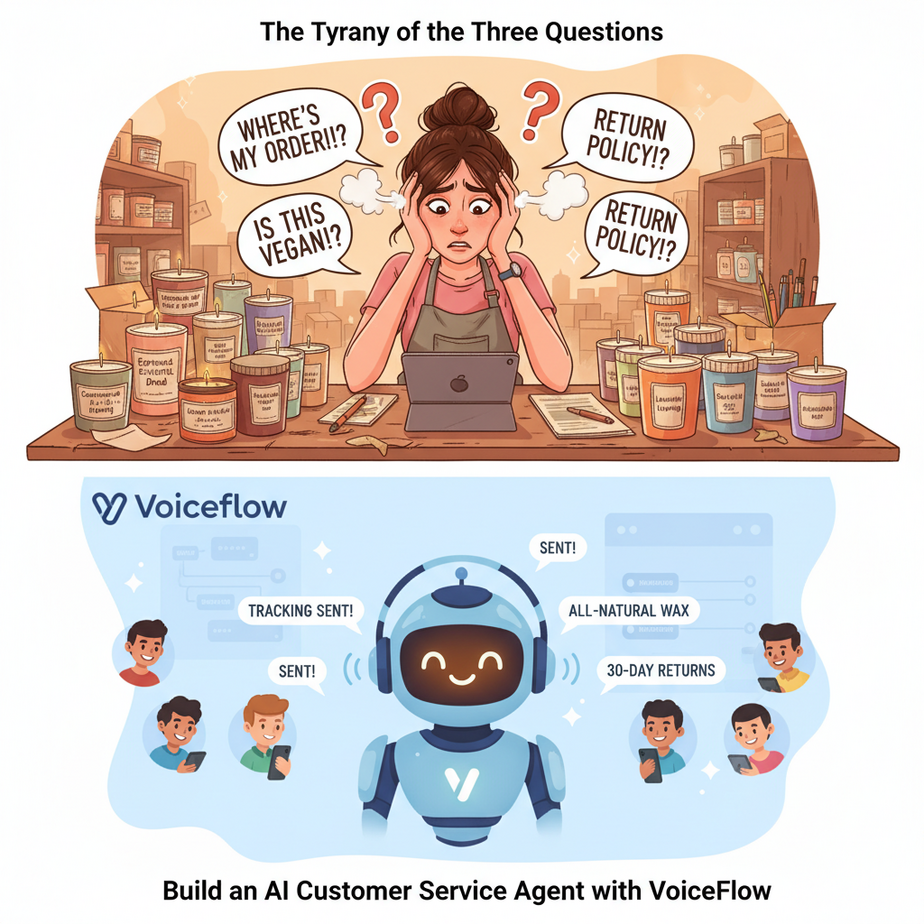
The Tyranny of the Three Questions
Meet Sarah. She runs a booming online shop selling artisanal, small-batch candles with names like “Sandalwood & Regret” and “Espresso & Existential Dread.” Her candles are a hit. Her inbox is a war zone.
Every day, without fail, she spends three hours answering the exact same three questions:
- “Where is my order?”
- “Do you ship to [insert obscure country here]?”
- “What are your return policies?”
She is the CEO, the lead candle-maker, the marketer, the social media manager, and, most exhaustingly, the full-time Human FAQ Machine. Her dream of building a candle empire is slowly being buried under an avalanche of repetitive support tickets.
Today, we’re firing Sarah from her job as the Human FAQ Machine. We’re going to build her a tireless, cheerful, 24/7 robot assistant that can handle 90% of these questions while she gets back to doing… literally anything else.
Why This Matters
This isn’t about building a gimmicky chatbot that annoys your customers. This is about building an automated Tier 1 support system. It’s a force multiplier for your business.
Think about the cost of bad (or slow) customer service. You lose sales. You get bad reviews. You waste your most valuable asset — your own time — on low-value, repetitive tasks. This automation immediately solves that. It provides instant answers to common questions, 24/7, even when you’re asleep.
This system replaces the chaos of a shared inbox and the cost of hiring your first support person. It’s an employee that costs pennies, never calls in sick, and can handle a thousand conversations at once without breaking a sweat. It lets your human team (even if that’s just you) focus on the complex, high-value problems that actually grow the business.
What This Tool / Workflow Actually Is
We’re using a tool called Voiceflow. Forget the jargon. Voiceflow is like Lego for conversations. It’s a visual, drag-and-drop canvas where you build the brain of your AI assistant.
What it does:
It lets you design a conversation flow. You connect blocks that represent things the AI can say, questions it can ask, and logic it can follow. You can give it a knowledge base (like your FAQ page) and connect it to a powerful Large Language Model (like GPT-4 from OpenAI) to answer questions intelligently. It’s a no-code platform for creating structured, reliable AI agents.
What it does NOT do:
Voiceflow is not a sentient being that will magically run your company. It only knows what you teach it. It follows the rules and flows you design. It won’t automatically know your shipping policy unless you provide it. It’s a powerful puppet, and you are the puppet master.
Prerequisites
This is a no-code lesson. If you’ve ever made a flowchart, you’re overqualified.
- A free Voiceflow account: Go to voiceflow.com and sign up. The free plan is more than enough for what we’re doing today.
- An OpenAI API Key: Your Voiceflow agent needs a brain. We’ll plug it into OpenAI’s GPT models. You’ll need an account at platform.openai.com and to set up billing. Don’t worry, for typical support volumes, this will cost less than your daily coffee.
- A list of 3-5 FAQs: Write down the questions you get asked all the time. This will be the foundation of our agent’s knowledge.
That’s it. No code editors, no servers, no command lines. Just you, your browser, and a desire to reclaim your time.
Step-by-Step Tutorial
Let’s build Sarah’s candle-bot. Log into Voiceflow and let’s get started.
Step 1: Create a New Assistant & Connect Your OpenAI Key
In your Voiceflow workspace, click “Create New Assistant.” Give it a name like “Candle Support Bot.” Once inside the designer, find the “Integrations” icon (it looks like a plug) on the left menu. Select Generative AI, choose OpenAI, and paste your OpenAI API Key into the box. Select a model like `gpt-3.5-turbo` to start (it’s fast and cheap).
Step 2: The Welcome Mat – Your First Block
The canvas starts with a green Start block. Drag a Text block from the left menu and connect it to the Start block. In the Text block, write a welcome message:
Welcome to Sandalwood & Regret! I'm an AI assistant. I can help with questions about shipping, returns, or our scents. How can I help?
Step 3: Listen for the User’s Question
Now, we need the bot to listen. Drag a Listen block and connect it after your Text block. Inside the Listen block, select the “Capture” type and choose “Entire User Reply.” This will save whatever the user types next into a variable called {last_utterance}.
Step 4: Teach the Bot with a Knowledge Base
This is the magic. On the left menu, click the “Knowledge Base” icon (it looks like a stack of books). Click “Add Data Source” and choose “Text.” Create a new text entry. Copy and paste your FAQ content here. For example:
Shipping Policy: We ship to the United States and Canada. US shipping is a flat rate of $5. Canadian shipping is $15. Orders typically ship within 2 business days.
Return Policy: We accept returns of unused candles within 30 days of purchase. Please contact support@s-and-r.com to initiate a return. Customers are responsible for return shipping costs.
Step 5: Generate an AI-Powered Answer
Go back to your canvas. Drag an AI Response block from the AI section of the block menu. Connect your Listen block to this new block. In the prompt box for the AI Response block, we’ll tell the AI exactly what to do. Use this prompt:
Answer the user's question based ONLY on the knowledge base provided. If the answer is not in the knowledge base, say 'I'm not sure about that, but I can get a human to help.'

User's question: {last_utterance}
Underneath the prompt, make sure you select your Knowledge Base as the data source. Now, the AI will use your FAQ to answer the user’s question.
Step 6: Create the “Human Handoff” Escape Hatch
What if the AI fails? We need an escape route. Drag another Text block onto the canvas. Write: I'm sorry, I couldn't find an answer for that. You can reach our human support team at support@s-and-r.com and they'll get back to you shortly.
Now, in your AI Response block, there’s a “No Match” path. Connect that path to this new text block. This is your safety net. It ensures no customer is ever left at a dead end.
Complete Automation Example
Your finished canvas should look like a simple flowchart. Let’s run a test using Voiceflow’s built-in tester.
- Click the blue “Run” button at the top right.
- The bot will say its welcome message.
- You type:
do you ship to canada? - The bot will feed this question and your knowledge base to the AI.
- The bot should respond:
Yes, we ship to Canada for a flat rate of $15. - Now, try to trick it. Type:
can you give me financial advice? - Since this isn’t in the knowledge base, the AI Response block will follow the “No Match” path.
- The bot should respond:
I'm not sure about that, but I can get a human to help. You can reach our human support team at support@s-and-r.com...
Congratulations. You just built a Tier 1 support agent in about 15 minutes.
Real Business Use Cases (MINIMUM 5)
- Business Type: SaaS Company
Problem: New users constantly ask how to use basic features, tying up expensive developer or support time.
Solution: Embed a Voiceflow agent in the app dashboard. Its knowledge base is the product documentation. It provides instant, in-context help for features like “how do I reset my password?” or “how do I create an invoice?”. - Business Type: Real Estate Agency
Problem: Wasting time on unqualified leads asking basic questions from website visitors.
Solution: The website bot acts as a 24/7 lead qualifier. It asks about budget, desired neighborhoods, and number of bedrooms. It answers questions about the agency. Only qualified, serious leads are passed to a human agent’s calendar. - Business Type: Fitness Coach/Gym
Problem: Constant DMs and emails about class schedules, pricing, and membership options.
Solution: The bot on the website and Instagram DMs handles all of it. It can provide the weekly schedule, explain membership tiers, and even link to the sign-up page. - Business Type: Restaurant
Problem: Phones ringing off the hook with people asking for hours, location, or if the patio is dog-friendly.
Solution: A bot on the website and connected to Google Business Profile chat answers all these questions instantly, freeing up staff to serve the customers who are actually in the restaurant. - Business Type: Online Course Creator
Problem: Students in different time zones asking the same questions about deadlines, where to find materials, or certificate requirements.
Solution: A bot within the course platform acts as a 24/7 TA, answering logistical questions based on the course syllabus, leaving the instructor to handle deep subject matter questions.
Common Mistakes & Gotchas
- Not Having a Human Handoff: I’ll say it again because it’s the #1 mistake. An AI that pretends to know everything is infuriating. A clear, easy escape hatch to a human is the most important feature for building customer trust.
- A Weak Knowledge Base: Your agent is only as smart as the information you give it. If your FAQ is vague, its answers will be vague. Be detailed and clear in your data sources.
- Not Testing Edge Cases: Test what happens when users type nonsense, ask abusive questions, or try to break your bot. Make sure your fallback paths are solid.
- Creating “Dead Ends”: Every path in your conversation should lead somewhere. Either a complete answer, a follow-up question, or a handoff to a human. Never leave the user hanging.
- Not Setting Expectations: Your welcome message should make it clear they are talking to an AI. It prevents frustration and sets the right tone from the start.
How This Fits Into a Bigger Automation System
This Voiceflow agent is the front door of your automated business. It’s the receptionist. But the real power comes when you connect it to the rest of the building.
- CRM Integration: When the bot identifies a hot lead (e.g., someone asking for enterprise pricing), it can use a Voiceflow API block to automatically create a new deal in HubSpot or Salesforce and assign it to a salesperson.
- Ticketing Systems: When a user needs human help, instead of just giving an email, the bot can call an API to automatically create a new support ticket in Zendesk or Freshdesk, complete with the entire conversation transcript.
- E-commerce Platforms: In a more advanced setup, the bot can be given an API tool to check real-time order status from Shopify. The user asks “Where’s my order?”, provides their order number, and the bot gives them the actual shipping status.
- Multi-agent Workflows: Your Voiceflow bot is Agent #1 (The Triage Agent). If it identifies a sales-related query, it can hand the conversation off to Agent #2 (a more aggressive, sales-focused AI). If it identifies a complex technical issue, it hands off to Agent #3 (a bot with access to technical documentation).
What to Learn Next
You’ve built a bot that knows things. It can answer questions based on the brain you gave it. This is a massive leap forward. You’ve automated your front line of communication.
But right now, your bot is just a know-it-all. What if we could turn it into a *do-it-all*?
In our next lesson in the academy, we’re going to give our agent tools. We’ll move beyond the knowledge base and connect it to external services. We’ll teach it how to use an API to look up live data from a Google Sheet, so it can answer questions like “Are you in stock of the ‘Espresso & Existential Dread’ candle?” with a real-time answer. Get ready to give your robot hands.
“,
“seo_tags”: “Voiceflow Tutorial, AI Chatbot, No-Code AI, Customer Service Automation, AI Agent, Business Automation, OpenAI, GPT-4”,
“suggested_category”: “AI Automation Courses