
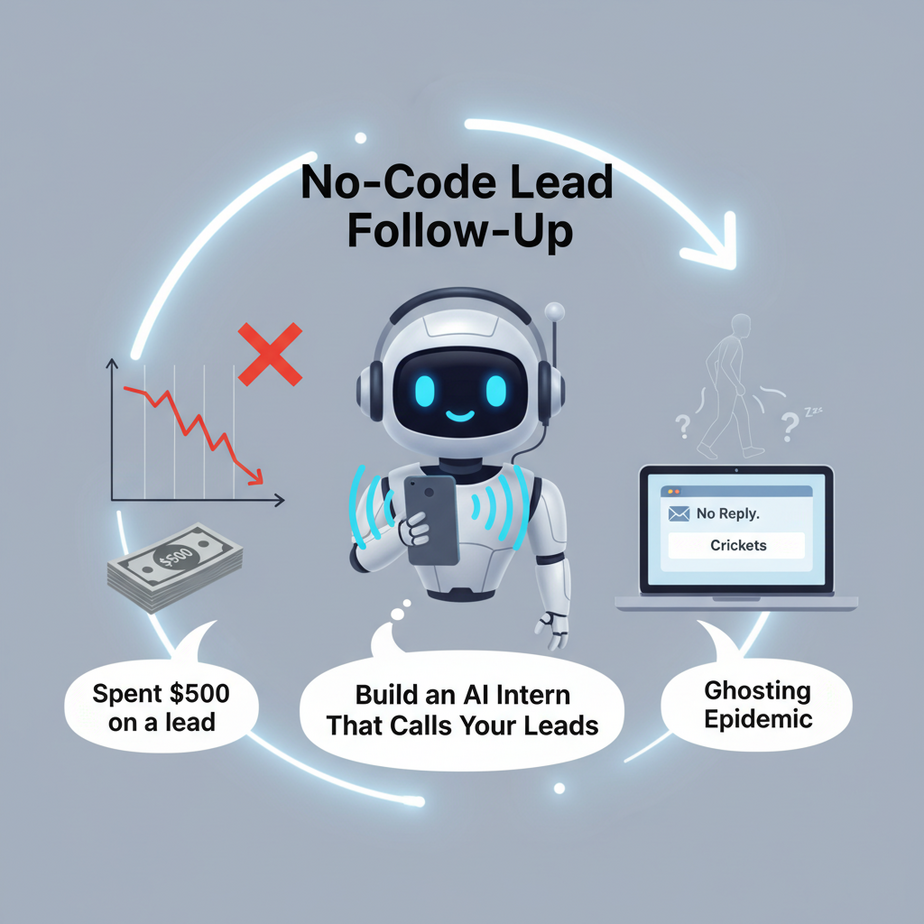
The Ghosting Epidemic
You spent \$500 on a lead. They downloaded your guide. You waited. Then you waited more. Finally, you send a follow-up email… and crickets. Three days later, you send another. Ghosted again. Your inbox is a graveyard of unopened emails, and your sales pipeline is leaking cash.
Meet your new sales intern, “Ava.” She doesn’t sleep. She doesn’t get tired. She reads every lead from your Google Sheet, picks up the phone, and has a friendly conversation. She introduces you, explains the value, and asks one key question: “Do you have 15 minutes this week to chat?”
She’s not a magic bot. She’s your digital front-of-house, booking calls while you focus on closing deals. Let’s build her.
Why This Matters: The \$10,000 Leak
Let’s talk numbers. If you have 100 leads a month and only 10% are booking calls, that’s 10 calls. If your close rate is 20%, you’re getting 2 new customers. Now, what if we turn 10% into 30%? That’s 30 calls. That’s 6 new customers. At an average customer value of \$1,500, that’s a \$9,000 difference. For \$1,500 in monthly tool costs? That’s a 500% ROI.
This isn’t just about automation. It’s about sanity. Your intern handles the repetitive, soul-crushing part of outreach. She’s the human-sounding bridge between your automated ads and your high-touch sales call. She replaces the need for a \$5,000/month SDR or the chaos of a cold-call list.
What This System Actually Is (And Isn’t)
What it IS: A no-code workflow that reads a lead list from Google Sheets, uses an AI voice agent (like Vapi or Retell AI) to make phone calls, analyzes the call transcript for sentiment, and updates a log with the outcome. It’s a full pipeline: data in, call out, data out.
What it is NOT: It’s not a creepy robocall. It’s not a closed-loop sale bot. It won’t negotiate pricing or sign contracts. It’s a set-up agent, not a closer. It’s your first impression, not your entire sales team.
Prerequisites: What You Need
Don’t panic. You need:
- A Google Account with Google Sheets.
- A voice agent platform (we’ll use Vapi as the example—it has a generous free tier).
- An automation tool (we’ll use n8n—it’s the Swiss Army Knife for workflows).
- A Google Sheet with your lead list (Name, Phone, Email, Notes).
If you’ve never set up a Google Sheet or created an n8n account, don’t worry. We’ll build from zero. No prior coding experience required. This is about connecting dots, not writing code.
Step-by-Step Tutorial: Building Your AI Intern, Ava
Step 1: Prepare Your Lead List
Create a new Google Sheet. Name it “Lead List – AI Intern.”
Create these columns: Name, Phone, Email, Status, Last Call Date, Notes. Add a few test rows with your own data. This sheet is Ava’s brain.
# Example Google Sheet Structure (you fill this in your browser)
Name,Phone,Email,Status,Last Call Date,Notes
John Doe,1-555-0101,john@example.com,Cold,2024-01-15,Interested in automation
Jane Smith,1-555-0102,jane@example.com,Warm,2024-01-10,Needs ROI proof
Step 2: Create Your Voice Agent in Vapi
Sign up at vapi.ai. Create a new agent. This is the “brain” that will speak.
- Name it “Ava – Lead Follow-Up”.
- System Prompt (This is CRUCIAL. This tells Ava what to say and do):
You are Ava, a friendly sales assistant for [Your Company]. Your goal is to introduce yourself and book a 15-minute call for your manager. You must be concise, polite, and not pushy. Start by saying: "Hi, this is Ava calling from [Your Company]. How are you today?" After a brief greeting, explain the value: "My manager noticed you downloaded our guide on AI automation. Do you have 15 minutes this week to explore how we can help your team save time?" If they say yes, ask: "What day works best for you?" Log the outcome (Yes, No, Voicemail). Never ask for money or send links on the call. - Set the Voice (Choose a friendly, human-like voice. Not robotic.).
- Save the Agent ID—you’ll need this later.
Step 3: Set Up Your Automation in n8n
Go to n8n.io. Sign up for a free account. Create a new workflow.
- Trigger Node (Google Sheets):
- Add a “Google Sheets” node.
- Choose “Trigger: On Row Added or Updated”.
- Connect your Google account and select your sheet.
- Test it: Watch it pull data from your sheet.
- Decision Node (Filter):
- Add a “Function” node. We need to check if the lead’s status is “Cold” or “Needs Follow-Up.”
- Paste this simple code:
const status = items[0].json.Status;
const lastCall = items[0].json['Last Call Date'];

// If no call in last 7 days AND status is not booked, proceed
const daysSinceLastCall = lastCall ? (new Date() - new Date(lastCall)) / (1000 * 60 * 60 * 24) : 999;

if (status === 'Cold' || daysSinceLastCall > 7) {
  return items;
} else {
  return [];
}
- Action Node (Call via Vapi):
- Add a “HTTP Request” node.
- Method: POST
- URL: `https://api.vapi.ai/call`
- Authentication: Bearer Token (Get this from your Vapi Dashboard).
- Body (JSON):
{
  "assistant_id": "YOUR_VAPI_ASSISTANT_ID",
  "customer_number": "={{ $json.Phone }}",
  "message": "Starting follow-up call.",
  "metadata": {
    "lead_name": "={{ $json.Name }}",
    "lead_email": "={{ $json.Email }}",
    "n8n_workflow_id": "={{ $workflow.id }}"
  }
}
- Action Node (Update Google Sheet):
- Add another “Google Sheets” node.
- Choose “Update Row”.
- Map the output from the Vapi call. Update “Last Call Date” to today’s date.
- Update “Status” to “Called”.
Step 4: Test and Activate
1. Turn on the workflow.
2. Add a new row to your Google Sheet with a “Cold” status.
3. Watch n8n trigger. You’ll see the HTTP request fire to Vapi.
4. Your phone will ring (it’s Vapi calling you to test).
5. Have a conversation. After the call, Vapi logs the transcript and outcome in its dashboard. Your n8n workflow should update the Google Sheet.
Complete Automation Example: The Real Estate Lead Farmer
A real estate agent gets 50 new website inquiries a month. She’s swamped. Her current process: manually email, wait, manually call. 10% conversion.
- Lead Capture: A new lead fills a form on her website. Zapier adds them to her Google Sheet “Lead List.”
- Ava’s First Touch (This Lesson): Our n8n workflow picks up the new row. Ava the AI intern calls the lead within 5 minutes. “Hi, this is Ava from [Agent’s Name]’s team. We saw you were interested in the 3-bedroom on Maple. Do you have 5 minutes to hear about the neighborhood perks?”
- Outcome Logging:
- Voicemail: Sheet status updates to “Voicemail – Follow-up Email Sent.” A separate n8n email trigger sends a personalized email: “Sorry I missed you! Here’s the property brochure.”
- No: Status updates to “Not Interested – Suppressed.” She doesn’t waste time.
- Yes, Booked: Status updates to “Call Scheduled.” The lead’s calendar invite is sent (we can automate this next lesson!).
- Manager’s Dashboard: The agent sees a live Google Sheet showing: 5 calls made, 1 booked, 3 voicemails. She only spends time on the 1 booked call.
Result: Instead of 50 cold calls, she’s having 5-10 high-quality conversations. Her conversion rate jumps to 25%. Time spent on outreach drops by 70%.
Real Business Use Cases (5+)
- Consulting Freelancer: Get website inquiry → Ava calls to qualify budget and timeline → Filters only qualified leads to calendar.
- eCommerce Store: “Abandoned cart” customer → Ava calls: “Hi, did you have trouble checking out? Can I help?” → Recovers lost sales.
- SaaS Startup: Free trial sign-up → Ava’s welcome call: “Welcome! Get the most out of your trial with this tip…” → Increases trial-to-paid conversion.
- Recruiting Agency: New candidate application → Ava calls to confirm details and interview availability → Speeds up hiring by 2x.
- Insurance Broker: Website lead → Ava explains policy options briefly → Schedules a call with a licensed agent only for serious prospects.
- Event Planner: RFP submission → Ava calls to confirm event date and guest count → Auto-generates a proposal draft in a document tool.
Common Mistakes & Gotchas
- Robotic Scripts: If your script is too long, people hang up. Keep it under 30 seconds. Test with friends.
- Frequency Spam: Don’t call leads every day. The n8n code we wrote checks for 7 days. Respect that.
- Missing Metadata: If Vapi’s webhook fails, you need a fallback. In n8n, add an “Error Handler” node that emails you if the call fails.
- Cost Management: Vapi charges per minute. Set a low-minute budget. Monitor costs weekly. It’s still cheaper than a human SDR.
- Legal Compliance:** Know your laws (e.g., TCPA in the US). This system is for consented leads (e.g., form submissions). Don’t use it for cold lists.
How This Fits Into a Bigger Automation System
This isn’t a standalone trick. It’s a critical node in your revenue engine. Think of it as the receptionist of your digital factory.
- Upstream: Leads come from Ads (Google/Facebook) → Landing Page → Form → Google Sheet (via Zapier or Make).
- This Lesson: Ava the Intern (n8n + Vapi) calls and filters.
- Downstream:
- CRM: Update HubSpot/Salesforce with “Call Outcome”.
- Calendar: Book meetings via Calendly API.
- Multi-Agent Workflow: If Ava books a call, a “Meeting Prep Agent” (using GPT) could auto-generate a brief on the lead from LinkedIn.
- RAG System: A “Knowledge Base Agent” could answer common lead questions by reading your help docs before Ava calls.
Your new system looks like this:
Lead → Form → Google Sheet → [AI Intern (Ava)] → Booked Call → Sales Close → CustomerWhat to Learn Next
You’ve just built the engine. Now, let’s add navigation.
In our next lesson, we’ll teach Ava to read the room. She’ll analyze the lead’s email context and LinkedIn profile before calling, using AI to personalize her opening line. It’s like giving her a dossier before she walks into a meeting. Then, we’ll connect this call outcome directly to your calendar and Slack notifications.
You’ve turned a leaky bucket into a smart funnel. You’re not just automating tasks—you’re building a system. Stay tuned. Your operations are about to level up.
“,
“seo_tags”: “AI lead follow-up, sales automation, no-code AI, n8n, Vapi, voice agent automation, Google Sheets automation, business process automation, sales intern, lead conversion”,
“suggested_category”: “AI Automation Courses