
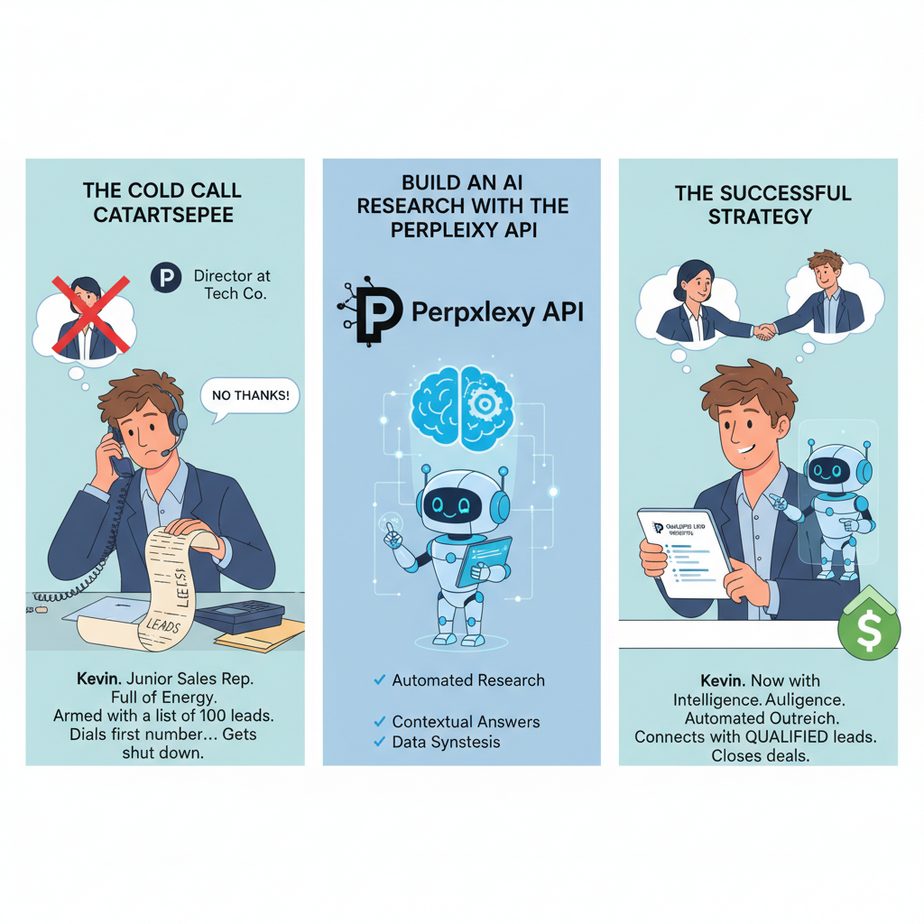
The Cold Call Catastrophe
Meet Kevin. Kevin is a junior sales rep, full of energy and armed with a list of 100 leads. He dials the first number, a director at a promising tech company. Someone picks up. It’s the director herself.
Kevin launches into his pitch. “Hi, we sell a revolutionary B2B SaaS platform that optimizes synergy and…”
The director cuts him off. “What do you know about my company?”
Kevin freezes. He has a name on a spreadsheet. That’s it. He stammers, “Uh, well, you’re in the… tech industry?”
CLICK. The line goes dead.
Kevin just wasted a golden opportunity because he did zero research. He, like thousands of others, was given a task that requires intelligence (selling) but skipped the task that requires diligence (research). Why? Because manual research is slow, boring, and feels like homework.
Why This Matters
Walking into a meeting or sending a cold email without knowing your audience is business malpractice. It screams, “I don’t value your time.” But the manual alternative is a time-sink. An hour of frantic Googling, copy-pasting from LinkedIn, and trying to find recent news before a call is not a scalable system.
This automation builds you an army of research interns. An army of one is all you need. This AI intern:
- Works Instantly: From company name to full report in under 10 seconds.
- Is Always Up-to-Date: It searches the live internet, so you get today’s news, not last year’s.
- Never Gets Tired: It can generate 100 reports before a human has finished their first coffee.
- Frees Up Your Brains: Let your expensive, creative humans do what they do best—strategize, connect, and sell—not act as bad Google search operators.
You are replacing the chaotic, manual, and often-skipped process of “pre-call research” with a structured, automated, and instantaneous intelligence-gathering machine.
What This Tool / Workflow Actually Is
Perplexity’s API (The Brain with a Live Internet Feed): Most Large Language Models (LLMs) you’ve used have a knowledge cut-off. They know a lot about the world up to a certain date, but they can’t tell you what happened yesterday. Perplexity is different. Their models are designed from the ground up to be connected to the live internet. They don’t just recall information; they actively search, synthesize, and cite sources in real-time.
Think of a regular LLM as a brilliant professor locked in a library. Think of Perplexity as that same professor with a brand-new iPhone and a fiber internet connection. For research, you want the one with the iPhone.
This workflow uses Perplexity’s API to take a company name as an input, perform live web research, and deliver a structured JSON report with all the key information you need.
It does NOT make decisions for you or contact the company. It is a dossier-generator. A fact-finding robot. Its sole purpose is to arm you with intelligence, instantly.
Prerequisites
This is surprisingly simple. You don’t need to be a coder. You need to be a builder.
- A Perplexity Account: Go to Perplexity, create an account, go to your settings, and find the API section. Generate an API key. This is your secret password.
- An Automation Platform: Make.com, Zapier, Pipedream, etc. You need a tool that can be triggered (e.g., by a new row in a Google Sheet) and can make a custom API call.
- A Target: A list of companies you want to research. A simple Google Sheet with a column for company names is a perfect place to start.
That’s it. If you have a list of names and can copy-paste an API key, you’re ready.
Step-by-Step Tutorial
Step 1: Define Your Research Dossier Structure
What information actually matters? Don’t boil the ocean. Start with the essentials. For a sales context, we want to know:
- Who are they? (Company Overview)
- What do they sell? (Key Products/Services)
- Who do they sell to? (Target Audience)
- What’s happening with them right now? (Recent News)
- How can we help? (Potential Pain Points)
We’ll command the AI to return this information in a clean JSON format.
Step 2: Craft The “Research Analyst” Prompt
This is where you give the AI its marching orders. Be specific. Tell it its role, what to find, and exactly how to format the output. A good prompt is the difference between a masterpiece and a mess.
You are an expert business research analyst. Your task is to generate a concise dossier on a given company by searching the live internet.

Respond ONLY with a valid JSON object. Do not include any other text, greetings, or markdown formatting. The JSON object must have the following structure:
{
  "company_name": "string",
  "company_overview": "string (A one-paragraph summary of what the company does)",
  "key_products_services": ["string"],
  "target_audience": "string (A description of their typical customer)",
  "recent_news": [
    {
      "title": "string",
      "summary": "string (A one-sentence summary of the news)"
    }
  ],
  "potential_pain_points": ["string (List of potential business challenges this company might face that our product could solve)"]
}

Find and summarize the 2-3 most recent, relevant news articles. For pain points, infer challenges based on their industry and business model.
Step 3: Configure the API Call
In your automation tool, set up an HTTP Request module. Perplexity’s API is designed to be compatible with the OpenAI API structure, which makes it easy.
- URL:
https://api.perplexity.ai/chat/completions - Method:
POST - Headers:
Authorization:Bearer YOUR_PERPLEXITY_API_KEYContent-Type:application/json
- Body: The JSON payload where we combine our prompt and the company name.
Complete Automation Example
Let’s run a full research cycle, from a name in a spreadsheet to a rich report in our CRM.
1. The Trigger: A New Company is Added
You add a new row to your Google Sheet of leads: `Gong.io`
Your automation tool (e.g., Make.com) has a module that watches this sheet and triggers the workflow whenever a new row is added.
2. Construct the Perplexity API Request Body
The automation takes the company name and builds the body for the API call. We use the `pplx-7b-online` model because it’s fast and connected to the web.
{
  "model": "pplx-7b-online",
  "messages": [
    {
      "role": "system",
      "content": "You are an expert business research analyst... (Your full prompt from Step 2 goes here)"
    },
    {
      "role": "user",
      "content": "Please generate a report for the company: Gong.io"
    }
  ]
}
3. The AI Delivers the Dossier
You send the request. A few seconds later, Perplexity returns a beautifully structured JSON object filled with up-to-the-minute information.
{
  "company_name": "Gong.io",
  "company_overview": "Gong.io provides a revenue intelligence platform that uses AI to analyze customer-facing interactions across phone, email, and web conferencing. It helps sales teams understand customer conversations to improve performance and close more deals.",
  "key_products_services": ["Gong Revenue Intelligence Platform", "Gong Engage", "Gong Forecast"],
  "target_audience": "B2B sales teams, customer success managers, and revenue leaders in mid-market and enterprise companies, particularly in the tech sector.",
  "recent_news": [
    {
      "title": "Gong Unveils New AI-Powered Sales Coaching Features",
      "summary": "The company recently launched updates to its platform that provide real-time coaching cues to sales reps during live calls."
    },
    {
      "title": "Gong Reports Record Growth in Q2 Earnings Call",
      "summary": "Gong announced a significant increase in annual recurring revenue, citing strong demand for revenue intelligence tools in the current economic climate."
    }
  ],
  "potential_pain_points": [
    "Difficulty scaling their sales coaching efforts.",
    "Lack of visibility into what's working in sales conversations.",
    "Inaccurate sales forecasting based on manual data entry."
  ]
}
4. Put the Intelligence to Work
The automation doesn’t stop there. Now that the data is structured, you can use it. Your workflow parses the JSON and:
- Creates a new note on the Gong.io contact record in your CRM.
- Formats the note cleanly with headers for each section.
- Sends a Slack message to Kevin: “Hey, your research dossier for Gong.io is ready in the CRM. They just launched new coaching features—might be a good talking point!”
Kevin now walks into his next call confident and armed with specific, relevant information. The director is impressed. The conversation happens.
Real Business Use Cases
This “automated researcher” is a fundamental building block for countless workflows:
- Venture Capital / Angel Investing: Instantly screen new startups. Get a quick overview, check for recent funding announcements, and understand their market before taking a meeting.
- Marketing & Strategy: Run this automation on a list of your top 5 competitors every Monday morning to get a digest of their recent news and activities.
- Content Creation / SEO: Generate research briefs for new blog post topics. The AI can find recent statistics, expert opinions, and common questions people ask.
- Recruiting: Create a company dossier before reaching out to a high-value candidate. Understand the company’s culture and recent achievements to make your outreach more personal.
- Mergers & Acquisitions (M&A): Perform initial, high-level due diligence on hundreds of potential acquisition targets to quickly filter down to a manageable shortlist.
Common Mistakes & Gotchas
- Vague Prompts: If you just ask for “information about Gong,” you’ll get an unstructured wall of text. The detailed JSON structure in your prompt is the key to making this an automation, not just a query.
- Ignoring Citations (for deep dives): While we didn’t use it here for a clean output, the Perplexity API can provide sources for its claims. If you’re writing a formal report, you might want to create a separate prompt that requests citations.
- Blind Trust: The AI is incredibly good, but it’s not infallible. For mission-critical data (like financial numbers), always treat the AI’s output as a starting point and click the source if you need to verify.
- Not Handling Errors: What if a company is too new or obscure to be found? Your automation should have a path for when the AI returns an empty or error response, perhaps flagging it for manual review.
How This Fits Into a Bigger Automation System
Our AI Research Intern is a foundational component. It’s the intelligence-gathering unit for a much larger operation. Its structured JSON output can be fed directly into other AI agents:
- The Email Writer: The research report, specifically the `potential_pain_points` and `recent_news`, can be handed to another LLM (like Claude 3 or GPT-4) with a prompt like, “Using this research, write a personalized, three-sentence cold email to their Head of Sales.”
- The CRM Updater: The system can automatically fill in fields in your CRM, like Industry, Key-Products, and Company Description.
- The Strategy Bot: You could feed 10 competitor reports into an AI and ask it, “Based on these 10 reports, what are the top 3 market trends right now?”
This isn’t just about saving time on research. It’s about creating a currency—structured, relevant information—that fuels every other part of your business automation machine.
What to Learn Next
We’ve built a machine that gives our sales team a perfect, concise briefing document on any company, instantly. The intelligence problem is solved.
But intelligence is useless without action.
In our next lesson, we’re going to build the agent that *acts*. We will take the perfect JSON output from our Perplexity researcher and plug it directly into a second AI whose only job is to write hyper-personalized cold outreach emails. We will teach it to use the pain points and recent news to craft a message so relevant it feels like it was written by hand.
You’ve learned how to know your customer. Next, you’ll learn how to talk to them.
“,
“seo_tags”: “Perplexity API, AI research, automated reporting, sales automation, competitive analysis, business intelligence, no-code AI, lead enrichment”,
“suggested_category”: “AI Automation Courses