
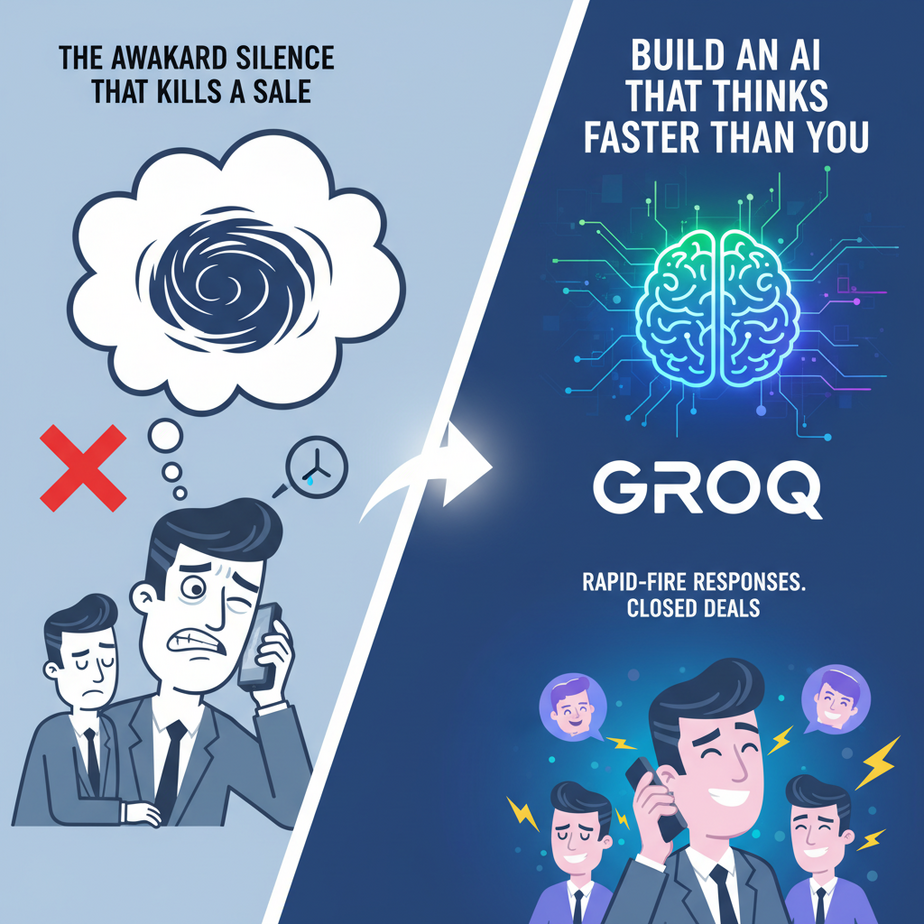
The Awkward Silence That Kills a Sale
Picture this. Your best salesperson, we’ll call him Dave, is on a roll. He’s got a hot lead on the phone, the prospect is laughing, they’re building rapport. Then the prospect asks a slightly tricky question about a niche feature.
Dave freezes. You can almost hear the dial-up modem sounds screeching in his brain as he scrambles for an answer. The silence stretches. One second. Two. Five. The magic is gone. The prospect’s confidence wavers. The sale is lost.
Now imagine replacing Dave with an AI sales bot. Most of them are even worse. They have that signature AI pause. That “hmmm, let me think about that” moment that screams “I AM A ROBOT AND I AM VERY, VERY SLOW.” In a real-time conversation — chat or voice — that latency is a deal-killer. It’s unnatural, frustrating, and makes your company look incompetent.
What if you could have an AI that answered not just instantly, but faster than a human could even process the question? What if the awkward silence was replaced by a shocking, delightful, superhuman speed? That’s not science fiction. That’s what we’re building today.
Why This Matters
In the world of automation, speed isn’t just a feature; it’s a weapon. When you’re dealing with conversational AI, latency (the delay between question and answer) is everything.
This workflow replaces:
- Slow, frustrating chatbots: The kind that make customers close the chat window in disgust.
- The need for a giant support team: Why hire 50 people to handle a flash sale rush when one AI can handle 500 conversations per minute without breaking a sweat?
- Human latency in simple tasks: A human has to find the right tab, look up the info, and type a response. This AI just *knows*, instantly.
The business outcome is simple: better customer experience, insane scalability, and lower operational costs. You can build systems that feel magical to your users because they operate at a speed that feels impossible.
What This Tool / Workflow Actually Is
Today’s tool is called Groq (that’s Groq with a ‘q’, not to be confused with a certain baby alien).
What it is: Groq is an inference engine. It’s not a new Large Language Model (LLM) like GPT-4 or Llama 3. Think of it this way: if Llama 3 is a brilliant brain, Groq is the custom-built, Formula 1 race car you put that brain into. It takes existing open-source models and runs them at absolutely ludicrous speeds.
We’re talking hundreds of tokens per second. In plain English, it can generate answers so fast that it feels like it’s predicting your thoughts, not just responding to your prompts.
What it is NOT: It is not a model itself. You don’t ask “Groq” a question. You ask a model *running on* Groq. It’s also not a full-stack application builder. It’s a specialized component — a very, very fast one — that you plug into your own automations.
Prerequisites
I know this sounds like advanced, black-magic stuff, but it’s shockingly simple. Here’s what you actually need.
- A Groq API Key: They have a generous free tier to get started. Go to GroqCloud, sign up, and create an API key. It takes about two minutes. Treat this key like a password. Don’t share it.
- Basic Python: If you can install a program on your computer, you can do this. I’ll give you the exact commands. You don’t need to be a programmer; you just need to be able to copy and paste without panicking.
That’s it. Seriously. No servers, no complicated setup. Just you, a few lines of code, and the fastest AI on the planet.
Step-by-Step Tutorial
Step 1: Get Your API Key
Head over to the GroqCloud console, log in, navigate to the ‘API Keys’ section, and click ‘Create API Key’. Give it a name like “MyFirstAgent” and copy the key it gives you. Store it somewhere safe for the next step.
Step 2: Set Up Your Python Script
First, we need to install the Groq Python library. Open up your terminal or command prompt and type this:
pip install groqThis command downloads and installs the specific toolset we need to talk to Groq’s servers. Now, create a new file named fast_agent.py and open it in any text editor.
Step 3: The Magic Code
Copy and paste the following code into your fast_agent.py file. I’ll explain what it does right below.
import os
from groq import Groq

# IMPORTANT: Don't hardcode your API key like this in production!
# Use environment variables instead.
client = Groq(
    api_key="gsk_YOUR_API_KEY_HERE",
)

def ask_fast_agent(question):
    print(f"User: {question}")
    chat_completion = client.chat.completions.create(
        messages=[
            {
                "role": "system",
                "content": "You are a helpful assistant. You are concise and get straight to the point."
            },
            {
                "role": "user",
                "content": question,
            }
        ],
        model="llama3-8b-8192",
    )

    response = chat_completion.choices[0].message.content
    print(f"Agent: {response}")
    return response

# --- Let's test it! ---
ask_fast_agent("Explain the importance of low-latency in AI user interfaces.")
Wait, What Does That Do?
import Groq: This loads the library we just installed.client = Groq(...): This is where you create your connection to Groq. Replace `gsk_YOUR_API_KEY_HERE` with the actual key you copied.chat_completion = client.chat.completions.create(...): This is the core command. We’re telling the client to create a new chat message.messages=[...]: This is the conversation. The `system` role tells the AI *how* to behave. The `user` role is for the actual question you’re asking.model="llama3-8b-8192": This tells Groq which brain to use. We’re using Llama 3’s 8-billion parameter model, which is a great balance of smart and ridiculously fast.print(...): This just prints the final answer to your screen.
Step 4: Run It!
Save the file. Go back to your terminal, make sure you’re in the same directory as your file, and run it:
python fast_agent.pyWatch your screen. The answer will appear almost before you can lift your finger from the Enter key. That’s the power you’re now wielding.
Complete Automation Example
Let’s build a simple but practical automation: a Real-Time Sales Lead Qualifier Bot for a SaaS company’s website chat.
The Goal: When a user asks a vague pricing question, the bot must instantly ask a clarifying question to determine if they are a small business or an enterprise lead. Speed is critical to keep the user engaged.
Modify your fast_agent.py file with this more specialized code:
from groq import Groq

client = Groq(
    api_key="gsk_YOUR_API_KEY_HERE",
)

def qualify_lead(user_input):
    print(f"\
Lead says: '{user_input}'")
    print("Qualifying instantly...")

    chat_completion = client.chat.completions.create(
        messages=[
            {
                "role": "system",
                "content": "You are a friendly sales assistant for 'SaaSify'. Your only job is to determine if a prospect is a small business or an enterprise. Your primary tool is asking about their team size. NEVER give pricing. ALWAYS be brief and conversational."
            },
            {
                "role": "user",
                "content": user_input,
            }
        ],
        model="llama3-8b-8192",
        temperature=0.7, # A little creativity
        max_tokens=50,   # Keep it short
    )

    response = chat_completion.choices[0].message.content
    print(f"Bot response: '{response}'")
    return response

# --- Simulate incoming leads from a website chat ---
qualify_lead("How much does this cost?")
qualify_lead("Do you guys have an API?")
qualify_lead("I run a 500 person company, what plan is right for me?")
Run this script. Notice how the bot’s responses are not only instant but also perfectly tailored to the system prompt’s goal. For “How much does this cost?”, it won’t give a price. It will say something like, “I can definitely help with that! To find the right plan for you, about how many people are on your team?”
This single, instant turn in the conversation is the difference between a bounced visitor and a qualified enterprise lead in your CRM.
Real Business Use Cases
This exact same pattern—fast model, strong system prompt—can be used everywhere:
- E-commerce Store: An instant product finder. A user types “I need a waterproof jacket for hiking under $100” and the AI immediately pulls the top 3 product SKUs from a database and presents them.
- Customer Support Voice Agent: An AI that answers the phone and can triage a customer’s issue. The lack of latency means the user feels like they’re talking to a human, not shouting into a void and waiting for a robot to buffer.
- Live Transcription & Summarization: A tool that listens to a meeting, transcribes it in real-time, and uses Groq to generate a running summary of key decisions and action items *as the meeting is happening*.
- Code Generation Assistant: An AI inside a developer’s editor that can autocomplete entire functions in milliseconds based on a comment, without interrupting the developer’s flow.
- Content Moderation: A system that can scan thousands of user comments or posts per minute and instantly flag any that violate terms of service, preventing toxic content from ever going public.
Common Mistakes & Gotchas
- Forgetting Groq is the Engine, Not the Brain: Newcomers often say “Groq said…” No, Llama 3 said it, *via* Groq. The quality of your output is still 100% dependent on the model you choose and the quality of your prompt. A fast idiot is still an idiot.
- Hard-coding API Keys: I showed you the easy way. In a real application, this is a major security risk. Learn to use environment variables. It’s the digital equivalent of not leaving your house keys taped to the front door.
- Ignoring the System Prompt: The speed will dazzle you, and you’ll forget that the AI needs clear instructions. A vague system prompt will get you a fast, vague answer. Be brutally specific in your instructions.
- Using it for the Wrong Job: Groq is for low-latency tasks. If you need to write a 10,000-word essay, the difference between 10 seconds and 30 seconds is irrelevant. Use Groq where every millisecond counts: conversations, real-time feedback, and interactive tools.
How This Fits Into a Bigger Automation System
This ultra-fast brain is a component, a building block. It becomes truly powerful when you connect it to other systems. This is the central nervous system for your automations.
- CRM Integration: The output from our sales qualifier bot? It shouldn’t just print to a screen. It should trigger an API call that creates a new lead in HubSpot or Salesforce, tagged as “Enterprise” or “SMB” based on the AI’s classification.
- Voice Agents: This is the big one. Connect Groq to a fast speech-to-text API (like Deepgram) and a real-time text-to-speech API (like ElevenLabs). Now you have a complete voice agent that can listen, think, and speak in a fluid, natural conversation.
- Multi-Agent Workflows: You can use a Groq-powered “router” agent. Its only job is to read an incoming email or message and, in milliseconds, decide which specialized agent should handle it (e.g., Sales Agent, Support Agent, Billing Agent).
- RAG Systems (Retrieval-Augmented Generation): In a RAG workflow, you first search a database for relevant info, then give that info to an LLM to synthesize an answer. Groq can make that final synthesis step completely instant, dramatically speeding up the perceived performance of your entire Q&A system.
What to Learn Next
Okay, Professor. You’ve built an AI that thinks at the speed of light. It’s incredible, but it’s still just text on a screen. It’s silent.
What if we could give it a voice? Not a clunky, robotic voice from a GPS navigation system, but a realistic, emotive voice that can convey personality. What if you could build an AI you could actually *talk* to on the phone?
That’s where we’re going. You’ve just built the brain. In the next lesson in this course, we’re going to build the mouth.
Next Up: Lesson 5: Building AI Voice Agents That Don’t Suck (Using ElevenLabs & Groq)
You have the core component. Now get ready to make it talk.
“,
“seo_tags”: “AI automation, Groq API, Large Language Models, Python tutorial, conversational AI, chatbot development, sales automation, AI for business, low-latency AI”,
“suggested_category”: “AI Automation Courses