
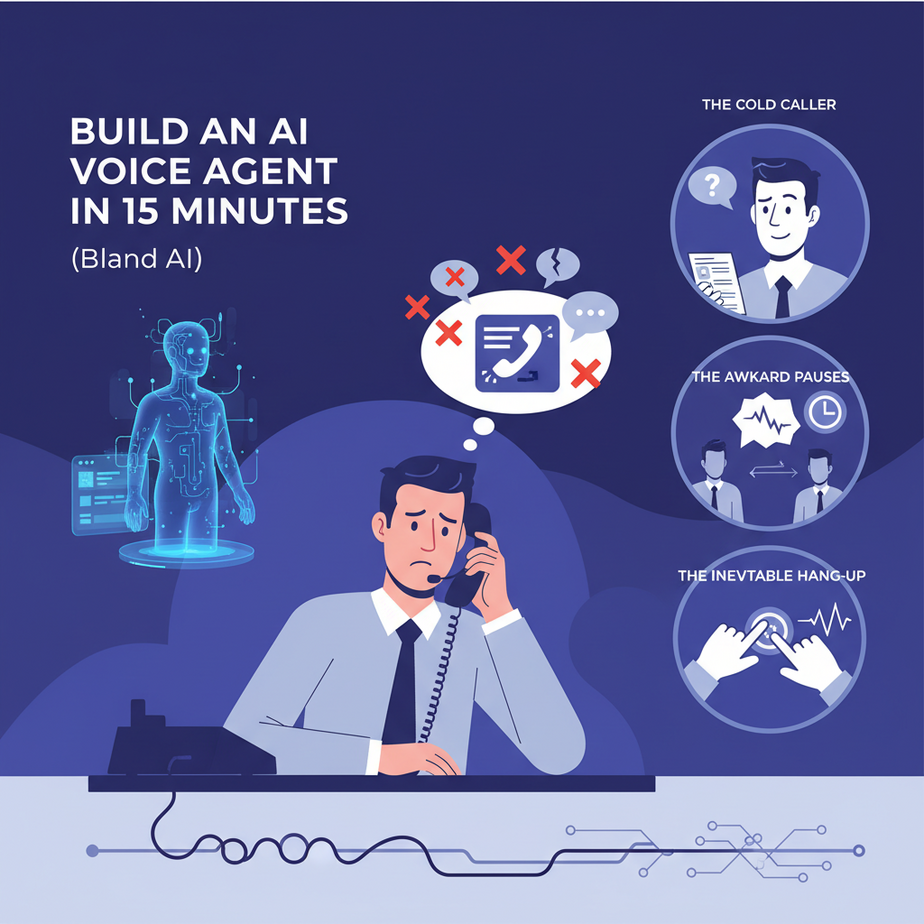
The Cold Caller, The Awkward Pauses, and The Inevitable Hang-Up
Let’s talk about Gary. Gary is a sales development rep. His job is to make 80 phone calls a day. By call number 47, Gary’s soul has left his body. He sounds like a robot reading a script, but a robot with less enthusiasm. He stumbles, he gets flustered when someone asks a question he wasn’t prepared for, and he’s mentally composing his resignation letter during every dial tone.
Gary is a good person, but he’s a terrible calling machine. And so is every other human. We’re inconsistent. We have bad days. We get tired. The tragedy is that 90% of Gary’s calls are simple, repetitive qualification tasks that don’t require a human’s creative problem-solving skills. They require the relentless, unfeeling persistence of a machine. Today, we’re going to build that machine. We’re giving Gary a promotion to ‘Closer’ and handing his old job to an AI that never sleeps, never gets discouraged, and follows the script perfectly, every single time.
Why This Matters: Your Phone Can Be a Scalable Asset, Not a Time Sink
Making phone calls manually is the definition of unscalable. You are limited by the number of people you have and the number of hours in the day. Automating this with an AI voice agent isn’t just a neat party trick; it’s a fundamental change in your business operations.
Massive Parallelism: A human can make one call at a time. An AI can make 1,000 calls simultaneously. You can qualify your entire new lead list in five minutes, not five days.
Perfect Consistency: The AI delivers the perfect pitch, with the perfect tone, every single time. It never forgets to ask a key question. It never sounds tired or annoyed. It is your best salesperson on their best day, forever.
Data-Driven Insights: Every single call is transcribed, analyzed, and structured. You get perfect data on what works and what doesn’t. You can A/B test scripts, voices, and questions with statistical significance. Try doing that with Gary.
This replaces the most draining, soul-crushing part of sales and customer outreach, freeing up your human team to do what they do best: build relationships with people who are already qualified and interested.
What This Tool Actually Is: A Programmable Phone Intern
We’re using a tool called Bland AI. Let’s be clear about what this is. It’s not a sentient being from a sci-fi movie. It is an API for programming phone calls. Think of it like a smart, obedient intern you can command with a few lines of text.
You give the Bland API three things:
1. A phone number to call.
2. A mission (a “prompt” or script).
3. A voice to use.
That’s it. The API handles everything else: dialing the number, waiting for a human to answer, having a shockingly realistic conversation based on your instructions, and then hanging up. When it’s done, it gives you a full transcript, a summary, and the outcome of the call. It’s a voice agent, but you’re the puppet master pulling the strings via code.
Prerequisites: You Can Do This. I Promise.
This might sound intimidating, but if you can copy and paste, you can make this work.
- A Bland AI Account: Go sign up. They give you free credits to start, which is more than enough for our lesson.
- Your API Key: Inside your Bland dashboard, find your API key. This is your secret password. Copy it and keep it safe.
- Your Phone: You need a phone number to receive the test call. Use your own cell phone.
- A Terminal: This is the scary black box on your computer. On Mac, it’s called Terminal. On Windows, it’s PowerShell or Command Prompt. We only need it to paste one single command. That’s it. You don’t need to know how it works. Think of it as a magic telegraph for sending instructions to the internet.
Step-by-Step Tutorial: Launching Your First AI Agent
Our mission is to build an AI agent that calls a number and asks if the person is interested in a webinar. Simple, clear, and very useful.
Step 1: Define the Mission (Write Your Prompt)
The prompt is the brain of your agent. It’s not just a script; it’s a set of instructions. A good prompt is clear, concise, and has a single goal. For our test, here’s our prompt:
You are a friendly assistant from a company called Stellar Solutions. Your goal is to briefly ask if the person you're calling, a small business owner, would be interested in a free webinar on digital marketing. Ask them if they'd like you to text them a link to register. Keep the entire call under 45 seconds. Be polite and professional.
This gives the AI its identity (assistant from Stellar Solutions), its goal (ask about the webinar), and its constraints (under 45 seconds).
Step 2: Choose Your Voice
In the Bland AI documentation or dashboard, you can find a list of available voices. They have different genders and accents. Each has a number (`voice_id`). For now, we’ll just use the default.
Step 3: Assemble the Command
We’re going to send our instructions using a command-line tool called `cURL`. It’s pre-installed on virtually every computer. All you do is paste the command into your terminal and hit Enter.
The command has three parts: the destination (the Bland API URL), the authentication (your API key), and the payload (the phone number and your prompt). Don’t try to understand it all at once. Just see it as a structured message.
Complete Automation Example: The Copy-Paste Command
Open your Terminal or PowerShell. Get ready to copy and paste.
First, replace `YOUR_BLAND_API_KEY` with your actual secret key from the Bland dashboard. Second, replace `+15551234567` with your actual cell phone number in international format.
curl -X POST https://api.bland.ai/v1/calls \\
  -H "Content-Type: application/json" \\
  -H "authorization: YOUR_BLAND_API_KEY" \\
  -d '{
    "phone_number": "+15551234567",
    "task": "You are a friendly assistant from a company called Stellar Solutions. Your goal is to briefly ask if the person you are calling, a small business owner, would be interested in a free webinar on digital marketing. Ask them if they would like you to text them a link to register. Keep the entire call under 45 seconds. Be polite and professional.",
    "wait_for_greeting": true
}'
Copy that entire block, paste it into your terminal, and press Enter. In a few seconds, your phone will ring. Answer it. Talk to your creation. When you hang up, go back to your Bland AI dashboard. You’ll see a record of the call, a full transcript, and a summary. You just programmed a phone call.
Real Business Use Cases (This is a Superpower)
- Lead Qualification (Real Estate): An AI agent calls every new Zillow lead within 60 seconds. It asks if they have an agent, if they’re pre-approved for a mortgage, and what their buying timeline is. Hot leads are live-transferred to a human agent.
- Appointment Setting (SaaS): The agent calls a list of people who downloaded an ebook. It thanks them and asks if they’d like to book a 15-minute demo to see the software in action. If they say yes, it can send a Calendly link via text.
- Customer Feedback Surveys (E-commerce): One week after a product is delivered, the AI calls the customer and asks for a satisfaction rating from 1 to 5 and if they have any feedback. The results are automatically logged in a Google Sheet.
- Event Reminders (Webinars/Conferences): 24 hours before an event, the agent calls all registrants to remind them of the time and provide the join link, reducing no-show rates.
- Payment Reminders (Subscription Services): For customers whose credit cards are about to expire, the agent makes a polite call reminding them to update their payment details to avoid service interruption, drastically cutting involuntary churn.
Common Mistakes & Gotchas (How Not to Sound Like a Bad Robot)
- Overly-Complex Prompts: The biggest mistake. Don’t give the AI five different goals. Give it ONE. The simpler the mission, the higher the success rate.
- Ignoring Legal Compliance: You are making phone calls. Laws like the TCPA are real and have teeth. Understand the rules about who you can call, when you can call them, and always provide a way to opt-out (“Just say ‘stop calling’ at any time”). This is not a tool for illegal spamming.
- Not Having a Human Fallback: The AI will eventually get a question it can’t answer. Program a graceful exit. Your prompt should include a line like, “If the user asks a complex question, say ‘That’s a great question, let me have a human specialist call you back to answer that.'”
- Forgetting About Latency: There is a slight delay as the AI processes speech. It’s gotten incredibly fast, but it’s not instantaneous. Keep the AI’s talking turns short and direct to make the conversation feel more natural.
How This Fits Into a Bigger Automation System
Making a single call from your terminal is cool. Automatically making 1,000 calls as part of a business process is an empire. The voice agent is a powerful limb, but it needs a brain to command it.
This is where a tool like Make.com comes in. A complete system looks like this:Trigger: A new lead is added to your CRM (like HubSpot).
2. Orchestration: Make.com detects the new lead, grabs their phone number, and makes the API call to Bland AI.
3. Action: Bland makes the call.
4. Feedback Loop: After the call, Bland sends a webhook with the transcript back to Make.com.
5. Intelligence: Make.com sends the transcript to OpenAI to be summarized and classified (e.g., “Hot Lead,” “Follow Up Later”).
6. Update: The summary and classification are written back to the lead’s record in the CRM.
This is a closed-loop system that runs itself, turning raw leads into qualified opportunities without any human intervention.
What to Learn Next
We’ve built an *outbound* agent. We’ve taught a robot to dial out and start conversations. But what about the other direction? What if people could call *your* business and be greeted by an intelligent AI that could answer questions, route calls, or even book appointments 24/7?
In our next lesson, we are flipping the script. We’re going to build an inbound AI receptionist. It will be the front door to your business, a tireless, perfectly polite agent that ensures you never miss a call or a customer opportunity again. Get ready to build your company’s new front office.
“,
“seo_tags”: “AI voice agent, Bland AI tutorial, automate phone calls, AI sales agent, lead qualification automation, no code voice agent, sales automation”,
“suggested_category”: “AI Automation Courses