
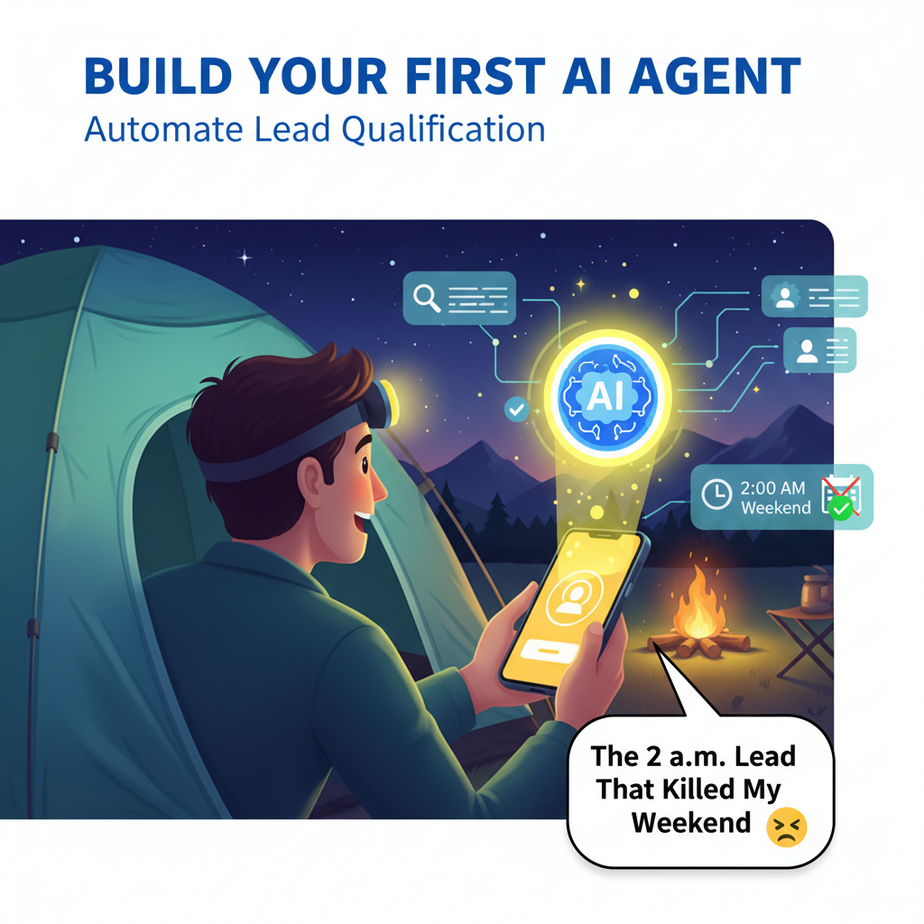
The Hook: The 2 a.m. Lead That Killed My Weekend
I was on a camping trip, miles from any signal, when I finally got a bar of service. My phone buzzed like a slot machine hitting the jackpot: 17 new leads.
Out of 17, two were real prospects. One was a student looking for a job. Four were competitors fishing for pricing. The rest were spam bots trying to sell me SEO services for a site I don’t own.
I spent my Sunday afternoon playing human spam filter, and I missed the sunset. That’s when I decided my intern was getting fired. Except, I didn’t have an intern. I had a problem that software needed to solve.
If you’re still manually opening every email, every contact form, and every DM to figure out who’s worth your time, you’re not running a business—you’re running a 24/7 customer service desk for robots and tire-kickers. Let’s build you a real intern. One that never sleeps, never complains, and never misses a real deal.
Why This Matters: Fire the Human Filter
This isn’t about being lazy. It’s about leverage.
Every hour you spend checking if a lead is real is an hour you’re not selling, building, or spending time with people you love. A bad lead doesn’t just cost you the time to read it; it costs you the opportunity cost of ignoring a good one.
What this automation replaces:
- The junior salesperson who only knows how to say “Thanks, we’ll get back to you.”
- Your own chaotic habit of checking five inboxes every hour.
- The fear that you’re missing a whale in a sea of minnows.
By the end of this lesson, you’ll have an agent that reads incoming leads, checks them against your criteria, scores them, and only bothers you with the ones worth your energy. It turns your inbox from a chaotic casino into a VIP lounge.
What This Tool / Workflow Actually Is
We’re building a Qualification Agent. Think of it as a bouncer at the door of your business.
What it does:
- It listens for new leads (from emails, forms, etc.).
- It reads the lead’s information (name, company, message).
- It asks itself a series of questions: Is this a real business? Do they have a budget? Are they in the right industry?
- It scores the lead (e.g., 0-100).
- It takes an action: adds a hot lead to your CRM, sends a cold lead to a nurture sequence, or flat-out ignores garbage.
What it does NOT do:
- It does NOT close deals for you. It’s a screener, not a closer.
- It is NOT 100% foolproof. Sometimes it will make a mistake, which is why we build in a review step.
- It does NOT understand deep nuance or sarcasm (yet).
Prerequisites: The Starter Kit
Breathe easy. You don’t need to be a coder. You need three things:
- An automation platform: We’ll use Make.com (formerly Integromat) or Zapier for the connective tissue. They have free tiers. They are the LEGO blocks of the internet.
- An AI provider: We’ll use OpenAI’s GPT-4o mini. It’s cheap and smart. You’ll need an API key, which is like a password for your robot brain. (Cost: pennies per lead).
- A place to send leads: A Google Sheet, a CRM like HubSpot, or even just a Slack channel where you celebrate the winners.
If you can set up a Gmail account, you can do this. We’re just connecting a few pipes.
\n
Step-by-Step Tutorial: Building the Bouncer
Let’s build this in five steps. We’re using Make.com for this example, but the logic is identical on Zapier.
Step 1: Catch the Incoming Lead
First, your agent needs an ear. In Make, create a new scenario and pick a trigger. This is what wakes up your agent.
Common Triggers:
- Gmail/Outlook: “Watch emails in a specific label or inbox.”
- Webhook: A special URL you get from Make. Point your website’s contact form to this URL. When someone hits “submit,” this URL is called, and your agent wakes up.
Why this step matters: This is the bouncer’s post. Nothing happens until someone walks up to the door.
Step 2: Send the Lead to the AI Brain
Now we need to think. We add a module: OpenAI – Create a Completion.
You’ll paste your API key here. The model we’ll use is gpt-4o-mini. It’s powerful enough for this and costs less than a cup of coffee for 1,000 leads.
In the “Prompt” field, we’re going to teach our AI how to think. This is the most important part. We give it a job description and a scorecard.
Step 3: Write the Prompt (The Intern’s Job Description)
This is where the magic happens. You are literally writing instructions for your AI employee.
Here is a copy-paste ready prompt. You’ll feed it the data from your trigger (the lead’s name, email, message). I’ve wrapped it in a JSON structure so it’s easy for the AI to read.
Given this lead information, analyze it and return a JSON object with a score and a recommendation.

Lead Information:
- Name: {{Name from Trigger}}
- Email: {{Email from Trigger}}
- Message: {{Message from Trigger}}

Scoring Criteria:
1. Does the email come from a generic provider (gmail.com, yahoo.com)? Deduct 30 points.
2. Does the message mention budget, timeline, or specific project details? Add 40 points.
3. Does the message look like spam (e.g., "SEO services", "backlink exchange")? Subtract 100 points.
4. Is the company name mentioned and is it a real business (not a personal blog)? Add 30 points.

Output Format:
{"score": 0-100, "category": "Hot", "Warm", or "Cold", "reason": "One sentence explanation"}
Why this works: You’re not asking for a vague “is this a good lead?” You’re giving it a rubric. You’re the teacher; the AI is the student taking a test.
Step 4: Parse the AI’s Decision
The AI will send back text. We need to read it. In Make, use a tool called JSON Parse. It takes the text from the AI and turns it into usable data fields: score, category, and reason.
Step 5: Route Based on the Score
Now, use a Router module. This is like a railroad switch.
- Path 1 (Hot): If score is greater than 70 -> Send to your CRM, Slack #hot-leads channel, and trigger a personal email notification to yourself.
- Path 2 (Warm): If score is between 40 and 70 -> Add to a “Nurture” list in your email tool. Send them a welcome email with a case study.
- Path 3 (Cold): If score is below 40 -> Log it in a Google Sheet for review once a week. Do not notify your sales team.
Complete Automation Example: The Real Estate Agent’s Assistant
Let’s make this concrete. Meet Sarah. She’s a real estate agent. Her website has a form: “Find Your Dream Home.”
The Problem: She gets 50 inquiries a day. 40 are just people browsing Zillow. 10 are serious buyers. She can’t tell the difference fast enough.
The Automation:
- Trigger: A visitor fills out the form on her website. The data (Name, Email, “I’m looking for a 3-bed in [Neighborhood]”) is sent via a Webhook to Make.com.
- AI Action: The AI receives the data. The prompt says: “If the message mentions a specific neighborhood, budget, or timeline, it’s a hot lead. If it just says ‘send me listings,’ it’s warm. If it’s empty, it’s cold.”
Example AI Output: {"score": 85, "category": "Hot", "reason": "Specific neighborhood and budget mentioned: $800k in Palo Alto."} - Routing:
- Hot Path: The AI’s output triggers an SMS to Sarah’s phone: “HOT LEAD: John Smith, looking in Palo Alto, budget $800k. Check your CRM.” It also creates a deal in her HubSpot CRM labeled “PRIORITY.”
- Warm Path: Adds the lead to her Mailchimp list and sends an automated email: “Thanks for your interest! Here are 3 homes that match your general criteria.”
- Cold Path: Logs the lead in a Google Sheet called “Maybe Later.” Sarah checks this sheet once a month to see if any patterns are emerging.
Result: Sarah now only gets pinged for the 2-3 leads a day that can actually buy a house this month. The rest are handled automatically. She went from being an inbox jockey to a high-value closer.
Real Business Use Cases
- The Marketing Agency: Filters out RFPs from companies with less than $5k/month budget. Saves the founder from reading proposals that will never convert.
- The SaaS Founder: Sorts inbound support tickets. “How do I reset my password?” goes to the help doc. “My integration is breaking production” goes to the engineer’s urgent queue.
- The Freelance Designer: Pre-qualifies project inquiries. Asks the AI to check the prospect’s website. If the site is underdeveloped, it’s a “build” project (high value). If it’s a refresh, it’s lower priority.
- The E-commerce Store: Categorizes wholesale inquiries. Looks for mentions of “store,” “retail,” “order volume.” Routes verified retailers to the wholesale manager and ignores single-item buyers.
- The Recruiter: Screens job applications. Checks if a resume mentions specific skills (e.g., “Python”, “Figma”) from the job description. Scores applications and only presents the top 20% to the hiring manager.
Common Mistakes & Gotchas
- The Lazy Prompt: Don’t just say “Rate this lead.” You’ll get lazy, generic answers. Give it a scorecard, like in our tutorial. The more specific your criteria, the smarter your agent becomes.
- Forgetting the ‘Human in the Loop’: In the beginning, don’t automatically delete cold leads. Log them somewhere. Review them. You might find a hidden gem and learn to adjust your agent’s filters.
- Cost Creep: GPT-4o mini is cheap, but if you’re processing 100,000 leads, you’re paying real money. Set a monthly spending limit in your OpenAI account. It’s like putting your intern on an expense budget.
- Over-Reliance: This is a screener, not a psychic. A hot lead from your AI is still a lead. You still have to sell. Don’t let the robot talk to the customer until the deal is done.
How This Fits Into a Bigger Automation System
Your Qualification Agent is the gatekeeper for your entire business engine. Think of it as the first step in a larger assembly line.
- CRM Integration: This is where the hot lead lands. From there, you can trigger another automation: “If a new hot lead is added, wait 1 hour, then send a personalized follow-up email from the founder.”
- Multi-Agent Workflows: Once this agent marks a lead as “Hot,” a second agent could be triggered to research the company and draft a custom proposal for you to review.
- RAG (Retrieval-Augmented Generation): In a future lesson, we’ll teach this agent to access your company’s knowledge base. It won’t just score the lead; it will draft a reply answering their specific technical question, using your own documentation.
What to Learn Next: The Agent That Responds
You’ve built a bouncer. It tells you who’s at the party. In our next lesson, we’re going to teach that bouncer how to talk.
We’re building the Responder Agent. It takes your hot leads from today’s automation and drafts personalized follow-up emails based on the lead’s specific message. You’ll just click ‘send.’ We’re moving from sorting mail to writing replies.
Ready to put your new intern to work? Go build this. I’ll see you in the next lesson.