
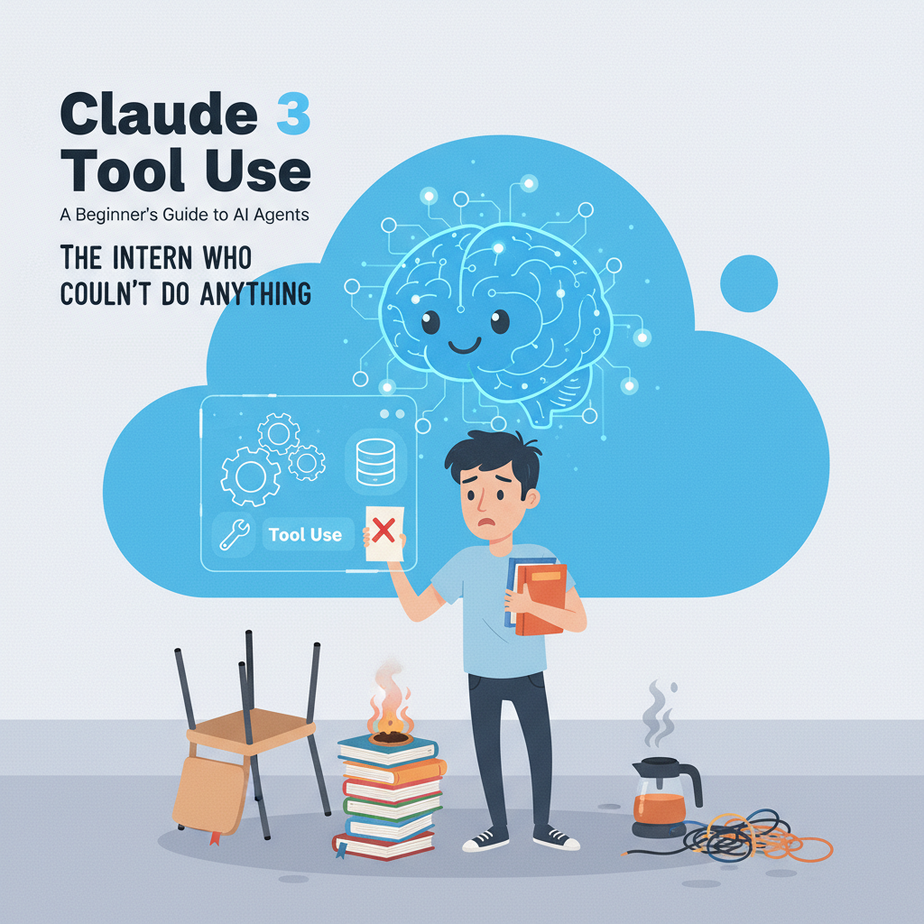
The Intern Who Couldn’t Do Anything
Picture this. You hire a new intern. Let’s call him Chad. Chad is incredibly smart, has read every book ever written, and can write a flawless essay on 17th-century naval history. But he’s been raised in a locked, sterile room with no windows or internet access.
You tell him, “Chad, find out the current order status for customer #ABC-123.”
Chad smiles confidently and says, “I understand the concept of ‘order status’ and ‘customer #ABC-123’. This is a request for information regarding the logistical state of a commercial transaction.”
You wait. Nothing happens. “…So? What’s the status?”
“I do not have access to that information,” he replies, still smiling. “I am in this room.”
This is exactly what you’ve been doing with your AI. You have a super-intelligent brain trapped in a box. You can ask it questions about its pre-existing knowledge, but you can’t ask it to do anything in the real world. It can’t check your database, it can’t send an email, it can’t look up a stock price.
Today, we’re handing Chad a computer, logging him into the company system, and giving him a list of approved tasks. We’re giving our AI tools.
Why This Matters
This is the single biggest leap you can make in automation. It’s the difference between a calculator and a factory robot.
A standard AI prompt is a one-way street: you ask, it answers from its memory. With Tool Use (also known as “Function Calling” in other circles), you create a two-way conversation between the AI and your own code. It transforms the AI from a know-it-all encyclopedia into an active agent that can execute tasks within your business systems.
This replaces: Manually looking up data, copy-pasting between systems, answering repetitive customer questions, and paying an army of Chads to do boring, predictable work. This is how you build systems that don’t just *talk* about work, but actually *do* it.
What This Tool / Workflow Actually Is
At its core, Claude’s Tool Use is a structured way for the AI to ask for help. It’s a two-step dance:
- The Ask: You send a prompt to Claude and also provide a list of “tools” it’s allowed to use. A tool is just a function in your code, like
get_order_statusorsend_slack_message. If Claude decides it needs one of your tools to answer the user’s question, it doesn’t give a final answer. Instead, it stops and says, “Hey, Professor! I need you to run theget_order_statustool with the argumentorder_id='ABC-123'.” - The Response: Your code sees this request, runs your actual
get_order_statusfunction, gets the result (e.g., “Shipped”), and then sends that result back to Claude in a second API call.
Only then, armed with the real-world data you just gave it, does Claude generate the final, human-friendly answer: “I’ve checked on order #ABC-123, and it has been shipped.”
What it does NOT do: It does NOT execute code for you. It never has access to your systems. It simply identifies the right tool and tells you which buttons to press. You are always in control. It’s the navigator, you’re the driver.
Prerequisites
I’m serious, this is all you need. Don’t get scared by the code. It’s mostly copy-paste.
- An Anthropic API Key: Get one from their website. This is the key to the kingdom.
- Python: You need Python installed on your machine. If you don’t have it, a 5-minute search for “install Python on [my operating system]” will get you there.
- One line in your terminal: You need to install their library. Open your terminal (or Command Prompt) and run this:
pip install anthropic - A smidgen of courage. You are teaching a digital brain to interact with the world. It’s supposed to feel a little like sci-fi.
Step-by-Step Tutorial
Let’s build this from scratch. We’ll create a simple function that can fetch a fake weather forecast.
Step 1: Setup your Python file
Create a new file called weather_bot.py. Add this boilerplate to connect to Anthropic. Replace "YOUR_API_KEY" with your actual key.
import anthropic
import json

client = anthropic.Anthropic(
    # This is the default and can be omitted
    api_key="YOUR_API_KEY",
)
Step 2: Define your Python function (The actual tool)
This is the real workhorse. It’s a normal Python function. When the AI asks us to get the weather, this is the code that will actually run. For now, it will just return fake data.
def get_weather(city: str):
    """Gets the current weather for a specific city."""
    print(f"--- Running the REAL get_weather function for {city} ---")
    if "san francisco" in city.lower():
        return json.dumps({"temperature": "72F", "forecast": "Sunny with a chance of fog"})
    elif "new york" in city.lower():
        return json.dumps({"temperature": "85F", "forecast": "Humid and cloudy"})
    else:
        return json.dumps({"temperature": "unknown", "forecast": "City not found"})
Step 3: Describe the tool for Claude
This is the most important part. You need to create a “menu” that tells Claude what tools are available. It’s a specific JSON format. Add this to your file. Notice how the `description` and parameter properties match our Python function perfectly.
tools = [
    {
        "name": "get_weather",
        "description": "Get the current weather in a given city.",
        "input_schema": {
            "type": "object",
            "properties": {
                "city": {
                    "type": "string",
                    "description": "The city, e.g., San Francisco"
                }
            },
            "required": ["city"]
        }
    }
]
Step 4: Make the first API call (The “Ask”)
Now we send the user’s prompt to Claude, along with the `tools` menu we just defined. We’re asking the AI to figure out if it needs to use a tool.
# The user's request
user_prompt = "What's the weather like in San Francisco?"

print(f"User: {user_prompt}")

# First call to the API
message = client.messages.create(
    model="claude-3-opus-20240229",
    max_tokens=1024,
    messages=[{"role": "user", "content": user_prompt}],
    tools=tools,
    tool_choice={"type": "auto"}
).content

print(f"\
API Response (Stop Reason): {message[0].type}")
If you run this, you’ll see the output is not a sentence! It will be a `tool_use` block. Claude has stopped and is waiting for you.
Step 5: The Two-Step Dance (Handle Tool Use & Send Result Back)
This is the logic that checks if Claude wants to use a tool, runs our function, and sends the result back for the final answer. This is the heart of the automation.
# Find the tool_use block
tool_use_block = next((block for block in message if block.type == 'tool_use'), None)

if tool_use_block:
    tool_name = tool_use_block.name
    tool_input = tool_use_block.input
    tool_use_id = tool_use_block.id

    print(f"Claude wants to use the tool: '{tool_name}' with input {tool_input}")

    # Run our actual Python function
    tool_result = get_weather(city=tool_input.get("city"))

    print(f"Result from our function: {tool_result}\
")

    # Send the result back to Claude
    final_response = client.messages.create(
        model="claude-3-opus-20240229",
        max_tokens=4096,
        messages=[
            {"role": "user", "content": user_prompt},
            {"role": "assistant", "content": message},
            {
                "role": "user",
                "content": [
                    {
                        "type": "tool_result",
                        "tool_use_id": tool_use_id,
                        "content": tool_result
                    }
                ]
            }
        ],
        tools=tools,
    ).content[0].text

    print(f"Claude's Final Answer: {final_response}")
Complete Automation Example
Let’s put it all together in one script. If you copy and paste this into `weather_bot.py` (after filling in your API key), it will run from start to finish.
import anthropic
import json

# --- 1. SETUP THE CLIENT ---
client = anthropic.Anthropic(
    api_key="YOUR_API_KEY",
)

# --- 2. DEFINE YOUR REAL PYTHON FUNCTION ---
def get_weather(city: str):
    """Gets the current weather for a specific city."""
    print(f"--- Running the REAL get_weather function for {city} ---")
    if "san francisco" in city.lower():
        return json.dumps({"temperature": "72F", "forecast": "Sunny with a chance of fog"})
    elif "new york" in city.lower():
        return json.dumps({"temperature": "85F", "forecast": "Humid and cloudy"})
    else:
        return json.dumps({"temperature": "unknown", "forecast": "City not found"})

# --- 3. DESCRIBE YOUR TOOL FOR CLAUDE ---
tools = [
    {
        "name": "get_weather",
        "description": "Get the current weather in a given city.",
        "input_schema": {
            "type": "object",
            "properties": {
                "city": {
                    "type": "string",
                    "description": "The city, e.g., San Francisco"
                }
            },
            "required": ["city"]
        }
    }
]

# --- 4. THE CONVERSATION STARTS ---
user_prompt = "What's the weather like in San Francisco?"
print(f"User: {user_prompt}")

# --- 5. FIRST API CALL (THE "ASK") ---
# The AI will see the prompt and the available tools, and decide if it needs one.
response = client.messages.create(
    model="claude-3-opus-20240229",
    max_tokens=1024,
    messages=[{"role": "user", "content": user_prompt}],
    tools=tools,
    tool_choice={"type": "auto"}
)

# --- 6. THE TWO-STEP DANCE ---
# We build the message history and check if the AI requested a tool.
original_messages = [{"role": "user", "content": user_prompt}]
assistant_response_content = response.content
original_messages.append({"role": "assistant", "content": assistant_response_content})

tool_use_block = next((block for block in assistant_response_content if block.type == 'tool_use'), None)

if tool_use_block:
    tool_name = tool_use_block.name
    tool_input = tool_use_block.input
    tool_use_id = tool_use_block.id

    print(f"\
Claude wants to use the tool: '{tool_name}' with input {tool_input}")

    # Run our actual function
    tool_result = get_weather(city=tool_input.get("city"))
    print(f"Result from our function: {tool_result}\
")

    # Append the tool result to the conversation history
    tool_result_message = {
        "role": "user",
        "content": [
            {
                "type": "tool_result",
                "tool_use_id": tool_use_id,
                "content": tool_result
            }
        ]
    }
    original_messages.append(tool_result_message)

    # --- 7. SECOND API CALL (GIVING THE ANSWER BACK) ---
    # Now Claude has the real-world data to form its final response.
    final_response = client.messages.create(
        model="claude-3-opus-20240229",
        max_tokens=4096,
        messages=original_messages,
        tools=tools,
    ).content[0].text

    print(f"Claude's Final Answer: {final_response}")
else:
    # This happens if the AI could answer without a tool
    final_text = next((block.text for block in assistant_response_content if block.type == 'text'), None)
    print(f"Claude's Final Answer (no tool needed): {final_text}")
Real Business Use Cases
This isn’t just for weather bots. This pattern is the foundation of modern AI automation.
- E-commerce Support Bot: A customer asks, “Where is my stuff?” The AI sees the prompt, calls your internal `get_order_status(order_id)` tool, gets the real tracking info, and provides a perfect, up-to-the-minute answer.
- Internal Sales Assistant: A sales rep types into Slack, “Give me the rundown on acme.com.” The AI uses a tool `get_crm_data(domain)` that connects to your Salesforce or HubSpot API, pulls the last 5 interactions and deal size, and summarizes it instantly.
- SaaS Onboarding Helper: A new user says, “How do I add a team member?” The AI doesn’t just guess. It calls a `get_user_account_type(user_id)` tool, sees they are on the “Free” plan, and responds, “To add a team member, you’ll need to upgrade to our ‘Pro’ plan. Here’s a link to do that.”
- Content Management System: You want to write a blog post about a topic. You create a tool called `get_latest_industry_news(topic)`. Your AI agent first calls that tool to get real-time facts, *then* uses those facts to write an accurate, up-to-date article.
- Project Management Automation: An email arrives from a client with the subject “URGENT: Bug in login page.” An automation parses the email, feeds the text to Claude, which then uses the `create_jira_ticket(title, description, priority)` tool to instantly create a high-priority ticket for the engineering team.
Common Mistakes & Gotchas
- Vague Tool Descriptions: The `description` field in your tool definition is critical. If you write “Does stuff with users,” the AI will have no idea when to use it. Be specific: “Fetches a user’s complete profile and subscription history from the database using their email address.”
- Forgetting the Second Call: Beginners often make the first API call, see the `tool_use` response, and wonder why they didn’t get a sentence back. Remember the dance: Ask, Get Request, Fulfill Request, Send Result Back, Get Final Answer.
- Ignoring Errors: What if your `get_order_status` function can’t find the order? Don’t crash. Your function should return a clear error message like `{“error”: “Order ID not found”}`. You then pass this back to Claude, which will politely tell the user, “I’m sorry, I couldn’t find an order with that ID. Could you please double-check it?”
- Thinking the AI is Magic: The AI doesn’t know *how* your function works. It only knows the description you give it. If your function is broken, the AI can’t fix it. It will just keep getting bad data back and giving bad answers.
How This Fits Into a Bigger Automation System
What you just learned is the fundamental building block of almost every advanced AI system. This isn’t a party trick; it’s a load-bearing wall.
- Voice Agents: When you talk to an AI on the phone, it’s doing this. It transcribes your voice to text, the text model uses a tool (e.g., `check_appointment_availability`), gets a result, and then uses text-to-speech to talk back to you.
- CRMs & Databases: Your tools can be `update_customer_record`, `add_note_to_deal`, or `query_inventory_db`. This is how you give an AI read/write access to your business’s brain.
- Multi-Agent Workflows: You can build complex systems where one agent’s job is to route tasks. It might use a tool that doesn’t query a database, but instead calls *another* specialized AI agent. For example, a `general_inquiry_agent` calls the `billing_question_agent` when it detects a question about invoices.
- RAG Systems: A common pattern is to wrap your entire document search system (Retrieval-Augmented Generation) into a single tool called `find_relevant_documents(query)`. Now, the AI can decide for itself when it needs to go searching for information versus when it can answer from its own knowledge.
What to Learn Next
Congratulations. You just gave your AI hands. You bridged the gap between the digital mind and the real world of your business data. This is a massive step.
But what happens when a user asks a question that requires multiple steps? Something like, “Find the email address of the main contact at our biggest client, and then draft an email to them summarizing their support tickets from the last month.”
That would require calling `get_biggest_client()`, then `get_main_contact(client_id)`, then `get_support_tickets(contact_email)`, and finally `draft_email(…)`. The AI needs to think in a sequence.
In the next lesson in this course, we’re going to teach our AI how to do just that. We’re moving from a simple robot arm to a full assembly line worker. We’re going to build Multi-Step AI Agents and Chains.
You’re ready for it. See you in the next lesson.
“,
“seo_tags”: “Claude 3, Tool Use, Function Calling, AI Agents, Business Automation, Python, API, Anthropic, AI Tutorial”,
“suggested_category”: “AI Automation Courses