
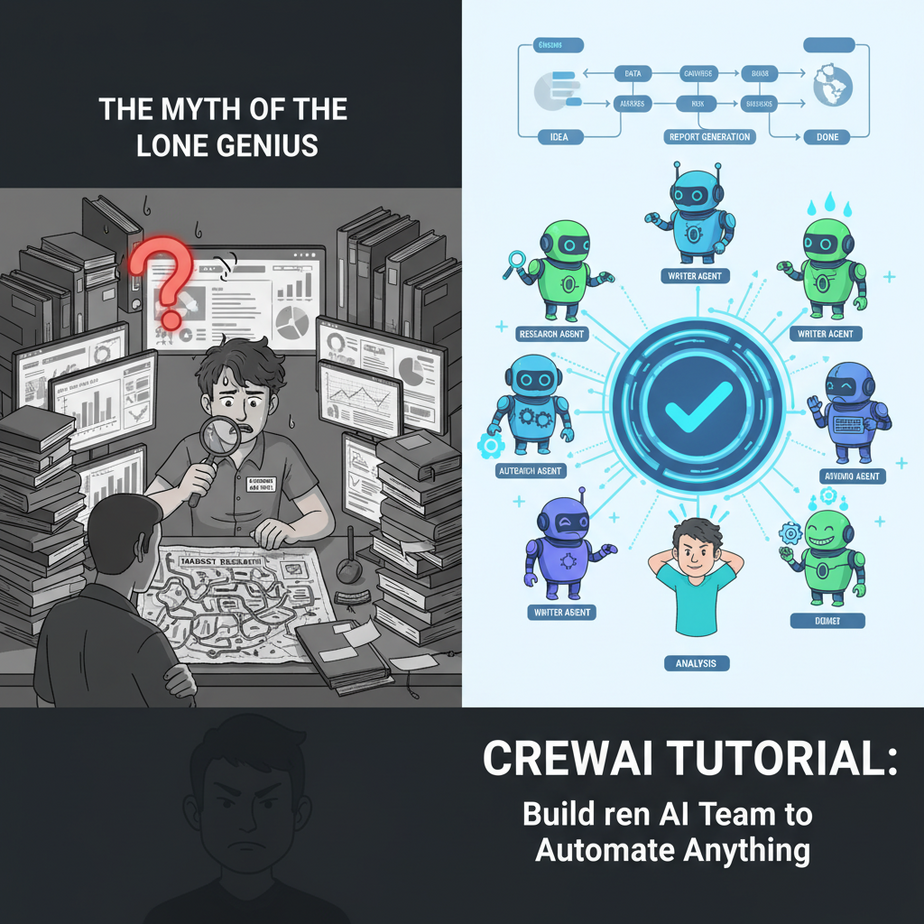
The Myth of the Lone Genius
Remember that intern I hired? Let’s call him Barry. I once asked Barry to do some “simple” market research on a new competitor. The task seemed straightforward: find their key features, pricing, and what customers are saying about them, then write a summary.
A week later, I got a 30-page, stream-of-consciousness document filled with random Reddit comments, outdated pricing screenshots, and a long tangent about the founder’s dog. Barry had worked hard, but he was a researcher, not a strategist or a writer. He gathered the data, but he couldn’t synthesize it into a coherent report. It was a mess.
This is the problem with using a single AI for a complex job. You’re asking one “person” to be a world-class researcher, a brilliant analyst, AND a Pulitzer-winning writer. It doesn’t work for humans, and it doesn’t work for AI. Real work requires a team.
Why This Matters
Today, we move beyond single-player AI. We’re building a crew. An agentic workflow is an assembly line of specialized AIs that pass tasks from one to another until a complex goal is achieved. It’s the difference between hiring one overwhelmed intern and hiring a dedicated team of professionals.
This automation replaces:
- Manual, multi-step research and reporting processes.
- The chaos of coordinating multiple freelancers or team members.
- The need for a human to constantly supervise and stitch together the outputs of different tools.
- Inconsistent quality that comes from one person trying to wear too many hats.
By building an AI crew, you’re not just automating a task; you’re automating an entire department. You’re building a system that can reliably produce high-quality, complex work, 24/7, without getting tired or distracted by dogs on Instagram.
What This Tool / Workflow Actually Is
We’re going to use a Python library called CrewAI. Think of CrewAI as a project manager or a film director for your AI agents.
It doesn’t *create* the AI models themselves. Instead, it uses powerful models you already know (like GPT-4 from OpenAI or Llama 3 via Groq) as the “brains” of your agents. CrewAI is the framework that lets you give these brains distinct personalities, roles, tools, and a process to follow.
What it does:
It allows you to define multiple AI agents, each with a specific goal and backstory. It lets you create tasks and assign them to agents. Most importantly, it manages the workflow, allowing agents to collaborate, share information, and build on each other’s work to achieve a final objective.
What it does NOT do:
It is not an AI model itself. It is an orchestrator. It won’t magically make a dumb model smart. The quality of your crew’s output is still highly dependent on the quality of the underlying LLM (Large Language Model) and the clarity of your instructions.
Prerequisites
This lesson builds directly on what we’ve learned. It’s a small step up in complexity, but you can handle it.
- Everything from the last lesson: You should be comfortable with Python and running a simple script.
- An LLM API Key: For this lesson, I recommend an OpenAI API key to use GPT-4, as it’s excellent at reasoning and following instructions. However, you can easily swap it for Groq (for speed) or another provider.
- Some Python Libraries: We’ll need to install a few things. Don’t worry, it’s just one command.
That’s it. We’re not launching rockets, just telling a few robots how to work together.
Step-by-Step Tutorial
Let’s build a very simple two-agent crew: a researcher and a writer. Their mission: explain what the heck an LPU is (a nice callback to our Groq lesson).
Step 1: Install the Libraries
Open your terminal. We need CrewAI itself, some basic tools it can use, and a library for web searches. Type this and hit Enter:
pip install crewai crewai[tools] duckduckgo-searchStep 2: Set up Your Environment
For CrewAI to work, it needs to know which AI model to use. The easiest way is to set an environment variable. In your terminal, run this command before you run your script (replace the key with your own):
On Mac/Linux:
export OPENAI_API_KEY='sk-YourSuperSecretKey'On Windows:
set OPENAI_API_KEY='sk-YourSuperSecretKey'This tells any script you run in that terminal session where to find your secret key.
Step 3: Write the Python Script
Create a new file called my_crew.py and paste the following code into it. We’ll walk through what each part does.
import os
from crewai import Agent, Task, Crew, Process
from crewai_tools import SerperDevTool

# Note: To use Serper, you need a SERPER_API_KEY environment variable.
# For this example, we'll use a different search tool that doesn't require a key.
from langchain_community.tools import DuckDuckGoSearchRun
search_tool = DuckDuckGoSearchRun()

# --- 1. DEFINE YOUR AGENTS ---
# An agent is like a persona with a specific role, goal, and backstory.

researcher = Agent(
  role='Senior Research Analyst',
  goal='Uncover cutting-edge developments in AI and data science',
  backstory=(
    "You are a meticulous analyst from a top-tier tech think tank. "
    "Your expertise lies in identifying emerging trends and technologies."
  ),
  verbose=True,
  allow_delegation=False,
  # We give the agent a tool to use
  tools=[search_tool]
)

writer = Agent(
  role='Tech Content Strategist',
  goal='Craft compelling content on technical advancements',
  backstory=(
    "You are a renowned content creator, known for making complex topics "
    "accessible and engaging. You turn dry data into exciting narratives."
  ),
  verbose=True,
  allow_delegation=False
)

# --- 2. DEFINE YOUR TASKS ---
# A task is a specific assignment for an agent.

# Task for the researcher agent
research_task = Task(
  description='Investigate and summarize the concept of Language Processing Units (LPUs) from Groq.',
  expected_output='A bullet point summary of what LPUs are and how they differ from GPUs.',
  agent=researcher
)

# Task for the writer agent
# Notice the 'context' parameter. This tells the agent to use the output of another task.
write_task = Task(
  description='Write a 4-paragraph blog post explaining LPUs to a non-technical audience.',
  expected_output='A well-written blog post formatted in markdown.',
  agent=writer,
  # The output of research_task will be available to this task
  context=[research_task]
)

# --- 3. CREATE YOUR CREW ---
# The crew is the collection of agents and tasks working together.

my_crew = Crew(
  agents=[researcher, writer],
  tasks=[research_task, write_task],
  process=Process.sequential # Tasks will be executed one after another
)

# --- 4. KICK OFF THE WORKFLOW ---
# This starts the process. The agents will begin working.

print("## Starting the Crew...")
result = my_crew.kickoff()

print("\
\
## Crew Work Complete!")
print("## Final Result:")
print(result)
Step 4: Run Your Crew
Save the file. Go back to your terminal (the same one where you set the API key) and run the script:
python my_crew.pyNow, watch the magic. You’ll see the `researcher` agent think, decide to use its search tool, and find information about LPUs. Then, it will pass its findings to the `writer` agent, which will then craft the blog post. It’s a fully automated, two-step workflow.
Complete Automation Example: The Competitor Analysis Report Crew
Let’s build a crew that solves my original problem with Barry the intern. This crew will generate a concise competitor analysis report.
This script is almost identical in structure to the one above, just with different agent roles and task descriptions. This is the beauty of CrewAI—the pattern is reusable.
import os
from crewai import Agent, Task, Crew, Process
from langchain_community.tools import DuckDuckGoSearchRun

# Make sure to set your OPENAI_API_KEY environment variable

search_tool = DuckDuckGoSearchRun()

# --- AGENTS ---

market_researcher = Agent(
    role="Market Research Analyst",
    goal="Find information about a competitor's product, pricing, and user reviews",
    backstory="An expert at scouring the web for public information to build a complete picture of a company.",
    tools=[search_tool],
    verbose=True
)

strategy_analyst = Agent(
    role="Business Strategy Analyst",
    goal="Analyze market data to identify strengths, weaknesses, and strategic positioning",
    backstory="A seasoned strategist who can see the story behind the data and provide actionable insights.",
    # This agent doesn't need tools, it will rely on the researcher's context
    verbose=True
)

report_writer = Agent(
    role="Senior Report Writer",
    goal="Draft a concise, easy-to-read executive summary from analytical findings",
    backstory="A professional writer who specializes in creating reports for busy executives.",
    verbose=True
)

# --- TASKS ---

# The variable {{competitor_company}} is a placeholder we can fill in when we run the crew.
research_task = Task(
    description="Gather all available information on the company '{{competitor_company}}'. Focus on their main product, its features, pricing, and online user reviews.",
    expected_output="A document containing raw data points, links, and snippets about the competitor.",
    agent=market_researcher
)

analyze_task = Task(
    description="Analyze the research findings to identify the competitor's key strengths and weaknesses. What is their unique selling proposition?",
    expected_output="A bullet-point list of strengths, weaknesses, and the core market strategy.",
    agent=strategy_analyst,
    context=[research_task]
)

report_task = Task(
    description="Write a one-page executive summary based on the analysis. The summary should be clear, concise, and targeted at a CEO.",
    expected_output="A formatted executive summary document with a title, a brief overview, and key takeaways.",
    agent=report_writer,
    context=[analyze_task]
)

# --- CREW ---

competitor_analysis_crew = Crew(
    agents=[market_researcher, strategy_analyst, report_writer],
    tasks=[research_task, analyze_task, report_task],
    process=Process.sequential,
    verbose=2
)

# --- KICKOFF ---

# We can pass inputs to the crew when we kick it off.
competitor_name = "Linear"

print(f"## Analyzing competitor: {competitor_name}")
result = competitor_analysis_crew.kickoff(inputs={'competitor_company': competitor_name})

print("\
\
## Analysis Complete!")
print(result)
Run this script. It will perform a full analysis on the project management tool ‘Linear’ (or any company you choose) and give you a polished report. All without needing Barry.
Real Business Use Cases
- Content Marketing Engine: A crew with an SEO Analyst, a Writer, and an Editor. The SEO agent finds a keyword, the Writer drafts an article, and the Editor refines it for tone and grammar before publishing.
- Sales Outreach Automation: An agent finds new companies that match an ideal customer profile. A second agent researches the company to find the right contact person. A third agent drafts a highly personalized cold email based on the research.
- Software Development Team: A Product Manager agent writes user stories. A Developer agent writes the Python code. A QA agent writes tests to validate the code. This is advanced but entirely possible.
- Recruiting Assistant: An agent takes a job description and searches LinkedIn for potential candidates. A second agent reviews the profiles and shortlists the top 5. A third agent drafts a personalized outreach message for each candidate.
- Financial Due Diligence: For investors, a crew can be assigned a startup. One agent researches their public footprint and news articles, another analyzes their financial statements (if available), and a third synthesizes a risk report.
Common Mistakes & Gotchas
- Giving Vague Instructions: An agent’s `role`, `goal`, and `backstory` are not just flavor text. The AI uses them to guide its behavior. Be specific. A task with an `expected_output` is crucial for guiding the agent.
- Forgetting Tools: A researcher agent with no search tool is like a chef with no knives. It’s useless. Make sure your agents have the tools they need to accomplish their goals.
- Creating Agent Overlap: Don’t create two agents with almost the same job. This causes confusion. Each agent should have a distinct, specialized role, just like on a human team.
- Ignoring Costs: This is a big one. A complex crew can make DOZENS of LLM calls to complete a single run. This can get expensive quickly. Start small, monitor your API usage, and consider using faster, cheaper models (like Groq) for simpler agents in the crew.
How This Fits Into a Bigger Automation System
A CrewAI workflow is rarely the *entire* automation; it’s the powerful “thinking” part of a larger system.
- Triggering Crews from a CRM: A new high-value lead enters your Salesforce. A webhook triggers your “Sales Outreach” crew. The crew does its research, drafts an email, and then uses another API to save that draft in the sales rep’s Gmail.
- Connecting to RAG: Instead of a public web search tool, you can give an agent a tool that searches your company’s private knowledge base. The agent can then use your internal data to answer questions or generate reports.
- Human-in-the-Loop: The output of a crew doesn’t have to be the final step. A crew can draft three different marketing slogans, which are then sent to a human via Slack for final approval before being used.
- Scheduled Operations: You can run a “Weekly Market News” crew every Friday using a scheduler (like a cron job). It will autonomously generate a report and email it to the entire team Monday morning.
What to Learn Next
You’ve built an AI team. You’ve become the project manager for a crew of tireless, brilliant robot interns. They can search the web and write text. That’s amazing, but it’s generic.
What if your AI crew could do things specific to *your* business? What if you could give an agent a tool to check your product inventory? Or a tool to post a message in your company’s Slack channel? Or a tool to read and write to your private customer database?
In the next lesson, we’re going to give our agents custom superpowers. We will learn how to build Custom Tools for CrewAI, transforming our generic team into a highly-specialized crew that can interact with your own business systems. This is how we go from cool demos to indispensable, proprietary automation.
“,
“seo_tags”: “CrewAI, Agentic Workflows, AI Agents, Python, AI Automation, Multi-agent Systems, Tutorial”,
“suggested_category”: “AI Automation Courses