
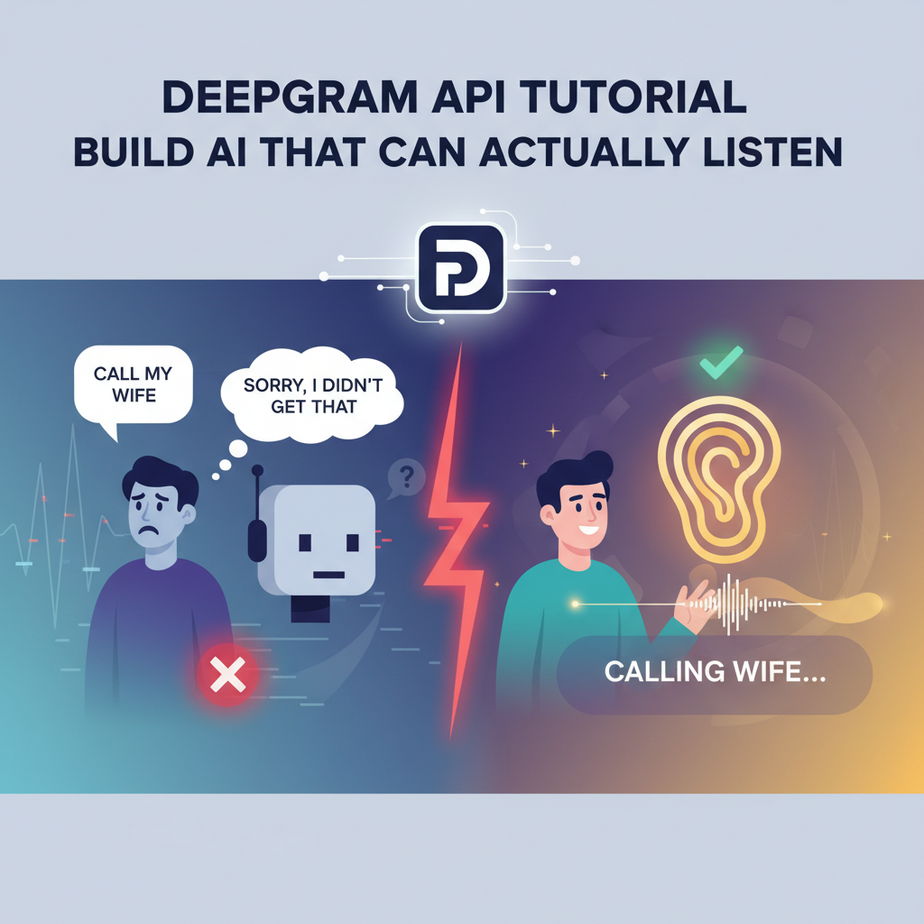
“Sorry, I didn’t get that.”
We’ve all been there. You’re talking to Siri, Alexa, or some automated phone menu. You speak a perfectly clear sentence: “Call my wife.” The robot pauses, whirs, and then replies with something infuriatingly stupid like, “Okay, shuffling songs by The Knife.” You sigh, repeat yourself slower, then louder, until you’re basically shouting at a plastic cylinder in your living room like a lunatic.
This is the digital equivalent of talking to someone who’s constantly distracted, half-listening, and gets every other word wrong. It’s useless. An AI that can’t understand you is just a fancy calculator with a speaking impediment.
In the last two lessons, we built an AI with a super-fast brain (Groq) and a charismatic, human-sounding voice (ElevenLabs). But it’s still deaf. Today, we’re performing the final operation. We’re giving our AI a set of superhuman ears.
Why This Matters
The ability to accurately convert speech into text is not just a feature; it’s a data goldmine. Spoken conversations are the most valuable, highest-density data in any business. But until now, it’s been trapped in audio files, inaccessible and unsearchable.
When you can reliably turn audio into text, you can:
- Analyze Every Sales Call: Automatically transcribe calls and run analysis to see which talking points actually lead to closed deals.
- Understand Customer Problems: Transcribe all your support calls and identify recurring issues, bugs, and feature requests without listening to a single recording.
- Create Instant Content: Record a 30-minute meeting or a brainstorming session and instantly get a perfect transcript you can turn into a blog post, meeting minutes, or a knowledge base article.
This workflow replaces expensive human transcription services, the tedious manual labor of re-listening to recordings, and the lost opportunities from not knowing what’s being said in your own company. You’re upgrading from a clueless intern who takes terrible notes to a court stenographer who captures every single word, instantly.
What This Tool / Workflow Actually Is
We’re using a tool called Deepgram. It’s a professional-grade Speech-to-Text (STT) API, also known as Automatic Speech Recognition (ASR).
Think of it as the ultimate set of ears for your AI system. Its entire job is to listen to audio data—whether from a pre-recorded file or a live stream—and convert it into structured, readable text with lightning speed and accuracy.
What it does:
It takes an audio input (like an MP3 or WAV file) and returns a detailed JSON object containing a full transcript, confidence levels, and even word-by-word timestamps.
What it does NOT do:
It does not *understand* the meaning of the text it transcribes (that’s the job for our LLM brain, Groq). It does not generate speech (that’s our TTS mouth, ElevenLabs). It is a pure-play audio-to-text conversion factory.
Prerequisites
You are so close to having a fully functional conversational AI. This is the last component, and it’s just as straightforward as the others.
- A Deepgram Account: Go to deepgram.com and sign up. They have a free tier with a generous amount of starting credits, more than enough for our work today.
- Your API Key: Once you’re in, navigate to the “API Keys” section in your dashboard and create a new key.
- Python installed: You’re a pro at this by now.
- An audio file to test: You can record a short MP3 of yourself saying a sentence or two, or download any sample audio file. Just make sure it’s in the same folder where you’ll save your script.
No credit card required. Let’s build some ears.
Step-by-Step Tutorial
Let’s turn some sound into words. It’s going to feel like magic.
Step 1: Get Your Deepgram API Key
This is your access pass to the transcription engine.
- Log in to your Deepgram Console.
- In the left-hand menu, go to “API Keys”.
- Click “Create a New API Key”. Give it a name like “AutomationAcademy” and click “Create Key”.
- Copy the key and save it somewhere safe. Just like all the others, it’s a secret.
Step 2: Set Up Your Python Environment
Open up your terminal. We need to install the Deepgram Python SDK, which makes using their service incredibly simple.
Type this command and hit Enter:
pip install deepgram-sdkThis gets all the helper code we need to communicate with the Deepgram API.
Step 3: Write the Python Script
Create a new file named ears_agent.py. Make sure you have an audio file (let’s say you name it test_audio.mp3) in the same folder.
Copy and paste this code into your file:
import os
from deepgram import DeepgramClient, PrerecordedOptions

# Your Deepgram API Key
API_KEY = "YOUR_DEEPGRAM_API_KEY_HERE"

# The path to your audio file
AUDIO_FILE = "test_audio.mp3"

def main():
    try:
        # 1. Initialize the Deepgram Client
        deepgram = DeepgramClient(API_KEY)

        with open(AUDIO_FILE, "rb") as file:
            buffer_data = file.read()

        payload = {"buffer": buffer_data}

        # 2. Configure Deepgram options
        options = PrerecordedOptions(
            model="nova-2",
            smart_format=True,
        )

        # 3. Call the API
        response = deepgram.listen.prerecorded.v("1").transcribe_file(payload, options)

        # 4. Print the transcript
        print(response.to_json(indent=4))

    except Exception as e:
        print(f"Exception: {e}")

if __name__ == "__main__":
    main()
Before running, do two things: replace "YOUR_DEEPGRAM_API_KEY_HERE" with your actual key, and make sure your audio file is named test_audio.mp3 or change the filename in the script.
Why this works: We initialize the client, open our audio file in binary read mode (`rb`), configure our request to use their best model (`nova-2`) and apply smart formatting (like punctuation), and then send it off. The API sends back a detailed JSON, which we print neatly.
Step 4: Run the Script and See the Result
In your terminal, run the script:
python ears_agent.pyIn seconds, you’ll see a structured output. Buried inside it, you’ll find the magic key: `”transcript”:`. And next to it, the words from your audio file, perfectly transcribed.
Complete Automation Example
This is the moment we’ve been building towards. We’re going to connect the EARS, the BRAIN, and the MOUTH. We’ll build a **Voice Memo Summarizer**.
The Problem: You leave yourself rambling 2-minute voice memos on your phone with brilliant ideas. A week later, you have 15 of these memos and no desire to listen to them all again. You want the key insights, not the rambling.
The Automation: We’ll write a single script that:
1. Transcribes an audio file using Deepgram (Ears).
2. Sends the transcript to Groq to be summarized (Brain).
3. Prints the summary for now (but you could easily have ElevenLabs *speak* it back to you!).
You’ll need to have both Deepgram and Groq libraries installed: `pip install deepgram-sdk groq`.
Create a new file `full_agent.py`:
from deepgram import DeepgramClient, PrerecordedOptions
from groq import Groq

# --- CONFIGURATION ---
DEEPGRAM_API_KEY = "YOUR_DEEPGRAM_API_KEY_HERE"
GROQ_API_KEY = "YOUR_GROQ_API_KEY_HERE"
AUDIO_FILE_PATH = "my_brilliant_idea.mp3" # Your voice memo

def transcribe_audio(file_path):
    print("1. Starting transcription (Ears are listening)...")
    deepgram = DeepgramClient(DEEPGRAM_API_KEY)
    with open(file_path, "rb") as audio_file:
        buffer_data = audio_file.read()
    payload = {"buffer": buffer_data}
    options = PrerecordedOptions(model="nova-2", smart_format=True)
    response = deepgram.listen.prerecorded.v("1").transcribe_file(payload, options)
    transcript = response.results.channels[0].alternatives[0].transcript
    print("   ...Transcription complete!")
    return transcript

def summarize_text(text):
    print("2. Sending transcript to brain for summary...")
    client = Groq(api_key=GROQ_API_KEY)
    chat_completion = client.chat.completions.create(
        messages=[
            {"role": "system", "content": "You are a world-class assistant. Summarize the following transcript and extract key action items."},
            {"role": "user", "content": text}
        ],
        model="llama3-8b-8192",
    )
    summary = chat_completion.choices[0].message.content
    print("   ...Summary received!")
    return summary

# --- MAIN EXECUTION ---
if __name__ == "__main__":
    transcript = transcribe_audio(AUDIO_FILE_PATH)
    print("\
--- TRANSCRIPT ---\
" + transcript)

    summary = summarize_text(transcript)
    print("\
--- AI SUMMARY ---\
" + summary)
Fill in your two API keys, name your audio file correctly, and run it: `python full_agent.py`. Watch as the pieces work together. The script will first print the raw transcript, then the beautifully clean summary from the LLM. You just turned unstructured audio into structured intelligence.
Real Business Use Cases
This core “listen and understand” pattern is transformative:
- HR/Recruiting: Transcribe candidate interviews to create searchable records and compare answers to key questions without bias from memory.
- Financial Compliance: Automatically transcribe all trader calls on a trading floor to monitor for compliance keywords and flag potential violations in real-time.
- Education Tech: Provide instant transcripts for online lectures, making them accessible, searchable, and easier for students to review.
- Product Research: Transcribe user feedback sessions to quickly identify pain points and feature requests without taking manual notes.
- Media Monitoring: Monitor TV and radio broadcasts for mentions of a company’s brand or keywords, transcribing them for sentiment analysis.
Common Mistakes & Gotchas
- Ignoring Audio Quality: The #1 rule of STT is Garbage In, Garbage Out (GIGO). A clear microphone and minimal background noise will give you vastly better results than a noisy recording from a phone in your pocket.
- Using the Wrong Model: Deepgram has different models trained for different audio types (e.g., phone calls, meetings, general). Using the `nova-2` model is a great start, but for specialized tasks, picking the right model is key.
- Forgetting About Diarization: For audio with multiple speakers, you need to tell the API to perform diarization (`diarize=True`). This will identify *who* spoke *when*, which is critical for transcribing meetings or interviews.
- Batch vs. Streaming: We transcribed a pre-recorded file. For a live conversation, you need to use their streaming API, which sends audio data in small chunks and receives transcripts back in near real-time. This is the foundation of a true voice bot.
How This Fits Into a Bigger Automation System
This was the final piece of the puzzle. We now have the complete, core stack for a conversational AI agent:
- The Ears (Deepgram): Listens to the user and converts their speech to text.
- The Brain (Groq): Takes that text, understands the intent, and formulates a response.
- The Mouth (ElevenLabs): Takes the brain’s text response and speaks it back to the user in a natural voice.
You can now automate any workflow that begins with a spoken command or a conversation. You can connect this stack to your CRM to update records via voice, to your home automation to control lights, or to your calendar to schedule meetings just by talking to your computer.
What to Learn Next
You have done it. You have assembled the holy trinity of voice AI. You have the ears, the brain, and the mouth. Separately, they are powerful tools. Together, they are a revolution.
But right now, they’re running one after the other in a script. It’s not a real-time, fluid conversation. There’s a delay between listening, thinking, and speaking.
In the next lesson, we are going to graduate from simple scripts to a fully-fledged application. We will weave these three components together using streaming APIs to build a voicebot you can have a live, back-and-forth conversation with. No more running scripts—just talking. Prepare yourself, because we’re about to bring our creation to life.
“,
“seo_tags”: “deepgram, deepgram api, speech-to-text, ai transcription, python, tutorial, beginner, voice recognition, audio transcription”,
“suggested_category”: “AI Automation Courses