
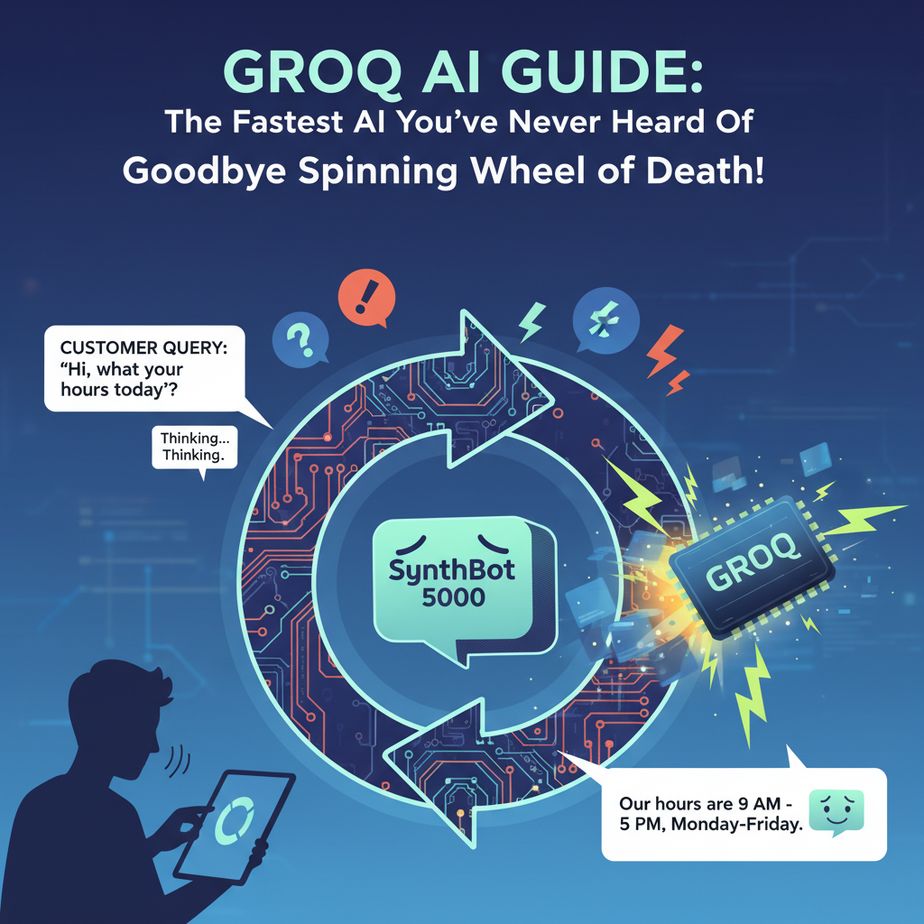
The Spinning Wheel of Death
Picture this. You’ve built the perfect customer support chatbot. It’s trained, it’s polite, it has a charming name like “SynthBot 5000.” A customer asks a simple question: “What’s your return policy?”
And then… nothing.
Just that condescending little “typing…” bubble, mocking you. Three seconds pass. Five. Seven. The customer has already closed the tab and is probably rage-tweeting about your company. By the time SynthBot finally spits out an answer, it’s talking to an empty room.
This delay, this *lag*, is the silent killer of AI adoption. It’s the friction that makes a brilliant automation feel clunky and useless. We expect computers to be instant. When they aren’t, we lose trust. And money.
Why This Matters
In business, speed isn’t a feature; it’s a foundation. A slow AI is like hiring an intern who is brilliant but takes a full minute to process every instruction. They might get the job done, but the workflow is painful.
What if you could have an intern who’s had six shots of espresso, answers your question before you’ve even finished asking, and never gets tired? That’s what near-instant AI inference feels like. It unlocks automations that were previously impossible:
- Customer Support Bots that feel like a real conversation, not a telegram exchange.
- Voice Agents that can listen, think, and speak without awkward, deal-breaking pauses.
- Internal Tools that generate code, classify data, or summarize text instantly, keeping your team in a state of flow.
Today, we’re replacing the slow, thoughtful intern with a hyper-caffeinated genius. We’re going to use a tool called Groq to eliminate the lag and build automations that operate at the speed of thought.
What This Tool / Workflow Actually Is
Let’s be crystal clear. Groq is NOT a new AI model. It’s not a competitor to GPT-4 or Claude or Llama.
Groq is a hardware company. They build specialized chips called LPUs (Language Processing Units) designed to do one thing: run existing, well-known AI models (like Llama 3 and Mixtral) at absolutely ludicrous speeds.
Think of it like this: The AI model (Llama) is the car’s design. The hardware (a GPU from Nvidia or an LPU from Groq) is the engine. Groq built a Formula 1 engine. You can put it in a familiar car, and suddenly that car goes 500 miles per hour.
So, what we are learning today is how to make API calls to models running on Groq’s super-fast hardware. We’re tapping into their engine to power our automations.
What it does: Executes inference (the process of generating a response) for open-source AI models at incredible speeds, often 5-10x faster than traditional GPU-based systems.
What it does NOT do: It doesn’t have a flagship model with the same general reasoning power as GPT-4 (yet). You trade the absolute peak of reasoning for an unbelievable gain in speed. For 90% of automation tasks, that’s a trade you’ll want to make every single time.
Prerequisites
I get it, new tools can be intimidating. Don’t be. If you can order a pizza online, you can do this.
- A Free GroqCloud API Key: Go to the GroqCloud website, sign up, and create an API key. It’s free to get started. Copy that key and save it somewhere safe, like a password manager. Don’t paste it publicly in your code.
- A way to run a tiny bit of Python: We’re not building a rocket ship. Any computer with Python installed will do. If you’ve never used it, installing it is easy. Alternatively, you can use a free online tool like Replit to run the code without installing anything.
That’s it. No credit card, no complex server setup. Just you, a keyboard, and an API key.
Step-by-Step Tutorial: Your First Blazing-Fast API Call
We’re going to write a simple Python script to ask a question and get a response from a model running on Groq. It’s like sending a text message and getting an instant reply.
Step 1: Set up your Python file
Create a new file named quick_groq.py. This is where our code will live.
Step 2: Install the necessary library
We need a helper to make sending web requests easy. The standard is called requests. Open your terminal or command prompt and run:
pip install requestsThis gives our script the superpower to talk to the internet.
Step 3: Write the Python Code
Copy and paste the following code into your quick_groq.py file. I’ll explain what each part does below.
import os
import requests
import json

# IMPORTANT: Don't paste your API key directly into the code.
# Set it as an environment variable for security.
# In your terminal, run: export GROQ_API_KEY='YOUR_API_KEY_HERE'
# For Windows, use: set GROQ_API_KEY='YOUR_API_KEY_HERE'
GROQ_API_KEY = os.environ.get("GROQ_API_KEY")

# The API endpoint is the URL we send our request to
url = "https://api.groq.com/openai/v1/chat/completions"

# The payload is the data we send, including the model and our message
# We're using llama3-8b-8192, a small and very fast model
payload = {
    "model": "llama3-8b-8192",
    "messages": [
        {
            "role": "system",
            "content": "You are a helpful assistant."
        },
        {
            "role": "user",
            "content": "Explain the importance of low-latency AI in one sentence."
        }
    ],
    "temperature": 0.5,
    "max_tokens": 1024,
    "top_p": 1,
    "stream": False, # Set to True for a streaming response
    "stop": None
}

# The headers include our authorization (API key)
headers = {
    "Authorization": f"Bearer {GROQ_API_KEY}",
    "Content-Type": "application/json"
}

# Make the API call
response = requests.post(url, headers=headers, json=payload)

# Check if the request was successful
if response.status_code == 200:
    # Get the content from the response
    response_data = response.json()
    message_content = response_data['choices'][0]['message']['content']
    print(f"AI Response: {message_content}")
else:
    print(f"Error: {response.status_code}")
    print(response.text)
Step 4: Understand and Run the Code
First, before you run, set your API key in your terminal. For Mac/Linux:
export GROQ_API_KEY='paste-your-key-here'For Windows Command Prompt:
set GROQ_API_KEY='paste-your-key-here'Now, run the script from your terminal:
python quick_groq.pyYou should see a response appear almost instantly. Faster than you can blink.
What did we just do? We acted like a web browser. We sent a POST request (which means we’re *sending* data) to Groq’s URL. In the headers, we showed our ID (the API key). In the payload, we gave our instructions: which model to use and what to say. Groq’s servers received our request, ran the model on their LPU, and sent the result back, which we then printed.
Complete Automation Example: Real-Time Email Classifier
Let’s build something a business would actually use. This script will take an email subject line and instantly classify it as ‘Sales’, ‘Support’, or ‘Spam’. This could be the first step in a larger automation that routes emails to the right department.
Create a file named email_classifier.py and paste this in:
import os
import requests
import json

GROQ_API_KEY = os.environ.get("GROQ_API_KEY")

def classify_email_subject(subject_line):
    """Uses Groq to classify an email subject into a single category."""
    if not GROQ_API_KEY:
        return "Error: GROQ_API_KEY environment variable not set."

    url = "https://api.groq.com/openai/v1/chat/completions"

    prompt = f"""Classify the following email subject line into one of these three categories: Sales, Support, or Spam.
    Return ONLY the category name and nothing else.

    Subject: "{subject_line}"

    Category:"""

    payload = {
        "model": "llama3-8b-8192",
        "messages": [
            {"role": "user", "content": prompt}
        ],
        "temperature": 0,
        "max_tokens": 10
    }

    headers = {
        "Authorization": f"Bearer {GROQ_API_KEY}",
        "Content-Type": "application/json"
    }

    try:
        response = requests.post(url, headers=headers, json=payload, timeout=5)
        response.raise_for_status() # Raises an exception for bad status codes

        response_data = response.json()
        category = response_data['choices'][0]['message']['content'].strip()
        return category
    except requests.exceptions.RequestException as e:
        return f"API Request Error: {e}"

# --- Let's test it out ---
subjects_to_test = [
    "Question about my recent order #12345",
    "Exclusive discount for you! 50% off everything!",
    "Interested in a demo of your product",
    "URGENT: Your account has been suspended! Click here!",
    "Help with API integration issue"
]

print("--- Running Email Subject Classifier ---")
for subject in subjects_to_test:
    classification = classify_email_subject(subject)
    print(f'Subject: "{subject}" -> Classified as: {classification}')
Run this file the same way as before (python email_classifier.py). You’ll see five emails classified in the time it would take a normal AI to do one. This simple function could be plugged into Zapier, Make.com, or a custom script to automatically tag and forward thousands of emails per hour.
Real Business Use Cases
1. E-commerce Store
Problem: Customers ask repetitive questions about shipping, returns, and product specs. A slow chatbot frustrates them and they abandon their cart.
Solution: Use this Groq workflow to power a website chatbot. It can instantly answer FAQs by pulling from a knowledge base, providing a seamless, conversational experience that feels human and keeps customers on the page.
2. SaaS Company
Problem: Developers need quick answers while coding. They get stuck looking up syntax or API documentation, breaking their focus.
Solution: Build a VS Code extension or a Slack bot powered by Groq. Developers can ask a question like “How do I map an array in Javascript?” and get an instant, correct code snippet without ever leaving their editor.
3. Call Center Automation
Problem: Traditional voice agents have an awkward delay between when the customer stops talking and when the AI starts responding. This makes the interaction feel robotic and untrustworthy.
Solution: Combine a speech-to-text API with Groq. The transcribed text is fed to Groq, which generates a response in milliseconds. This is then fed to a text-to-speech engine. The total latency is low enough to mimic a natural human conversation.
4. Marketing Agency
Problem: Brainstorming social media posts, ad copy, and blog titles is time-consuming and prone to creative blocks.
Solution: Create a simple internal web app where marketers can input a topic and instantly get 20 variations of a headline or tweet. The speed encourages experimentation and rapid iteration, leading to better content faster.
5. Financial Analyst Firm
Problem: Analysts need to quickly scan and summarize news articles or earning reports to identify key information.
Solution: Build a script that ingests a stream of text data (e.g., from an RSS feed or financial news API). Each piece of text is sent to Groq for a one-sentence summary or sentiment analysis. The output is a real-time, digestible dashboard of market trends.
Common Mistakes & Gotchas
- Using the Wrong Model for the Job: Speed is amazing, but it’s not everything. For highly complex, nuanced reasoning, a slower but more powerful model like GPT-4 might still be the right choice. Groq is for the 90% of tasks that need to be fast and *good enough*.
- Forgetting Groq is the Engine, Not the Car: People say “I’m using Groq” as if it’s an AI model. Be precise. You’re using Llama 3 *on* Groq. This matters because the model’s inherent knowledge and limitations are still present.
- Not Handling Rate Limits: Just because it’s fast doesn’t mean you can hit it a million times a second. Check their documentation for rate limits and implement proper error handling and backoff strategies in your production code.
- Ignoring Streaming: For chatbot applications, getting the response back instantly is great. Getting it back word-by-word (streaming) feels even more alive. For our example, we set
"stream": False. For a user-facing chat, you’d set this toTrueand handle the response differently.
How This Fits Into a Bigger Automation System
Think of your automation as a factory assembly line. We just installed a ridiculously fast robot at one of the stations. This robot, powered by Groq, is your go-to for any task that needs instant text generation, classification, or summarization.
- CRM Integration: When a new lead comes into your CRM (like Salesforce or HubSpot), a webhook can fire, sending the lead’s notes to our Groq classifier to instantly tag their industry or interest level.
- Voice Agents: Groq is the brain of a modern voice agent. It’s the component that listens to the transcribed text from a tool like Deepgram and generates a response in milliseconds to send to a tool like ElevenLabs for speech synthesis.
- Multi-Agent Workflows: You can design a system where a “Dispatcher” agent, powered by Groq, rapidly sorts incoming tasks and routes them to more specialized agents. A GPT-4 agent might handle complex report writing, while the Groq agent handles all the high-volume, low-latency communication.
- RAG Systems: In a Retrieval-Augmented Generation system, after you’ve retrieved the relevant documents, you can use Groq for the final step of synthesizing the answer. This makes your Q&A system feel instant to the user.
Groq isn’t a replacement for your whole factory; it’s a critical upgrade for a specific, vital part of the line. The part that interacts with humans.
What to Learn Next
Congratulations. You’ve now broken the sound barrier of AI. You understand that latency is a choice, not a limitation. You’ve added a Formula 1 engine to your toolkit, and you know how to use it for real business tasks.
But a fast AI is still just a fast AI. It has no long-term memory. It doesn’t know anything about your specific business, your documents, or your data. It’s a genius with amnesia.
In our next lesson in the AI Automation Academy, we solve that. We’re going to give our AI a library card and teach it how to read. We’ll build a system that can answer questions based on *your own custom documents*. We gave our automation speed. Next, we give it knowledge.
Stay tuned. It’s about to get even more powerful.
“,
“seo_tags”: “Groq, AI Automation, Real-time AI, LPU, API Tutorial, Fast AI, Business Automation, Python”,
“suggested_category”: “AI Automation Courses