
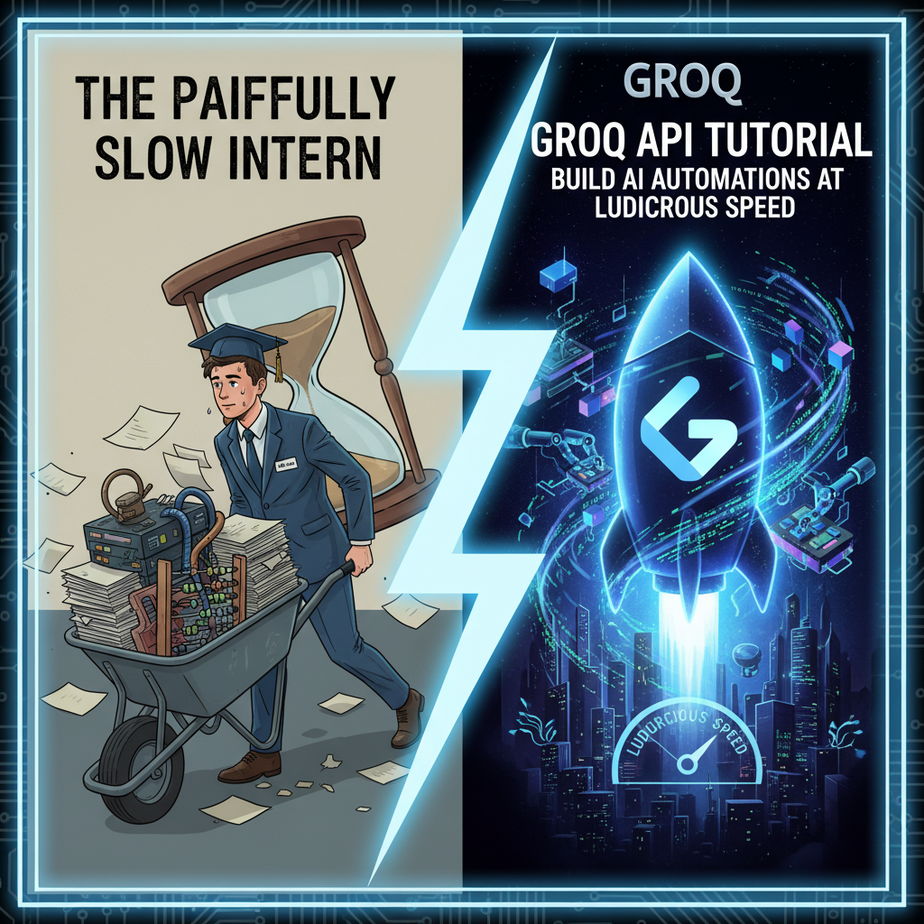
The Painfully Slow Intern
Picture this. You hire a new intern, Chad. Chad is brilliant. Ivy League, perfect grades, can answer any question you throw at him with stunning accuracy. There’s just one problem.
When you ask Chad, “Hey, what were our top three customer complaints last week?” he just… stares. His eyes glaze over. You can see the gears turning, but they’re grinding through molasses. Ten agonizing seconds later, he snaps out of it and gives you a perfect, detailed answer.
You try again. “Draft a quick email to the sales team about the new lead.” More staring. More silence. Finally, a perfect email appears. But the moment has passed. The lead has gone cold. You’ve lost your train of thought.
This is what using most AI APIs for real-time automation feels like. The answer is good, but the delay—the latency—is a killer. It makes your customer support chatbot feel dumb, your data analysis tool feel clunky, and your writing assistant feel… annoying. You can’t build a system that feels alive and responsive on top of an intern like Chad.
Today, we fire Chad. We’re replacing him with a robot that thinks at the speed of electricity.
Why This Matters
In the world of AI automation, speed is not a luxury; it’s a feature. Sometimes, it’s the *only* feature that matters.
Business Impact:
- User Experience: A 3-second delay for a chatbot response feels broken. A 300-millisecond delay feels like magic. This is the difference between a customer closing the chat window in frustration and getting their problem solved instantly.
- New Capabilities: You simply *cannot* build a real-time voice agent that can hold a conversation if it takes 5 seconds to think of a reply. The awkward silence gives the game away. Ultra-low latency opens the door to automations that were science fiction a year ago.
- Throughput & Scale: If one AI task takes 5 seconds, you can run 12 per minute. If it takes 0.5 seconds, you can run 120 per minute. When you need to process 10,000 customer reviews, this is the difference between an overnight job and a coffee break job.
We’re not just making our old automations faster. We’re unlocking entirely new classes of automations that rely on instant interaction. We’re upgrading our slow, thoughtful intern into a full-blown production line running at maximum capacity.
What This Tool / Workflow Actually Is
Let’s be crystal clear. Groq is not a new AI model. They don’t compete with OpenAI’s GPT-4 or Meta’s Llama 3.
Groq is an *inference engine*. They design and build their own computer chips, called LPUs (Language Processing Units), that are specifically engineered to do one thing: run existing, pre-trained AI models at absolutely insane speeds.
Think of it like this: Llama 3 is a brilliant race car driver. Other platforms give him a fast streetcar to drive. Groq gives him a Formula 1 car. Same driver, completely different outcome.
What it does: It provides an API that lets you send a prompt to a popular open-source model (like Llama 3 or Mixtral) and get a response back faster than you can blink.
What it does NOT do: It doesn’t train models. It doesn’t have its own proprietary, super-secret model. It’s a specialist, a master of one craft: speed.
Prerequisites
You can do this. I promise. If you can copy and paste, you’ve got this.
- A Groq Account: Go to
groq.com. Sign up for a free account. No credit card required. You get a generous free tier to play with. - Python Installed: We’ll be using a few lines of Python. If you don’t have it, just Google “install python” for your operating system. It’s a 5-minute job. Don’t panic.
- A sprinkle of courage: You’re about to talk to a supercomputer through a command line. It’s less scary than it sounds.
Step-by-Step Tutorial
Let’s get our hands dirty. We’re going to make our first call to the Groq API in just a few minutes.
Step 1: Get Your API Key
Once you’ve logged into your Groq account, look for a section called “API Keys” in the dashboard. Click “Create API Key”. Give it a name like “MyFirstAutomation” and copy the key it gives you. Guard this key like it’s your password. Do not share it publicly.
Step 2: Install the Groq Python Library
Open your terminal or command prompt. This is the black box where you type commands. Type this and hit Enter:
pip install groqThis command downloads and installs the official helper code that makes talking to Groq easy.
Step 3: Set Up Your Python Script
Create a new file on your computer and name it fast_test.py. Open it in any text editor (even Notepad is fine).
First, we need to import the library and create a client. For this example, we’ll put the API key directly in the code. This is fine for testing, but for real projects, you should use environment variables (a more advanced topic we’ll cover later).
Copy and paste this code into your file. Replace `”YOUR_API_KEY”` with the actual key you copied in Step 1.
import os
from groq import Groq

# Best practice is to use an environment variable, but for this simple test, we'll hardcode it.
# Make sure to replace this with your actual key.
client = Groq(
    api_key="YOUR_API_KEY",
)

print("Groq client created. Ready to go!")
Step 4: Make Your First API Call
Now for the fun part. Let’s ask the AI a question. We’ll use Meta’s `llama3-8b-8192` model because it’s a great balance of smart and ridiculously fast.
Add the following code to the bottom of your fast_test.py file:
chat_completion = client.chat.completions.create(
    messages=[
        {
            "role": "user",
            "content": "Explain the importance of low latency in AI systems in one sentence.",
        }
    ],
    model="llama3-8b-8192",
)

print(chat_completion.choices[0].message.content)
Step 5: Run the Script!
Save your file. Go back to your terminal, make sure you’re in the same directory where you saved the file, and run it by typing:
python fast_test.pyYou will see a response printed to your screen almost instantly. It will be something like: “Low latency in AI systems is crucial for creating seamless, real-time user experiences that feel natural and responsive.”
Congratulations. You just commanded one of the fastest AI systems on the planet.
Complete Automation Example
Okay, asking a single question is cool, but let’s solve a real business problem.
The Scenario: You run an e-commerce store. Every day, you get dozens of product reviews. You need to quickly categorize them as ‘Positive’, ‘Negative’, or ‘Neutral’ and extract the core reason so your team can take action.
The Old Way: An intern (poor Chad) spends two hours every morning reading reviews and putting them in a spreadsheet. It’s slow and soul-crushing.
The New Way: A Python script that does it in 5 seconds.
Here is the complete, copy-paste-ready script. Create a new file called `review_analyzer.py` and paste this in. Remember to add your API key.
import os
from groq import Groq

# --- CONFIGURATION ---
# Replace with your actual Groq API key
API_KEY = "YOUR_API_KEY"
MODEL_NAME = "llama3-8b-8192"

# --- The reviews we need to process ---
reviews = [
    "The shipping was incredibly fast and the product quality exceeded my expectations! A++",
    "I had to wait three weeks for it to arrive, and when it did, the box was damaged. Not happy.",
    "It works as described. The color is slightly different than the picture, but it's acceptable.",
    "Customer service was amazing! They helped me with an issue I had and were so friendly.",
]

# --- The Core Logic ---
def analyze_review(client, review_text):
    """Uses Groq to analyze a single review."""
    system_prompt = (
        "You are a review analysis expert. For the given review, classify it into one of three categories: "
        "Positive, Negative, or Neutral. Then, provide a one-sentence summary of the main reason. "
        "Format your response as: Sentiment: [Your Classification], Reason: [Your Summary]"
    )

    try:
        chat_completion = client.chat.completions.create(
            messages=[
                {
                    "role": "system",
                    "content": system_prompt
                },
                {
                    "role": "user",
                    "content": review_text,
                }
            ],
            model=MODEL_NAME,
            temperature=0.2, # Lower temperature for more deterministic results
        )
        return chat_completion.choices[0].message.content
    except Exception as e:
        return f"Error analyzing review: {e}"

# --- Main Execution ---
if __name__ == "__main__":
    if API_KEY == "YOUR_API_KEY":
        print("ERROR: Please replace 'YOUR_API_KEY' with your actual Groq API key.")
    else:
        groq_client = Groq(api_key=API_KEY)
        print("--- Starting Review Analysis ---\
")

        for i, review in enumerate(reviews):
            print(f"Analyzing Review #{i+1}: '{review[:50]}...' ")
            result = analyze_review(groq_client, review)
            print(f"  -> Result: {result}\
")

        print("--- Analysis Complete ---")
Run this script (`python review_analyzer.py`). Watch as it tears through the list, giving you structured feedback in milliseconds for each one. Now imagine hooking this up to your Shopify or WooCommerce store to run automatically for every new review.
Real Business Use Cases
This isn’t just a toy. Here are five ways this exact speed-focused automation transforms a business:
- SaaS Onboarding: A new user signs up. A chatbot instantly asks, “What’s the #1 thing you hope to accomplish with our tool?” Based on their free-text answer, Groq instantly categorizes their goal (e.g., “increase sales,” “save time”) and customizes the user’s onboarding checklist in real-time.
- E-commerce Search: A customer types a vague query like “something for my dad who likes fishing” into your store’s search bar. Groq’s API instantly rewrites that into a structured search query like `{“category”: “outdoors”, “tags”: [“fishing”, “gifts”, “men”], “price_range”: “50-200”}` to show perfect results.
- Content Marketing: A blog writer is stuck. They highlight a sentence. An AI assistant powered by Groq provides five alternative phrasings *instantly*, without the jarring 2-second delay of other tools, keeping the writer in their creative flow.
- Internal Help Desks: An employee asks a bot, “How do I submit an expense report for the sales conference?” Groq instantly parses the intent and provides the direct link to the correct form and policy document, avoiding a slow, frustrating search through the company intranet.
- Sales Call Analysis: A salesperson finishes a Zoom call. The transcript is fed to a Groq-powered script that instantly extracts action items, summarizes the customer’s main pain points, and drafts a follow-up email. The salesperson can review and send it before they’ve even had a sip of coffee.
Common Mistakes & Gotchas
- Forgetting the API Key: The most common error. If you get an authentication error, the first thing to check is that your key is correct and pasted as a string (inside quotes).
- Thinking Groq is a Model: Remember, you’re choosing a model to run *on* Groq. `llama3-8b-8192` and `llama3-70b-8192` have different capabilities and costs. The 70b model is smarter but a few milliseconds slower. Pick the right tool for the job.
- Ignoring the Prompt: The AI is fast, but it’s not a mind-reader. Our review analyzer worked well because we gave it a clear “system prompt” telling it *exactly* how to behave and format the output. Garbage in, garbage out… just much faster.
- Hitting Rate Limits: The free tier is generous, but it’s not infinite. If you try to send 1,000 requests in one second, you’ll get temporarily blocked. For massive-scale projects, you’ll need to move to their paid plans.
How This Fits Into a Bigger Automation System
Think of what we just built as a single, super-fast gear in a much larger machine. On its own, it’s a cool script. But when you connect it to other systems, it becomes a force multiplier.
- CRM Integration: Connect this to your HubSpot or Salesforce. When a new support ticket comes in, Groq instantly summarizes it and adds tags before a human even sees it.
- Email Automation: Hook it into an email parser. When an inbound lead sends an email, Groq can instantly determine if they are a good fit, extract their contact info, and draft a personalized reply for you to approve.
- Voice Agents: This is the big one. The speed of Groq is the key to building voice-based AI that doesn’t have awkward pauses. You can pipe the user’s spoken words to a transcription service, send the text to Groq for a response, and then use a text-to-speech engine to speak the answer back. With Groq, this entire round trip can happen in under a second.
- Multi-Agent Workflows: Imagine one AI agent acting as a “researcher” and another as a “writer.” For them to collaborate effectively, they need to communicate instantly. Groq allows these agents to have a rapid-fire conversation to solve a complex problem, instead of sending letters to each other via carrier pigeon.
What to Learn Next
You now have a superpower: the ability to get answers from a powerful AI at the speed of thought. You’ve built a script, seen how it solves a business problem, and understand where it fits in the grand scheme of things.
But there’s a small problem. Right now, we are just getting back plain text. We *asked* the AI to format it nicely in our review analyzer, but we can’t guarantee it will listen every time. What if it gets creative and sends back an emoji? Our downstream automations would break.
In the next lesson in our course, we’re going to solve that. We’ll learn about Structured Output—how to force the AI to respond in a perfect, machine-readable format like JSON, every single time. We’re going to teach our super-fast robot not just to talk, but to fill out forms with perfect, robotic precision.
You’re building the foundations. Stay with it. The next piece makes everything else you build ten times more reliable.
“,
“seo_tags”: “Groq API, Groq Tutorial, Llama 3 API, AI Automation, Python Tutorial, Fast AI Inference, Low Latency AI, LPU”,
“suggested_category”: “AI Automation Courses