
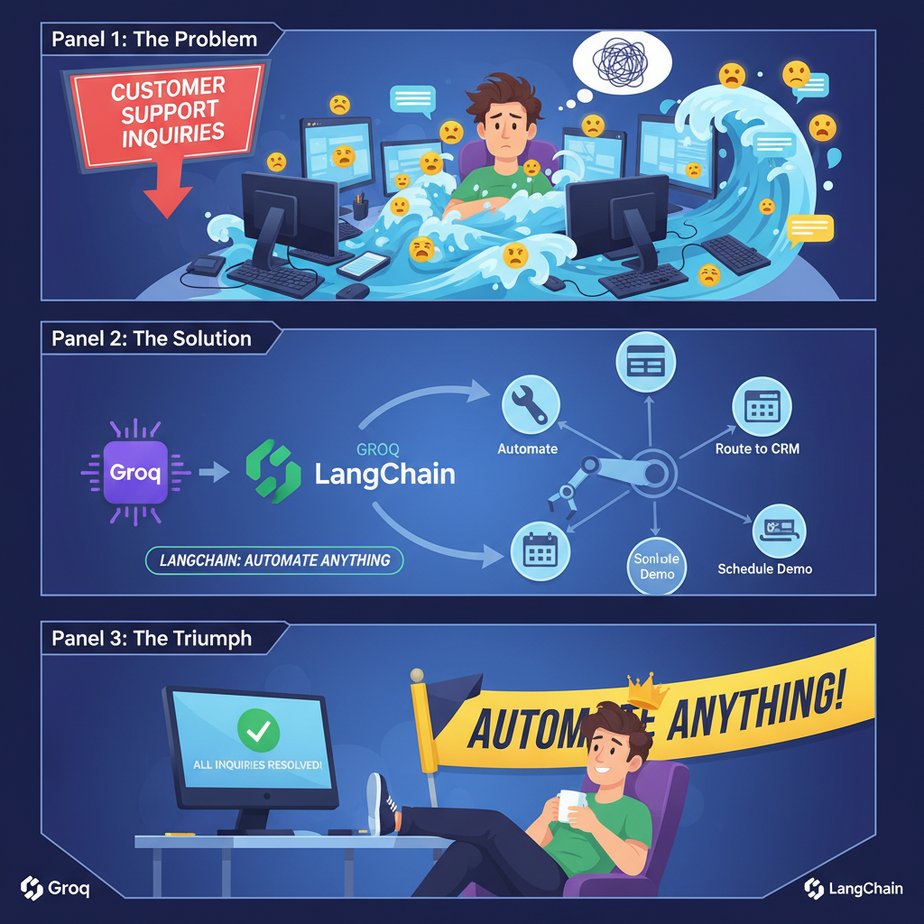
The Misadventures of Intern Kevin
Meet Kevin. Intern Kevin. We gave Kevin one job: manage customer support inquiries that came through our company chat widget. Seemed simple enough.
Query: “Where is my order #ABC-123?”
Kevin’s job: Open the Shopify dashboard, type “ABC-123” into the search bar, find the status, and paste it back into the chat.
Query: “What’s your return policy?”
Kevin’s job: Open the company’s Google Doc, find the section on returns, copy the text, and paste it back.
Kevin was a human API. A slow, error-prone, caffeine-fueled API who occasionally pasted cat memes into support tickets. He wasn’t dumb; the work was. It was a factory job for information. Find. Copy. Paste. Repeat.
Most AI chatbots are just a slightly faster, less meme-obsessed version of Intern Kevin. They can talk, they can search a pre-fed document, but they can’t *do* anything. They can’t check a real-time database. They can’t update a CRM. They can’t trigger an action.
Today, we’re firing Intern Kevin. We’re replacing him with a system that connects a lightning-fast AI brain to the hands of your business—your databases, your APIs, and your internal tools. We’re going to teach our AI how to stop talking and start *doing*. This is called Function Calling.
Why This Matters
Function calling is the bridge between a language model’s conversational intelligence and the real, messy, action-oriented world of your business. It turns a parrot into a plumber. One can repeat what you say, the other can actually fix your pipes.
This isn’t just a cool tech trick. This is an operational upgrade.
- It Replaces Manual Lookups: Instead of a human looking up an order status, checking inventory, or finding a customer record, the AI does it instantly by calling the right internal tool.
- It Creates Self-Service Tools: Customers and employees can ask questions in plain English (“is the Chicago office open on July 4th?”) and get answers from a system that can query calendars, databases, or HR policies.
- It Enables Automation: This is the foundation for true AI agents. An AI that can not only identify a sales lead but also call the `add_lead_to_crm` function is an AI that’s generating value, not just text.
You’re moving from a “read-only” AI to a “read-write” AI. The business impact is the difference between a library and a factory.
What This Tool / Workflow Actually Is
We’re using three core components today. Don’t worry, it’s less complicated than it sounds.
- Groq: Think of this as the engine. It’s a platform that runs open-source language models (like Llama 3) at absolutely absurd speeds. While other models feel like you’re having a conversation, Groq feels like you’re talking to a computer from the future. For automations that need instant responses, this speed is not a luxury; it’s a requirement.
- LangChain: This is the plumbing. It’s a Python framework that provides all the connectors and pipes to link our Groq engine to our tools. It saves us from writing tons of boring, repetitive boilerplate code. It’s the universal adapter for AI.
- Function Calling: This is the instruction manual. We define a set of “tools” (our Python functions) and give the AI a manual explaining what each tool does. When a user asks a question, the AI first reads the manual. If the question matches a tool’s purpose (e.g., user asks for order status, and we have a tool called `get_order_status`), the AI doesn’t try to answer. Instead, it says, “Hey, I need to run the `get_order_status` tool with the order ID ‘ABC-123’.” Our code then runs the tool and gives the result back to the AI to formulate a final answer.
What it does NOT do: The AI doesn’t magically write or run the code itself. It simply identifies the *correct* pre-written function and the *correct* inputs based on the user’s query. You are always in control of the tools.
Prerequisites
I know this section can be scary. Deep breath. If you can follow a recipe to bake a cake, you can do this. It’s mostly copying, pasting, and understanding the ‘why’.
- A little bit of Python. You need Python installed on your machine. If you don’t have it, just Google “install Python” for your operating system. We’re not doing complex algorithms here. It’s all beginner-level.
- A Groq API Key. Go to the GroqCloud website, sign up for a free account, and grab an API key. It’s free to get started and ridiculously cheap after that.
- A code editor. Visual Studio Code is free and fantastic. You can even use a simple text editor, but VS Code will make your life easier.
- The ability to use a terminal or command prompt. We just need it to install a few things. It’s not as scary as movies make it out to be.
That’s it. No PhD in machine learning required. I promise.
Step-by-Step Tutorial
Let’s build our Intern Kevin replacement. We’ll start piece by piece.
Step 1: Setting Up Your Workshop
First, we need to install the necessary libraries. Open your terminal or command prompt and run this command. This gets us the core LangChain library, the Groq connector, and a handy tool for managing our API key.
pip install langchain langchain-groq python-dotenvNext, create a folder for our project. Inside that folder, create two files: main.py and .env.
The .env file is where we’ll safely store our API key. Open it and add this one line, pasting your key from Groq:
GROQ_API_KEY="gsk_YourActualGroqApiKeyGoesHere"Step 2: Defining Your “Tool”
Now for the fun part. Let’s create a tool. Remember, a tool is just a regular Python function that the AI can learn to use. We’ll create a fake function to check an order status. Open main.py and add this code.
# This is our first tool. A simple Python function.
# The description in the docstring is CRITICAL. It's how the AI knows what this tool does.
def get_order_status(order_id: str) -> str:
    """Use this function to get the status of a specific customer order."""
    print(f"--- Calling get_order_status for order_id: {order_id} ---")

    # In a real app, you'd query a database or an API here.
    # For this example, we'll just return a fake status based on the ID.
    if order_id == "12345":
        return "Your order has shipped and is on its way!"
    elif order_id == "67890":
        return "Your order is still being processed."
    else:
        return f"Sorry, I couldn't find an order with the ID {order_id}."
The most important parts are the function name (get_order_status), its parameters (order_id: str), and the docstring (the part in triple quotes). This is the ‘instruction manual’ the AI reads.
Step 3: Setting Up The AI Brain (Groq + LangChain)
Now let’s wire everything up. In the same main.py file, add the following code below your function. This code loads our API key, initializes the Groq chat model, and formally tells the model about the tool we just created.
import os
from dotenv import load_dotenv
from langchain_core.tools import tool
from langchain_groq import ChatGroq
from langchain_core.prompts import ChatPromptTemplate
from langchain_core.output_parsers.openai_tools import JsonOutputToolsParser

# Load environment variables from .env file
load_dotenv()

# 1. Initialize the Groq LLM
# We use Llama 3, a powerful and fast open-source model.
llm = ChatGroq(model="llama3-8b-8192")

# 2. Decorate our function with @tool to make it a LangChain Tool
# This is a shortcut that does the same as creating a Tool object.
@tool
def get_order_status(order_id: str) -> str:
    """Use this function to get the status of a specific customer order."""
    print(f"--- Calling get_order_status for order_id: {order_id} ---")
    if order_id == "12345":
        return "Your order has shipped and is on its way!"
    elif order_id == "67890":
        return "Your order is still being processed."
    else:
        return f"Sorry, I couldn't find an order with the ID {order_id}."

# 3. Create a list of our tools
tools = [get_order_status]

# 4. Bind the tools to the LLM
# This tells the LLM that it has these tools available to use.
llm_with_tools = llm.bind_tools(tools)

print("Setup Complete! Ready to process queries.")
We’ve loaded the model, defined our tool (using a handy `@tool` decorator from LangChain), and then used bind_tools. This is the magic step. It’s like handing Intern Kevin the keys to the Shopify dashboard.
Complete Automation Example
Okay, we have the brain and the tool. Now let’s build the full workflow that handles a user query from start to finish. This is the code that *runs* the factory.
Append this code to the end of your main.py file.
# The main logic loop
def run_conversation(user_query: str):
    print(f"\
User Query: {user_query}")

    # 1. First, we pass the query to our LLM with the tools attached.
    # The AI will decide if a tool is needed.
    tool_call_chain = llm_with_tools | JsonOutputToolsParser()
    tool_call_response = tool_call_chain.invoke(user_query)

    # 2. Check if the AI decided to call a tool.
    if not tool_call_response:
        # If no tool is called, it means the AI thinks it can answer directly.
        print("LLM did not call a tool. Getting a direct answer...")
        direct_response = llm.invoke(user_query)
        print(f"\
AI Response: {direct_response.content}")
        return

    print(f"LLM decided to call a tool: {tool_call_response}")

    # 3. If a tool was called, we need to execute it.
    # The response tells us WHICH tool to run and with WHAT arguments.
    tool_map = {t.name: t for t in tools} # Create a handy map to find our tool by name

    for tool_call in tool_call_response:
        tool_to_run = tool_map.get(tool_call["name"])
        if tool_to_run:
            # Run the actual function with the arguments the AI provided
            observation = tool_to_run.invoke(tool_call["args"])
            print(f"Tool returned: {observation}")

            # 4. Now, we feed the result back to the AI for a final answer.
            # This step is crucial. We give the AI the context of what the tool found.
            final_prompt = ChatPromptTemplate.from_messages([
                ("human", user_query),
                ("ai", f"I used the {tool_call['name']} tool and got this result: {observation}. Now I will formulate a final answer."),
            ])

            final_chain = final_prompt | llm
            final_response = final_chain.invoke({})
            print(f"\
Final AI Response: {final_response.content}")
        else:
            print(f"Error: Tool '{tool_call['name']}' not found!")

# --- Let's test it! ---
run_conversation("Hi, can you tell me the status of order 12345?")
run_conversation("What is the capital of France?")
run_conversation("How's order 67890 doing?")
Now, go to your terminal, navigate to your project folder, and run the script:
python main.pyYou will see the output as the system correctly identifies when to use the tool (for order status checks) and when not to (for the capital of France). It finds the tool, runs our Python function, and then uses that result to give a perfect, context-aware answer. We’ve built an AI that can *do* things.
Real Business Use Cases
This isn’t just for order statuses. This exact pattern can automate dozens of tasks.
- E-commerce Store:
- Problem: Constant questions about stock levels, shipping costs, and product details.
- Solution: Create tools like `check_inventory(product_id)`, `calculate_shipping(zip_code)`, and `get_product_specs(product_name)`.
- SaaS Company:
- Problem: Support team is swamped with basic account management tasks like resetting passwords or upgrading plans.
- Solution: Create tools like `trigger_password_reset(email)`, `upgrade_user_plan(user_id, new_plan)`, and `check_api_usage(api_key)`. (With proper security, of course!)
- Digital Marketing Agency:
- Problem: Clients constantly ask for the latest performance metrics for their campaigns.
- Solution: A tool `get_campaign_performance(client_id, campaign_name, date_range)` that calls the Google Ads or Facebook Ads API and returns the key metrics.
- Internal IT Helpdesk:
- Problem: Employees asking how to connect to the WiFi, request a new laptop, or troubleshoot common issues.
- Solution: Tools like `create_it_ticket(employee_name, issue_description)` or `get_wifi_password(office_location)`.
- Financial Advisor:
- Problem: Manually pulling up stock prices or portfolio performance for clients.
- Solution: A tool `get_stock_price(ticker_symbol)` that calls a financial data API, or `get_portfolio_summary(client_id)`.
Common Mistakes & Gotchas
- Vague Function Descriptions: The AI relies 100% on the docstring/description you write for the tool. If it’s unclear, the AI will either never use your tool or use it at the wrong times. Be specific. Instead of “gets user info,” write “gets a user’s contact details like email and phone number when given a user ID.”
- Forgetting the Second LLM Call: A common beginner mistake is to run the tool and just print the result. The magic is in feeding that result *back* to the LLM for a polished, conversational final answer. The tool gets the data; the LLM explains it.
- The AI Isn’t Executing Code: Remember, the LLM isn’t running your Python function. It’s just outputting a structured piece of text (JSON) saying, “I recommend running this function with these arguments.” Your code is what’s actually executing it. This is a good thing—it keeps you in control.
- Input Validation: In a real application, you need to validate the arguments the LLM provides before passing them to your tools. Don’t blindly trust the AI to give you a valid database ID or a non-malicious command.
How This Fits Into a Bigger Automation System
What you’ve built today is the fundamental building block of almost every advanced AI agent. This one skill, function calling, unlocks everything else.
- CRM Integration: Your tool could call the Salesforce or HubSpot API. A user could say, “add John Doe as a new lead,” and your system would call `create_crm_lead(name=’John Doe’, …)`.
- Email/Slack Automation: The tool could be `send_slack_message(channel, message)`. You could build a system that summarizes a report and posts it to the #announcements channel.
- Voice Agents: Connect this system to a voice-to-text service. A customer calls, speaks their request, the text is fed into your function-calling agent, the tool is executed, and the final text response is read back to the customer using a text-to-speech service. You’ve just built a modern IVR system.
- Multi-Agent Systems: This is the start. Imagine an orchestrator agent whose only job is to route tasks. When a complex query comes in, it uses a tool called `route_to_specialist`. That tool then passes the query to another, more specialized agent (e.g., the “Billing Inquiries Agent”) that has its own set of specific tools.
You haven’t just learned a new library feature. You’ve learned the core concept that makes AI useful in the real world.
What to Learn Next
Okay, take a moment. You just built a system that can understand natural language and interact with custom code. You fired Intern Kevin and replaced him with a robot that runs at the speed of light for fractions of a penny. That’s a huge win.
But right now, our robot only has one tool. It’s like a factory worker with just one wrench.
In the next lesson in this course, we’re going to give our robot a full toolbox. We’ll explore how to add multiple tools and build an agent that can intelligently *choose* the right tool (or even sequence of tools) to solve more complex, multi-step problems.
You’ve built the foundation. Next, we build the factory.
“,
“seo_tags”: “AI function calling, Groq tutorial, LangChain tutorial, business automation, AI agents, Python automation, large language models, LLM tools”,
“suggested_category”: “AI Automation Courses