
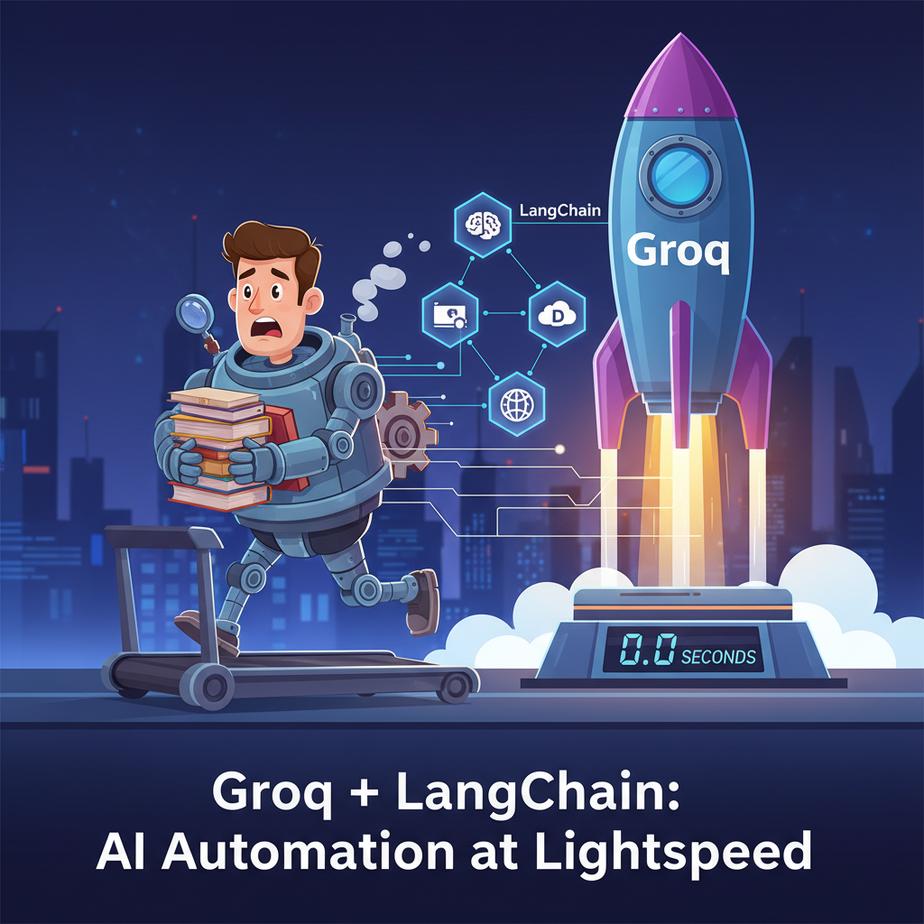
The Case of the Painfully Slow Intern
Picture this. You hire a new intern. We’ll call him Chad. Chad is brilliant. He has access to all the knowledge in the world. You can ask him anything, and he’ll give you a well-reasoned, insightful answer.
There’s just one problem. Every time you ask Chad a question, he stares blankly at the wall for thirty seconds, slowly blinking, before finally giving you the answer.
“Hey Chad, what are the top three customer complaints from last week?”
…thirty seconds of silence…
“The top complaints were… slow shipping… product defects… and… pricing.”
You’d fire Chad, wouldn’t you? Or at least relegate him to tasks where time doesn’t matter, like watering the office plants. For years, this has been the problem with most accessible LLMs. They’re smart, but they’re *slow*. Too slow for real-time conversation. Too slow for interactive tools. Too slow to feel like magic.
Today, we’re firing Chad. We’re installing a brain that runs at the speed of thought.
Why This Matters
In business, speed isn’t just a feature; it’s often *the* feature. A customer service chatbot that responds instantly feels helpful. One that takes 10 seconds to “think” feels broken and drives customers away.
This workflow replaces:
- Slow, First-Gen AI Tools: Any tool where you type a prompt and then go make coffee while you wait for the response.
- Human Bottlenecks: Tasks like classifying support tickets, analyzing customer feedback, or summarizing meeting notes that currently require a human to read and decide, one by one.
- Frustrating User Experiences: This is the key to building applications that feel truly interactive and conversational, not like you’re submitting a form to a slow, distant server.
We’re moving from batch-processing workflows to real-time, stream-processing workflows. The difference is life-changing for your business processes and your customers.
What This Tool / Workflow Actually Is
What is Groq?
Groq (pronounced “grok,” as in, to understand) is not a new AI model. This is critical. Groq is an engine. A ridiculously, absurdly fast engine. They designed a new type of chip called an LPU (Language Processing Unit) built from the ground up to run LLMs at insane speeds.
Think of it like this: an AI model like Llama 3 is a world-class driver. Your computer’s GPU is a high-performance sports car. Groq’s LPU is a Formula 1 car. Same driver, completely different vehicle. The result is hundreds of tokens per second, which feels instantaneous to a human user.
What is LangChain?
If Groq is the F1 engine, LangChain is the chassis, the steering wheel, and the dashboard. It’s a framework that lets us easily connect to the engine, give it instructions (prompts), and hook it up to other parts of our system without writing tons of messy, custom code.
What This Is NOT:
This is not a lesson in making an AI *smarter*. We are using the same open-source models available elsewhere. This is a lesson in making an AI *faster*—so fast that it unlocks entirely new categories of automation.
Prerequisites
I mean it when I say anyone can do this. Here’s all you need:
- A Groq API Key: Go to GroqCloud. Sign up for a free account. Navigate to the API Keys section and create a new key. Copy it somewhere safe. It’s free to get started and they give you a generous amount of credits.
- Python: You need Python installed on your computer. If you don’t have it, a quick search for “Install Python on Windows/Mac” will get you there in 5 minutes.
- A Code Editor: I recommend VS Code. It’s free and easy to use.
That’s it. No machine learning degree required. If you can copy and paste, you’re ready.
Step-by-Step Tutorial
Let’s build our first light-speed robot. We’ll start with a simple Q&A bot.
Step 1: Set Up Your Project
Open your terminal or command prompt.
Create a new folder for our project and navigate into it:
mkdir groq_speed_bot
cd groq_speed_bot
It’s good practice to use a virtual environment to keep your Python packages tidy. Let’s create one:
python -m venv venvNow, activate it. On Mac/Linux:
source venv/bin/activateOn Windows:
.\\venv\\Scripts\\activateYour terminal prompt should now have a `(venv)` prefix.
Step 2: Install the Libraries
We need three small libraries: `langchain-groq` to talk to Groq, `langchain` for the core logic, and `python-dotenv` to manage our secret API key.
pip install langchain-groq langchain python-dotenvStep 3: Store Your API Key Securely
In your `groq_speed_bot` folder, create a new file named `.env` (yes, with the dot at the beginning).
Inside that file, add your Groq API key like this. No quotes!
GROQ_API_KEY=your_actual_api_key_hereThis keeps your key out of your main code, which is a massive security best practice. Never, ever paste secret keys directly into your code.
Step 4: Write the Python Code
Create another file in the same folder called `app.py`. Now, let’s write some code. We’ll start by just initializing the model and asking it a question.
import os
from dotenv import load_dotenv
from langchain_groq import ChatGroq

# Load environment variables from .env file
load_dotenv()

# Initialize the Groq Chat model
# We're using Llama 3 8b, a great balance of speed and smarts
model = ChatGroq(model_name="llama3-8b-8192")

# Let's ask a question
response = model.invoke("Explain the plot of the movie Inception in one sentence.")

# Print the response
print(response.content)
Now, run the file from your terminal:
python app.pyYou should see a response appear almost instantly. It will feel… weirdly fast. That’s the magic of the LPU. You just replaced Chad the slow intern with a new one that runs on rocket fuel.
Complete Automation Example
Okay, asking one-off questions is cool, but let’s build a real business tool. Imagine you run an online store. Customer emails pour in constantly. You need a system to instantly classify each email so it can be routed to the right team: Sales, Support, or Billing.
This is our mission: build a **Real-Time Inquiry Classifier**.
Step 1: Define the Logic with LangChain
We need to give our AI very specific instructions. We’ll use LangChain’s prompt templates and an output parser to make sure we ONLY get back the category we want.
Modify your `app.py` file with the following code:
import os
from dotenv import load_dotenv
from langchain_groq import ChatGroq
from langchain_core.prompts import ChatPromptTemplate
from langchain_core.output_parsers import StrOutputParser

# Load environment variables
load_dotenv()

# The brains of our operation
model = ChatGroq(model_name="llama3-8b-8192")

# The instruction manual for our AI intern
prompt = ChatPromptTemplate.from_template(
    """You are an expert at classifying customer inquiries.
    Read the following inquiry and classify it into one of three categories: Sales, Support, or Billing.
    Do not explain your reasoning. Output ONLY the category name.

    Inquiry: {inquiry}

    Category:"""
)

# The output parser cleans up the response to be just the text
output_parser = StrOutputParser()

# This is our automation pipeline or "chain"
# It connects the prompt, the model, and the parser together
classification_chain = prompt | model | output_parser

# --- Let's test it! ---

def classify_inquiry(inquiry_text):
    print(f"Classifying: '{inquiry_text}'")
    result = classification_chain.invoke({"inquiry": inquiry_text})
    print(f"--> Result: {result}\
")
    return result

# Test Case 1: A support issue
classify_inquiry("Hi, I bought a product last week but it arrived broken. How can I get a replacement?")

# Test Case 2: A sales question
classify_inquiry("Hello, I'm interested in your enterprise plan. Can you tell me more about the pricing?")

# Test Case 3: A billing problem
classify_inquiry("I was charged twice on my last invoice, can you please fix this?")
Step 2: Run the Automation
Save the file and run it from your terminal:
python app.pyYou’ll see the output fire off almost instantly:
Classifying: 'Hi, I bought a product last week but it arrived broken. How can I get a replacement?'
--> Result: Support

Classifying: 'Hello, I'm interested in your enterprise plan. Can you tell me more about the pricing?'
--> Result: Sales

Classifying: 'I was charged twice on my last invoice, can you please fix this?'
--> Result: Billing
Boom. You now have a function that can classify any text you throw at it in milliseconds. This function is a building block. You can now plug it into any system: your email server, your website’s contact form, your live chat widget. The human who used to spend their day reading and tagging emails can now focus on actually solving customer problems.
Real Business Use Cases
This exact same `prompt | model | parser` pattern can be used everywhere:
- E-commerce Chatbot: A user types “looking for size 10 running shoes for wide feet.” The bot instantly classifies the *intent* as “product search” and extracts the *entities* (size: 10, type: running shoes, feature: wide feet) to query the product database. The speed makes the conversation feel natural.
- SaaS Onboarding: A new user logs in and a pop-up asks, “What are you hoping to achieve today?” Based on their free-text answer, the system instantly customizes the UI to highlight the most relevant features for them.
- Social Media Management: A tool that monitors brand mentions on Twitter. Each tweet is instantly classified for sentiment (Positive, Negative, Neutral) and urgency. Negative, urgent tweets are immediately flagged for a human to review.
- Recruiting: An internal tool for HR. Paste a resume into a text box, and it instantly extracts key information (Name, Contact, Years of Experience, Key Skills) into a structured JSON format, ready to be added to the applicant tracking system.
- Legal Tech: A paralegal assistant. Drop a clause from a contract into the tool, and it instantly classifies it (e.g., “Liability Clause,” “Indemnification,” “Confidentiality”) and flags any non-standard language compared to a template.
Common Mistakes & Gotchas
- Treating Groq as a Genius: Remember, Groq is the F1 car, not the driver. The intelligence comes from the model (e.g., Llama 3). If the model isn’t smart enough for a complex reasoning task, making it faster won’t help. Pick the right model for the job.
- Bad Prompting: The most common mistake. If your classifier isn’t working, your prompt is probably too vague. Be ruthlessly specific. Notice in our example we said, “Output ONLY the category name.” That’s a critical instruction.
- Ignoring Rate Limits: The free tier is generous, but it’s not infinite. If you’re building a production system with thousands of users, you’ll need to move to a paid plan. Don’t launch your startup on the free plan and expect it to scale.
- Not Using a Parser: If you just use `prompt | model`, the AI might respond with `”The classification for this inquiry is Support.”` The `StrOutputParser` is your friend. It cleans up the output so you just get `Support`.
How This Fits Into a Bigger Automation System
What we’ve built today is a single, powerful gear. But the real magic happens when you connect it to the rest of the factory.
- Voice Agents: This is the absolute key. To build a voice assistant that doesn’t have an awkward, robotic pause after you speak, you need a brain that responds in milliseconds. Groq is that brain. You feed the user’s speech through a Speech-to-Text API, send the text to our Groq/LangChain chain, and get a response back to a Text-to-Speech API before the user even notices a delay.
- RAG Systems: For Retrieval-Augmented Generation (building a bot that can answer questions about your own documents), speed is everything. The retrieval step is fast, but if the LLM takes 15 seconds to synthesize the answer, the user gets frustrated. Groq eliminates that synthesis bottleneck.
- CRM/Email Integration: Our classifier is useless on its own. You connect it to a tool like Zapier or Make.com, or directly to the Gmail or HubSpot API. When a new email arrives (the trigger), our Python script runs, classifies it, and then uses another API call to automatically tag it, assign it, and even draft a reply.
- Multi-Agent Systems: Imagine a team of AI agents working together. A “Router” agent built with Groq instantly decides which specialized agent should handle a task, then passes it on. This kind of high-speed coordination is impossible with slower models.
What to Learn Next
You now have the secret to building AI that feels alive. You’ve learned how to harness near-instantaneous language processing. You’ve built a real-world classifier that can save a business hundreds of hours.
This speed is the foundation for our next big step. Text is one thing, but what happens when we give our lightning-fast AI a voice? What happens when it can not only understand a customer’s email in milliseconds but answer their phone call in real-time?
In the next lesson in the Academy, we are going to do exactly that. We’ll take the Groq/LangChain brain we built today and connect it to live audio streams to create a true AI Voice Agent. Get ready, because the automations are about to start talking back.
“,
“seo_tags”: “groq, langchain, ai automation, python, real-time ai, llm, tutorial, business automation, chatbot”,
“suggested_category”: “AI Automation Courses