
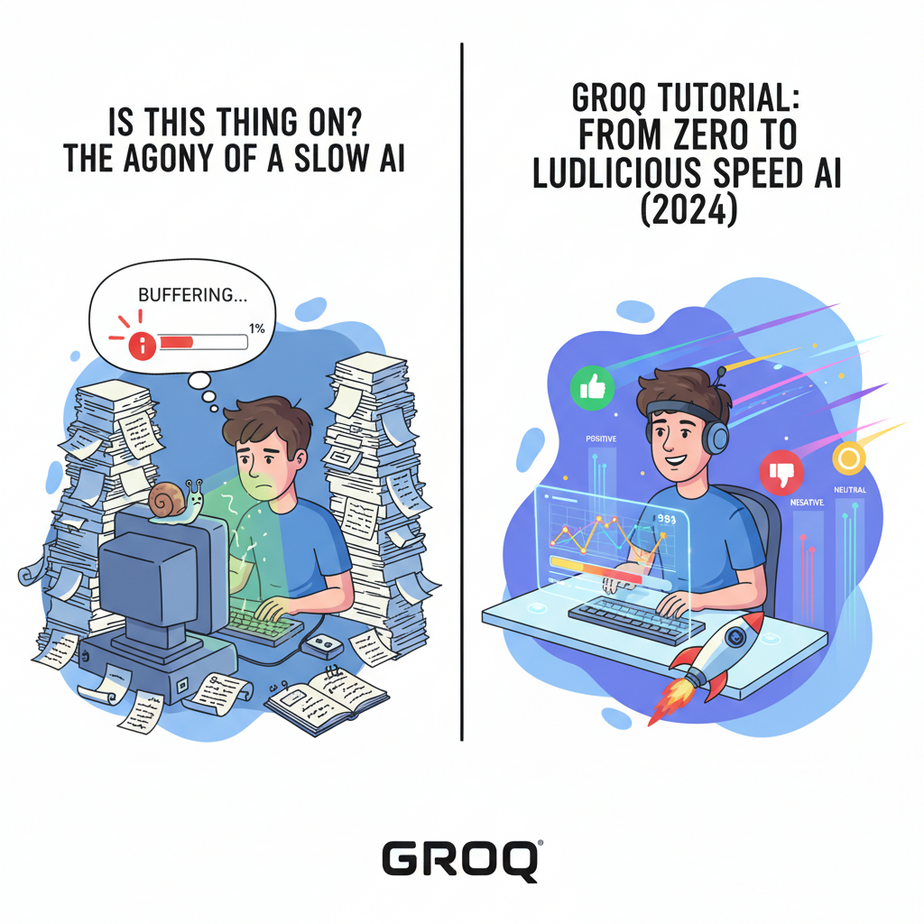
Is This Thing On? The Agony of a Slow AI
I once gave an intern—we’ll call him Geoffrey—a simple task: read 500 customer reviews and categorize them as ‘Positive’, ‘Negative’, or ‘Neutral’. Seemed easy enough. A human can do that.
Geoffrey took two days. He got distracted, over-caffeinated, and categorized one review as ‘Beige’, which wasn’t an option.
So, I fired Geoffrey (don’t worry, he was a hypothetical intern) and wrote a Python script using a standard AI model. The script was more accurate, but it was slow. Like, ‘watch-a-full-season-of-a-show-while-it-runs’ slow. Each review took 3-5 seconds to process. For 500 reviews, that’s over 40 minutes. My script was better than Geoffrey, but only marginally less annoying.
For real business automation, slow is the same as broken. You can’t have a customer waiting 8 seconds for a chatbot response. You can’t analyze a thousand transactions a minute if each one takes 5 seconds. The whole promise of AI automation falls apart if it operates at the speed of a sleepy intern.
Then I tried Groq. My 40-minute script finished in under 60 seconds. The world tilted on its axis. Geoffrey is now a distant, beige-tinted memory.
Why This Matters
Speed isn’t a vanity metric; it’s the difference between a usable system and a useless one. It’s the difference between revenue and refunds.
- Real-Time Conversations: If your AI customer service agent takes 5 seconds to think, your customer has already hung up and is hate-tweeting about your brand. Sub-second responses are mandatory for voice and chat agents that feel natural.
- Scalable Data Processing: Remember my review-sorting script? With slow AI, you can process a few hundred a day. With fast AI, you can process hundreds of thousands. You can analyze your entire customer feedback history during your lunch break.
- Replacing Human Bottlenecks: This workflow replaces the slow, manual work of a data entry clerk, a junior analyst, or a customer service rep sorting tickets. But it only works if the AI is faster than the human. Much faster. Groq makes that happen.
We’re not just making a chatbot faster. We’re building systems that can think and react at the speed of business, not the speed of a spinning loading icon.
What This Tool / Workflow Actually Is
Let’s be crystal clear. Groq is NOT an AI model. You don’t use the ‘Groq model’ like you use GPT-4 or Llama 3.
Groq is an inference engine. It’s the engine you put in the car.
Think of it like this: Llama 3 is a brilliant, world-class race car driver. But if you put that driver in a beat-up 1998 Toyota Corolla, they’re not winning any races. The standard API from most providers is that Corolla. It works, but it’s not built for pure performance.
Groq built a custom Formula 1 engine for that driver. They call it an LPU (Language Processing Unit). It’s hardware designed to do one thing: run existing, popular open-source models (like Llama 3, Mixtral, and Gemma) at absolutely insane speeds.
- What it does: Executes known LLMs at hundreds of tokens per second, often feeling instantaneous.
- What it does NOT do: It doesn’t create new models. It doesn’t have its own unique ‘personality’ or knowledge base. It’s a performance upgrade for existing tech.
You bring the model, they bring the speed.
Prerequisites
This is where people get nervous. Don’t be. If you can order a pizza online, you can do this. I’m being brutally honest about what you need.
- A GroqCloud Account: Go to
https://console.groq.com/. Sign up. It’s free to get started with a generous rate limit. No credit card needed to follow this tutorial. - Python 3 Installed: We’ll use a tiny Python script to test this. If you’ve never used Python, don’t panic. It’s just a text file you’ll run. A quick search for “install python on [your OS]” will get you there in 5 minutes.
- The Ability to Copy and Paste: I am not exaggerating. That is the primary technical skill required today.
Step-by-Step Tutorial
Let’s get our hands dirty. In five minutes, you will witness AI that feels like science fiction.
Step 1: Get Your API Key
This is your magic password. Don’t share it. Don’t post it on Twitter. Treat it like your bank PIN.
- Log in to your GroqCloud account.
- On the left menu, click ‘API Keys’.
- Click the ‘Create API Key’ button. Give it a name, like ‘MyFirstAutomation’.
- Copy the key that appears. It will only be shown once. Paste it into a temporary, safe place like a notepad.
Step 2: Install the Groq Python Library
Open your computer’s command line or terminal. (On Windows, search for ‘cmd’. On Mac, search for ‘Terminal’). Type this and press Enter:
pip install groqThis command downloads a small helper library that makes talking to the Groq API super easy.
Step 3: Write Your First, Blazing-Fast Script
Create a new file named test_groq.py and paste the following code into it. This is the entire thing. It’s designed to be simple, not a production-ready masterpiece.
import os
from groq import Groq

# IMPORTANT: Don't hardcode your API key like this in production!
# Use environment variables instead.
client = Groq(
    api_key="gsk_YOUR_API_KEY_HERE",
)

chat_completion = client.chat.completions.create(
    # The messages to send to the model
    messages=[
        {
            "role": "user",
            "content": "Explain the importance of low-latency LLMs in one sentence.",
        }
    ],

    # The model to use
    model="llama3-8b-8192",
)

# Print the model's response
print(chat_completion.choices[0].message.content)
Step 4: Run it and Be Amazed
Before you run it, replace gsk_YOUR_API_KEY_HERE with the actual key you copied in Step 1.
Now, go back to your terminal, navigate to the folder where you saved the file, and run:
python test_groq.pyThe response will appear before you can even blink. It’s unnerving the first time you see it. You’re expecting to wait, but there’s no wait. That’s the magic.
Complete Automation Example: Real-Time Email Classifier
Let’s build that Geoffrey-replacing script, but make it instant.
The Problem: A small business owner receives 100 emails a day. They need to be sorted into ‘Sales Lead’, ‘Support Request’, or ‘Other’ so they can be routed to the right person. Doing this by hand is a soul-crushing waste of time.
The Automation: We’ll write a script that takes an email body, asks Groq to classify it, and instantly gets the category.
Create a file named email_classifier.py and paste this in:
from groq import Groq

# --- CONFIGURATION ---
API_KEY = "gsk_YOUR_API_KEY_HERE"
MODEL_NAME = "llama3-8b-8192"

# --- The Email We Need to Classify ---
email_body = """
Hello,

I was on your website and I'm very interested in your enterprise plan.
Could someone from your sales team reach out to me to discuss pricing and features?

Thanks,
Jane Doe
"""

# --- The Magic Happens Here ---
def classify_email(text):
    client = Groq(api_key=API_KEY)

    system_prompt = """
You are an expert email classifier. Your only job is to categorize the user's email into one of the following categories: 'Sales Lead', 'Support Request', or 'Other'.

You must respond with ONLY the category name and nothing else.
"""

    try:
        chat_completion = client.chat.completions.create(
            messages=[
                {
                    "role": "system",
                    "content": system_prompt
                },
                {
                    "role": "user",
                    "content": text,
                }
            ],
            model=MODEL_NAME,
            temperature=0, # We want deterministic results
            max_tokens=10, # We only need a few tokens for the category name
        )
        category = chat_completion.choices[0].message.content.strip()
        return category
    except Exception as e:
        return f"Error: {e}"

# --- Run the Automation ---
if __name__ == "__main__":
    print(f"Analyzing email...\
---\
{email_body[:100]}...\
---")
    category = classify_email(email_body)
    print(f"Result: The email was classified as a '{category}'.")
Replace the API key, save, and run it with python email_classifier.py. It will instantly tell you it’s a ‘Sales Lead’. Now imagine hooking this up to your inbox. Every new email is classified in milliseconds and automatically forwarded or added to your CRM. Zero human effort.
Real Business Use Cases
This isn’t a toy. Here are five ways this exact speed-focused workflow generates value:
- Call Center Automation: A system transcribes a phone call in real time and uses Groq to summarize the conversation and suggest answers to the human agent. The speed means the suggestions appear *while* the customer is still talking, not after an awkward silence.
- E-commerce Chatbots: A user asks, “Do you have any vegan leather jackets under $100?” The bot can query the product database, get 50 results, and use Groq to generate a natural, helpful summary of the top 3 options instantly. A slow response here is an abandoned cart.
- Live Content Moderation: A social media platform uses Groq to screen every user comment before it’s posted. It can detect hate speech or spam in milliseconds, blocking it without the user ever noticing a delay.
- Interactive Code Generation: A developer tool that provides instant code completions and function generation. The developer types a comment, and the code appears immediately, keeping them in the flow state.
- Financial Fraud Detection: An API that analyzes transaction details (amount, location, merchant) the moment a credit card is swiped. Groq can power a natural language summary of the risk assessment (‘This looks like an unusual purchase for this user’) for a human analyst in real-time.
Common Mistakes & Gotchas
- “I want to use the Groq model.” This is the #1 mistake. Groq is the engine, not the car. You use the *Llama 3 model on the Groq engine*. The distinction is critical.
- Ignoring the Context Window: Groq is fast, but the underlying model (e.g., `llama3-8b-8192`) has an 8,192 token limit. You can’t stuff a 50-page PDF into it and expect it to work. Speed doesn’t change the model’s fundamental limitations.
- Forgetting About the Prompt: Your output is only as good as your prompt. In our classifier example, the instruction “You must respond with ONLY the category name” is crucial. Without it, the model might get chatty, breaking your automation.
- Hardcoding API Keys: The examples above do this for simplicity. In a real application, this is a massive security risk. Learn to use environment variables to keep your keys safe.
How This Fits Into a Bigger Automation System
A fast AI brain is amazing, but a brain in a jar is useless. Groq is a component—a ridiculously powerful one—in a larger machine.
- Voice Agents: Pair Groq’s speed with a text-to-speech service. Now you have an AI you can actually talk to on the phone without cringey pauses. This is the key to voicebots that don’t make you want to scream “HUMAN!”
- Multi-Agent Systems: Imagine an AI team: one agent researches a topic, a second writes a draft, and a third edits it. If each step takes 10 seconds, the workflow is dead. With Groq, each step takes 200 milliseconds. Complex, multi-step reasoning becomes possible.
- CRM & Zapier/Make Integration: Our email classifier is just the start. Connect it to your CRM. A ‘Sales Lead’ classification could automatically create a new contact in HubSpot. A ‘Support Request’ could create a ticket in Zendesk. The AI brain makes a decision, and other tools take the action.
What to Learn Next
Congratulations. You’ve harnessed the power of ludicrous speed. You’ve built an AI component that thinks faster than you can. But a fast brain that can’t *do* anything is just a novelty.
It can classify an email, but it can’t send a reply. It can analyze a problem, but it can’t check a database or use a tool to solve it.
In our next lesson, we’re giving our supercharged brain hands. We’re going to teach it about Function Calling and Tool Use. We’ll turn it from a fast-talking analyst into an autonomous agent that can interact with the digital world on your behalf.
You’ve mastered speed. Next, you’ll master action.
See you in the next lesson.
“,
“seo_tags”: “groq tutorial, groq api, fast llm, ai automation, python, llama 3, low latency ai, inference speed”,
“suggested_category”: “AI Automation Courses