
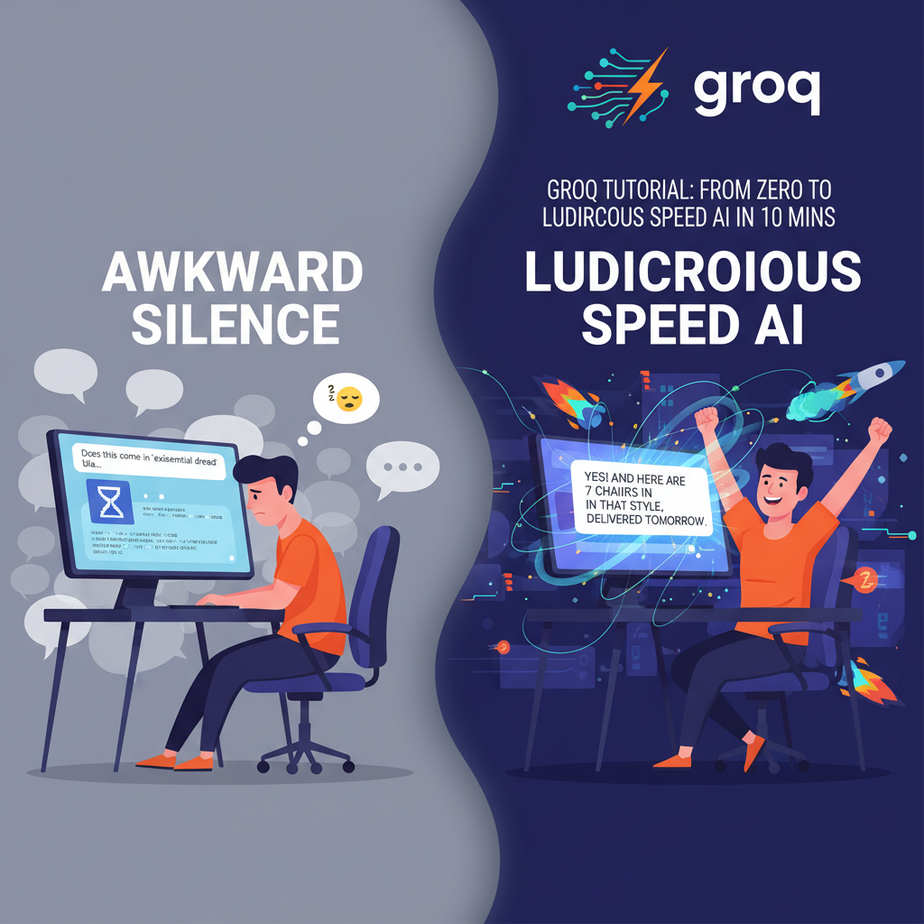
The Awkward Silence of a Slow AI
Picture this. You’re on a website, trying to buy a ridiculously overpriced ergonomic chair. You have a question. “Does this come in ‘existential dread’ black?”
A little chat window pops up. “Hi! I’m ChairBot 5000. How can I help?”
You ask your question.
And then… the three little dots. Typing… typing… typing. You wait. You check your email. You contemplate the heat death of the universe. Finally, after a solid seven seconds that felt like an eternity, it spits out an answer.
By then, you’ve already closed the tab. The sale is lost. The company just paid for an AI chatbot that’s slower than a distracted intern looking things up on Wikipedia.
That lag, that awkward digital silence, is the single biggest killer of user experience in AI automation. It feels clunky, unprofessional, and cheap. It screams, “We’re running this on a potato.”
Why This Matters
In business, speed isn’t just a feature; it’s a weapon. Latency kills conversions. It frustrates customers. It makes your shiny new AI automation feel like a relic from 2003.
Today, we’re fixing that. We are replacing the slow, thoughtful, coffee-break-taking intern with a hyper-caffeinated robot that responds before you’ve even finished asking the question.
What this workflow replaces:
- Slow Chatbots: Any customer-facing bot that takes more than a second to reply.
- Laggy Internal Tools: Systems that are supposed to summarize reports or analyze data but leave you staring at a loading spinner.
- Unnatural Voice Agents: The reason most AI phone calls have awkward pauses is because the “brain” is too slow to process and respond in real-time.
The goal here isn’t just to be fast. It’s to be so fast that the interaction feels instantaneous, natural, and human. That’s how you build trust and actually get value from your automations.
What This Tool / Workflow Actually Is
Let’s be crystal clear. We are talking about a company called Groq (that’s Groq with a ‘q’, not to be confused with Elon’s Grok with a ‘k’).
Groq is NOT a new AI model. It’s not another competitor to GPT-4 or Claude. Think of it like this: if an AI model like Llama 3 is the driver, Groq is the ridiculously overpowered Formula 1 car they get to drive.
Groq created a new type of chip called an LPU, or Language Processing Unit. Unlike general-purpose GPUs that are good at lots of things, LPUs are designed to do one thing and one thing only: run already-trained language models at absolutely insane speeds.
What Groq Does:
- It runs popular open-source models (like Llama 3, Mixtral, Gemma) at hundreds of tokens per second.
- It provides an API that is, by design, almost identical to OpenAI’s, making it incredibly easy to switch.
What Groq Does NOT Do:
- It does not train models.
- It is not a model itself. You are using the power of Llama 3, just on Groq’s hardware.
We are using Groq to build automations where the AI’s response time is measured in milliseconds, not seconds.
Prerequisites
This is where people get nervous. Don’t be. If you can follow a recipe to make toast, you can do this. I’m serious.
- A Groq Account: It’s free to sign up and you get a generous amount of free credits to play with. Go to GroqCloud and sign up.
- Python 3 Installed: Most computers already have it. If not, a quick search for “install python” will get you there in 5 minutes. We’re just using it to write a simple script.
- The Ability to Copy and Paste: This is the most critical skill. I will provide everything you need.
That’s it. No credit card, no complex server setup, no selling your soul to a tech giant.
Step-by-Step Tutorial
Alright, let’s build the engine. We’re going to make a simple request to the Groq API using their Python library.
Step 1: Get Your API Key
After you sign up for GroqCloud, navigate to the “API Keys” section on the left-hand menu. Click “Create API Key”. Give it a name like “MyFirstBot” and copy the key it gives you. Guard this key like it’s the password to your bank account.
Step 2: Install the Groq Python Library
Open your terminal or command prompt. This is the little black box application on your computer. Don’t be scared of it. Just type this in and press Enter:
pip install groqThis command tells Python’s package manager (pip, think of it as an app store for code) to download and install the official Groq helper library.
Step 3: Set Your API Key Securely
You should never paste your API key directly into your code. It’s a bad habit. Instead, we’ll set it as an “environment variable.” It’s like saving a secret in your computer’s short-term memory.
In your terminal:
On Mac/Linux:
export GROQ_API_KEY='YOUR_API_KEY_HERE'On Windows Command Prompt:
set GROQ_API_KEY=YOUR_API_KEY_HEREReplace YOUR_API_KEY_HERE with the key you copied in Step 1. The script we write next will automatically find and use this key.
Step 4: Write the Python Script
Create a new file named fast_bot.py and paste the following code into it. Every line is commented to explain what it does.
# Import the Groq library
import os
from groq import Groq

# Create a client object. It will automatically find your API key from the environment variable.
client = Groq(
    api_key=os.environ.get("GROQ_API_KEY"),
)

# This is where we define the conversation
chat_completion = client.chat.completions.create(
    messages=[
        {
            "role": "system",
            "content": "You are a helpful assistant."
        },
        {
            "role": "user",
            "content": "Explain the importance of low-latency in AI systems in one short paragraph.",
        }
    ],
    # Here we specify the model to use. 'llama3-8b-8192' is a great, fast choice.
    model="llama3-8b-8192",
)

# Print the AI's response to the console
print(chat_completion.choices[0].message.content)
Step 5: Run It!
Go back to your terminal, make sure you’re in the same directory where you saved fast_bot.py, and run the script:
python fast_bot.pyAlmost before you can lift your finger from the Enter key, a perfectly formed paragraph will appear. That’s the magic. No waiting, no three dots. Just the answer. You just used the world’s fastest inference engine.
Complete Automation Example
Let’s use this for something real. Imagine you run an e-commerce store and need to write snappy product descriptions for 100 new products. Doing it manually would take days. Let’s build a script that does it in seconds.
The Scenario: Instant Product Descriptions
We’ll create a script that takes a list of product features and instantly generates a marketing description for each.
Create a new file called generate_descriptions.py and paste this code:
import os
from groq import Groq

client = Groq(api_key=os.environ.get("GROQ_API_KEY"))

# A list of product features. Imagine this comes from a spreadsheet.
products = [
    {"name": "TrekMaster Hiking Boots", "features": "waterproof, ankle support, Vibram sole, breathable mesh"},
    {"name": "CitySlicker Laptop Bag", "features": "holds 15-inch laptop, padded compartment, multiple pockets, water-resistant nylon"},
    {"name": "AeroPress Coffee Maker", "features": "brews in 1 minute, portable, easy to clean, makes espresso-style coffee"}
]

def generate_description(features):
    """Sends product features to Groq and gets a description back."""
    chat_completion = client.chat.completions.create(
        messages=[
            {
                "role": "system",
                "content": "You are an expert e-commerce copywriter. You write brief, exciting, and persuasive product descriptions. Use one paragraph only."
            },
            {
                "role": "user",
                "content": f"Write a product description based on these features: {features}"
            }
        ],
        model="llama3-8b-8192",
        temperature=0.7, # A little creativity
        max_tokens=100   # Keep it brief
    )
    return chat_completion.choices[0].message.content

# Loop through our products and print the results
for product in products:
    print(f"--- Product: {product['name']} ---")
    description = generate_description(product['features'])
    print(description)
    print("\
") # Add a newline for readability
Run this script from your terminal: python generate_descriptions.py
Instantly, you’ll have three unique, well-written product descriptions. Now imagine that `products` list had 1,000 items pulled from your inventory database. You just did a week’s worth of copywriting work in under a minute.
Real Business Use Cases
This isn’t just for chatbots. Speed unlocks entirely new automation possibilities.
- Real-Time Content Moderation: A forum or social media site can analyze every single user comment for hate speech or spam *before* it gets posted, without introducing any delay for the user.
- Live Sales Call Assistant: An AI listens to a sales call, transcribes it in real-time, and feeds suggestions to the salesperson on a private screen (e.g., “Customer mentioned budget issues, suggest the mid-tier plan.”). The low latency is critical for the advice to be relevant.
- Interactive Code Generation: An assistant inside a code editor that can complete entire functions or fix bugs the instant you pause, making it feel like a seamless extension of your own brain.
- Intelligent API Router: A central AI that receives a user request (e.g., “What’s the status of my last order?”) and instantly determines which internal microservice or database to query for the answer.
- Dynamic Game NPCs: In video games, Non-Player Characters (NPCs) could have truly dynamic, unscripted conversations with the player, responding instantly to whatever the player types or says.
Common Mistakes & Gotchas
- Thinking Groq is a Model: I’ll say it again. You are not using a “Groq model.” You are using a model *on* Groq’s hardware. This means the output quality, creativity, and knowledge are determined by the model you choose (e.g., Llama 3), not the hardware.
- Forgetting the Model’s Limits: Just because it’s fast doesn’t mean it has an infinite memory. Each model (like `llama3-8b-8192`) has a specific context window (8192 tokens in this case). You can’t just feed it a 500-page document and expect it to work.
- Ignoring Rate Limits: While generous, the free tier has limits on how many requests you can make per minute. If you’re building a massive application, you’ll need to look at their paid plans and implement proper error handling for when you get rate-limited.
- Hard-coding API Keys: The `export` command we used is temporary. For a real application, you’d use a `.env` file or a proper secrets manager. Never, ever, commit your API keys to a public code repository.
How This Fits Into a Bigger Automation System
Groq isn’t the entire factory; it’s a revolutionary new engine you can drop into your existing assembly lines to make them insanely efficient.
- Voice Agents: This is the holy grail. The biggest barrier to natural-sounding AI voice assistants is latency. By pairing a fast Speech-to-Text API (like Deepgram) with Groq and a fast Text-to-Speech API (like ElevenLabs), you can finally build a voice agent that can be interrupted and responds without that awkward, robotic pause.
- Multi-Agent Workflows: Imagine a “manager” agent that needs to get opinions from three “specialist” agents. With slow models, this process would take ages. With Groq, the manager can query all three specialists and get their responses back in under a second, allowing for complex, multi-step reasoning in near real-time.
- RAG Systems: In a Retrieval-Augmented Generation system, you first find relevant documents and then use an LLM to synthesize an answer. Groq makes the “synthesis” step instantaneous. The user experience becomes limited only by the speed of your database search, not the AI’s “thinking” time.
What to Learn Next
Okay, you’ve built a bot with a lightning-fast brain. It can think and write at superhuman speed. But right now, it only lives in your terminal.
What if we gave it a voice? And ears?
In the next lesson in this course, we’re going to take our Groq-powered brain and plug it into a real-time voice system. We will build an AI agent you can actually talk to on the phone, one that responds instantly and doesn’t sound like a confused robot from the 90s. We’re graduating from text bots to true conversational agents.
You have the core component now. The rest is just connecting the pieces.
Stay sharp.
“,
“seo_tags”: “groq tutorial, ai automation, fast llm inference, llama 3 api, python, low latency ai, business automation, groq api”,
“suggested_category”: “AI Automation Courses