
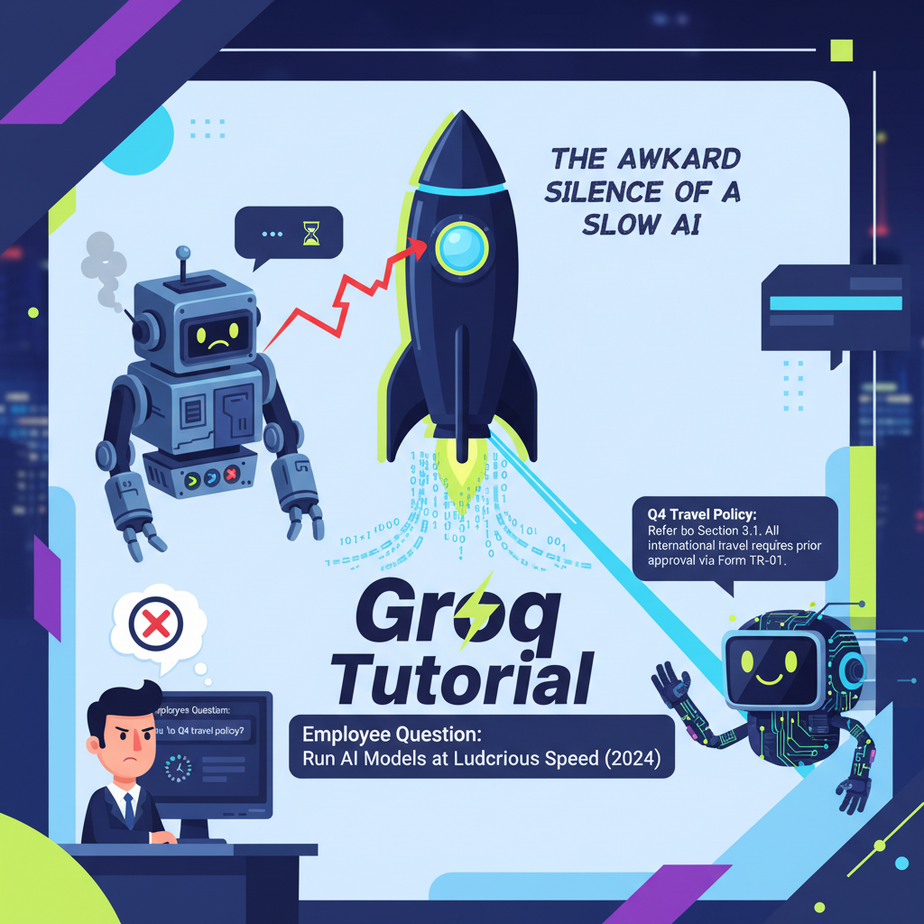
The Awkward Silence of a Slow AI
I was building an internal support bot for a client. The idea was simple: an employee asks a question about company policy, the bot gives an answer. Genius, right? We hooked it up to a powerful language model, fed it all the HR documents, and ran our first test.
An engineer typed: “What’s our policy on remote work from another country?”
And then… nothing. Just a blinking cursor. For five. Whole. Seconds.
It was like asking your intern for a coffee and watching him spend ten seconds just processing the request before even standing up. The answer, when it finally arrived, was perfect. But the damage was done. The magic was gone. It didn’t feel like intelligence; it felt like a clunky database lookup from 1999.
That awkward silence is the killer of good automation. It’s the difference between a tool that feels alive and one that feels broken. Today, we kill the silence.
Why This Matters
In the world of AI automation, speed is not a feature. It’s the feature. A slow response breaks the illusion of intelligence. It destroys user experience and makes your shiny new AI system feel old and useless.
- For Customer Support: Lag means frustrated customers and longer ticket times.
- For Sales Tools: A slow lead-qualification bot kills the conversation flow and loses you money.
- For Internal Tools: If your AI assistant is slower than searching the company wiki manually, nobody will use it.
We’re not just making things a little faster. We’re replacing the slow, thoughtful intern with a robot that has the answer before you’ve finished asking the question. This is about building systems that operate at the speed of thought, not the speed of a tired server.
What This Tool / Workflow Actually Is
Let’s be very clear. The tool we’re using is called Groq (that’s Groq with a ‘q’).
What it is: Groq is an “inference engine.” Think of it like a specialized race car. It doesn’t invent a new kind of fuel (that’s the AI model, like Llama 3 or Mixtral). Instead, Groq has built a custom engine and chassis (a new kind of chip called an LPU, or Language Processing Unit) designed to do one thing: run that fuel with mind-bending speed.
You give Groq an open-source AI model you already know and love, and it runs it hundreds of times faster than traditional hardware (like GPUs).
What it is NOT: Groq is not a new LLM. They don’t compete with OpenAI’s GPT-4 or Anthropic’s Claude. They are a platform for running other companies’ models at ludicrous speed. It’s a pure performance play.
Prerequisites
This is where most courses get scary. Not here. You can do this. I’m being brutally honest about what you need:
- A Groq Account: It’s free to sign up and you get a generous amount to play with. Go to console.groq.com.
- Python Installed: If you don’t have it, just grab the latest version from the official Python website. It’s a simple installer, like any other software.
- A Text Editor: Anything that can save a plain text file. VS Code, Sublime Text, even Notepad will work.
- The Ability to Copy and Paste: If you can do that, you’re 90% of the way there.
That’s it. No coding experience needed. No machine learning degree. Just follow the steps.
Step-by-Step Tutorial
Let’s build our first ridiculously fast AI script. This will take you less than 10 minutes.
Step 1: Get Your Groq API Key
An API key is just a secret password that lets your code talk to Groq’s servers. Treat it like one.
- Log into your new Groq account.
- On the left-hand menu, click on “API Keys”.
- Click the “Create API Key” button.
- Give it a name (like “MyFirstBot”) and click “Create”.
- IMPORTANT: Copy the key immediately and save it somewhere safe, like a password manager or a temporary text file. You will NOT be able to see it again after you close the window.
Step 2: Set Up Your Python Project
Open your computer’s terminal or command prompt. If you’re on Windows, search for “cmd”. On a Mac, search for “Terminal”.
First, we need to install the official Groq Python library. Type this command and press Enter:
pip install groqThis tells Python’s package manager (`pip`) to download and install the code we need to talk to Groq. Done.
Step 3: Write the Code
Create a new file and name it fast_bot.py. Open it in your text editor and paste in this exact code. Don’t worry, I’ll explain what it does line by line.
import os
from groq import Groq

# IMPORTANT: Paste your Groq API key here
# For real projects, use environment variables. For this lesson, we'll just paste it.
API_KEY = "YOUR_API_KEY_HERE"

client = Groq(
    api_key=API_KEY,
)

print("Bot is ready. What is your question?")
user_question = "Explain the importance of low-latency in AI systems."
print(f"You asked: {user_question}")

chat_completion = client.chat.completions.create(
    messages=[
        {
            "role": "system",
            "content": "You are a helpful assistant who provides concise answers."
        },
        {
            "role": "user",
            "content": user_question,
        }
    ],
    model="llama3-8b-8192",
    temperature=0.7,
    max_tokens=256,
)

print("\
Bot's answer:")
print(chat_completion.choices[0].message.content)
Now, replace "YOUR_API_KEY_HERE" with the actual key you copied in Step 1.
Step 4: Run the Script and Witness the Speed
Go back to your terminal, make sure you’re in the same folder where you saved fast_bot.py, and run this command:
python fast_bot.pyBlink. It’s probably already done. You should see your question and then, almost instantly, a perfectly coherent answer from the Llama 3 model. No awkward silence. Just… speed.
Complete Automation Example
Okay, a simple Q&A is cool. But this is an automation academy. Let’s solve a real business problem: The Instant Email Classifier.
The Problem: A small business has a single `contact@company.com` email address. It’s flooded with everything: sales questions, support tickets, spam, and partnership proposals. A human has to read every single one and forward it to the right department. It’s a boring, soul-crushing job.
The Automation: We’ll build a script that reads an email body and instantly tags it as `Sales`, `Support`, or `Other`. This script could be hooked up to an email server to run automatically for every new email.
Create a new file called email_classifier.py and paste this in:
import os
from groq import Groq

# --- SETUP ---
# Replace with your actual API key
API_KEY = "YOUR_API_KEY_HERE"

client = Groq(api_key=API_KEY)

# --- THE INCOMING EMAIL ---
# In a real system, this would come from an email server.
# We'll just use a sample email body here.
email_body = """
Hi there,

I was looking at your pricing page and I'm a bit confused about the Enterprise plan.
Could someone from your sales team reach out to me to discuss our specific needs?
We are a company of about 500 employees.

Thanks,
Jane Doe
"""

# --- THE PROMPT ---
# This is where we tell the AI exactly what to do.
classification_prompt = f"""
You are an expert email routing system. Your only job is to classify an incoming email into one of three categories: Sales, Support, or Other.
Do not respond with any extra words, sentences, or explanations. Only return a single word: Sales, Support, or Other.

Here is the email body:
---
{email_body}
---

Category:"""

# --- THE MAGIC ---
# We call Groq to get the classification instantly.
def classify_email():
    try:
        chat_completion = client.chat.completions.create(
            messages=[
                {
                    "role": "user",
                    "content": classification_prompt,
                }
            ],
            model="llama3-8b-8192",
            temperature=0.0, # We want deterministic output, so no creativity
            max_tokens=10,
        )
        result = chat_completion.choices[0].message.content.strip()
        return result
    except Exception as e:
        return f"Error: {e}"

# --- THE RESULT ---
print(f"Analyzing email...\
")
classification = classify_email()
print(f"Email classified as: {classification}")
Remember to paste your API key in. Now run it from your terminal:
python email_classifier.pyInstantly, it will print: `Email classified as: Sales`. Try changing the `email_body` to a support question like “I can’t log into my account, please help!” and run it again. It works. You’ve just automated a task that takes a human minutes to do, and you did it in milliseconds.
Real Business Use Cases
This isn’t just a toy. This exact pattern—a fast prompt to a fast model—can transform businesses.
- E-commerce Chatbots: A customer asks, “Do you have this in blue?” The bot checks inventory and responds instantly. The low latency keeps the user engaged and more likely to buy.
- Real-time Call Transcription & Analysis: A sales call is happening. An AI transcribes the audio in real-time, and another Groq-powered AI analyzes the transcript to give the salesperson live talking points, like mentioning a competitor the customer just named.
- Content Moderation: A social media platform needs to filter user-generated comments for hate speech. Groq can classify thousands of comments per second, removing harmful content before it spreads.
- Interactive Tutoring: An educational app where a student is learning a language. They type a sentence, and the AI instantly corrects their grammar. The immediate feedback loop is critical for learning.
- Financial Data Analysis: An automated system reads real-time news feeds about stocks. It uses Groq to perform sentiment analysis on each article instantly, flagging positive or negative news for traders faster than any human could read.
Common Mistakes & Gotchas
- Forgetting It’s an Engine, Not a Car: You can’t just ask “Groq” a question. You have to specify which model you want it to run, like `llama3-8b-8192` or `mixtral-8x7b-32768`. Always check their documentation for available models.
- Using High Temperature for Classification: In our email classifier, we set `temperature=0.0`. This makes the model’s output more predictable and less creative. If you’re classifying things, you want consistency, not poetry. Save higher temperatures for creative tasks.
- Ignoring Rate Limits: The free tier is for learning and testing. If you build a real application with thousands of users, you’ll need to move to a paid plan. Don’t build the next Facebook on the free tier and wonder why it broke.
- Hardcoding API Keys in Your Code: We did this for simplicity today. In a real project, this is a major security risk. You should use environment variables to keep your keys out of your code. We’ll cover this properly in a future lesson.
How This Fits Into a Bigger Automation System
What we’ve built today is the lightning-fast brain of a future robot. On its own, it’s just a script. But when you connect it to a larger system, it becomes the central nervous system for your business.
- Connected to a CRM: A new lead is added to Salesforce. A trigger fires our script. Groq instantly analyzes the lead’s company website and generates a 3-sentence summary for the sales rep, which gets added as a note to the Salesforce record.
- Connected to Email (like Make or Zapier): Every time a new email arrives in Gmail, a webhook sends the body to our Python script. The script uses Groq to classify it, and then sends a command back to Make/Zapier to either move it to a folder, create a Trello card, or send a Slack notification.
- Connected to Voice Agents: This is the holy grail. The near-zero latency of Groq is what makes AI voice conversations feel natural. A user speaks, the audio is transcribed to text, sent to Groq for a response, the text response is converted back to audio, and played back. With Groq, this round trip can happen so fast that it eliminates that dreaded, awkward robot pause.
What to Learn Next
You now have a core component of any serious automation: a brain that thinks at the speed of light. You’ve seen how to give it a specific job (like classifying an email) and get a result instantly.
But a brain in a jar is useless. It needs senses. It needs a way to perceive the outside world without you manually running a script.
In the next lesson in our course, we’re going to give our brain ears. We’ll learn how to use webhooks to create a script that listens for events happening on the internet *in real-time*. We’re going to build a system that automatically reacts when something happens in another app, triggering our Groq-powered brain to take immediate action.
You’ve built the engine. Next time, we build the car.
See you in the next lesson.
– Professor Ajay
“,
“seo_tags”: “groq, ai automation, llm, llama 3, python tutorial, api, fast ai, inference, business automation”,
“suggested_category”: “AI Automation Courses